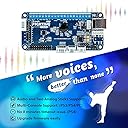
🎮 Level Up Your Game with the Brook PS4+ Audio Fighting Board!
The Brook PS4+ Audio Fighting Board is a versatile arcade stick PCB designed for PS4, PS3, Switch, and PC, featuring multi-console support, easy installation, and firmware upgradeability. It allows for PS4 audio through a headphone jack and includes advanced functionalities like Turbo mode and SOCD Cleaner, making it a must-have for competitive gamers.


| ASIN | B0713PGNHD |
| Box Contents | [1 x PS4+ Audio Fighting Board, 1 x Breakout Board, 1 x Cable] |
| Brand | Brook |
| Brand Name | Brook |
| CPU manufacturer | ARM |
| Compatible Devices | Nintendo Switch |
| Connectivity technology | Bluetooth |
| Customer Reviews | 4.7 out of 5 stars 188 Reviews |
| Included components | [1 x PS4+ Audio Fighting Board, 1 x Breakout Board, 1 x Cable] |
| Manufacturer | Brook |
| Manufacturer Part Number | AFN-ps4-010127 |
| Model Name | brk-pcb-ps4-av2 |
| Model Number | PS4+ Fighting Board with Audio |
| Model name | brk-pcb-ps4-av2 |
| Network Connectivity Technology | Bluetooth |
| Number of Items | 1 |
| Operating System | PC |
| Operating system | PC |
| Processor Brand | ARM |
| Processor Count | 1 |
| RAM Memory Technology | DDR4 |
| Total USB Ports | 1 |
| Unit Count | 1.0 count |
| Wireless Compability | Bluetooth |
D**S
Create handbrake for PS4
Awesome. I have a PlayStation 4 and am using a Logitech G29 steering wheel. I used the brook board to create a USB handbrake so I could rally properly on dirt rally 2.0
S**A
Good quality
Good quality
S**S
DEFECTIVE PRODUCT - DO NOT BUY
This item does not function correctly on the analogue side. Only the left thumbstick operates correctly - the right does not work. I reported this directly to Brook on a previous purchase and they have done nothing to fix it in several months. Every other board Brook sells operates perfectly on the analogue except for this item. DO NOT PURCHASE THIS BOARD The only reason I have left one star is because Amazon won't let me submit without it.
C**G
It does exactly what it says and very straight forward to install
I installed this board in an Original MadCatz Street Fighter Tournament Edition PS3 Fightstick which was originally advertised as PC compatible. However, the fightstick would only work on motherboards with a VIA chipset for the USB, so I ended up having to buy a PCI usb expander with a VIA chipset. This was never really how I wanted to use the stick since it would only work on my PS3 and the single PC I bought the PCI expander for. I always wanted to just wanted to use the fight stick as a plug and play device on any PC or console I used it on. I read about the Brook board years ago and was a little concerned about losing some of the functionality of the fightstick (LED lights and home button), but I found an excellent online tutorial on how to install it in the Madcatz fightstick without losing this functionality. I finally got around to purchasing the Brook board this year and now that I have it installed, I wish I would have done it sooner. Installation was very straight forward. In fact, despite all the wires that need to be screwed down, it is deceptively simple since the order of the brook screwdowns virtually mirror the order of the fightstick. Because I wanted to have the LED, home, and turbo button functionality, I had to do some soldering, but if you're building a fight stick from scratch or are replacing a board in an older fightstick like me and don't care about the LED or other buttons, you can install this board in probably less than 1/2 hour. The board may look a little intimidating at first but just take your time and familiarize yourself with what each terminal does and you will see it is much easier that it appears. There is very little documentation with the board, but there are excellent tutorials in forums and on youtube. The only complaint that I have is that the board outline which is on their website is not updated to reflect the layout of the current board, so a few of the inputs are in the wrong place on the diagram on the website; however, if you look carefully you can see where they moved the pinouts. Other than that it works exactly as it says, and now my fight stick is truly plug and play. If I were to do it again, I would have purchased the Universal fightboard for more compatibility. But I mostly play on the PC, so for now it does everything I need it to do and more.
R**O
Plenty of options!
This is perfect for your own custom fightstick
K**F
Ideales Board für DIY Sticks und Hitbox
Board wurde auf Firmware 1.9 geupdatet und wurd vom PC als XBox One Controller erkannt und Playstation 4 und 5 erkennen meine Hitbox ohne Probleme. Verkabelung manuell durchgeführt, es gibt aber fertige Kabelbäume für Sticks oder Hitboxes (wenn keine Materialien bereits vorhanden, sind die fertigen Bäume definitiv günstiger) welche ein Plug and Play ermöglichen. Das Breakout Board kann genutzt werden, muss aber nicht sein, weil ein USB Anschluss direkt am Board vorhanden ist. Man muss das Board auch nicht komplett verkabeln. Bei mir fehlen z.B. die Player LED, Touchpad und der Switch für die Thumbstick Umschaltung. Man kann dennoch die Thumbsticks on the Go wechseln, für Left Stick Start und Select plus linke Taste drücken für 3 Sekunden, die anderen Buttons einfach mit down oder rechts. Das einzige was mich gestört hat war das Breakout Board und der Abstand der Bohrlöcher. Die sind ein wenig knapp bemessen, sodass die Anbringung ein wenig knifflig war. Ansonsten sind bei mir Sanwa Buttons mit Schraubverschluss verbaut und die Systemtasten sind Noname. Gehäuse ist von Obi und hat mir viel Arbeit und Zeit gespart. Das einzige was ich nicht probiert habe ist der Köpfhörer Eingang. Nach über 100 Stunden in Tekken 7 mit der Hitbox sind keine Probleme entstanden. Es gibt auch kein delay oder aussetzer, funktioniert einfach perfekt. Andere Boards die ich mal in der Vergangenheit probiert habe nahmen entweder Buttons nicht an oder hatten delays oder mehrere gleichzeitige Eingaben wurden nicht angenommen. Klare Kaufempfehlung für jemanden der eine eigene Box zusammenbasteln möchte.
G**O
Excelente producto!
Excelente producto! Llegó super rápido y me satisfizo por completo. Saludos de parte de su amiko LCD - Dragón, de La Cueva del Dragón 🐉
R**N
Great board
Works really well, two different modes of SOCD cleaning, left + right = last pressed, and left + right = neutral. Played GG Strive on PC with this for a long time. Definitely worth it. Impossible to upgrade the firmware though, seems like a common problem with Brook boards. Doesn't really need the upgrade though, everything just works.
Trustpilot
1 week ago
3 weeks ago