

Buy anything from 5,000+ international stores. One checkout price. No surprise fees. Join 2M+ shoppers on Desertcart.
Desertcart purchases this item on your behalf and handles shipping, customs, and support to Croatia.
🎮 Level up your game with precision and style — the A75 Pro is your secret weapon!
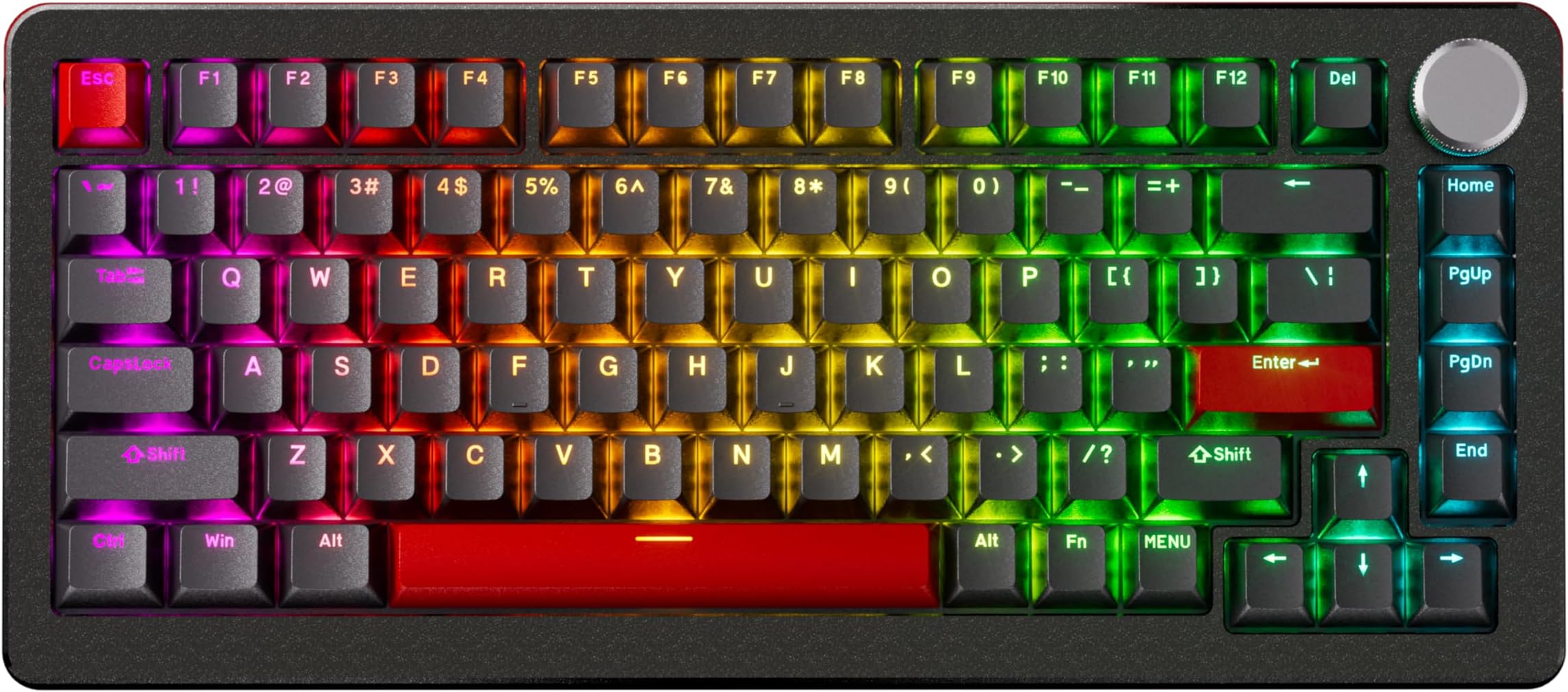
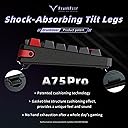
The DrunkDeer A75 Pro is a compact 82-key mechanical gaming keyboard featuring ultra-responsive magnetic Hall effect switches with adjustable actuation from 0.2mm to 3.8mm. It boasts a rapid trigger mechanism for seamless mid-motion repeats, a premium aluminum build with RGB PBT keycaps, and patented shock-absorbing tilt legs for enhanced comfort and sound. USB wired connectivity ensures stable performance, making it ideal for competitive FPS and rhythm gamers seeking customizable precision and a sleek, professional look.



| ASIN | B0CXDYHV2Q |
| Additional Features | Magnetic Switches, Adjustable Actuation Distance |
| Antenna Location | Gaming |
| Best Sellers Rank | #3,366 in Computers ( See Top 100 in Computers ) #83 in Computer Keyboards |
| Brand | DrunkDeer |
| Built-In Media | USB Cable |
| Button Quantity | 82 |
| Color | OEM-PBT-B-ORANGE-SHINE-THROUGH |
| Compatible Devices | Gaming Console |
| Connectivity Technology | USB |
| Customer Reviews | 4.5 4.5 out of 5 stars (293) |
| Enclosure Material | Aluminum |
| Hand Orientation | Ambidextrous |
| Keyboard Backlighting Color Support | RGB |
| Keyboard Description | Mechanical |
| Keyboard Layout | QWERTY |
| Manufacturer | DrunkDeer |
| Model Name | A75 Pro |
| Model Number | A75 Pro |
| Number of Keys | 82 |
| Number of Sections | 3 |
| Power Source | USB/DC Power Supply |
| Series Number | 75 |
| Style Name | Modern |
| Switch Type | Magnetic |
| Theme | No Theme |
| Unit Count | 1 Count |
M**I
ممتاز
S**N
Very good, silent - but no bluetooth is annoying
Great keyboard, very silent - I stopped getting funny looks from my colleagues. Only downside is there is no bluetooth functionality
ば**お
静音モデル購入 押し感足りないかなと思ったけど2日で慣れていい感じ。 ラピトリの設定ページをネットで探すのにちと苦戦したけど設定自体は日本語選択できるしよき。0.2 0.3 0.3 に設定するといい感じ。ターボモードはONにしたら valorantややラグくなったので外してます。 英字キーボード久しぶりだけどカッコイイしいい感じで満足。 (日本語のローマ字入力の切替はAlt+左上の〜キーです)
B**A
WOW! This keyboard is so PREMIUM and nice! It competes with the other leading HE keyboards currently out there and with these new "silent" switches this keyboard is really something to consider. I've added some "pudding" style keycaps on the F-Keys, Number Keys, and some of the other function keys and it really POPS with super bright RGB and custom per-key RGB settings available in the software. I was able to dial in the color scheme that really compliments the pudding keycaps mixed in with the stock shine-through keycaps. Looking so good, I literally can't stop checking out my keyboard, so weird but it is satisfying. One major thing that I do NOT like about it's competitor, the Wooting 60HE and HE+, is the lack of arrow and F-Keys. With the 75% layout of the A75 Pro there are no compromises, you have direct access to the arrow and F Keys, without any key combinations needed. Also, there are a LOT more keys available to assign as nearly every key can be assigned, either directly or using the two Function keys, so three layers of keys! Take another look at the Wooting 60 and don't forget you're losing those arrow and F keys with a 60% layout. I lost site of that when I was comparing the options. With the Wooting you have to hold the Function key to get into the layers with the arrows, which means now you have "remember" which function key and key combinations to access the arrows. Although the minimum actuation setting is 0.2mm where as some HE keyboards let you go down to 0.1mm. Let me just say that even at 0.2mm this keyboard is VERY sensitive! I've used a cheaper HE keyboard that sets to 0.1mm but the DrunkDeer is WAY more sensitive. Seriously, aAnything less than 0.3mm and I find that just my fingers just "resting" on the keys results in unwanted keystrokes. So even with my "gaming" profiles I have the actuation set to 0.4mm - 0.6mm. And this tight range gives me that ultra quick response I want for gaming from this type of keyboard, but not so sensitive that it's catching unwanted keystrokes. For my "standard" typing profile I've set the actuation nearly all the way down to 3.2mm. This results is a very natural typing feeling. Since these are "linear" switches there is no "tactile" feedback. And this is my first linear style keyboard but it's very easy to get use to with a actuation setting set deep like 3.2mm. Pros: Adjustable Actuation with Magnetic HE (hall effect) switches Very sensitive HE switches, even with a minimum setting of 0.2mm they are actually more sensitive than some HE keyboards that set to 0.1mm. "Silent" HE switches - they are so very quiet and not at all mushy with the factory lube Switches are all "pre-lubed" Build Quality - it feels premium and it is premium Web Based Software - great for work, nothing to install, everything is saved locally on the keyboard... Per-key RGB customization! Very Bright RGB North Facing RGB, so much better with shine-through and pudding keycaps 3 layers of assignable keys with the Function and Menu keys. Supports "Profiles" to easily witch between them (however requires web UI to actually switch profiles) Software has a diagnostic mode to "test" each key stroke, you view the analog response for each key and test actuation settings to dial them in, makes it very easy actually to see and adjust your settings. OEM Profile keycaps - a lot more options available for OEM profile keycaps Cons: The software is lacking in some areas, like missing macros, missing hotkeys (key stroke combinations like "Ctrl + Shift + R")... With really only single key assignments and only limited "special" and "media" key options. It would be nice to have "mute mic" options and other things like "profile swap" or "hotkeys" options (keystroke combinations). Can't swap profiles on the keyboard without the web interface, it would be nice if you could hotkey profile change directly on the keyboard without pulling up the web UI. Unable to modify the knob and push-button on the knob. It would be nice to assign "mute/un-mute" instead of "pause/play" on the knob push-button... No support for other HE (magnetic hall effect) switches, although with the quality and performance of these pre-lubed silent magnetic switches I see no reason to upgrade right now... No extra switches... The switches are also NOT easy to take apart with standard tools like the little cube that supports two different types of switches or the nice hand tool from Gateron. These switches have to be taken apart the old fashion way, very carefully with sharp objects. Thankfully they come very well lubed, but eventually they will need to be taken apart and re-lubed. I'll keep researching to find a tool that works with this type of switch, there has to be something out there. But keep in mind your standard tools will probably not work to separate these switches to re-lube them. One word of caution, if you order directly from the manufacture's website they do ship from China. So although you might save a few bucks you're going to have to wait a couple weeks to get your keyboard. So just order from Amazon and get your DrunkDeer A75 Pro with Silent switches tomorrow!!! If you want cutting edge tech here you go, you found it. And if it's in stock you can get it right now. Make sure to get the "silent" version!!!
た**ー
ついに自分もラピトリを手に入れようと、意気込んだんです。 でも某うーてんぐは高いしなあと思ってたらプライム感謝祭でちと安くなってて第一候補。 いろいろ調べた感じ、ソフトウェア廻りも改善されててとくに問題なさそうだしデザインがいい感じだなあと思ってたんでこれにしました。 結果として大満足。打鍵感もコトコトというかスコスコというかまあいわゆる静音スイッチにしたってのもあってだいぶ静か。 前に有名ゲーミング企業Rのキーボード使ってたけど底打ちうっせぇわでAdoってたんで嬉しかった。discord通してフレンドにも静かなったねぇニッコリみたいな感じだったんで買いっす。 金で迷ってるなら買え。 あーValoのランクは別に上がってません、エイムでしたわ結局
V**A
Estou bastante contente com o produto! A versão anterior era óptima, mas está ainda ficou melhor!
K**T
Die beste Tastatur, die ich je hatte. Verarbeitung und Software sind top! Zwei Dinge, die mir nicht gefallen: Die Keycaps sind nicht durchleuchtend und es gibt kein DE-Layout. Ansonsten perfekt.
Trustpilot
1 month ago
3 weeks ago