๐ง Elevate every meetingโhear and be heard like never before!
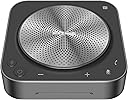
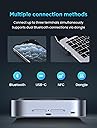
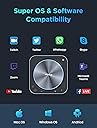
The Enther&MAXHUB BM35 is a professional-grade conference speakerphone featuring an 8-microphone array for 360ยฐ voice pickup up to 20 feet, AI-driven noise reduction, and DSP-enhanced sound clarity. Designed for small to mid-sized meetings, it supports multiple connection modes including USB-C, Bluetooth, NFC, and dongle, and is certified for Zoom and compatible with major conferencing platforms. Its wireless daisy-chaining capability allows scalable coverage for up to 20 participants, making it a versatile and reliable choice for hybrid workspaces.


| Additional Features | 8 Mic, 360ยฐ Enhanced Voice Pick up |
| Antenna Location | Video Conference |
| Asin | B0CNTGNP8S |
| Audio Driver Type | Dynamic Driver |
| Audio Output Mode | Stereo |
| Best Sellers Rank | #81,794 in Computers (See Top 100 in Computers) #438 in Computer Microphones |
| Bluetooth Range | 20 Feet |
| Brand | Enther |
| Built In Media | 1*BM35 speakerphone, 1*USB Type-C cable, 1*USB Dongle |
| Color | grey,black |
| Compatible Devices | Laptop, Smartphone |
| Connectivity Protocol | Bluetooth |
| Connectivity Technology | Bluetooth, USB |
| Control Method | Voice |
| Controller Type | Voice control |
| Customer Reviews | 4.4 4.4 out of 5 stars (132) 4.4 out of 5 stars |
| Enclosure Material | Plastic Metal |
| Eu Spare Part Availability Duration | 3 Years |
| Frequency Response | 20 KHz |
| Global Trade Identification Number | 00810105180633 |
| Is Waterproof | FALSE |
| Item Weight | 0.73 Kilograms |
| Manufacturer | Enther |
| Maximum Range | 20 Feet |
| Model Name | BM35 |
| Model Number | BM35 |
| Mounting Type | Tabletop |
| Number Of Audio Channels | 2.2 |
| Number Of Items | 1 |
| Power Source | Battery Powered |
| Signal To Noise Ratio | 75 dB |
| Speaker Size | 19.81 Centimeters |
| Speaker Type | Multimedia |
| Specific Uses For Product | Video Conferencing |
| Subwoofer Connectivity Technology | Wireless |
| Upc | 810105180633 |
| Warranty Type | Extended |
| Wireless Technology | Bluetooth |
User
MAXHUB Speakerphone
No Bluetooth dongle coming inside the box
User
Great speaker & microphone! Don't hesitate to purchase!
This speaker & mic combo is fantastic! The sound quality is amazing, and even from six participants away, the microphone picks up the person talking with ease. It works well, and was a simple plug-n-play! Great value for the cost!
User
High quality speakerphone
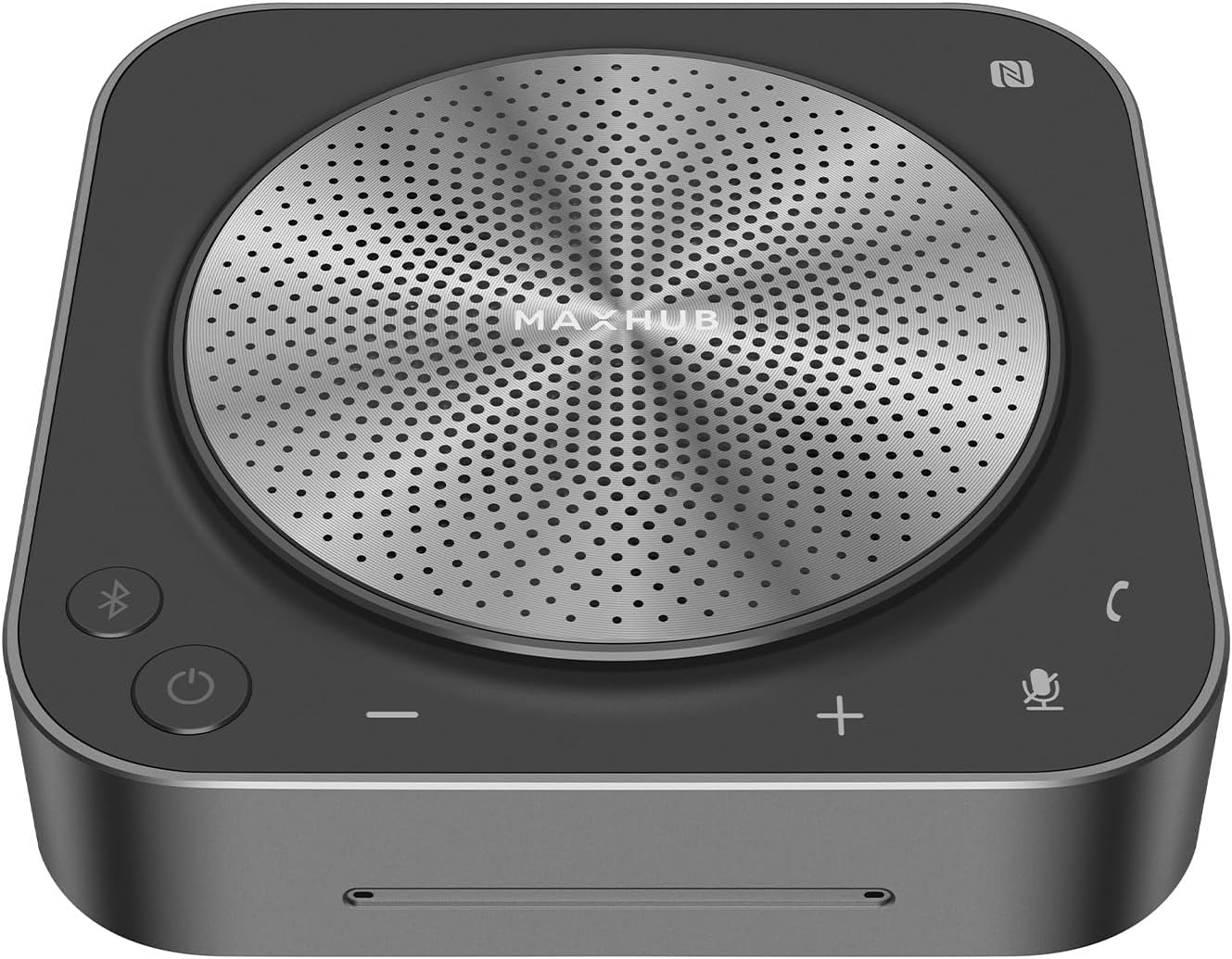
This is clearly a high quality speaker/microphone. The MaxHub weighs just under 14 ounces and is substantial, attractive and functional.For me, the initial need was for Zoom. The camera on my Dell laptop is located in the lower left, which does not lend to an attractive image on the zoom call. It's closest to my left nostril and I appear to be looking up and to the right. This might be OK for friends, but for business Zooms, not so much.So I decided to purchase a web camera and a microphone for my desktop. You can spend as little as $20 for a USB connected microphone, but you get what you pay for. A multi-directional and auto volume adjusting unit like this MaxHub would be a much better long-term choice. This model has 6 microphones, so it will also act like a conference table unit in a board room. Plus it has noise cancellation.I have tested the MaxHub on a desktop computer Zoom plus as a speakerphone attached to my Android phone. Both connections via Bluetooth. Both worked well, with excellent sound quality. The persons on the other end of the call reported that I sounded no different from normal and the speaker quality was excellent. I also played some music and the speaker sounded fantastic.First of all, when you open the box, there are several pieces of printed material. Skip right to the black single-fold piece that says "Speakerphone" on one side and "MaxHub" on the other. It has simple, concise directions for set up and operation. It also explains the meaning and function of the various lights on the device.Set up was pretty simple: plug the power cable into a standard USB-A power adapter and the other USB-C end into the device. Long press the power button to energize it and the Bluetooth button will begin flashing.On your Windows computer, open Settings, then Devices, then Bluetooth, click "Add a Bluetooth or other Device" and click "Bluetooth." The Max Hub BM21 showed up and when clicked on, it immediately paired and connected.For your Android phone, open Settings, Connections, Bluetooth and pair.Your computer and phone will remember the pairing, so when the Bluetooth light flashes when you next turn it on, simply find the MaxHub in your paired device and connect. The MaxHub doesn't auto connect each time it's powered on, which makes sense, since you may want to connect it to something else next time you turn it on. I have other Bluetooth devices that "won't let go" of the prior connection and it's pretty annoying.Bottom line: a nice, high quality speakerphone well worth the money.
User
Good sound and performance but needs better grounding protection
I use this for video conferences about 3-8 hours per day. The device fits comfortably on a smaller desk at home. The sound quality is good and people report I sound good. I like the easy access to volume controls vs. trying to find which control in the app or the OS to mess with. It connects reliably through USB. It is connected via my monitor KVM switch and both computers have no problem reconnecting the device as the default audio device when I switch between the computers. One issue I run into periodically is what may be a grounding problem. At times when I adjust volume, the speaker starts buzzing loudly and stops working. I have to press and hold the power button a while to get it to shut off and then turn it back on. That can be disruptive to calls. I may look for a way to add a chassis grounding mechanism since it sits on a glass table top that increases static electricity potential.
User
Durable and Clear Audio! Great for Work!
I recently got the MAXHUB Speakerphone, and I'm thoroughly impressed. The build quality is outstanding, featuring sturdy metal parts that give it a robust and durable feel. The buttons and interface are straightforward and easy to navigate, making it user-friendly. Adjusting settings like volume and muting the microphone is simple and hassle-free. Additionally, the LED lights on the top of the unit are easy to read, allowing me to check the battery life at a glance, adding to its convenience.For my work conference calls, this speakerphone has been a game-changer. Colleagues have praised the clarity of my voice, and it excels at capturing audio from all corners of the room during group discussions. One standout feature is the easy Bluetooth pairing, allowing me to connect my phone quickly. This has been incredibly convenient, enabling me to stay connected and engaged during meetings, even when I'm on the move.This MAXHUB Speakerphone is a top-notch device, embodying durability, ease of use, and excellent audio performance. Its strong build, intuitive controls, and handy LED battery indicator make it an excellent choice for both professional and personal use. Five-stars for its exceptional quality and convenience!
Trustpilot
1 month ago
5 days ago