🚀 Compact Powerhouse: Game, Create, and Connect Like a Pro!
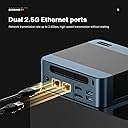
The BOSGAME P6 Mini PC packs a Ryzen 9 6900HX processor with 8 cores and 16 threads, paired with 32GB LPDDR5 RAM and a 1TB PCIe 4.0 NVMe SSD for lightning-fast performance. Featuring integrated AMD Radeon 680M graphics based on RDNA2, it supports smooth gaming and 4K media playback. Triple 4K display outputs and cutting-edge Wi-Fi 6E plus dual RJ45 LAN ports make it ideal for multitasking professionals and gamers seeking a sleek, powerful desktop solution.


| ASIN | B0D1R5J4GM |
| Are Batteries Included | No |
| Best Sellers Rank | 6,857 in Computers & Accessories ( See Top 100 in Computers & Accessories ) 27 in Desktop PCs |
| Brand | BOSGAME |
| Colour | Black |
| Computer Memory Type | DDR5 RAM |
| Connectivity Type | Wi-Fi |
| Customer Reviews | 4.2 4.2 out of 5 stars (328) |
| Date First Available | 15 April 2024 |
| Form Factor | Small Form Factor |
| Graphics Card Description | Integrated |
| Graphics Card Interface | Integrated |
| Graphics Chipset Brand | AMD |
| Graphics Coprocessor | AMD Radeon 680M |
| Graphics RAM Type | DDR5 SDRAM |
| Guaranteed software updates until | unknown |
| Hard Disk Description | SSD |
| Hard Drive Interface | PCIE x 4 |
| Hard Drive Size | 1 TB |
| Hardware Platform | PC |
| Item Weight | 1.66 kg |
| Item model number | P3 |
| Manufacturer | BOSGAME |
| Maximum Memory Supported | 32 GB |
| Memory Clock Speed | 4800 MHz |
| Memory Technology | LPDDR5 |
| Number of HDMI Ports | 1 |
| Number of USB 3.0 Ports | 3 |
| Operating System | OS, Support for Linux |
| Package Dimensions | 19.51 x 17.4 x 11.3 cm; 1.66 kg |
| Processor Brand | AMD |
| Processor Count | 8 |
| Processor Socket | FP7 |
| Processor Speed | 4.9 |
| Processor Type | Ryzen 9 |
| RAM Size | 32 GB |
| Resolution | 3840x2160 |
| Screen Resolution | 3840 x 2160 |
| Series | Bosgame AMD Ryzen 9 6900HX Mini PC_P3 |
| Wireless Type | 802.11ax |
A**A
Excellent. Exactly as described. Great Value
Exactly as described. Great value compared to the other Mini PCs on sale. Comes preinstalled with an activated windows 11 Pro and NO malware! You won't be able to play AAA games on this computer of course as it's not a 1k gaming rig but it will play simulators and older games without a problem. It's excellent for GeForce Now and you can cloud game at 4k if you have decent internet like I do. It will play raw 4k 60FPS video like it's nothing. I actually expect it would play 120FPS with ease too. So it's great for video editing etc! Top tip: VRAM in the bios is set to only 3GB. Bump this setting up to the maximum allowed of 8GB for better GPU performance. You have 32GB of ram on tap so it's worth losing 8 to the GPU. You won't see any difference in normal use. I also changed the power settings from Balanced to Performance as I want all it's got all the time. This will mean a little more fan noise but that doesn't bother me as it's already pretty quiet! One thing to note is immediately after system setup there was a problem with the audio, it was clicking/stuttering for an hour or so but it went away and never came back and I've been using it for a good few days now. It's reliable, fast and just works! I expect it to be some type of beelink clone as it's pretty similar. All the parts inside are name brand quality so you can't really go wrong.
J**L
You can even use it to play games.
So good I bought two! This small pc can be hidden in plain sight and offers a really quick Ryzen CPU, loads of memory, loads of storage and is really quiet when you are using it. It is well built and comes fully installed with Windows 11, it has Bluetooth and WIFI built in and is a great all round PC. You can even use it to play games.
D**E
Small, powerful. Nice piece of kit.
Only had it one day. Seems good so far. Quieter and a lot faster than my previous computer, however, air noise from the fan was still too loud to have on the desk top.... I putit on small shelves under desk. .... much better. Impressed so far. A lot of power in a small package.
J**S
Excellent performance and great value.
Bought this to replace an older i5 system running a 3D printer and four-camera CCTV setup. The old PC struggled badly and could take several minutes just to log into Windows. This Ryzen 7 6800H mini PC with 32 GB DDR5 and a 1 TB PCIe 4.0 SSD worked out of the box with minimal setup and is extremely fast in daily use. Wi-Fi 6E has been rock solid on my Wi-Fi 6 network, even in the shed where the previous machine struggled. I cannot comment on graphics performance as it is not used for gaming, but overall this is an excellent, reliable upgrade for the price.
T**N
Died just after one week of light use
Bought for my Dad to replace an old laptop. Impressed at first, was quiet and fast enough, seemed ideal. After one week it died, would not turn on. We tested the mains adapter, it was working OK. The company sent me an email with a list of things to try, none of which worked. The second email just told me to return it to amazon for a refund. I bought this during Amazon black Friday week and was unable to get a replacement for the same price. Disappointing..
M**N
A very good, compact and powerful mini pc
I've only had this for a few days now but so far it exceeded my expectations, especially due to the size and form factor as well as features. All in all this is a very good buy. A small typo, it is listed as a BOSGAME M2 but on the box it is an BOSGAME M4Plus just so you know what to expect.
W**E
⭐ Wayne’s Tactical Review of the BOSGAME M2
“Small box. Big attitude. Zero apologies.” If you’d told me a year ago that a PC the size of a Yorkshire pudding would replace half my desk infrastructure, I’d have laughed, logged the anomaly, and escalated it to Tier 2. Yet here we are — the BOSGAME M2 has rolled into my setup like a tiny armoured personnel carrier and declared itself Commander. ⚡ Performance: The Ryzen 9 7940HS inside this thing behaves like it’s trying to prove something to its dad. Eight cores. Sixteen threads. Boosting to 5.2GHz like it’s late for a meeting. I opened 47 Chrome tabs, three VMs, Discord, Steam, and a SOC lab, and the M2 just looked at me like: “Is that all, mate?” 🧠 Memory & Storage: 32GB DDR5 + 1TB NVMe means this thing loads faster than my patience runs out when dealing with customer service scripts. Games? Instant. Boot time? Blink and you’ll miss it. File transfers? Feels illegal. 🌐 Connectivity: This is where the M2 goes full Wayne: • Dual 2.5G LAN — because one network isn’t enough when you’re running a home lab, gaming, and monitoring the family logistics theatre of operations. • Quad display support — perfect for when you need dashboards, maps, logs, and a YouTube video of a bloke fixing a toaster all open at once. • OCulink — the port equivalent of saying “Go on then, strap a full GPU to me, I dare you.” • Wi‑Fi 6E & BT 5.2 — wireless so fast it feels like cheating. 🔇 Thermals & Noise: The cooling system is basically a tiny, angry tornado. Under load it spins up like a jet engine thinking about taking off, but never actually does. Temperatures stay stable, and the noise never crosses into “I need to file a noise complaint against myself.” 🎮 Gaming & Labs: For a mini PC, the integrated GPU punches way above its weight. It handles modern games at respectable settings, and for SOC labs it’s an absolute dream — fast, stable, and capable of running multiple VMs without crying. 🧩 Versatility: This thing can be: • A gaming rig • A home server • A SOC training node • A media centre • A travel workstation • A backup command post for when the family logistics go DEFCON 2 It’s basically the Swiss Army Knife of mini PCs — except instead of a corkscrew, it has OCulink. ⭐ Final Verdict The BOSGAME M2 is a tiny tactical powerhouse that behaves like a full‑sized desktop compressed by a neutron star. If you want a machine that fits in your hand but performs like it’s auditioning for the Avengers, this is the one.
P**R
Nice computer for the price. We did have some rebooting issues and had to send it back for a different one. Since I had to return from an international address and it took some time to get back to Amazon, Amazon charged a restocking fee. The seller was nice enough to contact us about the issue and credit us the restocking fee towards purchase of a new one. This was very appreciated.
T**N
The item arrived sooner than i expected. Bought this to replace my old pc that cannot upgrade to win 11. Very easy to set up . Mini pc but work great as a desktop. Very satisfy. Thankx Bosgame.
E**T
JUST RECEIVED THE UNIT AND HAVE SET IT UP. SO FAR THE COMPUTER MEETS EXPECTIONS WITH OUT DOING ANY SPECIFIC TESTS. VERY QUITE, EASY TO SET UP AND APPEARS TO BE FAST.AND WILL KNOW MORE AFTER STARTING TO RENDER 3D MODELS. GRAPHIC QUILITY IS VERY GOOD. VERY AFFORDABLE BASED ON THE SPECS. PLAN TO USE THE VESA MOUNT FOR THE SPACE SAVINGS. LIKE AN ALL -N-ONE BUT BETTER. POWER MODULE IS NOT TOO BIG. CAME IN A DAY EARLIER THAN EXPECTED.
G**S
I bought this to replace an aging (and venerable) NUC 7 to run my observatory which requires telescope control, dome rotation, basic/initial data stacking and plate solving. IYKYK. I required this to run on 12V. At least when I bought this, this was not specified to run on 12V on Amazon, though Bosgame's website indicates it runs on 12-20V. For my fellow astronomers out there, this is true. Background: I replaced the 512GB SSD with a 2TB SSD (Silicon Power 2TB NVMe M.2), upgraded to 32GB RAM (Timetec 32GB KIT(2x16GB) DDR4 2400MHz), and replaced the WiFi card with an Intel AX210. None of this was necessary, and this unit was still cheaper than any alternative I found with a processor at this performance level. The Wifi module upgrade was $26 and installed in 4 minutes. The RAM and SSD upgrades were easy for someone who can barely use a screwdriver and knows little about computers. Note: there is only one slot for the SSD. Opening this up showed decent quality control and an easy layout to work with. Power consumption: A stress test with N.I.N.A image capture, PHD2 guiding, Cartes du Ciel, Gemini mount control, ASCOM Hub (for dome control), and, just to make it interesting, SIRIL (astronomy image processing program) stacking 450 subexposures peaked at 37 watts before settling down to 25-26 watts with BIOS settings unchanged from factory settings ("Balanced performance"). Under "normal" conditions, meaning capturing images; controling the dome and mount and cameras; and PHD2 guiding running, this hummed along between 15-21 watts, so less than 2 amps. This is slightly less than my NUC7 with an i5-7260U processor, but this AMD 3550H processor has twice as many cores and threads. The speed improvement over my old processor was significant and immediately noticeable. This will also run laps around Intel N100-N300 processors while allowing for dual-channel RAM. WiFi - Astronomers will know why I automatically upgraded the WiFi module before even turning the computer on. For most users, the standard WiFi module will be more than good enough, but I'm running this 65 feet from my house. The computer is inside a fiberglass observatory. With the upgraded module, download speeds were around 240-260 Mbps in perfect conditions in the observatory with the computer away from the metal telescope pier and without an USB Wifi antenna. With the computer attached to a steel pier, the signal dropped (very expectedly) down to a respectable 35-70 Mbps download (enough for Windows Remote Desktop). As planned, I use this with a relatively cheap TP-Link USB wifi antenna away from the telescope pier. Wifi speeds in this configuration range between 150 to 220 Mbps download. The connection is quite stable and still plenty fast over Windows Remote Desktop. For comparison, inside my house, download speeds were over 600 Mbps, so the physics of walls and distance still apply. In my use so far, I have not had any latency issues controlling this from inside my home (with the computer outside in the observatory) using Windows Remote Desktop in a suburban neighborhood with quite a number of Wifi networks visibile (houses are close together). The connection does not drop. I ran a CrystalDiskMark Read/Write Test with the somewhat generic SSD I bought to replace this was a respectable ~2800MB/s write and a RNK4K speed of ~280MB/s. It is no speed demon, but this was both better than I expected and more than good enough for astronomy. In indoor and outdoor testing, I've only ever heard the fan turn on at initial startup. Even while "stress testing," I never heard the fan turn on during normal use. This thing was cool to the touch indoors and outdoors. I did check temps via HWmonitor a couple of times and never saw temperatures approach 50C. Heavy gamers might have a different experience here. It should be noted that astronomy programs intended to run telescopes and observatories do not tax processors and memory like modern games do, so gamers' mileage may vary. However, image stacking and processing programs can tax processors and memory a little and the fan never turned on and power consumption remained below 40 watts in my limited use. Cons: 1. The plastic quality is somewhat to be desired. I'm nitpicking hard here as that same plastic allows for more effective WiFi range than my NUC had, which was a metal Faraday cage of otherwise beautiful build quality. I'd rate the build quality as good enough, particularly at this price. 2. No SATA expansion slot: Hence the reason why I got a 2TB SSD. I knew this going in, and now you do. I will not take a star off of my rating for this because they do not advertise this as having the capability to add a second SSD/SATA drive. 3. This is advertised as only being able to use 2400Mhz DDR4 memory, but the module inside the unit was 2666Mhz DDR4. I don't know whether this was faster memory operating at 2400Mhz or whether the motherboard/processor can handle faster memory, but I had bought new memory sticks for this computer before I knew I could potentially squeeze out a little more speed with 2666Mhz DDR4. It is difficult to call this a con because I don't know the actual limitations of the computer. For most users, this underpromise and overdelivery might be a good thing. If expecting to upgrade from 16GB RAM immediately, check with BOSGAME first to ensure it can only operate with 2400Mhz. Overall, in the two weeks I've had this, I've been happy with its performance for astronomy. It has significantly better performance than an ASIAir and uses marginally more power than otherwise lower-performing N97, N100-N305 Intel processors. 1-1.5A under normal loads is extremely reasonable either in the field or in an observatory. This thing is a steal thus far.
J**F
Looses a star for need to wipe and deceptive vendor/mfg software download process. I wanted to get a cheap little PC mostly just for light gaming for my kid. The use case was mostly run around first person shooter so I wanted better graphics than a budget level. I was excited to see this one with the non-mobile AMD chip. Much better than the mobile version of the chip for gaming. At least from what I read. I'm pretty blown away by the specs in general at this price. First day I got it I spent about 2 hours downloading updates and creating profiles and getting everything ready to go. It's about the 25th PC I've set up over the years so nothing new. Kind of enjoyed it. Testing along the way went fine. The gameplay at first was choppy and slow until I downloaded more AMD graphics software and more updated drivers. The graphics seem to work pretty well then. Only problem that lingered was an intermittent failure to boot every now and then, but that failure to boot up became more and more annoying. It was almost every other time I get a black screen of death with the only way out a long press of the power button. The BIOS would boot fine and then it'll go black. Windows seem to be running the background but nothing else. I tried more updates of BIOS. Almost got suckered in downloading a bunch of bloatware from the vendors website. That was most annoying and concerning. But no matter what kind of drivers I installed, logs I reviewed, diagnostics I ran, I kept getting this black screen of death about every other boot up. It didn't matter if it was the admin user account or the standard user account that logged off prior to the fail boot ups. I was about ready to initiate a return when I decided to just completely wipe everything and start over with a fresh download of Windows. A few hours later, after all those updates after a fresh installed Windows, it does not seem to be having the boot up problem anymore. I've rebooted probably about 15 times in the last couple days (not normal rate, mostly testing) between myself and the other user account and not once has it failed to boot up. I'm pretty excited and hopeful.
Trustpilot
1 week ago
3 weeks ago