Desertcart purchases this item on your behalf and handles shipping, customs, and support to Croatia.
🚀 Double your NVMe, double your Pi power!
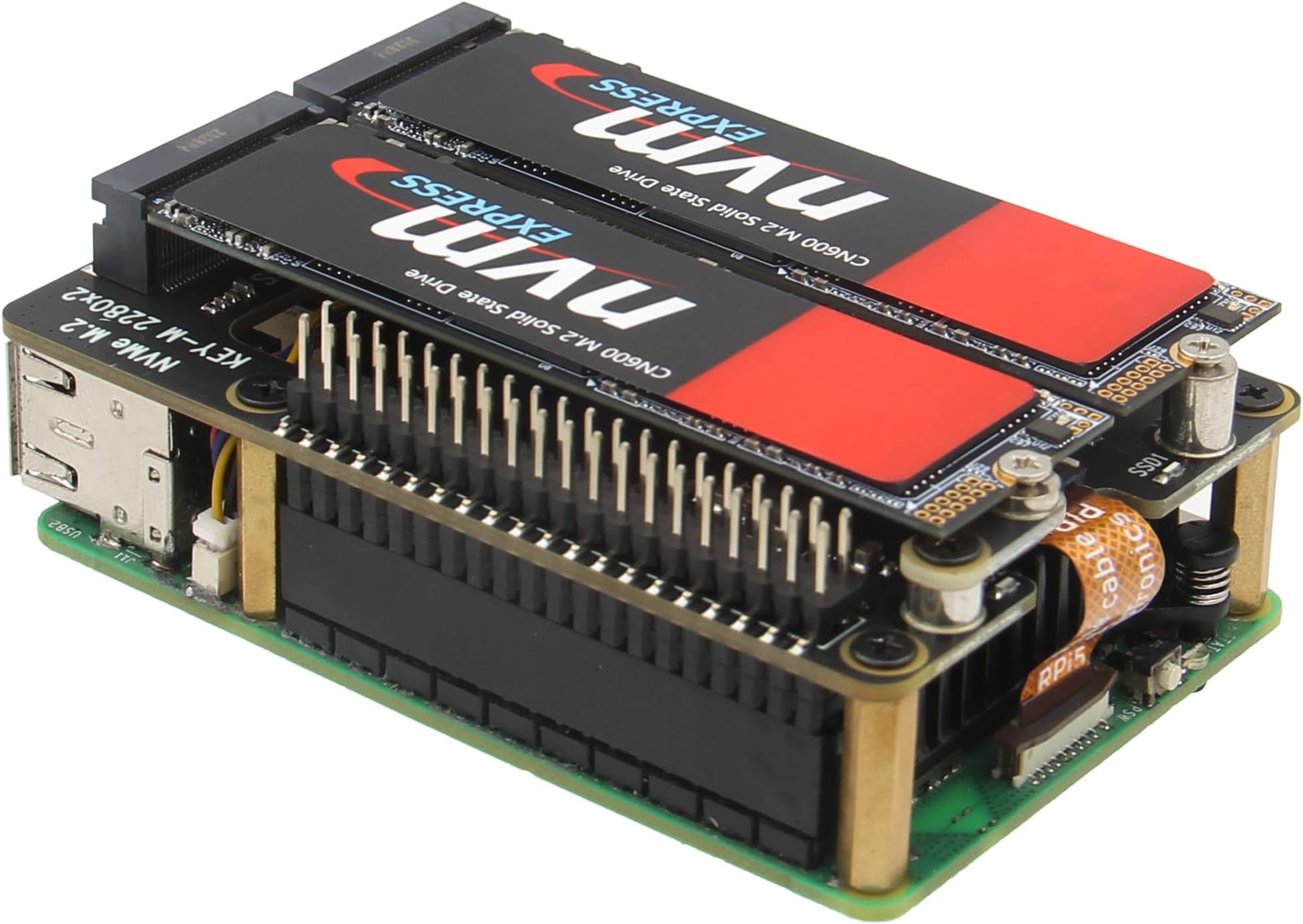
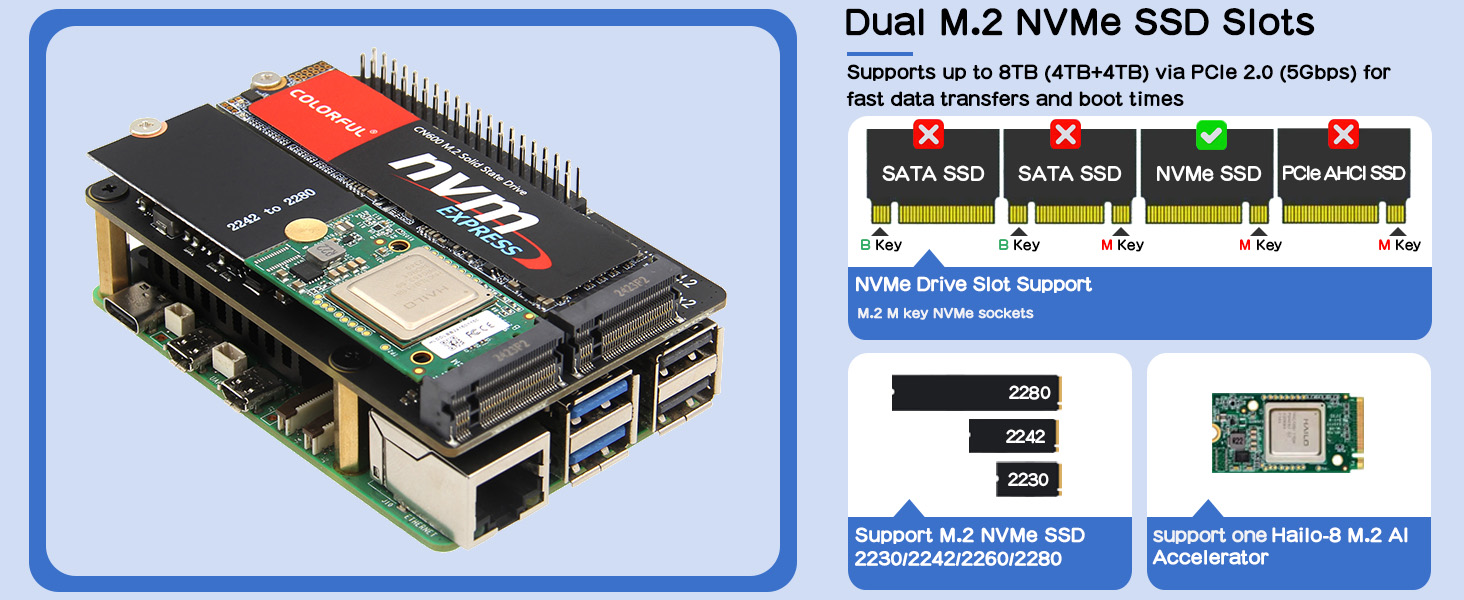
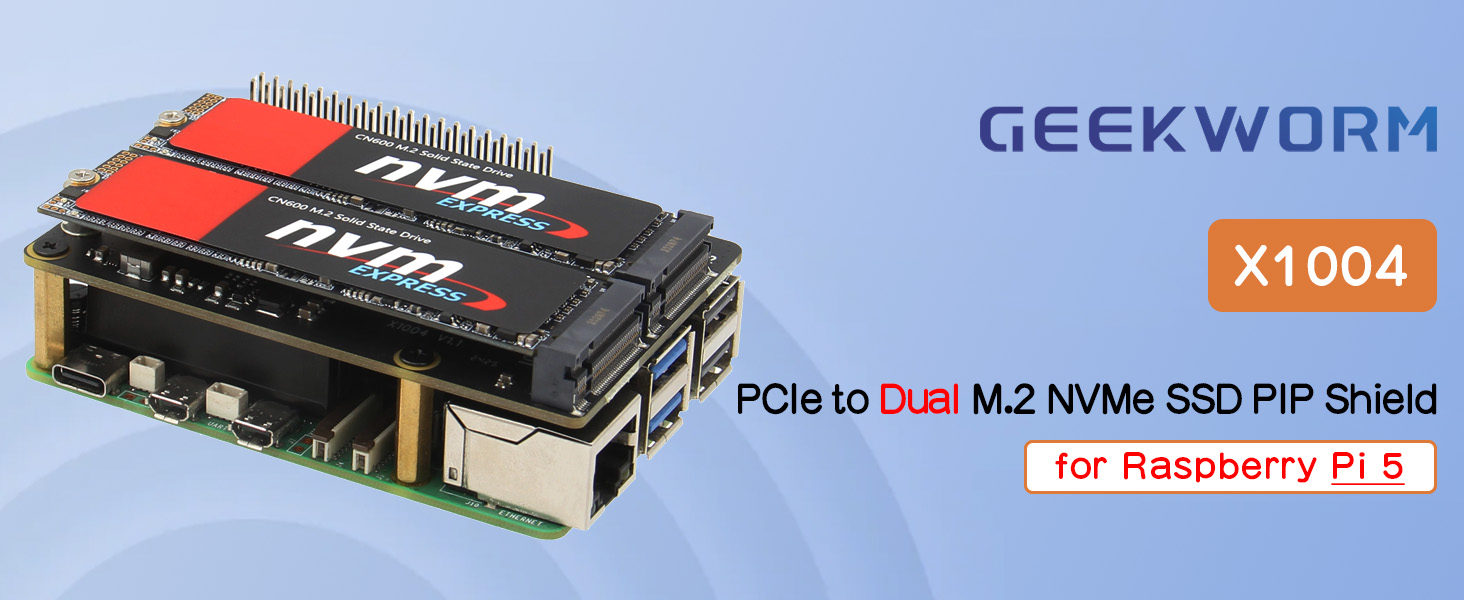
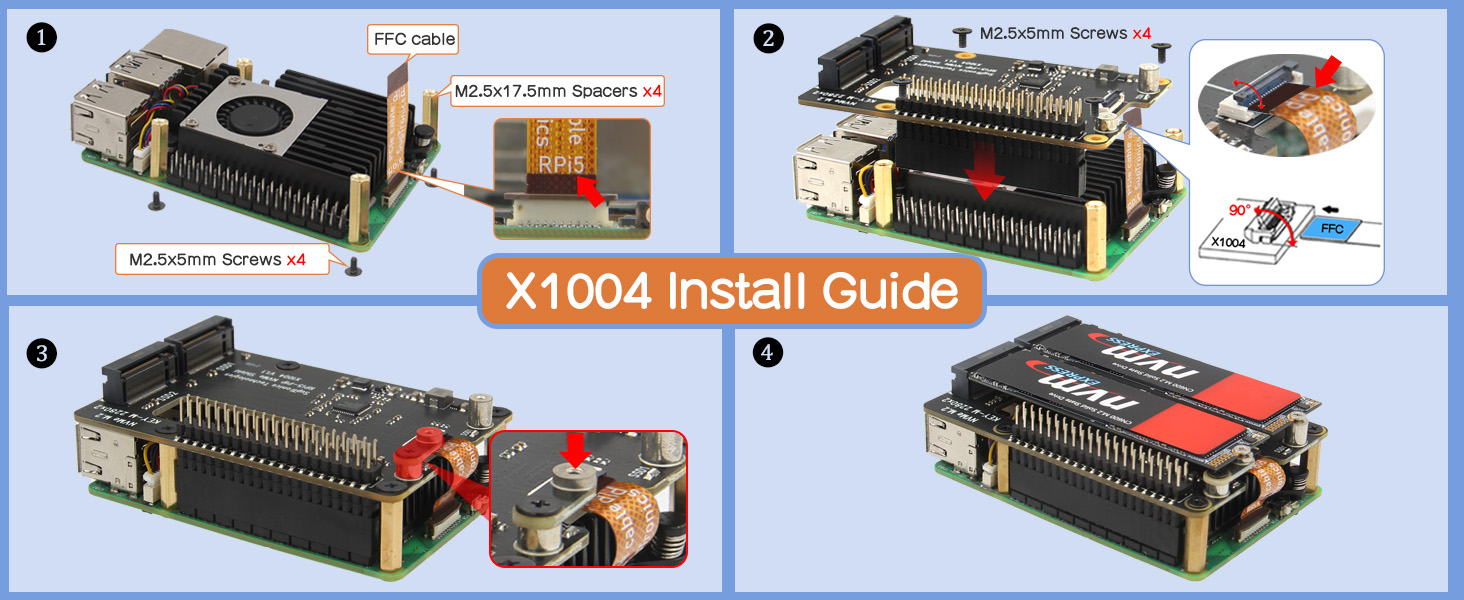
The Geekworm X1004 is a high-performance PCIe expansion board designed exclusively for Raspberry Pi 5 models (2GB to 16GB). It supports dual M.2 NVMe SSDs with lengths 2230/2242/2280, featuring independent high-efficiency power delivery (3.3V/3.5A per SSD) for stable operation. With boot support from NVMe SSDs on the latest Pi bootloader, it transforms your Pi 5 into a lightning-fast storage powerhouse. Compatible with P579-V2 and later cases, this 33g board is perfect for professionals seeking cutting-edge speed and reliability.


| Asin | B0D3LP9KBH |
| Best Sellers Rank | #868 in Single Board Computers (Computers & Accessories) |
| Brand | Geekworm |
| Built In Media | 1 x X1004 PCIe to M2 NVMe Shield with accessories |
| Color | black |
| Compatible Devices | Raspberry Pi 5 2GB/4GB/8GB/16GB |
| Connector Type | 40-pin GPIO |
| Current Rating | 3.5 Amps |
| Customer Reviews | 4.3 4.3 out of 5 stars (76) 4.3 out of 5 stars |
| Input Voltage | 3.3 Volts |
| Item Weight | 33 Grams |
| Manufacturer | Geekworm |
| Mfr Part Number | TB-2024-19 |
| Model Number | X1004 |
| Number Of Items | 1 |
| Package Quantity | 1 |
| Power Plug Type | No Plug |
| Smart Home Compatibility | Not Smart Home Compatible |
| Warranty Description | 3 months |
User
Excellent Product
It worked great!
User
Excellent, Compact HAT; Works OOTB!
Works right out of the box. Compact and fits in the geekpi rpi5 metal case (a bit tight but works w/ both NVMe drives on top). The same fan cooler that comes with the geekpi rpi5 metal case also fits between this HAT and the pi itself.Also works out of the box with one of the NVMe drives being the boot drive! I used the RPi Imager (version 1.9.6) to write PiOS onto my NVMe drive using a USB adapter, slotted the drive into the slot marked as "nvme 1" and things immediately booted up, no SD card needed. `lsblk` also showed that the second NVMe drive that I slotted in is being recognized (just have to tweak fstab at this point).* disclaimer: only thing I have not tested is the IO speed bc I'm not doing anything that requires production-levels of IO
User
Works great with one disk
I'm building a Raspberry pi 5 NAS. I currently have a single slot populated with an HP FX900 Pro 2TB, and it seems to work just fine.It benchmarks between 700MB/s and 1000MB/s (read and write) with PCIe gen 3 enabled in raspi-config. That's really slow for what the disk can do, but really fast for an embedded computer, and plenty fast for serving files on a gigabit network.I haven't tested with both slots populated yet, but I'd expect bandwidth to be shared across both disks. I also haven't tested booting from PCIe yet. When I get my second disk I'll update the review.I'm using it with the official raspberry pi 5 cooler, and that fits nicely underneath. I think the solid GPIO connector blocks airflow a little, but only on one side, and cooling performance doesn't seem to be impacted. And it doesn't connect with pogo pins like some other manufacturer's nvme boards do, so it's not going to fail because a pogo pin broke, vibrated out, or got stuck.Additionally, the area underneath the disks is clear. Some other designs have connectors or chips there which prevent some disks, especially double-sided disks, from fitting correctly.And, it comes with all the standoffs and screws needed to attach the board to the Pi.My only complaint is that it includes an unshielded FFC ribbon cable. PCIe is a high speed bus, and unshielded cables are more susceptible to EMI. In data storage in particular, you definitely want signal integrity between the host and the disk. Having said that, it seems to be working. But my use case is for long term data storage, so I'm going to replace it with a shielded cable, and use a filesystem with checksums.Overall it's pretty good.
User
Works great
Worked great out of the box and fit well in the ElectroCookie Clear Mini PC Case. I had trouble with the X1001 messing up the USB 3 ports on the pi, but no trouble with this hat. Have not tried it yet with dual NVME's.
User
Great addition to the Raspberry Pi
This hat is a great addition to the Raspberry Pi.I am able to boot my Ubuntu 20.04 from the SSD without having a SD card inserted. You just need to write the image directly to the SSD.I wanted to use the Raspberry Pi as a file server to share large file with friends.
User
Didn’t work for me
Couldn’t get this to work at all. The board wasn’t recognized properly and the NVMe drives never showed up, even after checking power, reseating everything, and trying different configurations. I tested on more than one system and got the same result each time. Might work for others, but it didn’t function in my setup and ended up being unusable for me.
User
Nvme Raid1 boot drive is possible
I tried 2 different raid1 boot drive setups (the other was a pironman5) and this one was by far the less finicky of the two. If you are going to attempt this, just know that even the stock pi5 is pushing the limits of the amperage it needs from the USBC port and adding nvmes makes the first boot (until the system stabilizes) veeerrry difficult.
User
Good design for Raspberry Pi 5
Excellent design, reasonable documentation, good value for money, installation is a breeze
User
Calidad y funcion
Excelente producto cumple con todo y se adapta perfecto
Trustpilot
1 month ago
4 days ago