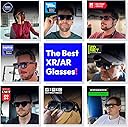
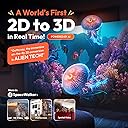
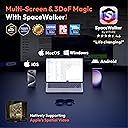
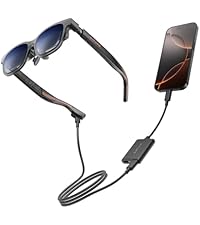
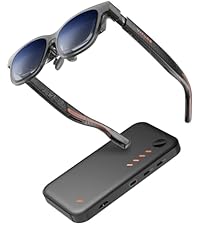
🚀 Elevate your reality — XR glasses that make every screen feel like your personal cinema!
VITURE Pro XR Glasses deliver a groundbreaking XR experience with a massive 135-inch 120Hz Full HD display boasting over 1000 nits brightness, enhanced by an innovative electrochromic film that blocks external light for unmatched clarity. Compatible with a wide range of devices including the latest iPhones, Androids, Macs, PCs, and gaming consoles, these glasses combine premium aircraft-grade construction with the powerful SpaceWalker app to offer immersive multi-screen productivity and entertainment on the go. Designed for professionals and gamers alike, they provide adjustable lenses for visual comfort and a durable, stylish build that stands out in the evolving XR market.


| ASIN | B0D3LRH8G4 |
| Age Range Description | Adult |
| Band Colour | Jet Black |
| Band Material Type | Resin |
| Best Sellers Rank | 33,140 in Electronics & Photo ( See Top 100 in Electronics & Photo ) 50 in 3D Viewing Glasses |
| Box Contents | Anti-Clip Hair Cover, Glasses Case, VITURE Pro XR Glasses, VITURE XR Glasses USBC to Magnetic Connector Cable, Nose Pads (4 sizes: 1, 2, 3, and 4) |
| Brand Name | VITURE |
| Case Material Type | Resin or Metal |
| Clasp Type | Tang Buckle |
| Closure Type | Buckle |
| Colour | Black |
| Communication Feature | Wireless, Wired |
| Compatible Devices | Various: iPhone, Android, Mac, PC, Steam Deck, Gaming Consoles |
| Compatible Phone Models | iPhone 15 and various Android models |
| Connectivity Technology | USB |
| Connectivity technology | USB |
| Controller Type | Button Control |
| Customer Reviews | 3.8 out of 5 stars 2,460 Reviews |
| Display Type | LCD |
| GPS | No GPS |
| GPS Geotagging Functionality | No GPS |
| Human Interface Input | Buttons |
| Item Dimensions | 16 x 4.7 x 5.4 centimetres |
| Item Dimensions D x W x H | 163D x 48W x 54H millimetres |
| Item Weight | 78 Grams |
| Manufacturer | VITURE |
| Maximum Display Brightness | 4000 Nit |
| Metrics Measured | 3D/VR |
| Model Name | Viture Pro Xr |
| Model Number | VITURE Pro XR Glasses |
| Operating System | Nintendo Switch, PlayStation, XBox, iOS, Android, MacOS, Windows, |
| Operating system | Nintendo Switch, PlayStation, XBox, iOS, Android, MacOS, Windows, |
| Product Features | Adjustable Electrochromic Film |
| Product Warranty | 2 Years Warranty |
| Resolution | 1920 x 1080 per eye |
| Screen Size | 135 Inches |
| Screen size | 135 Inches |
| Shape | Oval |
| Special feature | Adjustable Electrochromic Film |
| Sport Type | Baseball, Walking |
| Style Name | Active |
| Supported Application | Productivity tools, 3D/VR videos, spatial video, multiscreens |
| Supported Satellite Navigation System | GPS |
| Target Audience | unisex |
| UPC | 850047431332 |
| Unit Count | 1.0 count |
| Warranty Type | Time-limited warranty |
| Water Resistance Level | Not Water Resistant |
| Wearable Computer Type | Smart Glasses |
| Wireless Provider | NET |
M**K
I cant describe how good these are
Update 2. I have discovered that if you have a Samsung Phone that supports Dex, then these glasses work like a dream, I have the Microsoft folding keyboard and Arc mouse. And paired with the USB C adapter that lets you connect both the glasses and a power cable, you can have a desktop that you carry around with you, I am typing this while watching Bluestone 42 on Dex, while sitting on a train, with Galaxy buds pro and I cqannot describe how great it is. The whole kit would fit in a jacket or coat with fairly large pockets, Its just awesome. I have also discovered the various button presses on the arm of the glasses that allow you to switch from 2D to 3D mode, adjust the volume and brightness etc. All in all, I am now convinced UPDATE After upgrading the firmware, and disconnecting my M4 MacBook Pro from my Thunderbolt 5 dock and dual Apple studio displays it works and I’m impressed. Maybe not great as a replacement for my Studio displays but when I am travelling these will be excellent. I also opened the neckband and tried that and also the IPhone/USB C/Charger connector dongle and I am impressed. It’s also vital that you get the correct nose adapter (there’s a box in the glasses box . I still don’t think the interface is as intuitive as it should be but now i understand the different button pushes, I am getting to really enjoy them and watching spatial videos I have taken on my iPhone is worth the cost of admission. I really wanted to like these, but the issues I have had using these with an iPad Pro, iPhone 16 ProMax, S25 Ultra and a MacBook Pro M4 Pro. have made me hate them far more than I like them. 1 The unboxing experience is top notch and made me feel the glasses would be very good indeed. 2. Plugged into my Mac and downloaded the Spacewalker (Mac app from the future website), did a software/firmware update and then the glasses show as connected but nothing. My main aim for these is productivity and they fall at the first hurdle. Next I try with my iPhone , I get a picture but the software interface is completely unintuitive. and despite changing the nose bits hoping to get a full picture, I still could not see the bottom 20% of the screen. 3. I load Netflix, enter my user ID and Password and, it's very good, I quit Netflix and come back later to discover its lost my credentials. 4. The home screen shows news, but the whole human machine interface is slow counter intuitive that its more frustration than delight. Future, if you are reading this, look at devices like the original iPod for an idea of who a simple, but powerful interface can engage with users rather than the dogs dinner you currently have. 5. Despite me really, really wanting to like these, I hate them, with a passion. So I am returning them.
S**K
Not as good as expected, but definitely getting there!
Returned as wasn't as good as I'd hoped. This was my first experience of AR glasses. Easy to use, felt good quality, picture was good enough, sound good but not very loud; to use in public would need earphones. Ability to adjust for prescription is great although once i had a clear image i still felt like my eyes were straining to focus. Main disappointment was that it wasn't as immersive as I'd hoped. I'm comparing to my experience with the quest 3. You dont get the perception of depth like with the quest 3. This means it doesn't feel like watching a large screen across the room but more like having a small screen close to you. In that sense, a step up from watching your phone or maybe a tablet but definitely not like a personal cinema screen. Also, when used with android, the companion app doesn't support any of the clever stuff advertised like 3D photos. Finally, I was expecting 3dof but this is not supported. To be fair, I think i was mislead by ads and reviews elsewhere, as this was not a claim made by the seller. UPDATE: Viture reached out to me concerned there may have been an issue with the glasses I was sent that affected my "cinema" experience. They sent me another pair and have given me a longer period to try them. Firstly, full marks to Viture for their amazing customer service. It's really rewarding to know that your feedback has been heard. Secondly, I'm really glad they did this. I'm not whether it is because there was an issue with the first pair, or whether I've done a better job of dialling them in to my lenses prescription, or whether spending more time with them has simply meant I'm more used to them, but I do now feel like I am watching a large screen around 6 feet away. I've really enjoyed being able to watch TV whilst sitting in the sunshine in my garden! Given the great customer service, and the much improved experience I've had with the second pair, I've increased my rating from 3 to 4 stars. As much as I'm impressed with these glasses, I can't in good conscience give 5 stars as improvement is needed in a couple of areas. My main interest in AR glasses is to watch TV and movies whilst travelling, and these fulfil that well, but not brilliantly. Picture quality and sound are perfectly good, but the lack of on-board 3 DOF is the thing that makes these good but not great. It's just not that natural to only look at different areas of the screen using only your eyes; I really need to be able to move my head a little without the screen moving with me. I also tried to use them as a virtual monitor using windows Spacewalker, but it was clunky and is not currently something I would use. I love the idea, but this needs work to make it slick and intuitive. I'm confident Viture will get there. Overall, I'm really impressed with these glasses and whilst not yet quite perfect, I'm really excited by the technology. My news feed recognises my interest and is doing a good job of informing me of the latest developments in AR glasses. I've even seen hints that Viture will soon be announcing something special in the AR glasses market, which is great to hear. This tech feels so close to being truly amazing and I can't wait to see what is around the corner!
B**N
Fantastic but not without some issues
VITURE have knocked it out the park with these glasses the screen is fantastic, quality and refresh rate is fantastic, unfortunately I couldn’t get my hands on the luma pros or ultras as that’s what I initially wanted but they weren’t available on Amazon at the time of purchase, I did pick up the pro dock for the switch 2 and there was a promotion running where you got the holder for the switch 2 and the mobile dock, sadly that didn’t get shipped out for me, with how amazing these glasses are I have had a few issues with the switch 2, when playing games the picture will suddenly cut out for a few seconds then come back and when initially setting them up with the dock sometimes you need to unplug and replug them to get them working. With all that being said I still highly recommend these glasses, if you were going to pick up a pad I would get the luma pros or ultras for the full experience if you can get your hands on them as I think the jump in price would be worth it, having them connect to any device with a usb C port or any device with HDMI with the dock is super handy, I just wish they had more stock of the luma ultra glasses and I actually got my holder for the dock and switch. For these reasons I sadly have to give 3 stars, would have been 3 and a half but can’t do half points on here. I would like to point out that I had a friend try them and he immediately went and picked himself up a pair because he loved them, without the slight issues I’ve had these would be the perfect product
R**D
Fantastic travel accessory
Doing a review now that I’ve had the chance to use these when travelling. They are a superb gadget! Not cheap of course but you really do get what you pay for here. Lovely packaging and build quality as well. The screen size is really big - when you look towards the wall of your room when playing a movie, it is as if you were viewing a projected picture that fills the whole wall. I have a 100” cinema screen in my living room anyway and this ‘projects’ bigger than that. Is it better than holding your iPad screen in front of you? Absolutely! It’s on a pair of sunglasses, which is unreal. The picture stays with you wherever you look (you soon get used to that). The fully dark effect is really good, you won’t really watch any other way. You can see a bit of your surrounds below and above the glasses but that’s helpful actually. They are not fully immersive and they don’t need to be. The picture they present is really bright - I had to turn it down a notch or two. Great resolution and the eye adjustment thing works well for me as a specs wearer, haven’t needed any extra lens inserts. What can you watch with them? It was tricky to figure out at first but Prime and Apple TV are the least fussy, you can download stuff onto your phone and it will play (BUT…You need to do the downloads from Apple TV with your glasses connected to the phone so that it downloads the right version. Not sure if that’s the case with other services but I do all downloads while connected now just in case). Netflix does work but can stop at some point when it realises you have them connected; just restart movie with glasses unplugged, then plug back in. IPlayer will play on the glasses but also keeps playing on your phone screen as well. And of course anywhere that you can stream stuff, then everything works even easier. Works fine with a magnetic battery pack attached to your phone, worth taking one on flights as your phone is powering the glasses so it will use up your charge a bit. Sound - for airplane use I would suggest wireless earbuds. For AirPods it works best if you start it playing, then pop the earphones in and it just takes over the sound. For everyday use the inbuilt speakers are really good, so much so that I don’t bother using my AirPods as it’s just easier. I find I use them a lot more than I thought I would as they are fun to use and so good. There is a fun thing where you can view your own photos in 3d, amazing effect to see. You can also do some other stuff on the app but I find some of it a bit fiddly to use. But for watching movies in your own personal cinema on a pair of specs, these are incredible and for travel they are just so good.
A**O
High quality but useless for me
I had to send them back. This delivery was a nightmare. The first delivery I had was a box with a replaced bottle of water instead of the actual glasses. Pack was opened I suspect from one of the drivers that attempted to delivery the item and said they couldn't make it (although I was waiting for it at home). That's on Amazon though and they kindly offered to send a new item to me. So Kudos to Amazon for sorting that. Thankfully, second delivery was OK but the glasses were a bit of a turn off. They wouldn't fit properly so I couldn't had a nice experience regarding the screen size. I found it to be more similar to a monitor, rather than this big massive TV they advertise it as. Another con is the amount of things you could use it. I honestly didn't found any real use-case where I could get advantage from. Just watch a very small pool of streaming services in bed. So I decided to ask for refund and send them back and they're now on their way to Amazon. The build quality is outstanding though. Really good product for people that can find a use for it. It just wasn't for me as I couldn't found an use-case nor it could fit my face comfortably.
D**.
Good glasses and customer service
EDIT: Viture contacted me and were great and sorted the problem quickly and at no cost to myself. I have to say I am very impressed with their customer service and the glasses, but I have left the original review below. Needless to say now the issue has been sorted I can recommend the glasses and Viture who have been very quick to respond and solve the problem. The build quality and ease of use is very good, the picture quality and sound are very good and the myopia adjustment means it's very easy to adjust the lenses and I can use them without using the prescription glasses I usually wear. I bought these and never used them until I went away for a week, four months after buying them. Went to watch a film on my glasses via my phone and even when not watching a film every minute or so there is a band of snow like video static at the bottom of the screen and then the picture cuts out briefly and comes back on. So these are literally broken first time being used and Amazon gives no way for me to return them as it's past the return window, and also no way to contact the seller for help. They look good, the sounds good, the videos good but they are totally unusable when every minute or so you lose the picture. Very disappointed, if I could find help with this it would be great but as it is I would caution against buying these as it seems even if you have a problem just four months after buying, you can't do anything about it.
L**N
Don’t believe the hype
I have never left a review before but felt like I needed to for these. I had looked at a fair amount of reviews and they were mixed so with these recently being on sale and having a voucher I thought I would try them myself. I wish I had listened to the negative reviews as they were all right. First off straight out of the box the left speaker rattled when playing sound which tells me their quality control probably isn’t the greatest. They also don’t sound the best, I have Ray Ban Metas and they sound so much better than these do. For content consumption they are probably fine but anything to do with productivity the edges and middle of the screen where the two screens meet is incredibly blurry to the point I couldn’t make out text. I think these are a great idea but they seem a little half baked especially for the price.
B**R
Pretty good product - but returning.
Update: Viture team reached out to help sort out the issues I was having. I'm really impressed at how quick and helpful the support team was with my issues. Honestly, super impressed they actually care about each and every one of their customers as you can see from most of the reviews here and elsewhere. All I can say now is, just give this one a shot! If for whatever reason this product isn't for you, the super friendly team at viture will definitely have you covered. ---------- Original Review: I was hyped to try this product, and most video reviews online rave about how good it is. I fell for this hype, and unfortunately, I've come to the conclusion that this product isn't for me. I'm glad I got to try this product out, though, but honestly, for the price these come for, it's much better to get an OLED TV/Monitor. Pros: - Clarity is outstanding & the display does get quite bright. (Maybe a little too bright at night! Min brightness not low enough IMO haha!) 0 complaints there. Cons: - The Spacewalker app on Android is absolute garbage. The insane battery drain, even in the background, and not allowing you to use apps you already have on your phone is quite baffling. - The lack of headtracking without the app mentioned above can get quite nauseating at times. - Speakers are not loud enough in my opinion, and the quality is just okay. - The right side of the frames does seem to get quite hot within the first 5 minutes of use. I know the review points of a lot more cons, but honestly, it all comes down to price for me. It does what it promises to do - provide a big-screen experience quite well - but comes with a few pain points at that price. For my use cases, I'd much rather spend that money on a physical display of some sort.
D**E
These are life-changing.
I’ve been loving my original Viture One XR glasses since they arrived because they gave me back my ability to enjoy TV, movies, and videogames comfortably again after some chronic neck pain I’ve begun experiencing. When I heard there was a new model coming out I knew I needed to get a pair right away! Since the original version has been so good, I’ll recap what’s stayed the same: The glasses are the exact same comfortable size and form factor, they weigh about the same, and they come with the same nice hard-shelled travel case. They continue to use the same reliable magnetic connector instead of USB-C, which is a very good thing because that type of connector isn’t designed to be robust enough for constant movement and slowly becomes loose and unreliable over time. This is based on my experience with my old Rokid Air glasses which were amazing for about a month until the connection started to become unreliable and began constantly cutting out whenever I moved my head at all. DO NOT buy glasses that use USB-C if you value your money! In addition, the new Pro glasses remain compatible with all the original Viture accessories I have on hand like their extension cable and play-and-charge adapter. It’s also still natively compatible with the generic USB-C Thunderbolt extension cables I’ve tried, and you’ll probably need one if you plan to use these with a desktop computer. Input lag remains near-zero; I could swear these actually display content very slightly ahead of my phone’s built-in screen, but that.. shouldn’t be possible, right? Probably just my eyes getting tricked somehow. The main things that have changed are the viewing size of the projected display, the maximum brightness, and the maximum refresh rate. Of these changes, the brightness and refresh rate are the standout improvements by far. I can tell the field of view is a bit wider but it doesn’t jump out at me; it’s nice to have, but that feature alone isn’t worth upgrading for. I gave my old and new XR glasses to a friend to compare and he didn’t even notice that the new version has a larger picture, but the much greater brightness stood out to him right away and the greater motion fluidity was obvious. And it’s a little thing, but one of my favorite improvements is the addition of an on-screen display for brightness and volume adjustment. One other very welcome improvement is that they appear to have corrected the original version’s incompatibility with generic HDMI to USB-C adapters. On my PC at least, I can now use a cheap $20 adapter instead of Viture’s own adapter. I’m very happy to see this! Your mileage may still vary though - I can’t speak for every adapter out there. The much greater brightness seems to be facilitated, at least on Steam Deck, by accepting an HDR signal and tone-mapping it onto the displays’ native 8-bit panels while taking advantage of their incredibly wide brightness range. This does result in some color banding if you’re looking for it, but overall the effect is really outstanding and could easily be confused with true HDR. HDR videos from my Pixel 8A look great too. And speaking of phones, you should consider a smartphone copy of Alien: Isolation and a gamepad clip to be a mandatory purchase with these glasses! The experience is almost as good (BAD! TERRIFYING!!!) as playing it with the virtual reality mod on PC! Although the displays are native 1080p, they can also accept a wide range of other resolutions all the way down to 640x480, making them broadly compatible with just about any device you plug them into. The new 120hz option at 1080p is really fantastic. In addition to the obvious ability to play at higher FPS, this new high refresh rate is also evenly divisible for gaming at 30 FPS, 40 FPS, and 60 FPS, all with reduced input lag and no screen tearing. For movies and TV shows, 24 FPS also evenly divides into 120hz which should eliminate judder. The only thing I’d like to see added here is a 720p 120hz option for added convenience in some niche cases. On Steam Deck, be sure to enter the Settings -> Display menu and specify the output to be 1080p @ 120hz or else you won’t get the benefit of the higher refresh rate. Steam will still automatically limit games to displaying at 720p unless you adjust their launch properties, but relatively few games actually run well at higher resolutions on the Deck so I’ve rarely bothered with this. Unfortunately Steam OS (especially the current beta version as of the time I’m writing this) does have some annoying issues with external displays, but from what I can tell Valve’s aware of this and it should hopefully be fixed soon. Currently you’ll need to manually select 1080p @ 120 after you put the glasses on, then remember to set it back to 800p (or below) BEFORE unplugging them or else the Deck gets confused and fails to re-activate the built-in display. As far as I know, this specific issue isn’t a problem with the current “stable” version of Steam OS though. Just as with Windows, some games also don’t like it when display outputs are changed, so don’t count on being able to plug and unplug the glasses without restarting your game. One of the things I was most excited about with AR glasses was my expectation that they’d improve mobile devices’ battery life. After all, with the big built-in screen turned off, surely battery life would be better… right? Unfortunately this doesn’t appear to be the case. With my Steam Deck OLED completely idle in offline mode and simply viewing a full-screen screenshot in my Steam gallery, here’s how many watt-hours were consumed over the course of an hour: Internal display, max brightness: 5.94 Wh Internal display, min brightness: 5.45 Wh Viture One, max brightness: 6.23 Wh Viture One, min brightness: 5.73 Wh Viture One Pro, max brightness: 6.46 Wh Viture One Pro, min brightness: 6.23 Wh As you can see, at maximum (non-HDR) brightness, the built-in screen actually used the least power, and even at their minimum brightness the Pro glasses still use more battery life than the Deck OLED’s built-in screen at maximum (non-HDR) brightness. I’m quite surprised and honestly more than a little disappointed at my findings; I even repeated the tests to be sure I hadn’t recorded my numbers wrong, but they’re correct. To be fair, the perceived brightness of the XR glasses right in front of your eyeballs is quite high, so “low” on the glasses might be comparable to “high” on the built-in screen. On the upside, Steam Deck OLED has a 50 Watt-hour battery (Deck LCD = 40 Wh) so the reduction in battery life won’t actually be very large, probably only ever measured in minutes. It seems there must be a lot of busy electronics crammed into these tiny glasses. If you want to improve battery life, I highly recommend picking up Viture’s play-and-charge adapter which allows you to plug in an external power supply or battery while keeping the glasses connected. It doesn’t cost very much and completely eliminates battery anxiety. Since I now have two pairs of Viture glasses I also got their splitter hub which happens to include a sizable built-in battery pack of its own. After using this with my friends a few times I can strongly recommend picking up this accessory if you can afford it. It’s terrific for local multiplayer games or sharing a movie whether you’re on a couch at home or, as I found, on rainy days while camping. The only thing I’d change with the splitter hub is to add more output ports. Two is nice, but four would be perfect for party games or watching movies together as a family. I still highly recommend it, and the built-in battery adds considerable longevity to portable PCs or Nintendo Switch. Since these glasses are so good now I can really only nitpick or suggest improvements that current technology doesn’t yet allow: The built-in speakers are good but could be a bit louder to help with very quiet content. Some way to adjust IPD would make the glasses usable by a much wider range of face shapes, though it would also add undesirable bulk, so offering a few different chassis sizes might be a better option in the long run. Rather than including multiple different-sized nose cushions in the box, I’d prefer a built-in adjustment knob (similar to the existing myopia correction knobs) that raises or lowers the glasses’ bridge somehow. It might be hard to make this robust enough without adding too much bulk, but would help to make the glasses even more universal. The ability to tilt the front of the glasses up or down would help with viewing angles depending on the user’s face shape. A competing pair of XR glasses already has this feature so it’s certainly a possibility. Variable refresh rate on the glasses would be the holy grail of portable displays and it would completely eliminate this common gripe with the Steam Deck. Higher resolution like 1440p or the addition of true native HDR and 10-bit displays would, needless to say, be a terrific upgrade whenever these displays become available. Something I’d really like to see that should be fairly easy to add (maybe even in a firmware update?) is a built-in display scaling feature for people whose face shape means they can’t easily see all four corners of the screen. I seem to be a lucky one - my face shape allows me to easily see all four corners of the Viture Pro display perfectly, but two of the people I shared them with had difficulty with this. Pretty much any device you plug these into will offer output scaling as an option you can adjust anyway, but it would be a nice quality-of-life improvement to have your screen size preference saved to the glasses directly and never need to be adjusted once set, similar to brightness or volume. Now the big question: should you buy these? Personally, I see XR glasses as being the eventual replacement to televisions and monitors. They’re comfortable, they work ridiculously well, and the price is less than half that of the cheapest OLED television you can buy today despite offering a similar or better viewing experience. However, you’re going to be gambling that they work well for your face shape, which is far from guaranteed. You’ll notice the reviews for XR glasses rarely fall in the middle, they’re always “THESE ARE AMAZING!” or “THESE ARE TRASH!”, and different face shapes are the reason for this huge polarization. Steam Deck and most other things you plug them into offer the option to shrink the viewable display if need be, so if you can’t see the whole screen comfortably you can always make use of that option. But if your interpupillary distance (IPD) is simply too wide or narrow, they’ll probably be useless to you. Your IPD should be near the human average (63mm) for optimal comfort and usability, but plus or minus a few millimeters shouldn’t be a problem. I personally think it’s absolutely worth the gamble to try a pair, especially with Amazon’s free return policy. The Pro model is definitely the better product overall, but its upgrades don’t benefit all use-cases. If you already have the original Viture XR glasses, it’s a tough call. The slightly larger viewable display with the Pro model comes with the downside of the screen appearing to be slightly lower resolution, so if your primary use is productivity then I’d say no, stick with the base model. Rather than selling mine, I plan to keep my original Viture glasses semi-permanently connected to my PC for this very reason. The Pro model’s increased brightness, color vibrance, and refresh rate is such a huge improvement for visuals that I think they’re the perfect upgrade (or first-time purchase) for primarily entertainment users - and that’s why my Pro pair will probably be connected to my Steam Deck for the foreseeable future. They’re both excellent but have different strengths. Whichever you feel suits your needs better, definitely buy a pair. It probably sounds silly, but these changed my life. My chronic neck pain is gradually easing as the months roll by, since I can finally both work and relax in comfort again. It’s rare I’ll be a shameless cheerleader for a product, but this is one I’d absolutely recommend to anyone.
S**E
Miglior compagno di viaggio
Questi occhiali diventeranno il vostro miglior compagno di viaggio e non solo. Li ho provati durante un volo di 9 ore e si sono rivelati all'altezza delle aspettative, schermo bello grande, luminoso, con le lenti auto oscuranti che vi concedono maggior contrasto, perfetti per film e per giocare. Nessun affaticamento anche dopo diverse ore grazie anche ai naselli a zero pressione. Ottima l'app e la possibilità di usare il proprio smartphone come mouse.
A**S
Great
Great
山**兎
半年間使用した感想
はじめてのARグラスでこれ選びました。 ジャンル問わずゲームを遊びますが、格ゲーやFPSでも問題なく使えて驚きました。モニターの使用頻度は誇張無しで1/100くらいに減って、仰向けになって使うので腰痛くなくなりました。 音が素晴らしいです。どういうわけか立体的で奥行きを感じるのでせっかく買った2万円のイヤホンを使わなくなりました。ただ高音が苦手っぽいような? 画面は1mくらい先にある感覚です。モニターを使ってるときとほぼ変わらないです。 個人的には高評価ですが、半年間使って不満に感じることもでてきました 【不満点】 ▪️グラスを密着させないと端がぼやける ちょっとでも隙間があると画面端が若干ぼやつく ▪️マルチディスプレイ化?の機能いらない 耳にかける部分のボタンを長押しすると右目と左目で2画面表示にできる。視界がぐちゃぐちゃになる。必要に応じて片目パチパチ?無理 ▪️専用コードなのに予備がない 専用コードなので壊れたら終了なのこわい あと使用後は皮脂がつくからアルコール除菌ペーパー使ってます
D**L
Great warranty
Great customer service! My speakers were giving distorted audio after about a year. When I contacted customer support I got a replacement sent directly when I returned my faulty glasses. Got my new pair within a week! Very satisfied
Trustpilot
3 weeks ago
1 month ago