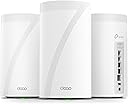
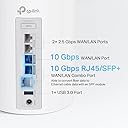
🚀 Elevate your home network to WiFi 7 speed and security — because buffering is so last decade!
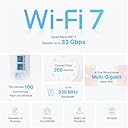
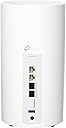
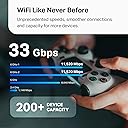
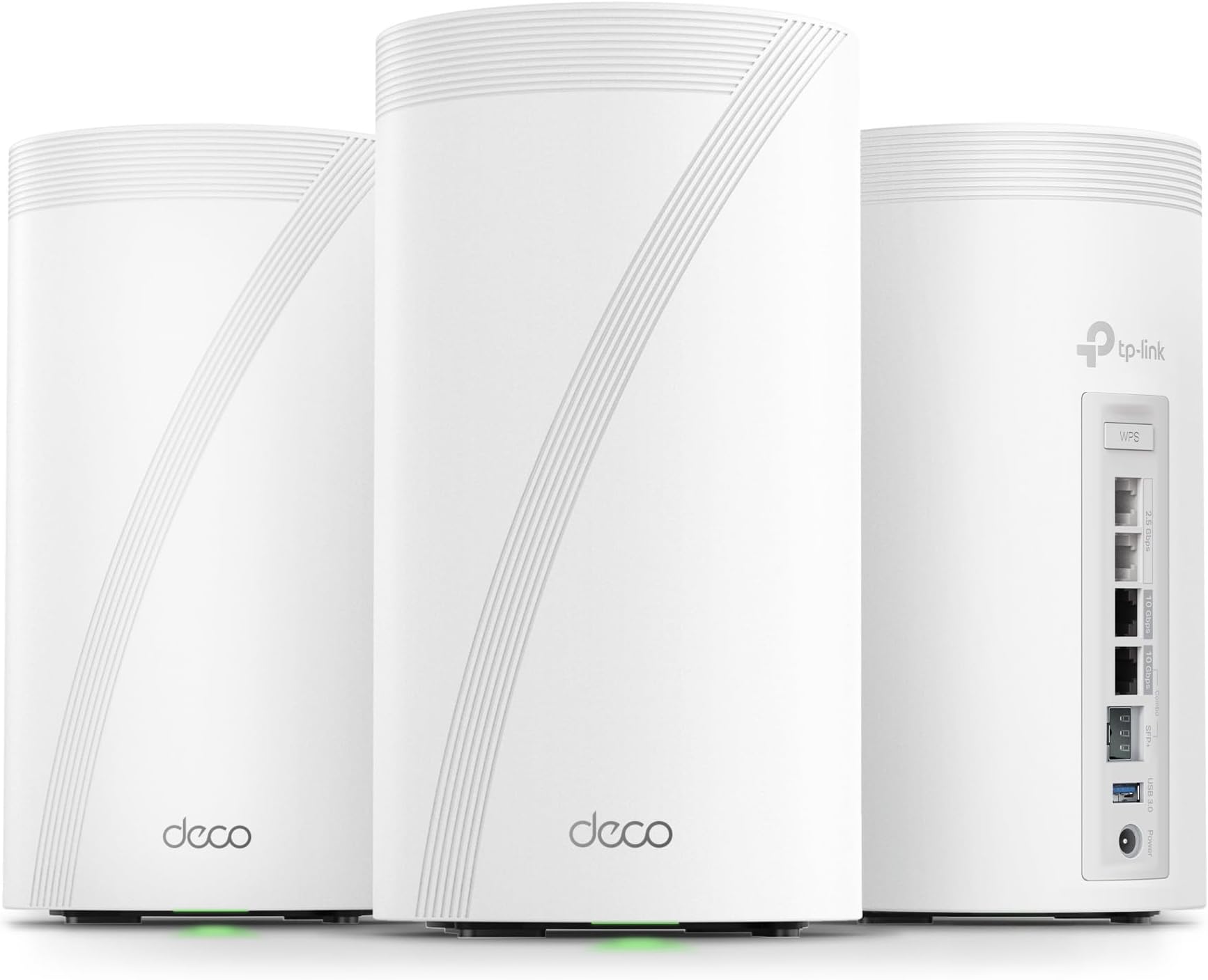
The TP-Link Deco BE95 is a cutting-edge WiFi 7 quad-band mesh system delivering up to 33Gbps combined wireless speeds with 12 high-gain antennas for whole-home coverage. Featuring dual 10G WAN/LAN ports, 2.5G ports, and simultaneous wired/wireless backhaul, it supports over 200 devices with AI-driven seamless roaming and robust HomeShield security. Easy to set up and voice-controllable, it future-proofs your home network with premium performance and protection.


| ASIN | B0CN45QCBX |
| Antenna Location | Gaming |
| Antenna Type | Internal |
| Best Sellers Rank | #20,748 in Computers ( See Top 100 in Computers ) #71 in Whole Home & Mesh Wi-Fi Systems |
| Brand | TP-Link |
| Built-In Media | 1 RJ45 Ethernet cable, 3 Deco BE95 units, 3 Power adapters, Quick Installation Guide |
| Color | White |
| Compatible Devices | Smartphone |
| Compatible devices | Smartphone |
| Connectivity Protocol | Wi-Fi |
| Connectivity Technology | Wi-Fi |
| Control Method | Voice |
| Controller Type | App Control |
| Coverage | Whole Home Coverage |
| Customer Reviews | 4.2 out of 5 stars 96 Reviews |
| Data Transfer Rate | 11520 Megabits Per Second |
| Frequency | 6 GHz |
| Frequency Band Class | Quad-Band |
| Frequency band class | Quad-Band |
| Has Internet Connectivity | Yes |
| Has Security Updates | Yes |
| Is Modem Compatible | Yes |
| Item Dimensions L x W x H | 12.8L x 12.8W x 23.6H centimeters |
| Item Weight | 4.55 kg |
| LAN Port Bandwidth | 10 Gbps |
| Manufacturer | TP-Link |
| Maximum Upstream Data Transfer Rate | 10000 Megabits Per Second |
| Mfr Part Number | Deco BE95(3-Pack) |
| Model Name | WiFi 7 Mesh System |
| Model Number | Deco BE95(3-Pack) |
| Model name | WiFi 7 Mesh System |
| Number of Antennas | 12 |
| Number of Items | 1 |
| Number of Packs | 3 |
| Number of Ports | 4 |
| Operating System | Linux |
| Other Special Features of the Product | Access Point Mode, Guest Mode, QoS, Remote Access, WPS |
| Router Firewall Security Level | High |
| Router Network Type | hybrid |
| Security Protocol | WPA-PSK |
| Special features | Access Point Mode, Guest Mode, QoS, Remote Access, WPS |
| UPC | 840030711879 |
| Unit Count | 3.0 Count |
| Wi-Fi Generation | Wi-Fi 7 |
| Wireless Compability | 802.11.be |
| Wireless communication standard | 802.11.be |
A**D
.
The WiFi coverage disappointed
R**E
Works well and, is overkill for what I need, and seemingly futureproof
My family bought this/these units to replace an older Netgear RAX 200. I am brand loyal and felt weird turning away from Netgear after 2 generations of problem-free wireless routers. I went with TP-LINK because of the good ratings on performance and user-friendly app features (over Netgear's Orbi) and went with a mesh system because of increasing internet traffic across a household. It made sense to go mesh because of interference issues across multiple rooms and being in a multi-household building. Making the switch to a mesh system seemingly eliminated all dead spots in the house, as it should've by design, but with more legacy devices in my home, this translated to ultra stable connectivity in the house. Away went any interence issues regardless of peak use times in our building. The one thing I do look forward to getting use to is the WiFi 7 abilities of this router as we get newer equipment. As for now, we couldn't ask for more for our gaming, multiple streaming televisions and dvr equipment, several computers and laptops, mobile devices and a few smart appliances. We have no need to connecting a wireless 'backhaul' to improve speed versus using the 3 parts of this router spread across our home wirelessly. This unit cost a pretty penny, but was easy to set up within a few minutes of unboxing. The app provides plenty of features, including diagnostics for each piece of the mesh system, speed tests, statistics on data used, and ease of general internal software / updates. I have no complaints in the use of this system other than my own willingness to invest in the initial purchase - which isn't for everybody. I hope this review helps. I would highly recommend DECO BE95 and would easily purchased this again.
F**N
Amazing with only one issue
Before reading my review, know that the only reason I bought this was because my experience with the AT&T gateway (BGW620) was not great. I had poor signal in places of the house and even with the AT&T WiFi extender it was still just bad. Overall this device has been amazing. I have been trying to choose between this or the Amazon eero Max 7. I would say that I am happy that I have chosen this but I have never experienced using the Amazon eero max 7 mesh system. I run the deco 7 elite via passthrough with my AT&T gateway on my 2Gb fiber plan (realistically 2.5Gb). I have it setup where one is being used as the main router and the other two are being used as satellites connected via Ethernet backhaul. I have not used these as a true mesh system without an Ethernet back haul so I do not know how they would perform that way. These were also on sale compared to the Amazon eero max 7 and so I paid about $500 less than the eero max 7. Now here are the pros and cons. Pros: 1. Customization is amazing. I can go into the app and customize everything how I want it. I can make a device use only a 2.4Ghz band if that’s all it can use and I can connect it to a specific deco instead of the device trying to constantly change between devices. 2. You can make different networks. You have your main network, a guest network, an MLO Network and an IoT network (IoT is for devices such as cameras or smart home products). The guest network also lets you limit guest to a certain maximum speed or to a certain band. 3. I love how it gives me weekly reports on the security of my network(granted I do pay for this feature every year. You do not need it if you do not want it). 4. My phone changes smoothly between each deco when I am walking around the house. 5. It has a network optimization feature that actual works (at least through my experience). 6. You can integrate your VPN with the device as I have with my NordVPN account. Cons: 1. The only con that I have had with this device is the initial setup. I did everything as instructed but had trouble setting up the devices. I had to use ChatGPT because I had no idea what I was doing wrong. Even though I had trouble with the initial setup and it took me about an hour to actually set it up, I still think it deserves 5 stars because of how great it is.
H**K
Easy basic out of the box setup and powerful coverage and speed
I have been waiting for three years to reestablish my WiFi in my home following a fire that destroyed my previous WIFI MESH network. Extremely easy to setup once you login to your account. The only issue I experienced and it was an annoying one that could have been resolved with a preemptive statement in their instructions for logging into the TP app. It requires 2-factor authentication and will only use an email address and not a cell-phone SMS text message. They have difficulty in sending the emails to a regular email provider like Comcast. The 2-factor wait time times out long before you receive the code in an email… if you ever do. It was the only issue that I have encountered thus far. I found the first level support less than sufficient to explain why I could not get logged in, though he did insist that I needed to have a google or yahoo email but did not explain why. We spent over an hour and then he transferred me to his manager who said we would have to wait for the second tier support to call me in the morning. Which to their credit they did… but just after hanging u p with support, I tried to login from my iPad and I had face recognition setup and it bypassed the 2-factor email requirement. YAY that I didn’t need to revert back to the rental modem/router. The interface is intuitive though different approach than Comcast branded solution. Haven’t done much accept setup the bands and named the equipment. I have all network bands configured except you cannot separate 5&6 they are banded together as one for MLO. I have a guest, MLO, and IOT network setup for the SmartHome devices. All seem to have reconnected that were connected previously and 2 more have connected that had failed to connect with a single modem/router on the extreme end of the WiFi network. I have a 4k 4 story home so I really needed this. Two are on the on the 3rd floor on opposite ends of the house connected via Ethernet. The third is connected wirelessly on the first floor directly below the second unit. Coverage is terrific and performance a boost over the Comcast rented - modem/wifi router. I will update this as I explore more options and pursue network security options. Bottom line is simple out of the box setup and configuration with great coverage and speed. Only downside is they are L A R G E units so plan your placements ahead of time.
J**S
Set up
The setup up is a little bit difficult to manage since the router doesn't give status other than lights when its turned on. It would be nice if TP-Link included better setup info.
Trustpilot
3 days ago
3 weeks ago