Desertcart purchases this item on your behalf and handles shipping, customs, and support to Croatia.
🖨️ Print smart, live sharp — your home office MVP!
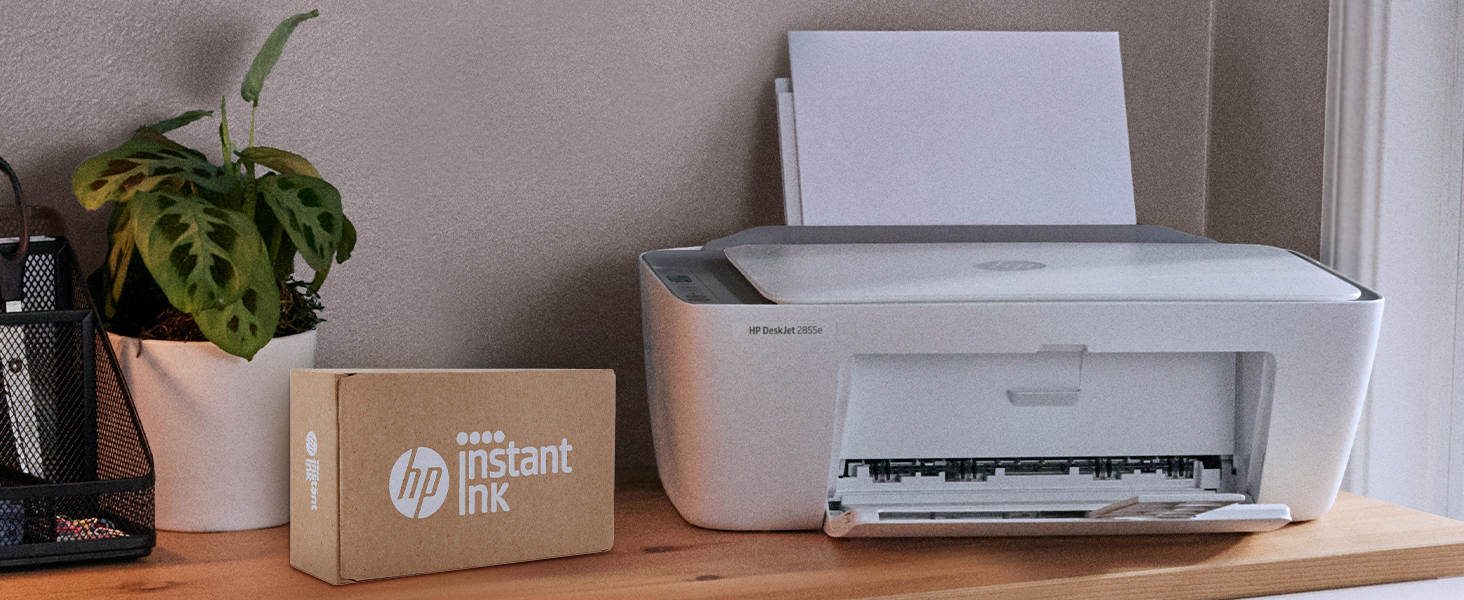
The HP DeskJet 2855e is a compact, wireless all-in-one inkjet printer designed for home use, delivering up to 7.5 ppm black-and-white and 5.5 ppm color prints at a sharp 4800 x 1200 dpi resolution. It features a 60-sheet input tray, automatic duplex printing, and seamless smartphone integration via the HP app. Made with 60% recycled plastic, it combines sustainability with convenience, including 3 months of ink with HP+ activation for uninterrupted productivity.


| ASIN | B0CT2R7199 |
| Additional Printer Functions | All In One |
| B&W Pages per Minute | 7.5 ppm |
| Best Sellers Rank | #74,630 in Computers ( See Top 100 in Computers ) #149 in Ink Tank Printers |
| Brand | HP |
| Built-In Media | 588S5A HP DeskJet 2855e All-in-One; HP 67 Setup Black Cartridge; HP 67 Setup Tri-color Cartridge; Regulatory flyer; Setup guide; Reference guide; Power cord [For ink volume and page yield information, visit http://hp.com/go/learnaboutsupplies ] |
| Color | white |
| Color Depth | 24 bpp |
| Color Pages per Minute | 5.5 ppm |
| Colour | white |
| Compatible Cartridge | HP 67 |
| Compatible Devices | Smartphones |
| Connectivity technology | single band wi-fi |
| Control Method | App |
| Controller Type | iOS |
| Customer Reviews | 3.8 out of 5 stars 19,232 Reviews |
| Display Type | LCD |
| Dual-sided printing | Yes |
| Duplex | Automatic |
| Hardware Interface | USB 2.0 |
| Initial Page Print Time | 15 Seconds |
| Ink Color | black, cyan, magenta, yellow |
| Is Electric | Yes |
| Item Dimensions D x W x H | 30.4D x 42.4W x 15.4H centimeters |
| Item Weight | 4.55 kg |
| Manufacturer | HP |
| Manufacturer Contact Information | 500 STAPLES DR FRAMINGHAM MA 01702-4474 United States of America |
| Maximum Copies Per Run | 9 |
| Maximum Copy Resolution Black and White | 600 dpi |
| Maximum Copy Resolution Color | 4800 x 1200 dpi |
| Maximum Copy Speed Black and White | 7.5 ppm |
| Maximum Media Size | Letter/A4 |
| Maximum Print Resolution Black and White | 600 dpi |
| Maximum Sheet Capacity | 60 |
| Maximum print Resolution Color | 4800 x 1200 optimized dpi |
| Model Name | DeskJet 2855e All-in-One Printer |
| Model Number | 588S5A#B1H |
| Model Series | DeskJet 2855e |
| Model name | DeskJet 2855e All-in-One Printer |
| Number of Trays | 1 |
| Other Special Features of the Product | wireless |
| Output sheet capacity | 60.0 |
| Paper Size | 8.5 inches |
| Print media | Envelopes, Glossy photo paper, Paper (plain) |
| Printer Connectivity Type | single band wi-fi |
| Printer Output Type | Color |
| Printer Type | Inkjet |
| Printing technology | Inkjet |
| Processor Count | 1 |
| Resolution | 4800 x 1200 |
| Scanner Type | Flatbed |
| Special features | wireless |
| Specific Uses For Product | Home document printing |
| Total Usb Ports | 1 |
| UPC | 196337380097 |
| Unit Count | 1.0 Count |
| Wattage | 2.8 watts |
E**A
Marca de calidad
Buen funcionamiento y tamaño para trabajo y hogar.
A**I
Great printer HP subscriptin not necessary only optional.
Some of the reviews for this are misleading. I am an IT professional and here is my findings. The printer comes with brand new HP ink in the box not installed so freshly brand new. Once you set up your printer to your Wi-Fi the printer will ask you either on your mobile or your computer if you want to sign up to HP+ if you do this locks the printer and you'll have to use original HP ink which you will receive from your subscription- if you cancel that subscription your ink that's provided by subscription will immediately stop working but you could still buy your own original HP ink and put it in No problem.. if you don't accept the HP+ subscription you can buy your own ink including third party ink providers. So it is very important to make that decision. I personally decided not to sign up for HP+ and lose out on the 3 months free ink so I can buy my own third party ink cartridges.. once again I iterate if you click activate HP+ you will be at the mercy of HP permanently. I've decided not to. Printer works great it prints in great sharp quality easy to set up just follow the instructions I used my phone to do the setup as it was much easier once you download the HP app it walks you through to download very simple.
F**A
Best valued HP Printer !
I am reading really dumb comments about booking it up and not working. It literally took me 10 minutes to unpack it, power it up, put in the ink that came with it, put paper in, download the HP App and set it up to print succession all but 15 total minutes. Print quality is fantastic. Scznned copies are fantastic. O had an older model lasted 7 years for my home office and all Of my family use it for school and work too right from their phones and laptops hooked up WiFi anywhere even out in the yard !!! Great price great easy printer don’t need a $260 beast. Just saying. People just don’t read and follow directions. App Store HPPrinter App. Laptop look for WiFi connection and connect Done !
B**E
TERRIBLE PRINTER AND TERRIBLE SETUP
TERRIBLE SETUP IS NOT STRESS FREE!!! OKAY YOU NEED TO USE WIFI THEY FORCE IT, I TRIED THE USB WHICH THEY DONT GIVE YOU AND IT WONT WORK AT ALL, THEY MAKE YOU DOWNLOAD THERE APP TO SET IT UP WHICH WON'T OPEN BECAUSE... ITS FROM THE MICROSOFT STORE, THEY MAKE YOU SIGN UP FOR INK SERVICES 2 TIMES, YOU NEED TO MAKE AN ACCOUNT, YOU HAVE TO HAVE YOUR LOCATION ON TO SET IT UP, THEY CLAIM YOU CAN USE ETHERNET FOR SETUP NOT PORT ON THE PRINTER FOR THAT, FORCE UPDATES IN THE APP, ALL THIS BECUASE OF THE APP!!! !!!!DO NOT BUY!!!! GET A PRINTER THAT DOES NOT NEED A APP TO PRINT. ITS A PRINTER NOT A SOCIAL PLATFORM.
A**H
The troublesome program and the frustrating printing experience
I'm really at a loss for words. The printer itself is completely fine, but the program written by HP is a complete mess. The computer took a long time to finally print out a document, but then what happened? I happily threw away the packaging box, thinking everything was fine. But then what happened next? Damn it, the next day when I reconnected, I couldn't do anything. The port couldn't connect, and the program couldn't associate with the device. Later on, on the HP smart page, it showed that I was connected, everything was online, and everything was ready. Then I tried to open a random file from my Office 365 and print it. But it couldn't print out a single document. At this point, I thought, can't be! Maybe it's just an issue with Office. I never even thought to blame this HP printer. But I wasn't giving up. I opened a PDF file. Damn it, it still couldn't print. My computer was doing nothing. Alt+F4 didn't work either. I tried printing from the web. Haha, there was no sign of response at all. Who wrote this "WIRELESS PRINTING – Stay connected with our most reliable Wi-Fi, which automatically detects and resolves connection issues"? Was it written for someone else? For your boss? For your lover? For your mom? You can tell anyone "Oh, it's reliable", but you never told your own purchasing users. You used the most unreliable connection scheme! HP smart? Hp Stupid!!!! The connection program is long, complex, confusing, and no one knows why you have to register an account before you can connect. The network connection technology is even worse. Ha ha, do you know that the WSD port is inherently unreliable? Why didn't they design a backup port? And then you set WSD as the default option. I changed the option but they changed it back. I really can't stand it. Also, the designers never thought that not all networks are stable and long-lasting. Once they go offline or disconnect, this thing will be useless!!! The funniest thing is that downloading this program on a Windows system is a very slow process. During the download, I wasn't allowed to change the storage location. The design like this is like a sewage pit. Who should be buried for such a bad design? Why not something else? Because I suspect that the things that can be called organized in the design of this thing simply can't be sold for value! And that's not all. I tried using other built-in programs to print in an attempt to fix the bug. Damn it, you even won't let me use the most basic method. How can you be so proud of saying that the connection is reliable??? ?? ?
Trustpilot
1 month ago
1 month ago