Desertcart purchases this item on your behalf and handles shipping, customs, and support to Croatia.
🖱️ Elevate your workflow with ergonomic precision and wireless freedom!
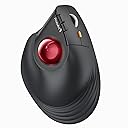
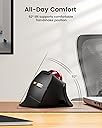
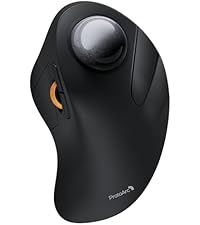
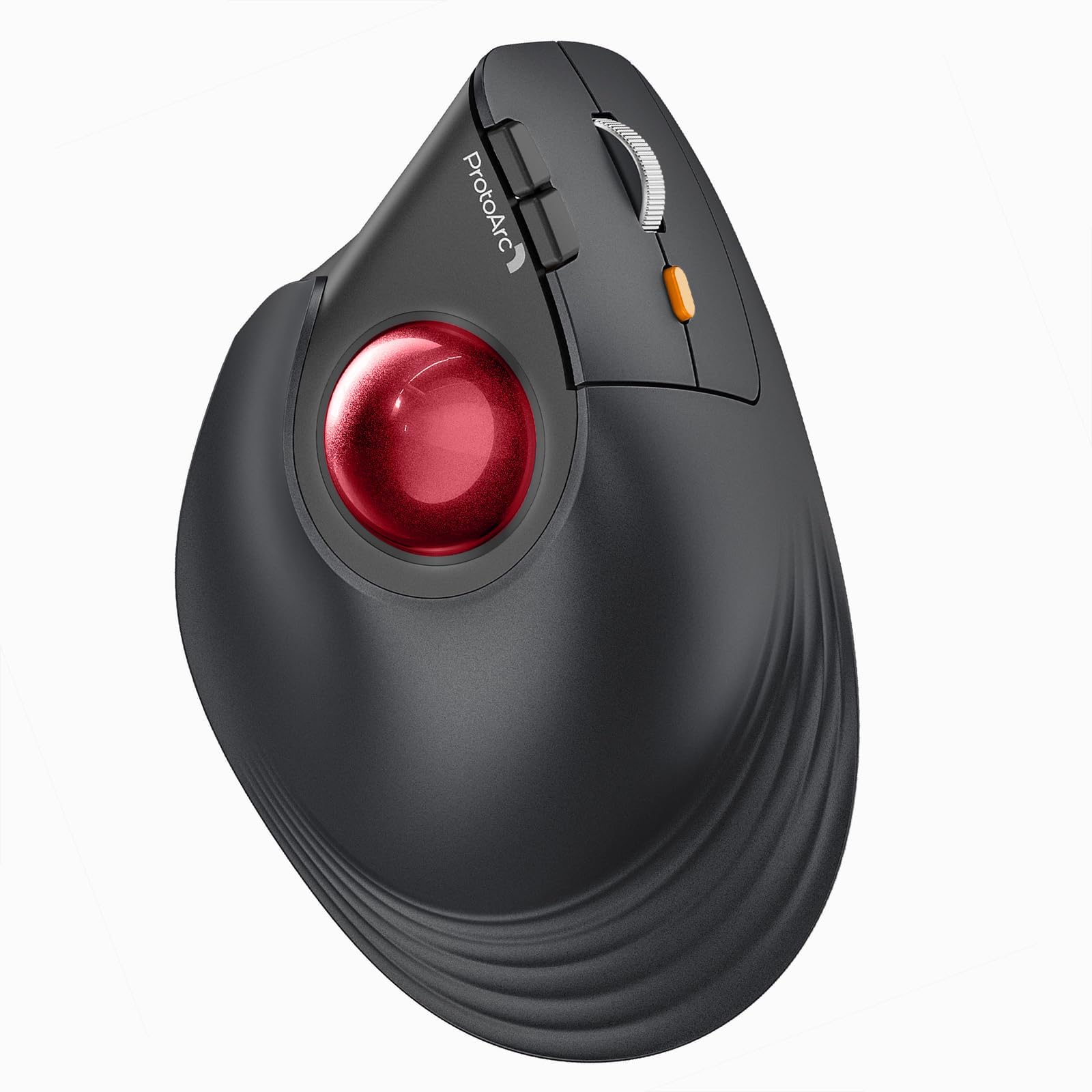
The ProtoArc EM05 NL is a premium vertical wireless trackball mouse featuring a 62° ergonomic tilt for natural wrist posture, triple wireless connectivity (Bluetooth 5.1, 3.0, and 2.4G), and a rechargeable 500mAh battery offering up to 2 months of use. Designed for professionals seeking comfort and efficiency, it supports multi-device control, adjustable DPI settings, and quiet operation, compatible with a wide range of devices and operating systems.


| ASIN | B0D7Q21GG8 |
| Additional Features | Ergonomic Design, Quiet, Rechargeable, Wireless |
| Antenna Location | Business, Office |
| Battery Average Life | 2 months |
| Best Sellers Rank | #266 in Computer Mice |
| Brand | ProtoArc |
| Built-In Media | Type C Charging Cable, USB Receiver, User Manual, Vertical Trackball Mouse |
| Button Quantity | 7 |
| Color | Red |
| Compatible Devices | Desktop, Laptop, Personal Computer, Smartphone, Tablet |
| Connectivity Technology | 2.4G Wireless , Bluetooth |
| Customer Reviews | 4.3 out of 5 stars 436 Reviews |
| Enclosure Material | Plastic |
| Finish | Frosted |
| Hand Orientation | Right |
| Item Weight | 0.17 kg |
| Manufacturer | ProtoArc |
| Mfr Part Number | Protoarc B0D7Q21GG8 |
| Model Name | EM05 NL |
| Model Number | EM05 NL |
| Mouse Maximum Sensitivity | 1600 dots_per_inch |
| Movement Detection | Trackball |
| Movement Detection Technology | Trackball |
| Number of Batteries | 1 Lithium Ion batteries required. (included) |
| Number of Buttons | 7 |
| Operating System | iOS, macOS, Windows, Android |
| Power Source | Battery Powered |
| Range | 10 meters |
| Special Feature | Ergonomic Design, Quiet, Rechargeable, Wireless |
| Style Name | Modern |
| Theme | Video Game |
| Unit Count | 1 Count |
| Warranty Description | 2 Year Warranty |
R**K
Fantastic choice for ergonomic trackball; I bought one for office & home
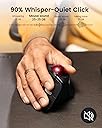
Basic description: essentially the trackball equivalent of the "vertical mouse." What do I think about it: Excellent. Ergonomic design is fantastic for me. Helps my shoulder vs. other trackballs because the angle of the arm impacts which muscles in the shoulder get used. It's just a comfortable, natural angle that allows my arm to be more relaxed while having good control of the cursor. This is also a much better value than the extra ergonomic Logi[tech] equivalent, which is nearly 2x the cost as I type this. And by the way, you'd have to use the cushion thing the Logi unit comes with to achieve a similar angle. Maybe it's great/fine, but if you want the steeper angle then why have a 2-piece design? Other aspects: Buttons somehow feel crisp while also being quiet. Effort feels just right to me. Weighting of the ball feels just right and it moves very smoothly. Scroll wheel could feel a tad tighter for my liking but this is being very picky; it behaves as I expect/want. Subjectively, the ProtoArc feels higher quality than the Logi M575 I'm coming from. The M575 doesn't feel cheap to me, but this feels nicer/higher end. If you like switching between DPI levels on the fly, there's a button on the mouse for this. I don't use this but the button is not in the way. My only open questions about this unit is how the Li-ion battery and buttons will hold up. The Logi units use plain old AA batteries, which makes them a non-issue to replace (though less convenient than Li-ion in some ways). The buttons fail on Logi units faster than I think they should. Time will tell here but I'm hopeful given that ProtoArc put the time and effort into creating a very thoughtful product.
C**C
Great Trackball at an amazing Prine
Price and use of this ProtoArc Vertical Wireless Trackball Mouse are amazing. Very comfortable to use during long hours. Works wonderfully on PC with a wireless fob and on iPad with Bluetooth. So easy to use that my wrist is at a more natural angle. I’ve been using trackballs for close to 20 years, with different brands and styles, and this one has topped them all with the angle, button placement, and thumb control!
L**J
A Great Alternative to a Std Vertical Mouse, as well as to a Std Mouse & to a Std Trackball Mouse
I just received this alternative to a Std Mouse, (to a Std Trackball Mouse, and to a Std Vertical Mouse), and I must say it is all it claims to be in terms of use and functionality. The buttons work very well in their designed locations and the trackball ensures I minimize my hand/arm movements. I am enjoying the user experience. I had long ago moved from using a Std Mouse to using the Trackball alternatives, (of which I highly recommend the Kensington, Nulea, & Logi-tech options if someone is not ready to move to a Vertical Mouse). So while my current favorite option for a Std Mouse is the Logitech Ergo Trackball Mouse, when it was recently liberated (ie lifted/stolen) from my temporary workstation location, I decided it was high time to try the Vertical options available. I looked and tried several Vertical Mouse options, and although fairly comfortable with a few, I missed the use and functionality of having a Trackball Mouse. So when I discovered that Kensington & Logi-tech and a few other brands had some Trackball Vertical Mouse options I was thrilled. After reviewing the, (limited), options available I ended up selecting the ProtoArc Vertical Wireless Trackball Mouse, EM05 NL Bluetooth Ergonomic Rollerball Mouse for the following reasons: 1> A "true" vertical mouse setup with a 62' Tilt 2> A rechargeable mouse. Charging via a Type C USB cable option, with an included charging cable. 3> A 2.4 Hz Dongle along with Blue-tooth wireless connectivity options 4> Compatible with both Apple / Mac, Windows, PC Android, (this means in a pinch my significant other can use it as well for her Mac). As noted above I just received this mouse and have been putting it through its paces and so far, I think it's excellent. However, I am giving it 4 of 5 Stars, (as the system is not allowing me to give a 4.5 out of 5), for the following reasons: A> The trackball could be a little bigger even though it is thumb-specific, I have found the tracking of the larger trackballs for finger control tends to be a little easier to use, and therefore I would like the thumb trackball to be a little larger for that control. B> The Dongle could be set up for easier visibility. I find that keeping the Top and connecting edge Black requires a bright lighted area to ensure it is connected correctly and smoothly. So a brightly colored top and a white, (or other bright color connecting edge to the USB portion), would allow for faster and easier connection setup. C> Non-Programmability of Buttons prevents customization D> Lack of covering for the charging port and Dongle insert areas would be a plus from my perspective With that said, besides what I noted above, I also have the following recommendation: E> The creation of a Travel Size version of this or other Vertical Mouse. (As noted above I was using the Logitech Ergo Trackball Mouse and although it's big, I had a case for it so it allowed me to take it for some limited travel, so having the option to purchase a case would be a very good option. However, when doing serious traveling I defaulted to using a "miniature version" of the Std Mouse as space becomes a major restriction. So even with the feedback given above, I do want to stress that overall I am very happy with this ProtoArc Vertical Wireless Trackball Mouse, EM05 NL Bluetooth Ergonomic Rollerball Mouse, and I would highly recommend it to anyone, especially to those interested in transitioning to a vertical mouse and to anyone who would also appreciate having access to trackball functionality as well.
T**N
Perfect multi-device wireless trackball mouse
Love this trackball mouse. Ball motion is smooth, quiet, and well-constrained. Button clicks are not as tactile or audible as a normal mouse, but that's fine. Scroll wheel is well-weighted and doesn't feel cheap. Forward and back buttons are placed in a great location and are tactile. USB-C charging is a nice touch. The ability to switch between a paired receiver and 2 other Bluetooth-enabled devices is what set this one apart for me. This one has served me well both in the office and at home. My only gripe is I'd like to have the device switching button located on a finger-accessible part of the body to switch devices faster. I use this to jump between PCs and a RasPi, so lifting it up to swap back and forth can be tedious.
A**A
Love my mouse!
Love my trackball mouse! I use it all the time. Even for gaming!
C**Z
Great mouse with a few minor issues
**UPDATE** It's been just over 6 months since I bought this, and for the last week the scroll wheel has been "squeaking." It's not constant, at least not yet, but it happens "frequently." When you use the scroll wheel (not the ball), it frequently makes a light squeaking noise. The only other mice that I've ever had do this were cheap HP mice that are included with enterprise hardware. As of now, it's not overly bothersome and performance has not been impacted, but I'm removing a star because of it, as this should not be a problem on a $50+ mouse. We'll see if it gets worse. Overall, I really enjoy using this mouse. The design took a full day or two of work to get use to, but it is so much more comfortable than a traditional design. It keeps my wrist at a much more natural angle, which has eliminated the end-of-the-day fatigue and soreness that I had started to experience. I have used trackballs before, but they were always the more traditional index finger design...I really like using the trackball with my thumb. DPI is adjustable on the fly, which is nice because I can raise it to move between multiple screens or windows quickly and slow it down when precision is needed. It has been reliable, durable, and consistent. I've been using it 40+ hours a week for about a month, and aside from the initial charge I did before even using it, I haven't needed to charge it. You can use it either Bluetooth or with a 2.4GHz dongle (included), and you can have it paired to 2 devices. The wireless dongle stores in the bottom of the mouse when not needed, so if you're primarily a Bluetooth user or just want to keep your dongle safe when in transport, it's a very convenient way to keep track of it. I do have three minor complaints, or things I'd change: 1) The trackball could be smoother. It's not bad; far from gritty, but it's definitely not the smoothest trackball I've used. This doesn't cause any issues under normal use, but when I really need to make precise micro-movements in CAD, I find myself relying on my traditional laser mouse. Fortunately, that's only a few times a month, so it's not unbearably inconvenient. 2) There is no software or driver available for this mouse, so you cannot customize the buttons. Being this is not a gaming mouse, and the default functions are suitable for what it's designed for, I don't find this problematic, but if you like to change default functions, be aware. 3) There is only one DPI switch, so if you want to drop down one level in DPI, you have to hit the button several times. There also is no LED indicator for the DPI setting, nor any sort of driver or software that creates an on-screen indicator, so you have to go off of memory. This is the worst part of this mouse in my opinion and leads to having to "search" for the correct setting depending on the task you're performing. I understand that the thought process is "once you find your preferred setting, you won't need to change it," but in a modern office setting where we have multiple screens and work within many different applications performing many tasks, I think it's a relevant problem. A simple LED "ladder" indicating which of the 5 settings you're on along the top of the mouse where the "Protoarc" logo is would be perfect.
C**S
Super comfortable and fast tracking
I had a "L" branded Trackball Mouse in the early 2000s, and used it till it died. Then I went back to a regular Mouse until last week. I chose this model because it was priced right. It works great. It was easy to pair via Blurletooh to my linux computer. I dont have any issues with it, and the angle that my hand sets is very comfortable. I should have went back to a Trackball Mouse long ago.
Y**K
Underwhelming and does not work over wire.
I got this for two reasons: ergonomics and, more importantly, to get around poor wireless signal strength. Standard wireless mice cannot be plugged in while in use by design and there are a lot of wireless doodads in our house as well as in the surrounding houses. Surely, one would think, given that this mouse does not need to be moved during use, it can send input over wire. One would be wrong. So, it's an input device that I would have to get used to that does worse signal-wise than all of my wireless gaming mice. My PC is next to the TV and about 15 feet away from the couch. This thing's signal is so weak that it only borderline works if my phone (and my wife's phone if she's nearby) is (are) in airplane mode. It's completely unusable otherwise. I took it to my work PC which is set up in a more traditional way and it's difficult to use even when signal strength is not a problem. So... kind of useless. Not a full on disaster given that it mouses if setup in a narrow range of conditions but I regret the purchase.
C**E
Excelente producto
Muy buen producto, funcional la batería es buena, y muy fácil de configurar
E**O
Bueno
Bueno
A**A
Great Experience!
I had never used a trackball mouse before, so I wasn't sure what to expect. But from the first use, it was incredibly comfortable with no need for adaptation. The minimal wrist and hand movement makes a big difference. My thumb controls the cursor, while two fingers easily manage the silent, premium buttons. The mouse fits perfectly in a handshake position, and I love the texture. With ProtoArc’s 2-year warranty and outstanding customer service, my trust in their products has only grown. Great experience, thank you ProtoArc!
B**O
Ergonomicidad
Un muy buen producto, se siente de buena calidad y es súper útil Al principio es un poco raro para adaptarse a él, pero después de unos minutos de uso es súper intuitivo Lo recomiendo 10/10
M**N
Lightweight, comfortable angle
To preface, this is not my first Protoarc product. I've also used their EM03 trackball, but that one is a finger ball (the trackball is located up front instead of on the side) and not angled, which doesn't help with my wrist pronation and carpal tunnel issues. Enter the EM05. Very solidly built mouse but doesn't have a lot of weight to it, so some people might not like that it doesn't have that "grounded" sort of feeling. Otherwise it punches above its weight I find - easy to connect to any device via usb-c, 2.4ghz usb dongle or bluetooth wirelessly. The trackball rolls smoothly and is very easy to pop out and clean, but the ball won't just drop out of its slot. The metal scroll wheel feels okay but still lacking compared to the industry standard in the Logitech infinite scroll wheel in terms of smoothness and tactility. I also like that it has this sort of extended "lip" at the bottom to cradle the edge of your hand as you cradle it around the mouse. The angle on the EM05 is very comfortable compared to other vertical trackballs I've tried prior like the MX Ergo. I personally prefer the steeper angle so I can get my wrist as vertical as possible to avoid the overpronation but obviously not everyone will like this. For any left-handers wondering, this mouse is unfortunately not going to be for you with the buttons all located specifically for right-handers. Hopefully Protoarc produces a left-handed version of this in the future for the lefties out there.
Trustpilot
5 days ago
1 week ago