


๐ฅ๏ธ Elevate your workspace, dominate your day!
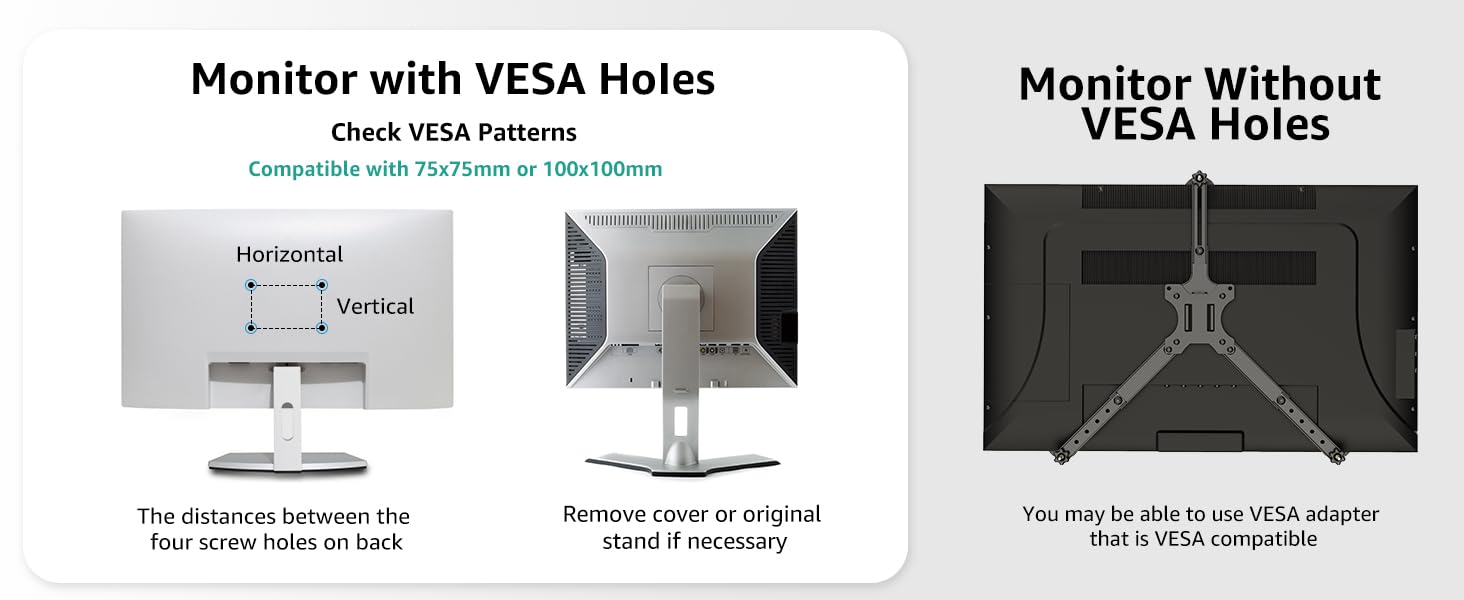
The MOUNT PRO Ultrawide Dual Monitor Arm is a premium, fully adjustable desk mount designed to hold two monitors ranging from 13" to 43" and up to 33 lbs each. Featuring robust construction with gas spring technology, it offers tilt, swivel, and 360ยฐ rotation for optimal ergonomic positioning. Its space-saving clamp and grommet mounting options, combined with integrated cable management, create a clean, professional workspace. Compatible with major monitor brands and VESA standards, it installs quickly and supports a wide range of desk thicknesses, backed by a 2-year warranty.


| Asin | B0CNPNR3BQ |
| Best Sellers Rank | #508 in Computer Monitor Arms |
| Brand | MOUNT PRO |
| Color | Black(Daul) |
| Compatible Devices | Monitor |
| Customer Reviews | 4.5 4.5 out of 5 stars (50) 4.5 out of 5 stars |
| Enclosure Material | Precision Plastic, Steel, and Aluminum |
| Item Highlight | Fully Motion Monitor Stand with Tilt/Swivel/Rotation, VESA 75x75/100x100 with C-Clamp & Grommet Base |
| Manufacturer | MOUNT PRO |
| Maximum Supported Screen Size | 43 inches |
| Maximum Tilt Angle | 45 degrees |
| Minimum Supported Screen Size | 22 inches |
| Mounting Type | Tabletop Mount |
| Movement Type | Rotate, Swivel |
| Number Of Items | 1 |
| Warranty Description | 2 year |
User
Good Buy
This is a great product. It was very easy to put together and it is a dream come true for all the desk space I have now. Also, getting older my eyes aren't the best. You just pull them to you. It's awesome. Very sturdy...I don't worry about it falling at all. I got this size because I wanted a longer shorter distance to the monitor.
User
Sturdy and Affordable Monitor Mounts
These are some sturdy arms. I have one holding a 27 inch monitor thatโs 4K and weighs about 20 pounds and Iโm supporting the other monitor which is a 32 inch 4K weighing about 22 pounds.The clamp mount is very strong. All the hardware was included easily labeled. Very simple to put together. Shouldnโt take more than a half an hour if youโve got all your ducks in a row.For anyone who with a โsaggingโ problem where the monitors lean forward or donโt stay up, I would suggest the first thing you do when you put your monitor on is to tighten the vertical positioning screw as tightly as possible with a monitor tilted slightly upward, that way when it it will rest straight vertically. Holding the monitor at max height, adjust the gas mounts to the left to increase tension. Do this until they stand up and canโt be pushed down, and then slowly reduce pressure to fit your use case.Worked really well for me, will update if anything fails or falls apart.Also pro tip, tighten the 2 screws on the monitor mount bracket that are horizontal to the actual piece that mounts to the monitor. They were loose on both brackets.
User
Heavy duty
Holds a 32โ and 28โ monitor with no problem
User
Great dual monitor setup
Great setup! Iโve got 2 43-inch Samsung monitors setup on this mount and it works great!
User
Good product
Good product
User
Mini Desk setup
Very sturdy and saves space on the table top, Installation was easy as the instructions were easy to follow, what you can see of them are not an eyesore as well so the design makes it a great value for the money, The stability is great as long as the weight limits are kept in mind.
User
For heavy monitor users
On the upper limit of its capabilities it struggles to accomplish its stated tasks
User
Well worth the price
Holds my 2x43" monitors with ease. Looks like they have more room to accept even larger monitors. Smooth movement even with 30lbs monitors.
Trustpilot
3 weeks ago
2 weeks ago