Buy anything from 5,000+ international stores. One checkout price. No surprise fees. Join 2M+ shoppers on Desertcart.
Desertcart purchases this item on your behalf and handles shipping, customs, and support to Croatia.
📚 Elevate your reading game with color, comfort, and freedom—because your stories deserve the best!
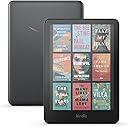
The Amazon Kindle Colorsoft Signature Edition 32GB features a groundbreaking 7-inch Colorsoft display optimized for vibrant, easy-on-the-eyes color reading. With up to 8 weeks of battery life, wireless charging capability, and IPX8 waterproofing, it’s designed for the modern reader who demands flexibility and style. Store thousands of books on-device with 32GB storage and access over 15 million titles instantly. Its adaptive front light and high-resolution display make it perfect for any lighting condition, redefining the e-reader experience for professionals and avid readers alike.
| Display | Amazon’s 7” Colorsoft display technology with built-in light, 300 ppi B&W, 150 ppi color, optimized font technology, 16-level gray scale. Due to the addition of a color filter layer that creates the easy on the eyes color reading experience, you may notice that the texture or brightness of the Kindle Colorsoft display looks different than the Kindle Paperwhite display. |
| Size | 5 x 7 x 0.3” (127.6 x 176.7 x 7.8 mm) |
| Weight | 7.7oz (219g). Actual size and weight may vary by configuration and manufacturing process. |
| System Requirements | None; fully wireless and doesn't require a computer to download content. |
| On-Device Storage | 32 GB; holds thousands of books. |
| Cloud Storage | Free cloud storage for all Amazon content. |
| Battery Life | A single charge lasts up to eight (8) weeks, based on a half hour of reading per day with wireless off and the light setting at 13. Battery life may vary depending on use. Audible audiobook streaming over Bluetooth will reduce battery life. |
| Charge Time | Fully charges in less than 2.5 hours with a 9W USB power adapter. |
| Wi-Fi Connectivity | Supports 2.4 GHz and 5.0 GHz networks with support for WEP, WPA, WPA2, WPA3 and OWE security using password authentication or Wi-Fi Protected Setup (WPS). Does not support connecting to ad-hoc (or peer-to-peer) wifi networks. |
| Accessibility Features | VoiceView screen reader, available over Bluetooth audio, provides spoken feedback allowing you to navigate your device and read books with text-to-speech (available in English only). Learn more about Accessibility for Kindle. |
| Content Formats Supported | Kindle Format 8 (AZW3), Kindle (AZW), TXT, PDF, unprotected MOBI, PRC natively; PDF, DOCX, DOC, HTML, EPUB, TXT, RTF, JPEG, GIF, PNG, BMP through conversion; Audible audio format (AAX). Learn more about supported file types for personal documents. |
| Documentation | Learn more about Kindle devices with our Quick Start Guide and Kindle User Guide. |
| Warranty and Service | 1-year limited warranty and service included. Optional 1-year, 2-year or 3-year Extended Warranty available for U.S customers sold separately. Use of Kindle is subject to the terms found here. |
| Included in the Box | Kindle Colorsoft Signature Edition, USB-C charging cable and Quick Start Guide. |
| Waterproofing | Waterproof (IPX8), tested to withstand immersion in 2 meters of fresh water for 60 minutes. Learn more about the waterpoof Kindle Colorsoft. |
| Available Colors | Metallic Black |
| Generation | Kindle Colorsoft Signature Edition (1st Generation) – 2024 release |
| Software Security Updates | Learn more about these software security updates. If you already own a Kindle, visit Manage Your Content and Devices for information specific to your device. |
User
A must for Kindle Afficionados
Alright grab a cup of coffee or a cocktail and settle back as I spin my yarn.So, I'm a big fan of kindles. Since 2010 when we had this technology explosion, smartphones and tablets came on the scene and e-paper became an alternative to reading on LCD and OLED, I have been a "Kindle Aficionado.". I have gotten many, many kindles and sometimes paid more for them than I would have preferred, like 350-400 bucks. I usually can recoup about 100 bucks of that by selling them on later after I'm done as I take care of my devices.I got the first generation Paperwhite with the ever-so-slight visible backlight "issue" that people overeacted to. I remember when that got improved and the processor speed went up making it more usable. I remember when we got warm mode for the first time. I remember the first kindle with Auto Brightness. I remember "whispersync" when we could actually download things off wifi for free via 3G networks. I remember Kindle Voyage's glass screen and coffin-shaped back. I remember the original Oasis with the detachable and expensive "leatherette" cover. I remember the waterproof second generation Oasis. All of them were wonderful and all had pretty much steady improvements. All still usable, Still have a Voyage to this day because of it's glass screen quality, despite it not having enough space.Unlike phones, kindle devices last a long time, well past their internal technology sell by date. The kindle I replaced was relatively new for Kindles, but ancient in tech terms (2019, 6 years ago. Technology uses dog years so about 50 years old, lol). Still works flawlessly. Couple issues, one is no color and the other is no USB C (or wireless charging). So it's time, I traded one of my 2nd gen Oases in for this device and Although it's not a premium build as Kindles go, it's a color paperwhite - And probably the first of many color e-ink displays - it's features were an ABSOLUTE MUST for me. Color, wireless charging and USB C so I can start getting rid of all micro USB keyed cables in my house. These are all big deals. I skipped the scribe, it's cool but I'll wait for the eventual color version, color is that big of a deal.Now you're probably reading some of the pearl clutching reviews people have posted complaining about those things like yellow bottom border, lower resolution and less white "paper" - it's now more of a greyish color and it's a slight step back I will admit. But the fact I can see all my books in color - pretty decent color mind you - that alone is worth the cost of admission.I read comics and "graphic novels". and I'm reading the X-men series from the 80s on up atm and am loving it. Been doing it on an ipad pro, brand new and extremely expensive and fragile device also not worth what is charged for it (1100 bucks). I basically use it to browse the web occasionally and read comics.Now I can read them on my kindle colorsoft signature edition along with my books instead of not being able to. Also, books with 2 color printing like the Illustrated Silmarillion now have their colored titles show up which is refreshing and something I love about the print editions. These also have their color illustrations in color instead of a greyscale mess where before you'd try to work out what it was. It's a game changer. SImply put. For those who read books with "plates" (as long as the kindle edition supports it I assume) you now get them in color. Comics are almost like reading old yellowed comic books. It has a charm that makes it worthwhile. Now, is it as vibrant as an Ipad, no, it's not and there might be some use cases for still using your ipad first for art heavy books, but being able to see them in color with only an e-ink device is still huge, as before you wouldn't even be able to appreciate or make sense of them. You'd never open them, it was print only and no color in the print ever breaking up the monotony. The fact this is a thing of the past now ? That's fantastic and worth the tradeoffs.The trade offs - let's talk about them. They're only issues if you had bad expectations, wanted a tablet, or are OCD. That's my feelilng anyway. You get a greyer, "dirtier" background and a lower resolution of 150 DPI when images are on the screen. Sure, this is kind of noticable but not deal breakers by any means unless you're "pixel peeping" and letting your OCD get the best of you. If you are using warm mode the bottom of the screen can geta bit yellowish (I mean it's warm mode, the whole screen is getting more yellow) but it can be slightly un-uniform and I guess this freaks some folks out that want something perfect. I'm not one of them, but that's probably the reason for the returns and 3 stars I guess. It is what it is... those people will miss out on color e-ink.Also I'm sure they'll improve these very minor limitations over time. Similar thing happened with the OG paperwhite and itnever stopped me reading on it, I eventually replaced it and got a better display and more speed.Let's face it. Your average kindle you could expect to keep for 2 or 3 years until a new model comes out and then sell it for a few bob on ebay, provided you didn't lose it or damage it in that time. Or you could keep it for 10 years until it was totally obsolete and nobody wanted it and have to toss it as it fails as all electronics do these days as nobody repairs em anymore.I know what I've been doing with mine, flipping them back and getting the latest and greatest.Technology will always improve and I look forward to future kindles with improvements, but know this much... I'm not going back to black and white only. Even if it's a little cleaner and whiter. Also I have some older kindles still so If I want that experience I can have it.Some people may not be able to make this trade off and that's fine - you can keep to your paperwhite.The speed of this device is also quite good, yes it has to do page refresh more often on color but old kindles had that issue too and had worse "dirt" that accumulated, I think people today are a bit spoiled. One area I would like to see is 64 GB, with color file sizes are more, and 32 GB is not a lot. 64 GB and 128 GB ought to be the norm, come on, it's 2025, and NAND flash is cheaper than ever and getting cheaper constantly. I remember when kindles had 2 GB on them. 2 GB ! lol.All in all, I'm all in. And i'm excited where the future of color e-ink is going.
User
Looks like paper!
This is my first kindle. I had seen them in the wild and always scoffed at the idea of an reader. I have always been the type to buy the book and either add it to my bookshelf or donate it when done. But recently I started reading in the Kindle app on my phone. Not sure why, maybe it was my mom retiring and using her kindle Paperwhite. But as I started reading books on my phone I decided getting a kindle was that next step. I weighed the Paperwhite against the color soft and the price difference left me leaning to the color soft. The black and white doesn't look much different than my mom's Paperwhite but the color is very soft in tone as the name implies. I was not surprised at that as there is many reviews online that show the color. So why color? Well if you like to read the occasional comic or graphic novel or just like to see some color covers or color highlights then the color soft is for you. If color is not the issue then go with the Paperwhite. As for memory, I am glad I got the 32gb model. After the Kindle pre installed software and such you are left with 25 gb. Black and White text books are only a few mega bites but a graphic novel is easily 250 megabytes. Of course you can always remove your books while still seeing them in your library. I did take Amazon up on the Kindle unlimited trial. Not sure I will renew as between work and my kids I can only read 3 or 4 books a month. Buying your books has the benefit of reading them at any time without a subscription and books are only 3 to 5 dollars. If you read several books a week then Kindle unlimited is for you. The colosoft is very sharp and clear. Text is customizable by size and font. Works good in sunlight and I like that it's waterproof. Not that I am taking it to the pool but if I split my drink I would know I am ok. I know there is a lot of reviews that mention the yellow bar but my Kindle has none of that so I assume that has been resolved. My only minor issue with the Kindle is there is a faint white halo around the border where you can kind of see the backlight shining through but is barely noticable once you start reading and is less of a defect than it is how it is designed. The screen is a nice glare free matt finish and the Kindle case is easily installed and a nice accessory. The battery life is sufficient but I feel like the way the battery life is advertised is a bit false. They say 8 weeks but apparently that's based on 30 minutes a day of reading. Who reads 30 minutes a day. I am a light reader and even I read more than 30 minutes a day. I would say you get about 24 hours of reading. Which is still pretty decent. Overall I would give it 4.5 out of 5 stars. I really like my Kindle and it feels like I am reading from a paper book.
User
Colorsoft color experience is what I wanted
I purchased the Amazon Kindle Colorsoft so I could have color images and graphics on many textbooks in my collection, as well as the ability to highlight in different colors, a feature I used a lot on my Android Kindle app but couldn't with my 2021 Paperwhite. The book covers are nice in color, too, bringing a level of dimension to my library that I enjoy a lot.I am giving this five stars as it satisfies my main objectives: The color is good, color highlighting excellent, and the speed of page turns and library browsing is excellent (noticeably faster than my 2021 Paperwhite). The only thing missing is a satisfying "dark mode," as it only affects the book pages and not the whole interface as with the Paperwhite. Perhaps this will change in a future update, but it isn't a big issue for me and the white text on a black background is still excellent for night reading, especially with the amber glow turned to the max. Color highlighting in this mode is also excellent.I do have some caveats, however: The battery drains a lot quicker than the Paperwhite, and the 32GB storage fills up a lot quicker. Also, the "Vivid" color setting seems to switch back to "Standard" sporadically, even if it still says "Vivid" is selected (this might be happening after I select a Restart).These are not serious issues as I just need to charge more frequently and will refrain from downloading my whole library as space fills up, and a reset to "Vivid" handles the color issue until a software fix is available (assuming this isn't just my imagination).In addition, the price is very high for what it offers, so unless color is very important to someone (to view comics, highlighting in color, etc.), the new 2024 Paperwhite might be the better option.UPDATE: An unfortunate issue a lot of reviews have mentioned is a yellow band at the bottom of the screen. At first, I didn't think my Colorsoft had this issue, but now I see a very faint band at the bottom of the screen when reading with black text on a white background. To be fair, I might not have noticed this without the issue being pointed out, and it is a lot less noticeable than some photos I've seen (I have the warmth setting set to 10 normally, which might camouflage the band a little). It looks to me like an issue of the calibration of the LEDs as it doesn't appear when the backlight is off. It is also undetectable with images and using the white test on a black background. Still, it is there, and I am requesting a replacement for when the issue is resolved.I'm keeping my review 5-stars because Amazon has been very responsive regarding this yellow banding issue. Contacting customer service via a chat was a simple process and a replacement request was quickly queued up (replacements, alas, aren't available yet while the underlying issue is being investigated and resolved), and I can keep using my current Colorsoft in the meantime (while noticeable, the yellow band isn't distracting while I read). One of the reasons I keep coming to Amazon is their fantastic customer service, and this is a good example of them doing what they can for an unfortunate situation.UPDATE #2: I received my replacement Kindle Colorsoft and the yellow banding issue is resolved. Again, I feel the customer service response to this issue was excellent and it is a primary reason I continue to use Amazon.
User
Impressive first version of a color Kindle - remember this is NEW technology built for the Kindle
I may be among the minority here, but I am in love with this new color Kindle. I can only assume my expectations were different. By pre-ordering this device I KNEW I was paying a premium to be an early adopter of a new technology, and new technologies ALWAYS have flaws that were not going to be discovered until there is a much larger testing pool from a full release. I expected those and knew the expensive purchase was a gamble, but to me it was a successful gamble. Despite its flaws, I think it is absolutely amazing and honestly only one of those flaws is a possible deal breaker for me and the reason I gave it 4 stars. I’m hopeful that one deal breaking flaw is fixable by software, and as soon as it’s fixed I’ll be changing this to 5 stars. This device has gorgeous color. It’s faster at pretty much everything than my Oasis and provides the experience I’m accustomed to from Kindles. Pretty much the only thing I would whine about being missing are page turn buttons (because I’m one of the people who STRONGLY prefer them to touch screen).Let me go through my experience with the flaws getting this device a bad reputation:- The yellow bar at the bottom of the screen: Yes, I DO have the yellow bar at the bottom of the screen. It does not bother me AT ALL. I doubt I’d have noticed it if I hadn’t known to look. I only notice it when I’m on the home screen and it is basically a closed in box. It is 100% gone if you put the screen on a black background. I’ve also spent hours reading regular books on a white background just to test if this would annoy me and while I know it’s there I never really noticed it.- Grainy/darker screen: Yes, they all have this and will all continue to have this. This falls under the category of understanding the technology you are early adopting and what the realistic expectations are. The color functionality is overlaid on top of the black and white e-ink screen. When you put something on top of a screen, it’s always going to have a permanent effect, it was never going to be fully transparent. I know some people dislike that they have to turn the screen up brighter than they do on their Paperwhites and some find it difficult to read through the screen door effect all color e-ink devices have with current technology. I personally don’t care if I have to set my brightness a little higher, I have it on auto-brightness anyway. And the softening screen door effect that is an issue for a lot of people, I actually find I prefer to read on. It makes it feel more like it’s on a piece of paper than a screen to me.- Shorter battery life: Honestly I’ve yet to come even close to running low on battery so I don’t think this is a problem for me. It still holds a charge FAR longer than my beloved Oasis.- No true dark mode: I understand where the anger on this is coming from, as someone who reads exclusively in dark mode. It does feel a little weird how much of the lighting on the sides and underneath comes through when the page is black compared to dark mode on my other Kindles. And it’s not ideal that the menus are still in white. I’m hoping this will be fixed with a software update because I DO strongly prefer the traditional dark mode, but the black screen background on this device isn’t bad enough that I can’t use it and I still prefer it to the white background.- Ghosting: Now THIS is an issue that may be a deal breaker for me. For me I’ve only had it happen when I’m using the black page and have been reading on it for an hour or so straight. As I strongly prefer to read with a black background this is an issue I keep coming up against. It goes away if I exit the book or turn the device off and back on again, but it is VERY disruptive to my reading. Hopefully they can fix this with software or with a replacement device that has it addressed in the hardware available to those of us who early adopted. Honestly it would probably be fixed if I could turn on the page refresh toggle, but while I can do that in comics I don’t seem to be able to do it in regular books with the black background.Overall I’ve spent many hours using this device and enjoying it. While I’m still likely to lean towards my Oasis for marathon reading sessions of regular black and white books because of the dark mode, I’ve really enjoyed reading graphic novels on the Colorsoft and will likely also enjoy cookbooks and knitting pattern books on there in the future as well. I’m hoping they can fix the ghosting issue, either with software or a hardware fix for a future replacement, but I’m definitely not ready to give up on this device yet as it’s still bringing me joy.
User
I have never been more disappointed in a Kindle device
Update on 8/15/2025:As of this date, I have gone through six Kindle Colorsoft Signature Edition devices and they have all had yellowing. I had kept one back in 2/2025 but the yellowing got bad enough that I contacted them and they agreed to allow me to return it to them. Now they are saying that they didn’t get the correct device and I’m not sure what the status of my refund is. The reason that they are confused is because they are expecting the original one back but I exchanged that one a long time ago. The one I returned is the last replacement. On top of that, they guaranteed me that they would put my trade in value of $28.00 back on my account and they never did. So they took my old device and did not give me the money for it. I have spent hours on chat with them and they simply do not understand what I am trying to tell them. It has been very frustrating.On top of that, there are rumors of a “new” Colorsoft Signature Edition coming out that has an upgraded motherboard and a screen without the yellow banding flaw. Theoretically these are already in other countries but the Colorsoft Signature Edition in the US is the exact same one that it has always been. I bought and returned one just a few weeks ago and it was the worst one I have seen so far. I also grabbed one from Best Buy when it was $100 off and I didn’t even bother registering it because I could see the prominent yellow banding along the bottom.Back at the end of 2024, Amazon told people who had the yellow band that they would replace them with devices that didn’t and as far as I can tell, they have not kept that promise. They took my money for my trade in and I am still waiting to see if I get a refund for the one that I sent back. Several of their customer service told me not to worry about it and it would be fine but I’ve heard that before and it has never been fine.The Amazon Colorsoft has been a disaster from the start and it doesn’t appear that they’ve done a thing to correct it. Perhaps there is another one coming or maybe it is just internet rumors. Either way, it’s a shame that I have spent almost a year trying to get a device that works correctly and I have not yet had luck with any of them.Update:When I first wrote this review, I was contacted by Amazon and given a choice - return the Colorsoft devices I have and get my money back or be “put on a replacement list”, hold on to the current one, and wait for it to be replaced with a good device. I chose to hold on to the devices and wait. For over a month, they didn’t contact me and I contacted them numerous times to ask. Each time they said that replacements were not available and then they did replace them.Amazon has replaced one Colorsoft twice and one once. Every single one of the replacements has the yellowing at the bottom of the screen and at various places on the screen. One of them had dark spots in it that look like dead pixels, even though I have been told that these don’t have dead pixels.Online, I have seen many instances of Amazon replacing defective, yellow Colorsoft devices with stock that has been inspected and many of these actually look good according to pictures people are showing of their replacement. These come with a note saying something like it has been tested and does not have the issues the original does. It also comes with a little sticker of some kind. None of the three that I have received had the note or the sticker, indicating that they were replaced with regular stock that is still defective. Yes, I was put on a list, but I had to do all the legwork and pester Amazon to replace them at all. It should not have been that way. All of the reps that I dealt with have been friendly, as they always are. But I got all sorts of different answers in the emails. Some said that I needed to call Amazon, some said that I needed to chat with them on the website, and some said that I just needed to continue to wait, with no additional information about when I could expect a replacement.This is not being handled well at all. I now have FIVE defective devices that I need to pack up and return. I have no faith at all that there are replacements coming that won’t be defective and after almost three months of this saga, I just need it to be over.Original Review:For the record, I have ordered many Kindle devices, both Fire and regular Kindle, and this is the first time that I have been disappointed in a Kindle device. I have been waiting for a color capable Kindle since they stared allowing highlighting on Kindle devices. I am a highlighter and make many highlights in books I read and I like to use color, so I was excited that I could have a Paperwhite that would allow me to do this.I bought two of them, one for my wife and one for myself and I have noticed the same issues on both.First the pros.In my opinion, the color is pretty well done. I wasn't expecting color like I see on an LCD/LED device like the Kindle Fire and I didn't get it. Compared to that type of device, the color is a bit muted. That's not a bad thing, it's just how the technology works. The page turning responds quickly and the highlighting works as expected. It's also a light device and after using the Kindle Fire Max 11 to read books I want to highlight in color, it was a delight to hold such a light device. I did buy the Kindle Leather cover for it and that adds a bit of weight. The cover is actually disappointing as well, but that's an issue for another review.The disappointing.When you look at the book list, there is a Home/Library selector at the bottom that has a yellow tint, presumably to separate it out from the rest of the page. The problem is that the yellow carries over to whatever book you are reading. So select a book and there's a faint yellow bar at the bottom of the screen that does not disappear with page turns. The result is that the bottom of the screen looks dimmer than the rest of the screen. If it weren't for that yellow bar, the screen would be pretty even. But it is very distracting to constantly have it at the bottom of the screen like that.There is no dark mode. I do not normally use dark mode on Paperwhite type devices because they are easy on the eyes but I thought I'd give it a try to see if it eliminated the yellow bar. Instead they have a Page Color feature that makes the background very dark grey. It is not dark mode because it is not black. Amazon does have a little blurb at the top of the product page stating that dark mode is "not currently available". Perhaps that indicates that it will be enabled in the future.Lastly, the text is... well, it's just different. I know it is 300 ppi but the text is a little bit grainy. I suspect that it is because of the color layer and it might just be how it is for these types of devices. I know other manufacturers have had color e-readers for a while but I haven't looked at any of them. Also, the screen shows some grain. It's not bad, but it is noticeable. Again, perhaps it is just the technology.The interestingThe one interesting thing to me is that there is no page refresh switch on this device, or at least I couldn't find one. I thought that if there was, it might work to eliminate the yellow bar. That's not an option.The decisionThis is a tough decision for me. The yellow bar seems like something that could be fixed with a software update. If that's the case, I'm not sure how it was missed in product testing. It was the first thing I noticed when I started reading with it. There is a segment of the population that just uses products without looking at them but there are also many that actually look over the product to make sure that it works and looks right first. There are also people who don't even notice things like weird color tints and shifts, but I am not one of those people. So my decision comes down to whether I have faith in Amazon providing a patch for this issue and if it can even be fixed. My wife is happy with hers because she is reading the books with dark page color. I am also wondering if I will lose the 20% off if I return mine and keep my wife's. I suppose that is something I would fight Amazon for if they did it.More than likely, I will hang on to it until 11/30 and if there is no fix, I will return it. Perhaps I will wait until December and get a new one with the extended return period or I will just pick up a new Paperwhite and wait until the next generation of Colorsoft. Either way, I am not keeping a $279 device with a yellow bar on the bottom of the books I read.
User
Fantastic and worth every penny!
I received a notice from Amazon that my elderly Kindle Fire was no longer going to be supported. Naturally I was disappointed. I went ahead and bought a new Kindle Colorsoft Signature Edition 32 Gb reader, which arrived just over a week ago. My disappointment went away very quickly.The first thing I noticed was that it is always on -- it has a sleep mode, with extremely tiny power consumption. There's no lengthy boot-up process (which was about 2 minutes with the old Kindle Fire). I made very extensive use of the reader over the past three days -- probably averaging 4 to 5 hours a day -- and that didn't include the hours spent downloading all of my Kindle books to the new reader; the battery charge is still at about 85% full. At this rate I won't need to plug it in for a recharge for another 2 weeks or so.The next nice feature is that it charges through a USB-C port, which means very fast charging. (It also can use a wireless charger, but I'll likely never get one of those.)Then there's the available cover, which cost me $31.99 and is worth every cent of that. Close the front of the cover and the reader goes to sleep. Open it and your last page read shows up immediately.The color quality isn't quite as good as that of the Kindle Fire, but it's still very good. That's part of the trade-off when you go from the Fire tablet (which needs recharging every 8 hours or so, which takes all night using its USB-A port) to the Colorsoft, which uses a lot less power and only needs charging twice (or maybe once) a month.The text quality and readability are excellent. It has an easily selected airplane mode, so you can have your whole library available on long airline trips (and its battery lasts easily long enough for that).Another advantage of the Colorsoft is that text highlighting can be done in a number of colors. That has some advantages when multiple persons are using it, i.e., the text can be color-coded by user. It could be very useful in an editorial process.I love it and recommend it.
User
Love it
For reference, I have the Kindle Colorsoft, 11th generation Paperwhite, and a competitor color e-reader. I have seen so many negative reviews for this new Kindle and I completely disagree.1) People have issues with a “yellow band” at the bottom of the screen. To be fair, I use the warm settings so it might go unnoticed. But I don’t see this band.2) Complaints on grainy text. It’s not as crisp as my 11th gen Paperwhite, but it’s still very very good. I have read for hours with no eye strain. The quality in my opinion is better than the competitor color e-reader. The other company’s color e-reader I couldn’t read more than maybe two hours because my eyes hurt. It didn’t matter how I adjusted the brightness, warmth, font, or font size. Again, the Colorsoft I have read for hours and hours.3) Battery life: I agree, the battery life is not as good as the Paperwhite. HOWEVER, it is SIGNIFICANTLY better than the Kindle Oasis. A family member has the Oasis and the battery is the biggest con of that device. Battery would last a couple days or barely a full day depending on how long a reading session is. Absolutely terrible. The Kindle Colorsoft battery again is very very good in comparison.4) I have seen people complain about the ColorSoft not having dark mode. There is an option in the settings for dark mode. I have used it. It’s there. I DID notice that it’s in the book as you’re reading, but it doesn’t appear dark on the main menu. But there’s dark mode when you are in a book. The competitor ereader I have does the same exact thing and I haven’t seen any complaints on this.5) There are complaints that the color is not vivid enough. There is a setting on the device that’s “standard” and “vivid”. The Kindle ColorSoft is the name. It’s colorSOFT. I think the color is phenomenal for e-ink technology. To me it is more book-like, natural, and easy on the eyes than the competitor. It is e-ink. Not LED. If you want heavy saturation of colors then maybe an iPad or Kindle Fire is the better choice for you. But LED tablets come with more eye strain, glare, and bad battery life. The Kindle ColorSoft has screen savers that are so cute, it’s fun seeing my covers in color when my Kindle is sleeping or on the main menu browsing. The highlighter color options are so vibrant.Overall this Kindle is wonderful. It is essentially the Kindle Paperwhite Signature Edition but in color. I read comfortably for hours. The only request I have for a future color device is pen compatibility and page turn buttons. If they revamp and relaunch the Oasis in color I know people will jump on that opportunity, myself included. But for someone that has the Paperwhite and then got the ColorSoft, this is a seamless and happy experience.
User
I love my Kindle Colorsoft!💗
I absolutely love my Kindle Colorsoft! I spend hours reading on it every day, and the color screen makes the experience even more enjoyable. The display is clear, the battery lasts a long time, and it’s very comfortable to hold for long reading sessions.I did notice a little bit of light bleed in the corners, but it doesn’t bother me enough to affect my reading experience. Overall, I’m very happy with my purchase and would definitely recommend it to anyone who loves reading. I’ve had it for almost four months now, and it has become one of my favorite purchases. I spend hours reading on it, and my experience has been excellent.
Trustpilot
3 weeks ago
1 month ago