Desertcart purchases this item on your behalf and handles shipping, customs, and support to Croatia.
🚀 Double your screen, double your impact — productivity that travels with you!
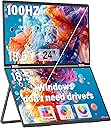
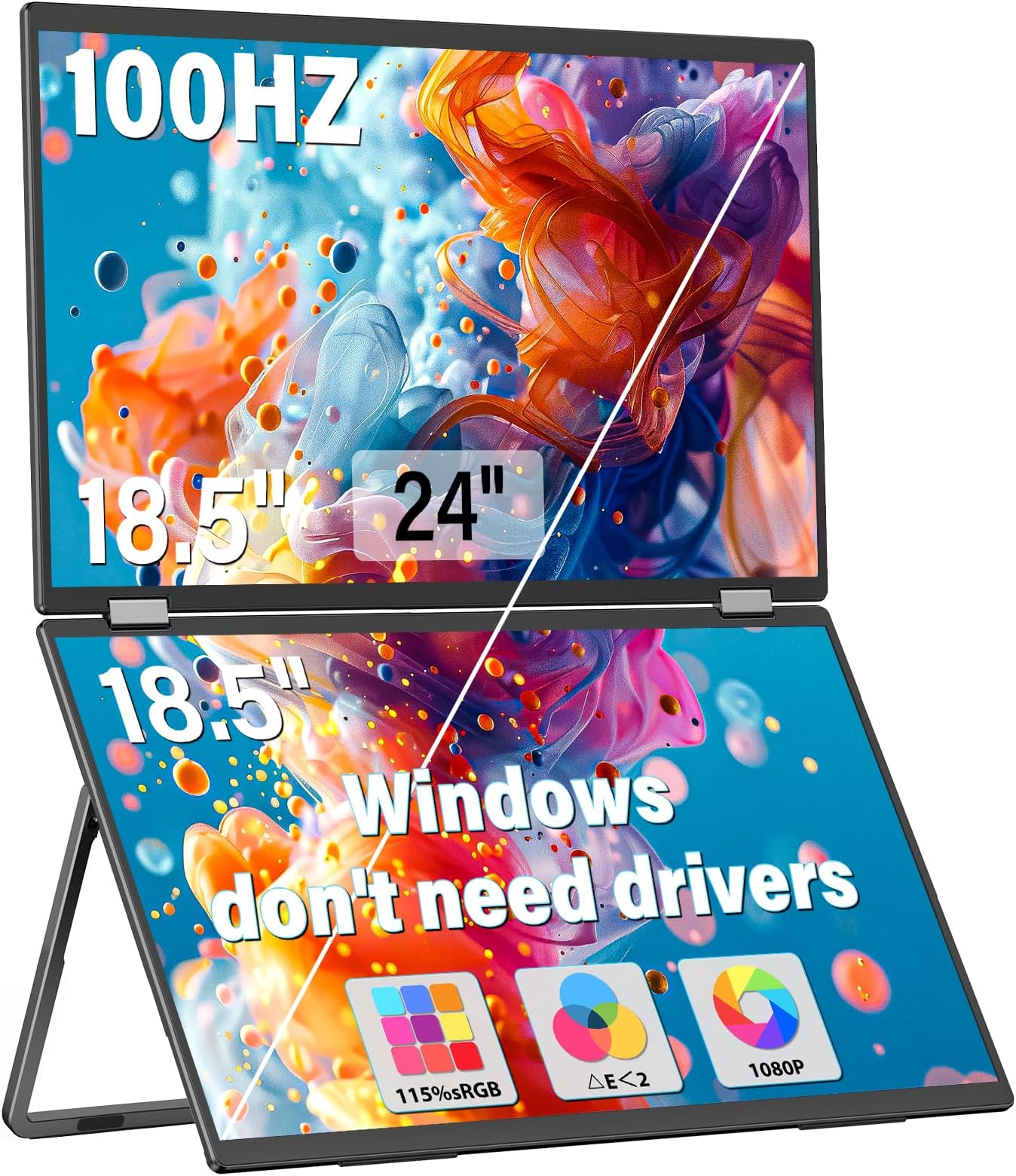
The InnoView 18.5" Dual Portable Monitor features two Full HD 1080p IPS screens with 115% sRGB color accuracy and a 100Hz refresh rate. Designed for professionals on the go, it offers a 315° adjustable dual stacked folding design with built-in speakers and multiple display modes. Compatible with Windows and Mac systems, it requires no driver installation and connects via USB-C and HDMI, making it a versatile laptop screen extender that boosts productivity anywhere.


| ASIN | B0DGD72DK5 |
| Adaptive Sync | FreeSync, G-Sync |
| Additional Features | Built-In Speakers, Portable, Swivel Adjustment, Tilt Adjustment |
| Aspect Ratio | 16:9 |
| Best Sellers Rank | #3,791 in Electronics ( See Top 100 in Electronics ) #135 in Computer Monitors |
| Brand | InnoView |
| Color | black |
| Color Gamut | 115 |
| Compatible Devices | Camera, Desktop, Laptop, Smartphone, Tablet |
| Connectivity Technology | HDMI, USB Type C |
| Contrast Ratio | 2000:1 |
| Customer Reviews | 4.3 out of 5 stars 1,700 Reviews |
| Display Resolution Maximum | 1920 x 1080 pixels |
| Display Technology | LCD |
| Display Type | LCD |
| Hardware Connectivity | HDMI, USB Type C |
| Image Contrast Ratio | 2000:1 |
| Item Dimensions D x W x H | 10.1"D x 16.65"W x 0.96"H |
| Manufacturer | InnoView |
| Model Name | INVPM509 |
| Model Number | INVPM509-02B |
| Native Resolution | 1920x1080 |
| Number of Component Outputs | 2 |
| Picture Quality Enhancement Technology | OD |
| Refresh Rate | 100 hertz |
| Resolution | FHD 1080p |
| Response Time | 5 milliseconds |
| Screen Finish | Matte |
| Screen Size | 18.5 inches |
| Screen Surface Description | Matte |
| Total Number of HDMI Ports | 1 |
| Viewing Angle | 315 degrees |
| Warranty Description | 18Month |
L**R
Fantastic dual monitor for portable and travel productivity
As someone who works behind a laptop the majority of the day, multiple monitors are a must to staying productive at home or away from home. I have been looking for a solution that would maximize viewable space/resolution in as compact as a package as possible. As a result, I decided to pick up the InnoView 15.6" Portable 4K Dual Monitor for a number of reasons - viewable space (dual 15.6 monitors), resolution (4k) - size/weight (folded, it is comparable to my Macbook Air 15 in in footprint and weight ~3.5 lbs) - build quality (the monitor is feels very solid and well-made) - connectivity (HDMI, usb-c, DP2.0) The monitor came with various cables for connectivity and power (included a power brick). It felt solid all around from the hinges, to the adjustable stand, and to the cable connections. The monitor feels very solid in hand and has good weight. Once the monitor is set-up, it holds form and angles very well. The monitor is best used in landscape mode, although it can be used in portrait if needed. In portrait mode, you won't have as many viewing options. Also, you'll have to consider the connectivity ports and cables connected. I am using with my Macbook M4 air, which will natively support multiple external monitors. I believe an M1 or M2 would need an external dock/adapter to support multiple external monitors, so you would need one with an older Mac to use this monitor in a muti-external monitor set-up. For my set-up, the M4 works very well. Connectivity is straight forward, and I used a usb-c and HDMI (usb-c-HDMI cable) to the InnoView. Luckily, with the Macbook, you will still be able to power via Magasafe connector. The monitor connected perfectly, and I was able to utilize 4k 60hz refresh rates for both monitors. Picture was clear, accurate, and vibrant. From a productivity standpoint, you can use this in multi-monitor or single monitor mode. Single monitor mode allows you to create one single large monitor. You can power this from the provided power supply, an OEM, or if needed a power bank that can output 30W+. The powerbank option is great for working in an airport lounge or coffee shop. The only challenge with my setup has been a clean cable setup, as you are connecting two video sources and a power supply to the monitor and laptop. I've been able to use this with my work and home macbooks without issues as well as phones (android, ios).I do hope to try testing with a windows machine. Overall, great productivity device, well-made, and versatile. The only downside was cable management (which isn't really the monitor's fault).
J**S
Great build quality!
This dual 18"m 2K (2.5K) monitor is superb. I initially paired it with an older Surface Pro 6 and was not able to get it into Extend mode like a wanted. This was due to limitations of the Surface Dock video controller. I ultimately paired it with a Surface Pro 10 and it works perfectly in all display modes. I am also using a single Anker 130W Charger to power the Monitor and Surface. The display draws 21W at 100Hz, full 2560x1600 resolution, and 100% brightness. I have not been able to power the monitor through a single USB-C cable from the surface so separate USB-C is needed for display power (not unexpected). I am also able to power the monitor and laptop using a Baseus 100W, 20AHr Power Bank which shows is using 34W which suggest that the video USB is providing about 14W of power. On this Power Bank it reports that it will las about 2 hours. The monitor refresh rate does not have a big impact on power draw, but the brightness has an almost proportional impact on power. The kickstand is very versatile, and the monitor is very secure in any configuration. Even standing stacked vertically they are stable. The folding hinge is smooth but firm, there is little change of it slipping; perhaps after a few years they may start loosening but that remains to be seen. The screens are large, bright, and crisp. While 4K might be better for photo/video editing, these are perfect for normal business use and CAD work as I intend to use them. I bought a separate single 4K monitor for photo work. Out of the box the color/contrast closely match my Surface (at default settings); I did bump the monitor brightness up from the default 80% to 100% for a perfect match. I found a 17.3" Monitor Sleeve from CaseDeer that fits like a bespoke case. The monitor in the sleeve and my Surface drops perfectly into the laptop compartment of my TUMI fold-top backpack.
J**B
Amazing
I bought a competing industrial/portable dual display from another OEM last month, it was okay - but plagued with sleep mode issues, not supporting MST USB C on my intel chipset - and was only 1080p This 4K innoview has impressed me within 10 minutes 1. Immediately enabled both independent displays with a single USB cable (and of course separate USB power) to my Intel 275HX integrated graphics, streaming 2x 4k signals over one USB C so seamless means the hardware and firmware guys got this right 2. Screens are sharp with good color settings out of box 3. Built-in menu is solid, gamer crosshairs are cute addition - but this is not a gaming monitor 4. These are solid IPS displays, brightness is great even in a well lit room (power meter on my USB power bank says 60W power draw) 5. sleep mode and waking works great and OST has a black background for its power notification (competitor had a 10 second full screen blue background sleep mode status, which was jarring) I will update this review when I test more of the features, HDR did not impress me immediately - will likely need to try the other HDR modes, not worried as SDR is brilliant here - and HDR is really for OLEDs or other technologies with better backlight control Only negative: Included display cables are short, luckily I have my own - but at this price point, 5-6ft should he standard I also have an innoview 2k 180hz 24in which shares a lot of DNA with this, also very good Someday I hope to learn the origin and story about where these displays come from and how brands package them differently, they are very cool - and Innoview has impressed with their implementations Unrelated feedback: Innoview website needs an update, I know these models change quickly - would be cool to see upcoming model previews, and see more detailed specs
R**H
Great monitor(s) - and I solved the Mac double external display issue!
UPDATE - TO THOSE HAVING TROUBLE GETTING MAC TO SEE THIS AS TWO MONITORS As my original review stated, I had this working with my MacBook Pro as two monitors since I got it. Today, it started doing what others described - could use a USB-C cable to "fill" as a single 2nd monitor but could not get it to show up as 2 external monitors. Turns out that something about the monitor handshaking with the Mac can corrupt the plist (how the Mac "remembers" the monitor, arrangement, and resolution for the next time you use them). This is the procedure that fixed it and brought it back to 2 external monitors: 1. from a Mac terminal window, type, "sudo rm -f /Library/Preferences/com.apple.windowserver.displays.plist rm -f ~/Library/Preferences/ByHost/com.apple.windowserver.displays.*" and press return. You will need to type in your computer admin password. This wipes the cached file of monitor configurations, so it will forget any other monitor configurations you had - so you'll just need to reset resolutions and multi-monitor arrangements if you had any. 2. Make sure that "Fill" mode on the monitor is not on (top side button toggles "Fill On" and "Fill Off" but it takes about several seconds before the change occurs. It needs to be off for this to work. 3. Shut down the computer (not restart). 4. Unplug monitor from computer and from power for 15 seconds. 5. Plug in HDMI cable and plug in power to monitor. 6. Boot the MBP - when it is done booting, go into your display settings and you should see the monitor as a 2nd screen. 7. NOW plug in the USB-C video cable from the lower USB-C port on the monitor (the top one is for power) to the Mac. 8. It shows up as Innoview (2) and renames the other one as Innoview (1) -- two independent external monitors! You can independently set resolutions and arrange them however you like!! The way Mac's do EDID (External Display ID) is a bit different than PC's. That is why this seems to only be a problem on Mac computers. My guess (just a guess) is that the "Fill" mode capability on the dual monitors can confuse the EDID on the Mac and that info is then cached into the plist (memory of the monitor(s)). That is why simply deleting the plist treats it like its brand new monitor connection. BTW, HDMI cannot transmit power, but USB-C tries to negotiate power transfer whenever it is plugged in. That is why I suggested that you start with the HDMI and wait until all is working with that before plugging in the USB-C (and having the USB-C power cord plugged into the monitor before you connect it to the Mac). Original review The hinge is tight - but understandably so - any hinge loosens with age and you would not want this thing closing while using it. The screens are bright and long ago I switched to MacBookPros for color reproduction and these screens look fantastic - They are 18" screens, so they are big in by backpack, but that is not a complaint - it is simple math. If they ever came out with a 17" version that had less of a gap between the two screens, I'd likely buy it - just because my use case doesn't really require the two-sided A-frame capability. I saw some complaints about Apple compatibility - but without any drivers, my M4 MBP works perfectly with these. If I only use a Thunderbolt (USB-C form factor) on my computer, it treats the two screens as one tall screen. But if I use the HDMI and USB-C together, I get 2 external monitors - no problem. I ordered thin HDMI and USB-C Data cables to ensure easy use. Also (and this is physics, not a criticism of the monitors), 2 18" well-lit screens need more power than any laptop USB-C port will provide, so YES, an additional USB power source is required (comes included). I have a small 250W multi-port USB power block I travel with and use 2 of the USB-C ports (1 for the MBP and 1 for these screens). That leaves enough ports and power to charge my iPad, iPhone, and a small multi-device charger for 2nd iPhone, AppleWatch, and AirPodPros - all at the same time. I travel a lot - and now, I have everything I need all together. Setup? there is none - you plug it in.
T**S
⭐⭐⭐⭐⭐ Great Portable Dual Monitor!
I’m very happy with this dual folding laptop monitor. It’s lightweight, convenient, and easy to take with me when I need extra screen space. The colors are vibrant, and the screens are bright and clear. I love being able to have multiple screens without needing a bulky setup. My only wish is that it came with a carrying case to protect the monitors when traveling or storing them. Other than that, it’s a great product and definitely makes working on my laptop more convenient. I would recommend it!
B**4
Incredible value!
Was a bit hesitant to pick up this monitor only because I've never heard of innoview. Little research showed me they been in the monitor business a little while just mostly in portal monitor market. This is a Chinese brand however, what PC or monitor isn't made in China? For the same price I had just bought a 1080 predator monitor and although I loved it for the same price I wanted to dive into 1440p. This monitor so far has met expectations. Love the size! 32" of curved eye candy! Deep beautiful colors and quality build. Base is made of metal and easy snap into place system for the monitor and a built in screw for attaching the metal legs. Easy peasy. Comes with PC cable not HDMI. And yes the speakers leave alot to be desired but here's a tip. Go into the settings and up the volume. It's factory set at like 40% once you put it at 100% you get enough sound to get by but def will want some speakers. I just bought the Logitech Z313 at Walmart for $59. Pretty good speakers for affordable price. The screen is very responsive and looks sharp as it is should at 1440p. Games look incredible! See attached pics of red dead 2. Mind blown! I'll update the review after some time with the monitor as far as longevity goes. Hoping to get solid years out of this monitor. Only negative is the buttons like most monitors have u guessing what each one does until u get the jist of the order of them. Wish they would add a little joystick like the acer predator monitor had that I replaced this monitor with as the old school buttons for every input design really does suck. Can be frustrating at first until you get the muscle memory of the key functions of each button. Also as usual getting the cables attached to the inputs was not thght out well as they go straight up from the bottom which makes you either hand the monitor on its side or upside down to attach them or u can tilt the monitor over edge of table and look from underneath. A dumb design in my opinion but once connected you don't think about it. Oh and the beautiful 1500r curve is amazing. It truly does immerse you into whatever your doing. I didn't think this would be a big deal but I truly love it. And the monitor is decently lightweight but not a cheap sort of lightweight however. Full disclosure I have had several times a quick flash on the screen but I believe that was when it was switching over. Hasn't been a issue at all and don't seem to be a screen issue but it raised my eyebrow and with this being a "off brand" monitor where I was alrdy hesitant to buy it's something I'll be keeping a eye on. I plan to use this monitor extensively before the return window to be sure I'm 100% happy with this innoview. But so far for the price and what you get I'm 98% pleased! I'd say it's worth it. Ill update the review as time goes on!
C**N
Good, with important exceptions
Perfect for what I need. Got the 15” 1080 folding option. I really love it. Lost a couple stars for the following: 1. Took me an incredible amount of time to figure the driver needed for Mac. Admittedly, it took me a while to find the QR code on the back. Even then it took some work to get it working. The software records your screen to extend it, So they may be seeing everything I’m doing haha 2. The screens are completely different color haha! If I cared about image I would return it but I only use this for work so it doesn’t affect me. However there is a clear difference between the colors on the top and bottom screen. I can see this when looking at my Tahoe background on iOS. @seller, if you send me a properly working one I will update to 5 stars. EDIT: I finally realized what was going on with the different screen color. I'm not sure if this was in the description when I bought it but MACs do have some limitations with this. For some reason Macs refuse to handle more than one display through a single USB-C. To get around this, you have to install the driver provided that will compress a recording of a virtual screen and send it through the USB to be displayed on the second monitor. This works, but it does create the issues I've pointed out above. The colors will be different from one screen to the other and the quality is drastically lower. It makes everything look a little fuzzy. For the most part I don't mind this because I'm using it for work. However, it's important to know when purchasing. From what I can tell this is not a problem at all for windows. Just Mac which is a bummer.
C**2
LOVE IT!
I LOVE THIS MONITOR! The description is 100% true. I love being able to expand windows to cover both monitors and moving it from landscape to portrait. The detail is sharp and doesn't take an extra electric outlet. I love being able to look up and down instead of left and right (how my external monitors were set up before). I haven't had a reason to use the mirror screen for someone sitting across from me but can see how that would be handy. The only reason for the 4 stars is it will lose connection with a slight bump to my desk - the screens come back on quickly but it can be a bit of disruption. Doesn't happen when I move my laptop so kind of weird. One word of caution that I didn't realize until after I set up but you may want to check your laptop settings for the maximum # of screens you can use. My laptop (Dell) is limited to 3 screens so I had to remove my other external monitors before this dual monitor would work. But would absolutely recommend this! Almost wishing I went with the larger size but this works well with my smaller desk (and wallet!).
E**O
Muy bueno para oficina
Un gran monitor, el único pero serían los materiales, pero en general cumple con la descripción
H**U
A must have monitor for working on the go!
Since the pandemic there has been a major shift of office work to partly working from home. This also meant that sometimes I have to take my work somewhere other than my home office. Having this monitor drastically improved my work efficiency. The monitor is very bright and the resolution is very sharp. As advertised it has the ability to splice the screen if you are a programmer to view long pieces of code. The build quality is really solid where one might have concerns. It has a strong built-in kickstand to prop up both monitors. The hinges are not flimsy at all and there is no wobble for the second monitor on top! Since this is an 18.5” monitor it is actually large enough to practically mount it as part of your desktop suite. As you can see from my pictures that the design has included standard VESA holes that you can make this mountable. Overall a very solid product and would highly recommend
M**E
How long will this monitor last
Appears to be as advertised, works well, but it remains to be seen if it is worth the price, the last 32 inch samsung 144hz HDR monitor that I purchased barely lasted 3 years, Not happy about that. I can only hope that I have better luck this time
H**N
Not true description of the item
Okay
E**P
Display on both screen.
This is a terrible product. Won’t show on 2 screen and often don’t display only on 1 screen now as advertised and it’s a complete waste of money. Will have to ask for a refund asap.
Trustpilot
4 days ago
2 weeks ago