Buy anything from 5,000+ international stores. One checkout price. No surprise fees. Join 2M+ shoppers on Desertcart.
Desertcart purchases this item on your behalf and handles shipping, customs, and support to Croatia.
🔥 Stay ahead of your PC’s game with the ultimate mini touchscreen monitor!
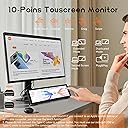
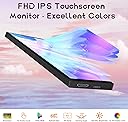
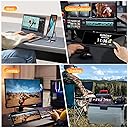
The AISHICHEN 8.8-inch touchscreen monitor delivers a sharp 1920×480 IPS display with 60Hz refresh rate and 800:1 contrast, designed for real-time PC sensor monitoring including CPU, GPU, RAM, temperature, and network stats. Its customizable interface supports multiple OS platforms and Raspberry Pi, making it a versatile, compact second screen ideal for gamers, tech enthusiasts, and professionals seeking instant hardware insights.


| ASIN | B0DFGRMZDP |
| Additional Features | Touchscreen |
| Aspect Ratio | 16:9 |
| Best Sellers Rank | #37,233 in Electronics ( See Top 100 in Electronics ) #875 in Computer Monitors |
| Brand | AISHICHEN |
| Color | Touch |
| Connectivity Technology | HDMI |
| Contrast Ratio | 800:1 |
| Customer Reviews | 3.9 out of 5 stars 247 Reviews |
| Display Resolution Maximum | 1920 x 480 |
| Hardware Connectivity | HDMI |
| Has Color Screen | Yes |
| Image Contrast Ratio | 800:1 |
| Item Dimensions D x W x H | 11"D x 3"W x 2"H |
| Item Weight | 0.44 Kilograms |
| Manufacturer | AISHICHEN |
| Model Name | 8.8-Bulit In Bracket |
| Model Number | futitxp |
| Native Resolution | 1920 x 480 |
| Number of Component Outputs | 1 |
| Picture Quality Enhancement Technology | FHD |
| Refresh Rate | 60 Hz |
| Resolution | FHD 1080i |
| Response Time | 3 Milliseconds |
| Screen Finish | Matte |
| Screen Size | 8.81 Inches |
| Screen Surface Description | Matte |
| Total Number of HDMI Ports | 1 |
| Unit Count | 1.0 Count |
| Viewing Angle | 170 Degrees |
| Warranty Description | Other |
D**E
Sharp, Reliable, and Perfect for System Monitoring
The 8.8 Inch 1920x480 Touchscreen PC Sensor Panel Display has been a great addition to my computer build, and it’s still going strong without a single issue. The first thing that stands out is the resolution. The 1920x480 display is sharp and crisp, making system stats easy to read at a glance. Whether it’s CPU temps, RAM usage, or custom AIDA64 layouts, everything looks clean and well-defined—no blurriness or washed-out visuals. The IPS panel does a solid job with brightness and viewing angles, which is important when it’s mounted inside a case. Colors look good, and the screen remains visible from different angles without distortion. Setup was straightforward, and it integrates nicely into a custom build. Once configured, it becomes a seamless part of the system—displaying real-time data without lag or glitches. Reliability has been excellent. No flickering, no connection issues, no drop-offs. It just runs consistently every time the system is on. If you’re looking to add a clean, functional display to your PC build for monitoring temps and performance, this is a solid choice. Sharp visuals, dependable operation, and a great way to elevate the overall look and functionality of your setup. Highly recommended.
B**U
Perfect Mini Monitor for Real-Time PC Monitoring
This mini monitor is exactly what I needed for my setup. The display is clear and sharp, and it works perfectly with AIDA64 to show real-time temperatures for CPU, GPU, and other components. I love how customizable it is—I can choose what data to display and even change the background. It’s very easy to set up and extremely useful for monitoring system performance. Highly recommended!
J**P
Busted at 66 days of use
Worked great until it didn't. It was a bit annoying to set up and I had to buy a few adapters since the included cable wasn't long enough for my set up, but otherwise happy with the funtionality and quality. However, 6 days after the return window, this screen is unusable. There's a weird burn-in of the exact image that was displayed at 9:38 AM on Sep 30 (it's not actually burn-in, since the "burned in" image is specific to one time--it's clearly something with the display adapter, not the screen itself). The screen is still connected to my PC and still responds, even if the image burn-in wasn't a problem, the color is off, it's blurry, and the motion is all stuttered. I've unplugged and plugged. Restarted the PC. Reinstalled drivers. No apparent solution.
C**L
Decent Screen, Misleading Imagery
The screen itself is sharp and works well, though the images depicting the mounting holes are misleading. In the gallery, it shows and states that a Raspberry Pi can be mounted to the rear, assumedly without additional effort. Then, in the description, it shows a VESA 75/50 plate on the back of the unit. Neither of these depictions is completely accurate. The actual hole spacing is 75x50. Sure, two of the screw holes will [almost] fit an RPi's spacing, but the holes in the rear of the display are M4 size , which are much too large for a Raspberry Pi's mounting holes. These aren't huge issues by any means, but annoying for people trying to source turn-key components. I don't mind drafting mounts, but the seller/manufacturer really should take care to depict the product accurately. The last issue is brightness control. Rather than it using a simple potentiometer or the like, it uses hard coded brightness levels that need to be adjusted from the rear of the display with a paperclip. There's no label of what the hole is, so if you've thrown away the packaging like I did, because "iT's JuSt A dIsPlaY", note that if you want to adjust brightness, it needs to be done prior to mounting. From a usability standpoint, it should have at least been on the same face as the connectivity ports, but it's not.
J**D
BUY THIS MONITOR!!! read on for some reasons why you should.
This monitor is one of the best looking screens for use as a system monitoring screen or running anything you want that you don't want running on your main monitor. I created the layout you see and it allows me to monitor all the settings I want to, which has been extremely helpful because I like to undervolt, overclock my OCD keeps me always wanting to monitor my temps, usage, and speeds. (Yes those are some nice undervolted speeds of my ryzen 9950X3D in game mode and to me the results are even nicer then the screen 😀 jk) I prefer to have this screen directly under my Asus pg32ucdp OLED and those who know understand if you put a monitor next to a beautiful OLED it must be bright and have amazing contrast , dark darks, and great viewing angles. This screen has ALL those things. Remember, I have this setup as a normal second monitor in windows. I just changed it to display horizontally so I could place it under my monitor. You can stand it up vertically if you prefer that or want to put it inside your computer case. I highly recommend buying this screen. The price and quality is amazing. Yes, I am a PC nerd who loves building only top of the line machines. I wouldn't use a screen that was garbage with my Ryzen9 9950x3d &RTX5090 system. Personally I recommend using it like i am to watch your sensors. There is plenty of software out there to create nice looking templates to show off your sensors instead of just showing numbers and them covering your gaming monitor. 1)The first photo is the entire screen shot. (You can open any program you want and move it there. I have my sensors panel always load with windows and take up full-screen automatically) 2) I know its extremely hard to see,but even from a distance, with all the different screens and lights on in my game room you can still see how bright and colorful this tiny monitor is.(I have my racing bracket i slid over to my pc because I was just about to play some recers,but I had this photo on my phone already and it shows how amazing this screen really is. 3) this third photo shows this monitor up close, right under my monitor ,above my keyboard. I honestly am one of those people who was constantly switching back and forth or taking up half my gaming screen just to monitor my settings results while gaming. It took alittle bit of time,but I finally got it to look and display everything I want it too. That's how the screen looks in horizontal mode. This is the perfect size screen to get if your using a 32inch monitor as your main screen.
I**R
Awesome little device
This little thing is pretty amazing. I used HWiNFO64 and a piece of software called Rainmeter to build a PC monitoring app. I'm still fiddling with it, but it works very well. I've only been using it about 3-4 months, so I can't speak on long term reliability. Tips: 1) For completely free software use HWiNFO64 and Rainmeter to make your user interface. Use the HWiNFO gadget that writes data to your registry and Rainmeter can read this information and display it. It's not as easy to use as AIDA64, but it's free! Aida64 will cost you $60 for the software and updates. After a year, Aida64 will still run, but if you want updates you'll have to fork over more $$$. The paid version of HWiNFO64 is over twice as expensive as Aida64 or you have to pay $30/year to use it on a subscription model. The paid version of HWiNFO64 is necessary if you want to use the shared memory feature and don't want to have to re-enable the feature every 12 hours). Shared memory is a bit easier to use when designing your user interface than their registry method. 2) Configure the touch screen to use this monitor go to Control Panel->Tablet PC Settings and you can set this monitor as the touchscreen. 3) Buy a 180° adapter for the USB-C and a 180° mini-HDMI adapter so that the cables can be tucked behind the monitor instead of shooting off to the side. The only real cons I've found are: 1) It's hard to find a tablet stand for this thing. I bought one, but found out the lip on the bottom was too small because the mfr assumed you'll only put a thin+flat tablet on it. I'll end up designing and printing a stand that makes this hover over my keyboard eventually. 2) DPI is very small and windows doesn't support different DPI settings on different monitors. The only place this has really affected me are the tooltips on some of my items on my user interface. You have to use a magnifying glass to read them because it's using the normal DPI from my main 2K monitor. 3) (total nitpick) No monitor driver that I've found. I like my monitors in device manager to say what the monitor is instead of "Generic PnP Monitor". I've attached a pic of the rainmeter user interface (still a work in progress as I learn how to do this)
Z**N
it’s a handy little second screen that’s quite portable
It’s a one little screen with great brightness in it’s very easy to use. I’m actually going to add a anime screen writing in the background. It doesn’t take much space. It’s easy to connect to your phone and it don’t flicker. It has an adjustable kickstand if you want to prop it up.
M**L
Doesn’t last. Too expensive for such poor quality.
Lasted less than 10 months. Just died out of nowhere today.
S**Y
Works good
Its a solid screen no issues except the cable i got was not a mini hdmi to hdmi. I got a standard hdmi you would use on a tv or graphics card. Having to buy a proper cable to replace the one i had to use from my camera.
M**.
Farsa
Decia ser touch y es una farsa, pude comprar algo mas barato dado que no es touch, es muy ancho y corto, no lo recomiendo por el precio excesivo.
K**N
Barely 8 inches not 11.26!!
This cant even be a mistake since only one size is listed! Advertised as 11.26 inches. Judge for yourself!!! Its barely 8 inches. And for this price!!!!! Also No cables in the box. Just a 8 inch monitor with no touch.
Y**E
Producto usado, mal empacado.
El producto no parecía ser nuevo. Llegó únicamente dentro de una bolsa, con los cables anudados, sin empaque protector, sin manual, sin cartón ni mica de protección. Además, tenía adhesivos y señales claras de uso previo. Todo indica que fue un producto devuelto por otro cliente y posteriormente vendido como nuevo.
A**R
Not working
I couldnt getcit to work the screen is not recognized by my computer I had to download some weird app to try to forcer the resolution but even thayvapp didnt work so seems useless wasting so much tim trying to get it to work at no avail
Trustpilot
3 weeks ago
1 month ago