Desertcart purchases this item on your behalf and handles shipping, customs, and support to Croatia.
🚀 Power Your Enterprise Network with 10G Speed & Ironclad Security
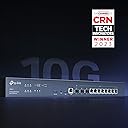
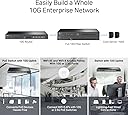
The TP-Link ER8411 Enterprise Wired VPN Router features up to 10 WAN ports including dual 10G SFP+ for ultra-high-speed connectivity, supports over 2.3 million concurrent sessions, and integrates seamlessly with Omada SDN for centralized cloud management. Equipped with advanced SPI firewall and multiple security protocols, it ensures robust network protection. Designed for professional environments, it offers load balancing, lightning protection, and a 5-year warranty, making it a future-proof solution for demanding enterprise networks.


| ASIN | B0BK9T1P5F |
| Antenna Location | Business |
| Antenna Type | Internal |
| Best Sellers Rank | #41,045 in Computers & Accessories ( See Top 100 in Computers & Accessories ) #164 in Routers (Computers & Accessories) |
| Box Contents | Omada 10G Multi-WAN Security Gateway ER8411, Power Cord, Quick Installation Guide, Rack-Mount Kit |
| Brand | TP-Link |
| Brand Name | TP-Link |
| Colour | Black |
| Compatible Devices | Personal Computer |
| Connectivity Protocol | Ethernet |
| Connectivity Technology | Ethernet |
| Control Method | App |
| Controller Type | Switch |
| Coverage | SSL, IPSec, OpenVPN, PPTP, L2TP |
| Customer Reviews | 4.4 out of 5 stars 86 Reviews |
| Data Transfer Rate | 1 Gigabits Per Second |
| EU Spare Part Availability Duration | 5 Years |
| Frequency | 2.2 GHz |
| Frequency Band Class | Single-Band |
| Is Modem Compatible | No |
| Item Dimensions L x W x H | 44L x 22W x 4.4H Centimeters |
| Item Weight Unit of Measure | 2.84 Kilograms |
| LAN Port Bandwidth | 10G |
| Manufacturer | TP-Link |
| Manufacturer Part Number | ER8411 |
| Maximum Upstream Data Transfer Rate | 1000 Megabits Per Second |
| Model Name | ER8411 |
| Model Number | ER8411 |
| Number of Ports | 10 |
| Operating System | MAC OS, Microsoft Windows 98SE, NT, 2000, XP, Vista™, 7/8/8.1/10/11, NetWare, UNIX or Linux |
| Other Special Features of the Product | WPS |
| Security Protocol | WPS |
| Smart Home Compatibility | Not Smart Home Compatible |
| Special Feature | WPS |
| UPC | 840030703300 |
| Unit Count | 1.0 Count |
| Wireless Communication Standard | 802.11ax |
| Wireless Compability | 802.11ax |
V**D
Lack of knowladge about Er8411 when called to tp-link customer care for tech support
Very poor Tech support
M**R
Super fast easy to install/setup.
Works very well, was relatively easy to set up. I'm using Wireguard and I'm getting 500u/d on gigabit fiber.
J**N
Get the most out of bell fibre internet with this multi wan 10 gig router
Had a issue with bell new giga hub. It has a software glitch. Tech's at bell know this and are waiting for a update. I had tried to use the ethernet 10gig jack. Bypassing the router. Using it as a modem. Had to call bell to down grade to bell hub 3000. Once it arrived bell tech showed up next day with the sfp adapter. Used the bell hub for one day making sure no dropping of internet. Once all was good I installed the sfp into the er8411 router. Had to update firmware and the speed jumped to above 1.5 gbe. Hit 1800 download and 1100 upload. Wow. It has sfp+ input and multi wan configurable inputs. I can use the tc4000 dual link wan connection. Trying to get my cable provider to allow this. This router is fantastic. Only wish it had a qsfp output. A 40 gbe lan. You can use the multi wan as a 4 link aggregation to a tp link switch and really move data from point to point. The unit also has usb 3.0 for printer or better yet a USB lte stick. Wish tplink has a USB lte 5g coming soon. If you want me to test one i am happy too try.
M**D
بائع محترم
بائع محترم
M**E
Great and dependable gateway
I have had this installed in my network now for a week so I can do a proper review. In terms of build quality TP-Link didn't take any shortcuts, its well made and comes with everything you need to rack mount this or have this sitting on a shelf with the included rubber feat. Stability this week has been very good with no issues in dropped connections between my two ISP's coming in through it downstream to my many devices. Setup was of course easy with the Omada Software which I ran locally on a VM but I would imagine it would be just as smooth with a hardware controller like the OC-300. Speed of course has been really good thanks to the 10GB connection to my primary switch so no issues in bandwidth. The automatic failover worked fine for my dual WAN connections and the failover for the power worked as well as I did test both by physically removing the cable from the port. in terms of value for money, this is a mixed bag. If you have already invested a lot of money in TP-Link with their 10GB switches and AP points then yeah the value is totally here. However if most of your network is 1GB devices and so is your WAN then you can get the model below this that supports 2.5GB and save yourself some money. Bottom line this product meets what I have come to expect from TP-Link and their Omada platform and would be an easy recommended purchase for someone already fully invested in the platform.
S**N
Great product
This is a great core switch for both small office / home office and residential to help take advantage of multi-gig internet connectivity. I've had the switch installed for about 10 days now and it has been functioning seamlessly. My only complaint is that the switch is configured default for private IP 192.168.0.1; I failed to catch this fact during the initial installation, and it crashed my network due to an IP address conflict with my router, which has the same IP address. After realizing this, I disconnected the switch from the network and connected a computer directly to it (manually configured for IP address on the 192.168.0.x network) and logged into the switch's web interface to change the switch's IP address to one that is available on my live network; and then reconnected the switch to my main network. After doing this, I was able to easily adopt the switch via Omada SDN controller (OC300). TP-Link should have this switch default to DHCP for IP addressing, which I believe the majority / all of their other Omada SDN switches do.
Trustpilot
2 weeks ago
3 weeks ago