Desertcart purchases this item on your behalf and handles shipping, customs, and support to Croatia.
🖥️ Elevate your workspace—because your PC deserves the VIP treatment!
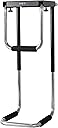
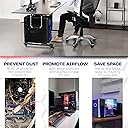
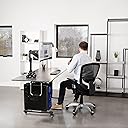
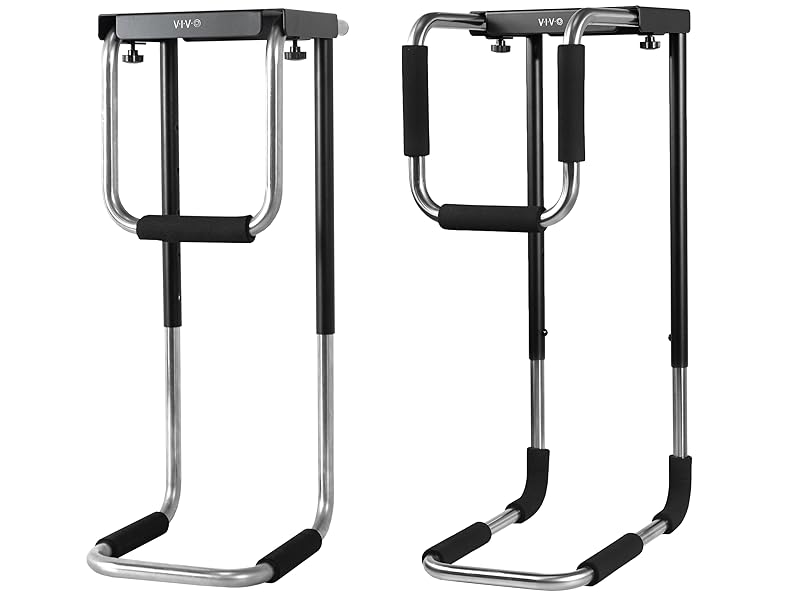
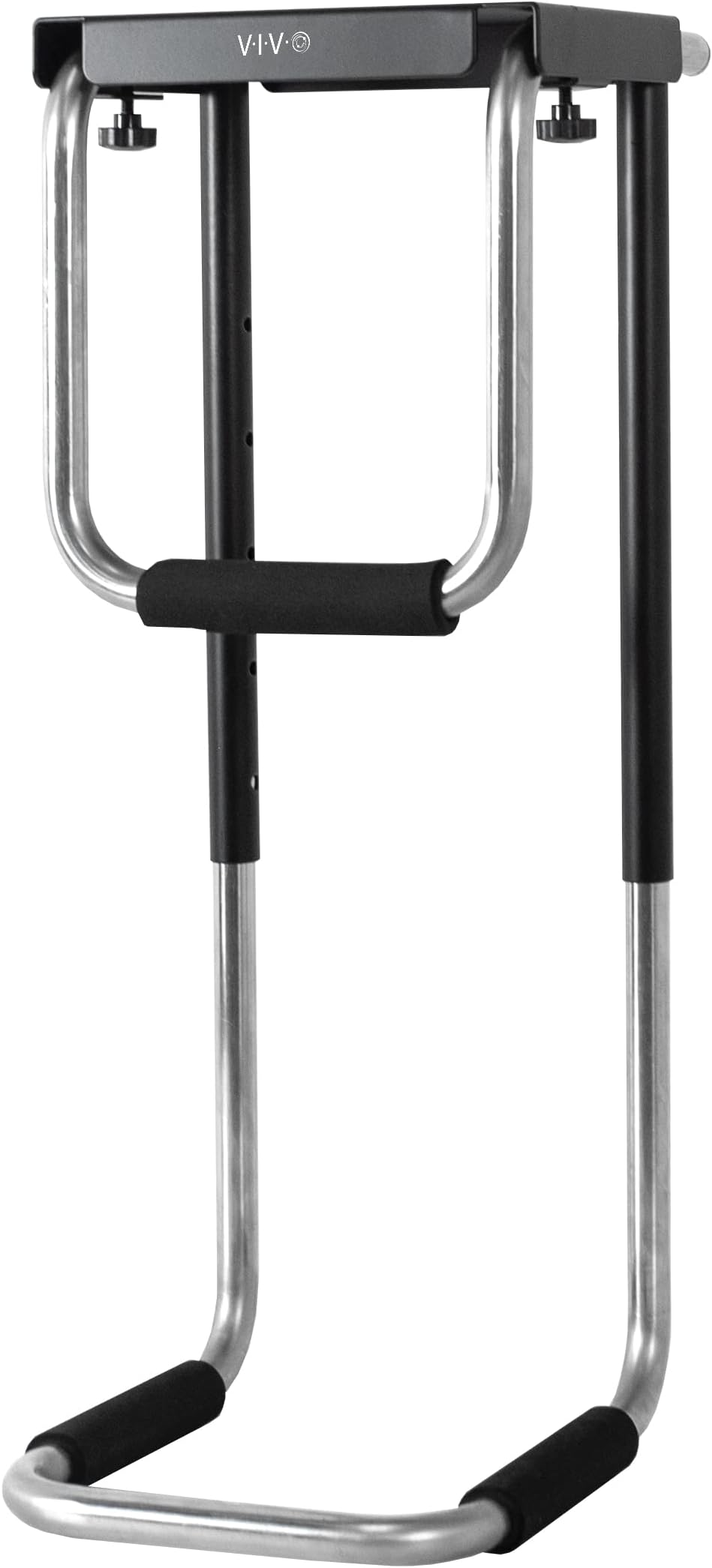
The VIVO Heavy Duty Adjustable Under-Desk PC Mount (MOUNT-PC04A) is a robust steel frame holder designed to support CPUs up to 66 lbs. It features five height settings (13.75" to 21.5") and adjustable width (5" to 10") to fit a wide range of computer towers. Its open-frame design ensures optimal airflow for cooling, while thick inner padding protects your equipment from scratches. By mounting your PC under the desk, it frees up valuable desk space, improves cable management, and safeguards your system from dust and spills. Backed by a 3-year warranty, this mount is a durable, space-saving solution for modern workstations.


| ASIN | B07DWKHWPB |
| Best Sellers Rank | #83,905 in Office Products ( See Top 100 in Office Products ) #1,080 in Office Carts & Stands |
| Brand | VIVO |
| Compatible Devices | CPU |
| Customer Reviews | 4.6 out of 5 stars 1,215 Reviews |
| Global Trade Identification Number | 00818538022612 |
| Item Highlight | Silver, 5-10 in Wide Adjustable Steel Bracket, Computer Case Carrier, Open Frame CPU Holder w/ Secure Locking, MOUNT-PC04A |
| Manufacturer | VIVO |
| Mfr Part Number | MOUNT-PC04A |
| Model Number | MOUNT-PC04A |
| Mounting Type | Desk |
| Number of Items | 1 |
| Number of Packs | 1 |
| Size | Large |
| UPC | 818538022612 |
| Warranty Description | 3 Year Warranty |
| Weight Capacity | Minimum weight: 66 pounds |
| Weight capacity | Minimum weight: 66 pounds |
J**R
Great Space-Saver and Cable Management Solution!
I bought this Under Desk PC Cage to free up space on my desk, and it’s been fantastic! My desk was getting cluttered with my monitor and other peripherals, and this cage has really helped open things up. The main reason I got this was to save space, and it definitely does the job. I mounted it under my Ikea Karlby desk, and it holds up perfectly. Now I have so much more room on my desk for my monitor, keyboard, and other essentials. It’s an easy way to declutter your workspace without sacrificing functionality. Another great feature is the cable management. The cage keeps everything neatly tucked away and makes it easy to run cables without them hanging over the edge of your desk. If you like a clean, organized setup, this is a must-have. The cage feels solid and secure once installed. It holds my PC without issue, and I don’t worry about it moving or tipping over. It’s definitely built to last. I have hard floors, and it still helps keep my PC off the ground. It would be even more useful if you have carpet or pets, as it’ll protect your PC from dust and debris while keeping it elevated and secure. Overall, I’m really happy with this Under Desk PC Cage. It’s easy to install, does exactly what it promises, and helps tidy up my workspace. If you're looking to clear up desk space and keep your PC off the floor, I highly recommend this product!
T**N
Great upgrade for a standing desk setup
I bought this under-desk PC mount in early 2024, and it’s been a huge upgrade for my gaming setup. It freed up a lot of desk space, and having my computer securely mounted instead of sitting on the floor or on my desk has been great. I specifically wanted this for my standing desk, and it works perfectly while also allowing for better airflow around the PC. The mount feels extremely durable and holds my computer firmly with no movement or issues at all. I bought this under-desk PC mount in early 2024, and it’s been a huge upgrade for my gaming setup. It freed up a lot of desk space, and having my computer securely mounted instead of sitting on the floor or on my desk has been great. I specifically wanted this for my standing desk, and it works perfectly while also allowing for better airflow around the PC. The mount feels extremely durable and holds my computer firmly with no movement or issues. Installation was straightforward—I had it mounted and supporting my PC within about 10 minutes. I also appreciate how easily it can be adjusted for different tower sizes or removed when I need to clean it. I don’t have to fight with the mount at all, which makes quarterly cleanings much easier. Overall, this has been a great addition to my setup. If you’re using a standing desk or want more space and better airflow, this is a solid option.
D**A
Sturdy, space saving, and infant tested
This mount is a total game-changer for my setup. It frees up so much desk space, which is essential since I run a dual 27" curved monitor setup on a sit/stand desk. Mounting the tower off the floor and off the main desktop surface makes everything look cleaner and work smoother. As a bonus: it’s insanely durable. My 8-month-old treats it like his personal jungle gym—constantly crawling over to pull, shake, bang, and even bite it. It hasn't budged at all. Highly recommend if you need a sturdy mount that reclaims your workspace!
C**B
A minus design
The ease of installation is pretty good. If you're looking for something "inexpensive" and quick, this is a good option. I would have paid 20 dollars more for a tight fit with the tubing, real bolts instead of those knobs, and instead of the click-in buttons for height adjustment, I think they should have also used set screws as they did at the top. It does get loose at the extremes of fitment. Set screws may have helped or prevented that. You can find all this at your local hardware store. Use a drill with clutch settings to avoid stripping the holes, use better wood screws for heavy PCs (I use torx-head lag screws), predrill the holes into the wood if you're using real wood desks (butcher block or similar so it doesn't split). Make sure to depth-mark the drill bit so you don't drill through your desk.. I did like the heavy plate they used. It allows me to easily drill additional holes for more screws in the future. Use a square for the correct alignment. I thank the designer for using a metal bender so well. The edges are clean and square and allows for accurate alignment. The "pattern" piece of paper for marking holes is useless, it's easier to strip down the PC mount and mark holes directly than dealing with a bent, floppy piece of paper. Lastly, throw away those knobs and get M6x12 or M6x16 bolts. This will give you an additional half inch of height in the mount, and also allows you to put a wrench on the bolt and tighten them for real. Don't over-tighten though... It's only an 1/8th inch of threads! Vivo has pleasantly surprised me as a brand. I will refer my friends with similar needs.
P**K
Great product, easy to install and better than I expected.
I use this on a desk that is on wheels and offers adjustable height and is on wheels. This bracket lets me keep the computer tower off the tabletop and off the floor. Mounted under the tdesk is perfect. I don't have to pick it up every time I move the table. It also made the cable management a lot easier, especially with the adjustable height. I was a bit concerned that the desk's wood might not be strong enough - I thought the holes might strip over time. To my surprise, I've had this a year and a half now, and it is great! No concerns at all. The mount is light weight and sturdy. I like the fact that it has the foam pieces to protect the tower from scratches and ensure a snug fit. I have another adjustable heigh desk in another office - I'm gonna get one of these brackets for that station, too. Great product! Thank you!
T**.
Fantastic For Standing Desk Setup
Ooooooooh man is this thing fun. To begin with, let’s address the screws. Three things: 1. Drill an appropriately sized pilot hole 2. Use the correct screwdriver 3. Don’t over tighten With those three things in mind, I found this very easy to install without risking stripping the screws or the holes they were going into. I installed this onto my new Autonomous standing desk. I actually got two: one for my desktop and the other for my battery backup power supply. I feel very confident in this holding the weight for each very nicely. The fit and finish is excellent quality. I was initially concerned that the little pin that holds the adjustable portion wouldn’t be strong enough and might allow the adjustable portion to slip down. Not to worry at all. That pin is very strong and when under the weight of whatever you’re hanging it isn’t going anywhere. It’s very easy to adjust and I was able to size it nicely for both the tower and the power supply. It’s a little too big for the power supply, but it isn’t a big deal. The power supply sits nice and level and is quite stable, even while the desk is moving up or down. The included template for drilling the holes is excellent and I would recommend using it to mark and pilot hole your mounting holes. Initially I callously threw it to the side as I usually find that those templates aren’t nicely sized to represent the outer dimensions of the frame, just the hole pattern, but I was wrong. The edges of the paper are indeed the edges of the frame, worked great trying to snug the mount right up against the desks frame. With these installed I now have the entirety of my desk setup mounted under or sitting on top of the desk. The only cable coming out of the whole thing is the power cable. Seriously an awesome setup!
L**E
Super sturdy
Under desk mounting is the best way to organize your desk and keep your PC off the floor. I bought this for my cooler master NR200P, and it works perfectly. I have some high-end components and I wanted to make sure that everything was mounted very securely. Everything was packaged very well, and easy to install with the included instructions and drill template. It appears that older versions used spring-loaded pins to adjust the height, but it now uses hex screws which seem a little sturdier. Here are some tips to make sure everything is mounted securely and you don't damage your desk: - Before you buy, note that your desk should be at least 1 inch thick, and the weight limit is 66 pounds. The mounting screws are 19 mm long, and you leave a 2-3 mm sticking out. You could mount it with shorter screws, but I don't know how much weight that would support. - Drill pilot holes with a 5/32 in drill bit. Use a piece of tape on the bit to mark 0.6 in so you don't accidentally screw through the top of your desk - Other reviewers had issues with stripping screws, but I had no issues at all. Just turn down the clutch on your drill and make sure you're using the correct sized bit, it uses a pretty large phillips head. My only complaint is that the foam part of the bottom rack contacts my fan shroud, not the actual bottom of the PC. I fixed this with a heavy wrapping of tape where it contacts.
Z**L
Seems like the best option for larger systems.
Most mounting solutions are pretty limited with regard to how large a tower you can mount. This one seems to be one of very few that can handle a mid-tower case, or even larger. Over all, I think it's well designed and well made. There are only a couple of things to complain about. First, it can be somewhat annoying if you need to service your machine (change internal components, clean out dust, that sort of thing). The reason for this is that the small side bracket is held in place using two retention screws, but in order to reach them you need to get your hand between the top of the PC and the mounting plate. This can be done if the PC is lowered a bit, but if you want the space between the top of the PC and the desk to be minimal you can't get your hand in there. The way around this is to lower (and later raise) the main bracket with the PC in the mount when you need to move it. This is doable, but it's not a very good idea since you're dealing with the entire weight of the PC while trying to adjust how long the bracket is. The way I have managed this is by placing a stool under the PC, and using my height-adjustable desk. Basically I raise the desk, place the stool under the bracket, then lower the desk until the stool is bearing the weight of the PC. Then I press in the detents, and raise the desk until the detents snap into the next set of holes. Now it's possible to take the computer out. Once I'm done cleaning the computer, I put it back and press the detents again. Now I lower the desk until the detents pop into the higher holes. While doing this, you have to slightly lean the PC tower away from the foam cushion on the side brace so it doesn't rub against the side. There's a really easy thing that VIVO could do to solve this issue: All they need to do is add a hexagonal section to the screws that a box wrench can slip onto. Then it would be possible to loosen or snug the screws from the side using a wrench which would need much less room to work in. The second issue is that the mount doesn't offer a good way to ensure that your PC is aligned correctly and level. The bottom of the main bracket has a wide bend in it, and you don't want your machine to rub up against this bare metal (you want it supported on the foam pads). But it can be tricky to actually place the case on there such that it isn't touching but also isn't tilted to the side at all. The upper brace is what will actually hold the machine in position, but it's hard to get it set just right so that you aren't pushing the case in either direction. What I would have liked to have seen, would be for the bottom part of the mount to extend a bit further under the PC, and for the entire lower part to have the foam padding all the way around the end and part way up the bottom bends to protect the corner of the case. I would also have liked more foam on the side brace. Then additionally, there should be some plastic and foam/rubber shims along the inside of the upper black tubes that would space the case away from the tubes the correct distance that it won't touch the inside of the lower bends. These shims would also allow you to hold the case against them in order to ensure that it is level, and to ensure that the side brace is actually "clamping" the case against them. This would ensure proper alignment and levelness, plus it would reduce the chances of the case rocking backward/forward as it would be held on both sides. Despite these issues, I think this is currently the best solution for hanging a larger PC under a desk. It's especially perfect for a sit/stand desks, allowing you to avoid a mess of long cables and keep everything much more tidy.
R**D
Un support robuste qui justifie son prix
Au départ, je trouvais le prix un peu élevé, mais après réception et installation, je dois dire que ça les vaut largement. Le support est solide, bien conçu et inspire confiance. Je l’ai fixé sous mon bureau pour maintenir ma tour, et après plusieurs mois d’utilisation je n’ai aucun doute sur sa résistance. Il est parfaitement adapté aux gros boîtiers, mais aussi aux formats plus particuliers comme le mien, ce qui en fait un produit vraiment polyvalent.
R**L
Buena calidad
Excelente opción para escritorios elevables
A**R
Promosso a pieni voti.
fa il suo lavoro, solido facile da montare e sorregge da mesi un'astronave.
J**Y
Product failure
The desktop weighs around 15kg but the screws weren't enough to hold it. My desktop fell on the floor as I was working, as you can imagine I'm not very happy with it right now.
S**Û
天板の強度を確認し重量分散すれば大丈夫
このレビューは前提としてメーカーが保証しないような合板に取り付けています、ご参考までに。 品質は確かでかなり重量があるので、合板に4本のビスだけでPC支えるのは無理だと判断し、支えるビスを増やして重量負担を分散して取り付けました。 合板でもデスク下さえ加工すれば重たいミドルタワーでも今のところガッチリ支えられてます。 メーカー推奨されている天板なら大丈夫だと思いますが、メーカー推奨外であれば加工は必須です。 おかげで掃除もPCメンテナンスも楽になりました。
Trustpilot
2 months ago
1 week ago