Buy anything from 5,000+ international stores. One checkout price. No surprise fees. Join 2M+ shoppers on Desertcart.
Desertcart purchases this item on your behalf and handles shipping, customs, and support to Croatia.
🚀 Elevate your build with the ultimate AMD AM5 powerhouse!
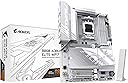
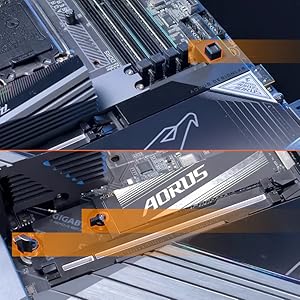
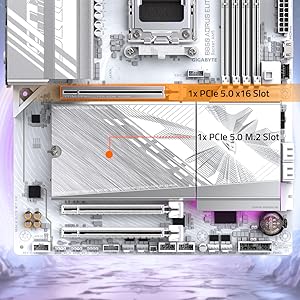
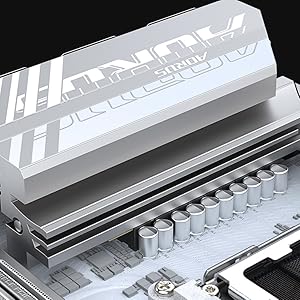
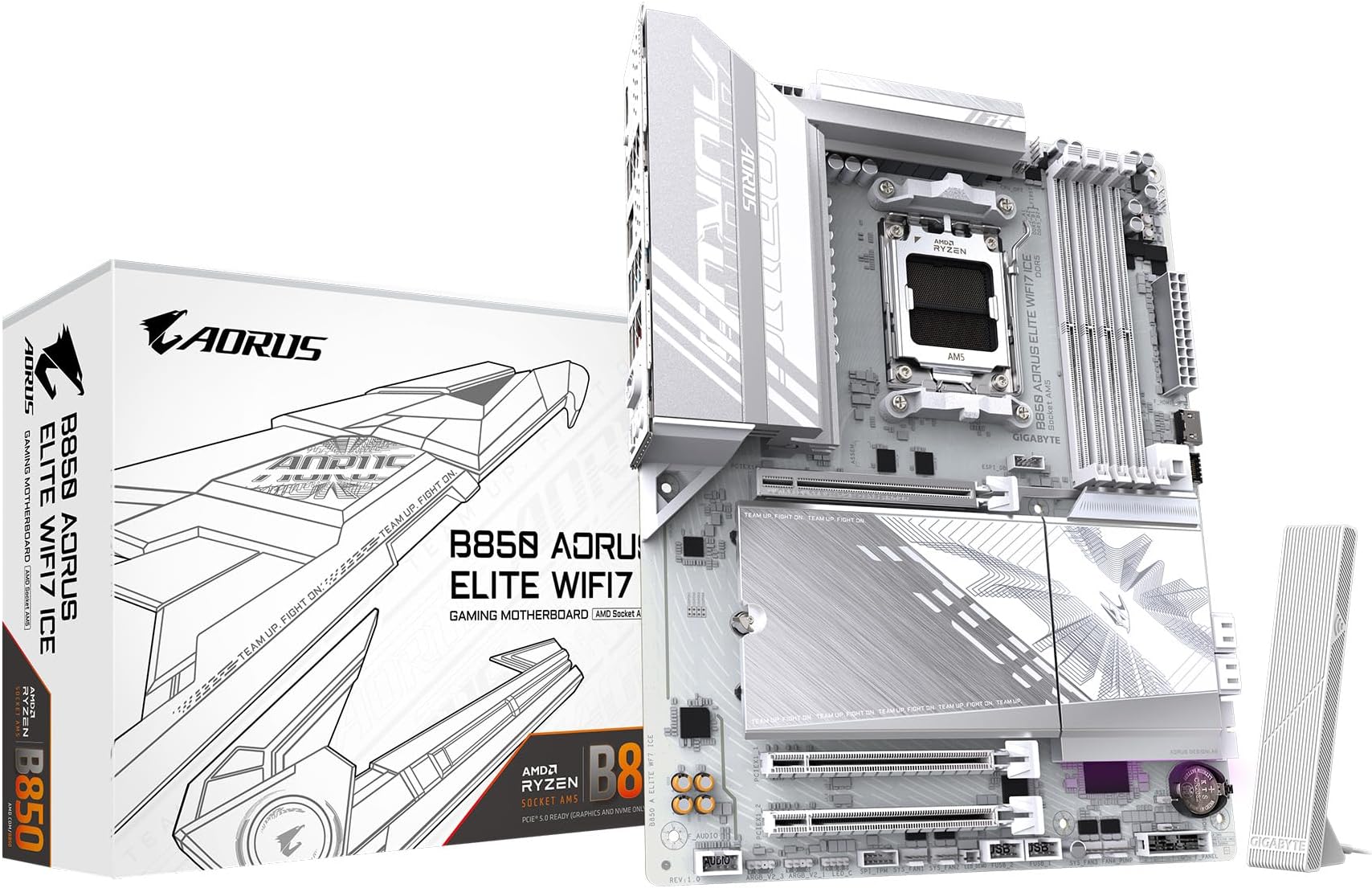
The GIGABYTE B850 AORUS Elite WIFI7 ICE is a cutting-edge ATX motherboard designed for AMD Ryzen 7000, 8000, and 9000 series processors. Featuring a robust 14+2+2 power phase design, PCIe 5.0 support, triple M.2 slots with thermal guards, DDR5 memory compatibility up to 256GB at 5200 MHz, and next-gen WIFI7 plus 2.5GbE LAN connectivity, it delivers exceptional performance and future-proof features. With user-friendly EZ-Latch installation and a 5-year warranty, it’s engineered for professionals and enthusiasts seeking reliability and speed.


| ASIN | B0DQLKRXKW |
| Best Sellers Rank | #2 in Computer Motherboards |
| Brand | GIGABYTE |
| CPU Socket | Socket AM5 |
| Chipset Type | AMD B850 |
| Compatible Devices | Personal Computer |
| Compatible Processors | AMD Ryzen 7000 Series , AMD Ryzen 8000 Series, AMD Ryzen 9000 Series |
| Customer Reviews | 4.4 out of 5 stars 240 Reviews |
| Graphics Card Interface | PCI Express |
| Item Dimensions L x W x H | 12"L x 9.6"W x 1"H |
| Item Weight | 4.75 Pounds |
| Main Power Connector Type | 24-Pin |
| Manufacturer | GIGABYTE |
| Memory Clock Speed | 5200 MHz |
| Memory Slots Available | 4 |
| Memory Storage Capacity | 128 GB |
| Mfr Part Number | B850 AORUS ELITE WIFI7 ICE |
| Model Name | B850 AORUS ELITE WIFI7 ICE |
| Model Number | B850 AORUS ELITE WIFI7 ICE |
| Number of Ethernet Ports | 1 |
| Number of Ports | 14 |
| Platform | Windows 11 |
| Processor Socket | Socket AM5 |
| RAM Memory Technology | DDR5 |
| Ram Memory Maximum Size | 256 GB |
| System Bus Standard Supported | PCIe 5.0 |
| Total PCIe Ports | 3 |
| Total SATA Ports | 4 |
| Total Usb Ports | 12 |
| UPC | 889523045947 |
| Warranty Description | 5 Year Manufacturer |
J**.
Great looking and nice features for the price.
Great motherboard after BIOS update. I wish it could update itself over the internet but you must use a USB Flash drive to update. BIOS actually looks really nice. I love the built in heat sink for the SSD. No issues as far as stability so far. No crashes or blue screens except when I tried to unlock EXPO. Maybe that is the RAMs fault though. Boot times are as expected. I'd say it is a decent value for the money. I'm loving the built in wifi.
M**E
A Long Overdue Upgrade
Included before and after pictures. I've been livestreaming for several years now and anyone who's familiar with Mixer knows how long ago it's been since the site closed down. That's also how long I had my previous mobo (Asus Prime X470 Pro) with it being the oldest part in my streaming build. The board carried me through a couple thousand or so streams and still went strong but I definitely needed an upgrade both for the sake of catching up with more modern tech. Thankfully I recently had an opportunity to upgrade just about everything in my streaming PC and after choosing this particular mobo for a 5060/Ryzen 7 9700x build (upgrading from 3060/Ryzen 5 5600x) it was definitely an overdue purchase. Aside from being more fitting with the Resident Evil theme I've gone with for my PC for years, aesthetics aside I actually had a few longstanding issues fix themselves after swapping boards. For starters, whenever I would do a cold start with my previous build the pc would turn on for a couple of seconds then shut back off before properly booting up. I've heard this can be normal with some builds but it was still a bit of an annoyance albeit minor and the computer still ran fine all this time. Since installing this board it boots once and is good to go. Another issue I had is that I use a Rodecaster Duo for my audio setup and whenever I turned my PC off I would have to unplug the Duo from my PC (even after also turning it off) because the lights in my PC would continue to flash on and off as long as it was connected. Again this mobo solved that issue and I've been able to keep the Rodecaster plugged in with no issues. And finally, the USB ports have been a godsend. My previous board only had 8 while this 12 which has given me extra room for all of my peripherals without need for using a USB hub anymore. The only gripe I had with this board (which quickly became one of my favorite things about it) is that it only came with two rear 3.5m ports for a mic and line out. I used the line in port from my old board to connect a cord to the 3.5m port on the front of my Rodecaster so I could use my headset wirelessly so at first I was a bit concerned after a couple of work arounds I originally tried fell flat. Then I learned that the board supported using Realtek Audio Console to force one of the rear ports to effectively emulate a line in which let me hear sound through my headset just like I did with my previous set up. As far as longevity I can't say much because I literally just installed this board last night but with it definitely being a higher quality and more current piece of tech than what I was using (though the Asus Prime was still a solid board which again carried me through my content creation from 2019 to this year and for the most part was just outdated) but we'll see how far this one carries me. I still want to get a new case for this build as well (I'm looking into getting a Hyte Y70) and once RAM prices eventually drop again I'll be doubling up to 64 GB plus eventual upgrades to my GPU/CPU as needed so this thing def has a lot of work ahead of it. Regardless, definitely impressed with this board.
J**N
Motherboard works great and looks amazing!
Board installtion went smoothly and it looks amazing. Booted on first try without issue and BIOS updated easily. Coming from another brands AM5 board I found the UEFI interface to be fairly easy to navigate (with one caveat being sometimes escape takes you back one screen sometimes it prompts you for something else, this is a minor gripe). RAM timings were easy to setup and all hardware was detected without issue. The heatsink for the M.2 slots is a solid piece and works well with the screwless retainers. Overall I am very pleased with the board so far and again it looks great.
J**K
Great motherboard
Solid motherboard for my DDR5 build and great aesthetics. Was easy to install and temperatures are very cool with my 9700x.
L**L
Amazing board with some caveats.
I upgrade from a Gigabyte X570S Aorus Master in order to upgrade my Ryzen 5 5600x to a 7800x3d. The setup was pretty straight forward and I feel that the white color helps make labels clearer to read. There were some issues that faced after completing my build. I'll add fixes I found here in case anyone has a similar experience. 1. WiFi and LAN don't appear to be pre installed. They expect you to download this beforehand and put it into a flashdrive so that you can install it later. 2. QFlash is great but the manual (which doesn't come with it so dl on your phone or another pc) isnt straight forward on this. I found a recent YT vid from 2024 that showed me how to do it properly. 3. CMOS reset should work by pressing both pins with a metal object. I tried this and it did nothing for resetting my BIOS to default. Same with removing the CMOS battery for 30 minutes. 6. After I enable EXPO 1, my system didnt post. This ended up being because my two memory sticks weren't placed in the correct arrangement, the manual helped with figuring out how it should go. 7. The heat plate that covers the M.2 slots are great because they're tool less, but can be difficult to put back on because you have to hook the top and bottom into a small space by where the M.2 inserts are. 8. QFlash is great! But it does take a little over 6 minutes to complete. 9. The BIOS descriptions are extremely minimal. I often feel like they expect it to be tribal knowledge that you should get from YouTubers if you want to know what they are. 10. If you install your GPU then your boot M.2 in the slot below it, you may run into a frozen aorus logo loading screen. I had to put mine in the last slot at the bottom to get it to boot properly. Pros: • Comes with its own WiFi module with wifi7. I heard it's faster than the LAN capabilities. • The white color looks great! • QFlash has saved my life a few times, if I could name a child after it, I would to showy appreciation. • The manual was great and pretty well written given the broad amount of details it had to cover. • It has lights which help to indicate what may be causing problems. Check the manual to get a better understanding of what they mean. • Very roomie ports as I had an easier time connecting stuff then I did with my last few builds. • X3D turbo, I don't know if it's good or not yet, but it's at least there 😂 • Great clearing between the CPU and RAM making it easier to install and upgrade. • No tools needed for NVME and CPU inserts. Cons: • GPU was a bit difficult to properly seat. • M.2 didn't work in first slot like I would expect. Random legendary Reddit user told me how to fix this issue. • Seating NVME plate was a more difficult than it should be given that it's tool less. • website FAQs section was pretty much useless and they lacked proper laymens terms as to what each downloadable does. Some are straight forward but not all if you're not someone who's used to them. • the ice and non-ice versions are completely different, so make sure you get drivers and BIOS updates for the right one. All in all, it is a great MB with some cool features and plenty of room for upgrades. I picked this over the higher tier boards because I felt I wouldn't have been the type of user who would have taken advantage of the extra features. If your looking for a great upgrade white board to dip you into AM5 with an X3D chip then this is a fantastic option. Just note that while it's not difficult to setup, it's also not 100% plug-n-play for the less experienced builders.
J**E
Make sure the motherboard and everything works and stress tested
It was a great motherboard but I got one item broken right and another one system wasn’t working but after I got the third one it was a good motherboard and it does look good
N**I
Dont buy this MB unless youre going wired or unless you already plan on buying a expansion wifi card
personally i think this is a good board however this board doesnt support HDR(who cares though, your GPU probably will and if it doesnt why are you buying a $200 MB) BUT THE REAL ISSUE WITH THIS BOARD IS:... THE STUPID PROPRIETARY WIFI ANTENNAS Yes, thats right, youre wifi antennas will not work with this board. SMA, reverse SMA, N type, ts-9, none of those will fit this board. you get the crappy wifi antenna that comes with the board and thats all that will ever plug into this board and work. No, you wont and cant find any other compatible wifi/bluetooth antennas, you will have to buy an entire new wifi and bluetooth card if you decide this crappy little trash antenna isnt good enough for you(spoiler: its not) Id say the stock antenna that comes with this board is about a D/D- rating, getting about 20-50% less signal strength than my wifi6 $30 tp link card with those screw on 3 inch reverse SMA plugs. At 25 feet from my router gateway combo, this motherboard and its lame ""ez plug wifi"" will begin to show 2/3 bars on wifi and will suffer from 100+ping and packet loss and occasional DCing from game servers. My $30 dollar TP link has 0 packet loss and Dcing, and maintains a ping of sub 15MS at the same distance. This Mobo cant really make use of wifi beyond 40 feet, my cell phone and other computers can use wifi at near 100 feet with little issues. Also as a side note, despite this board being a B850 chipset which is an AMD chipset, if yo use linux the boards build in wifi devices may not work with linux, just like intel chipsets, despite it being an AMD chipset and linux having native support for AMD chipsets. I did find that at least one linux distro was able to use the boards built in wifi out of the box, that distro being ubuntu. however did not work on arch, fedora, kali or even mint( i expected itd at least work on mint) Update: the wifi on this is so terrible, changed to 1 star after some more time with this MB
M**P
Good motherboard for the money
I like it. It has a good look, plenty of USB ports and ez-latch is something more motherboard manufacturers should adopt. If you are doing a Windows 11 install, it should go flawlessly. My only installation issue was totally my fault. I didn't fully seat a ram stick. That was swiftly resolved thanks to the debug leds. You will want to download the manual before installing. It's on the Gigabyte website in a variety of languages and was easy to follow. One reviewer wrote that the website sent him to Adobe, but that did not happen for me. I clicked the download button and it down loaded. I switched to Linux Mint and lost wi-fi and lan functions. Gigabyte does not officially support Linux. That being said, updating my kernel to 6.14.0-28 completely solved the issue. Now that I have a white motherboard, I'm going to have to get white RAM. :D
L**A
👍🏻
وصلتني جديدة و سليمة من امازون امريكا خلال اسبوع تقريبًا، جميلله جدًاا للتجميعات البيضاء وفيها ثلاثة منافذ للتخزين و ما تحتاج هيت سينك العتب الوحيد ان مدخل الكرت فيها جدًا مرتفع بشكل يخلي التركيب مزعج و يوم ركبت الكرت صارت حواف مداخل الديسبلاي بورت مغطاه شويي من فوق بس ما يمديني اشبك السلك في الكرت بالكامل و اضطريت اطعج الكيس شوي عشان اقدر اشبك السلك في الكرت. للأمانة ما ادري المشكلة من الكيس ولا المذربورد
O**O
Muito bem acabada
A placa mãe é excelente!
O**D
It works very well
Best motherboard
R**Z
Lots of features, lots of money
Works well, easy to build on and has more features than you will need, which does mean more $$$ though.
R**J
Stable AM5 motherboard for homelab use
Using this GIGABYTE B850 AORUS Elite WiFi 7 ICE in a homelab setup with a Ryzen 9 7900X. Setup was smooth and the system posted on the first try, which was reassuring for an AM5 build. In daily use, the system has been stable under continuous workloads, and I’ve been comfortable leaving it running without issues. The 2.5GbE LAN has been reliable, and the multiple M.2 slots make future storage expansion easy. Build quality feels solid, and EZ-Latch is convenient when making changes. Overall: A dependable AM5 motherboard that works well for homelab and long-running use.
Trustpilot
3 weeks ago
2 weeks ago