


Desertcart purchases this item on your behalf and handles shipping, customs, and support to Croatia.
⚡ Power your solar insights with precision and style!
The Morningstar USB MeterBus Adapter (UMC-1) converts the proprietary RJ-11 MeterBus interface to a standard USB 2.0 connection, enabling seamless communication between Windows PCs and Morningstar solar controllers and inverters. Featuring a tri-color LED for real-time status updates, it supports programming, data logging, firmware updates, and MODBUS communication. Compatible with key Morningstar products like ProStar and SunSaver, this adapter is a reliable tool for professional solar system management, backed by a 5-year warranty and Morningstar’s renowned durability.
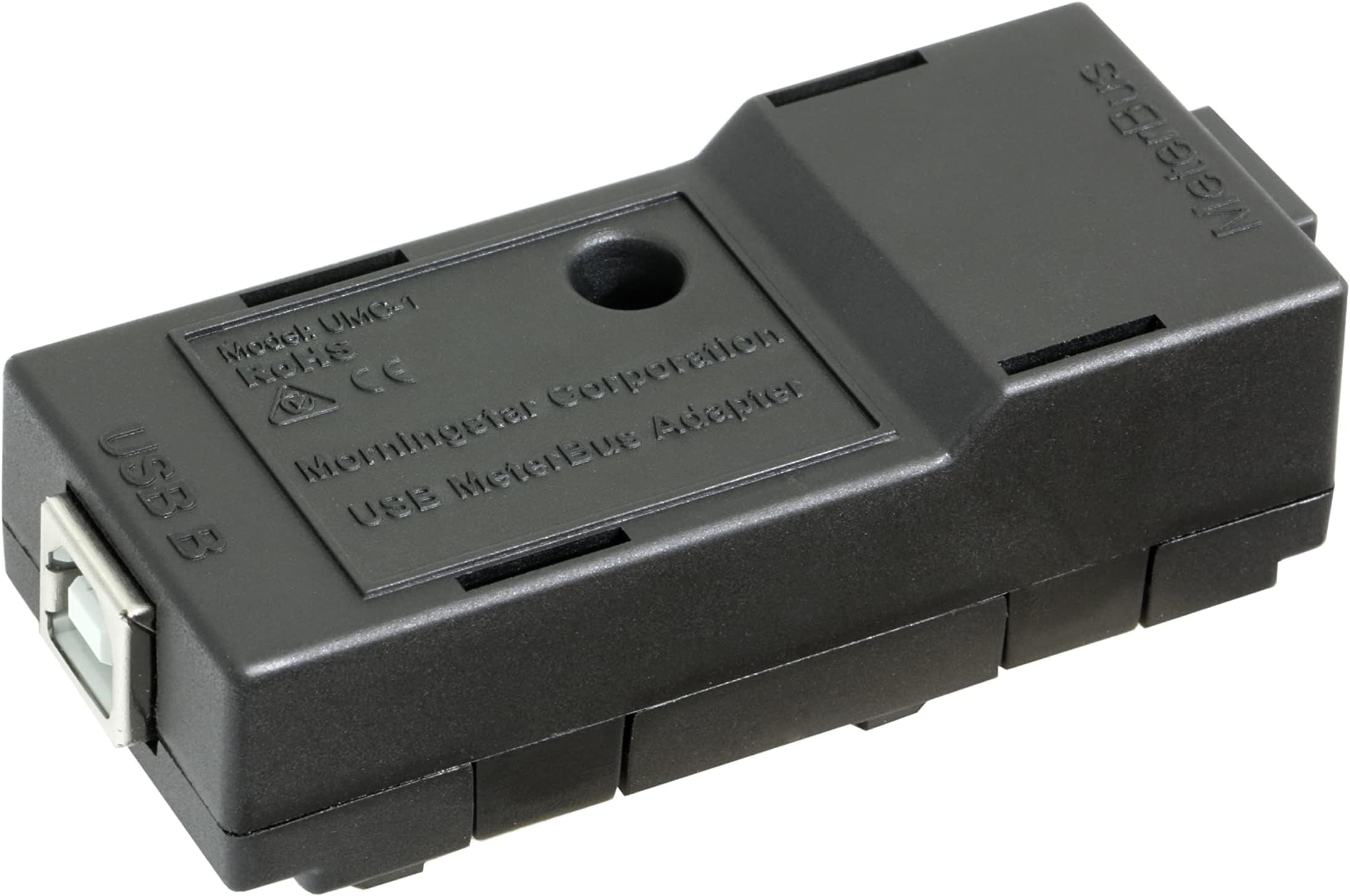


| Asin | B074P2SMG6 |
| Best Sellers Rank | #242,990 in Patio, Lawn & Garden (See Top 100 in Patio, Lawn & Garden) #249 in Renewable Energy Controllers |
| Brand | Morningstar Corporation |
| Compatible Devices | PC |
| Connector Type | USB 2.0 |
| Customer Reviews | 4.6 4.6 out of 5 stars (14) 4.6 out of 5 stars |
| Eu Spare Part Availability Duration | 5 years |
| Finish | Green |
| Item Dimensions | 5.6 x 5.6 x 2 inches |
| Item Weight | 4.8 ounces |
| Manufacturer | Morningstar Corporation |
| Mfr Part Number | UMC-1 |
| Model Number | UMC-1 |
| Number Of Items | 1 |
| Number Of Ports | 1 |
| Package Quantity | 1 |
| Power Plug Type | No Plug |
| Specific Uses For Product | PC |
| Unit Count | 1 Count |
| Upc | 650267227339 |
| Warranty Description | 5 years |
User
Works fine
Worked perfectly as expected
User
Easy to use after manual driver installation. LOVE the data I get from my Morninstar solar charger!
Download the driver from Morningstar's website. Install it. Plug RJ-11 into your MeterBus port (varies by model), on SS-MPPT-15L you set DIP switch 4 ON. Plug USB into your computer and you should hear it connect. Check Device Manager to see what port it connected (look for COM ports). Mine was COM4. Download MSView software from Morningstar's website and read Help menu for detailed guidance on how to use it. Seems intimidating at first, but there are a few YouTube videos and the help is pretty thorough. I picked it up quickly and now love it. Wish I had bought this years ago when I got my solar charger!This also allows you to upgrade your firmware, which I did immediately. Easy. Firmware and loader is again on Morningstar's website.Major kudos to Morningstar for still supporting solar chargers that are 10+ years old--and for making hardware and software that even supports modern LiFePo4 batteries, which weren't an option in 2015.
User
it works, software is not intuitive
Worked great to hook my laptop up with my Morningstar MPPT sunsaver so I could change the parameters for my new LifePo4 batteries. One tip is that the downloaded software is not user friendly. If you normally just "figure things out" you might want to suck it up and watch a few videos on the software. I would say RTFM except the software manual is utterly useless.
User
Superb interface betweeen Solar Charge Controller & laptop/PC
I like the product because of its ease of use. I used it to update the firmware on my 15A Morningstar’s SunSaver MPPT™ solar controller and to and to configure it for lighting control. The procedure was easy to follow. Worked without flaw at first attempt.
User
Works great
Works great just install drivers first.
User
Works great with MacOS
I used this without any issues to program the Morningstar MPPT 15A Solar Charge Controller and the Morningstar Sure Sine 300W Inverter. It worked without any need to install drivers. On my MacBook Pro (running Mohave and the previous OS) it appeared as /dev/tty.usbserial-DO001BL8. I have an older Mac with USB-A ports. On newer Macs with only USB-C ports, you'll need an adapter.Overall, I'm happy with it. I just wish it was a little cheaper. I think it's a little expensive for what it is.
User
good
wish the instruction were more specific
Trustpilot
3 weeks ago
2 weeks ago