Buy anything from 5,000+ international stores. One checkout price. No surprise fees. Join 2M+ shoppers on Desertcart.
Desertcart purchases this item on your behalf and handles shipping, customs, and support to Croatia.
โก Future-Proof Your Home Network with Wi-Fi 7 Power & Security
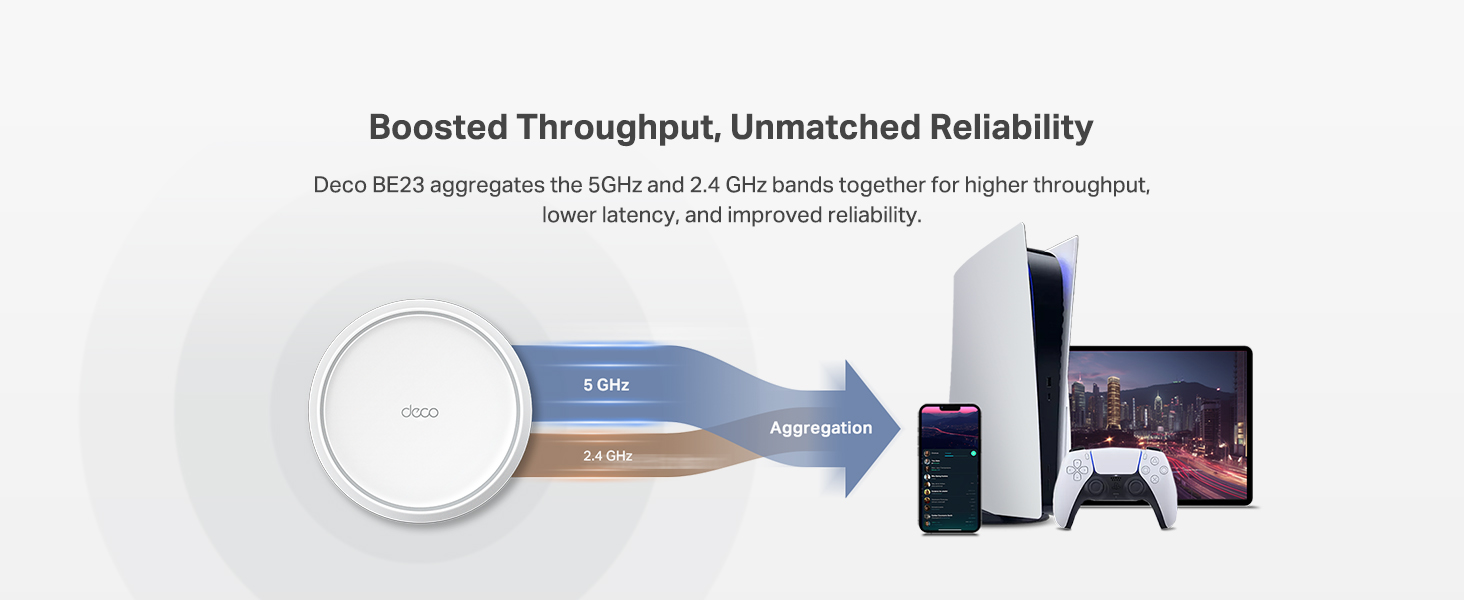
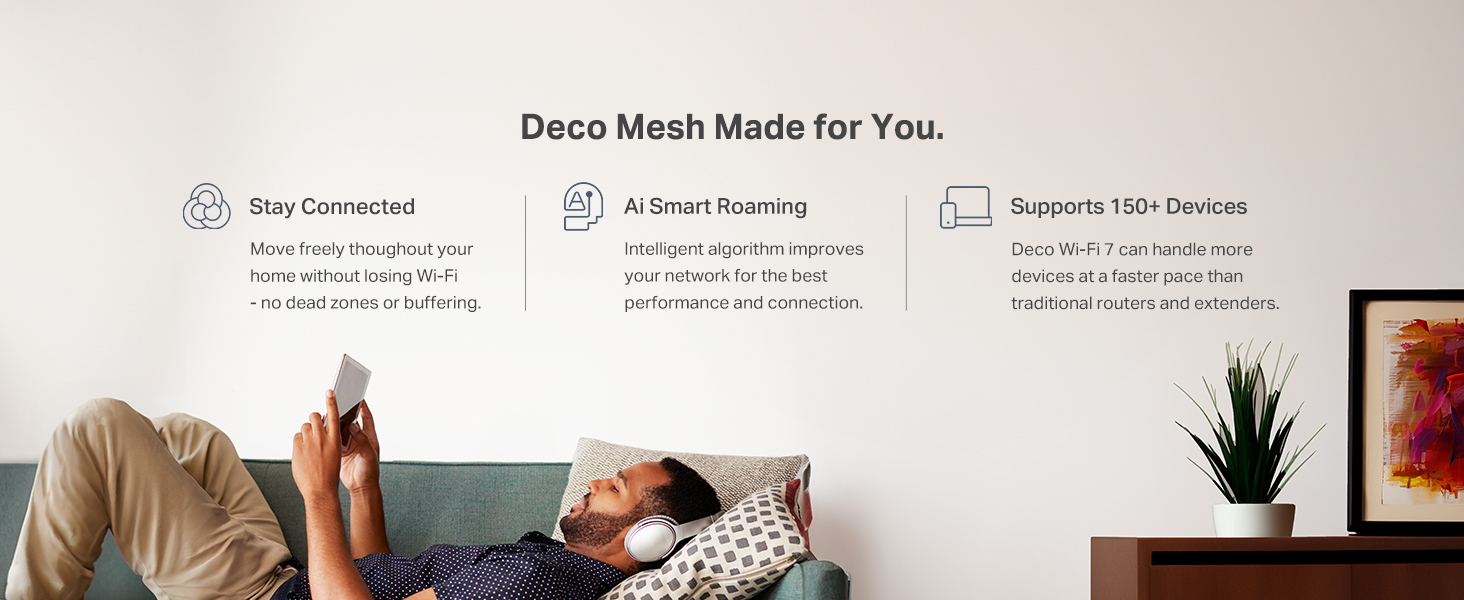
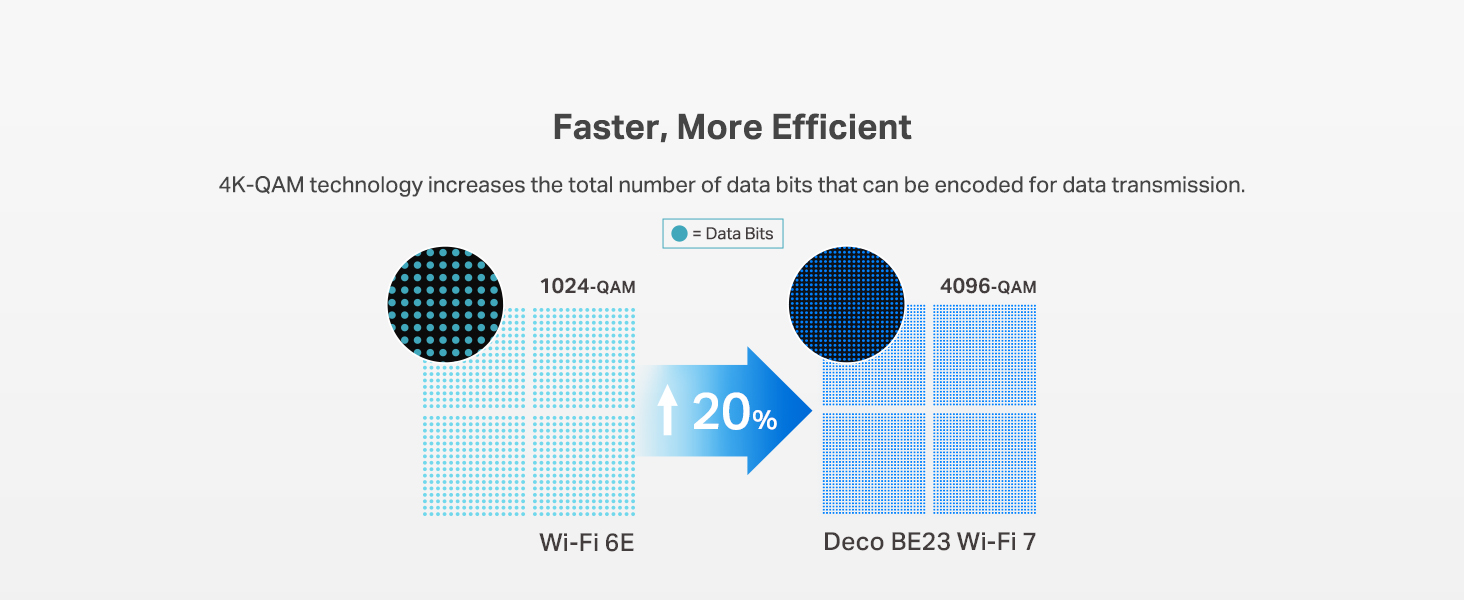
The TP-Link Deco 7 BE23 is a cutting-edge Wi-Fi 7 mesh router delivering ultra-fast 3.6 Gbps dual-band speeds and expansive coverage up to 2,500 sq.ft. Equipped with dual 2.5 Gbps wired ports, advanced AI-driven seamless roaming, and robust cybersecurity features including VPN support and IoT network segregation, itโs designed for the modern connected home. Compatible with Alexa and Google Assistant, it supports over 150 devices simultaneously, making it ideal for professionals, gamers, and smart home enthusiasts seeking future-ready, reliable internet performance.


| ASIN | B0DQNV546Z |
| Antenna Location | Home |
| Antenna Type | Internal |
| Best Sellers Rank | #633 in Electronics ( See Top 100 in Electronics ) #98 in Computer Routers |
| Brand | TP-Link |
| Built-In Media | 1 Deco BE23 Unit, 1 Power adapter, 1 RJ45 Ethernet cable, Quick Installation Guide, WPA3-Personal |
| Color | White |
| Compatible Devices | Gaming Console, Personal Computer, Smart Television, Smartphone, Tablet |
| Connectivity Protocol | Wi-Fi, Ethernet |
| Connectivity Range | 2500 Square Feet |
| Connectivity Technology | Ethernet, Wi-Fi |
| Control Method | App, Remote, Voice |
| Controller Type | App Control, Voice Control |
| Coverage | 2500 Square Feet |
| Customer Reviews | 4.4 out of 5 stars 539 Reviews |
| Data Transfer Rate | 3600 Megabits Per Second |
| Frequency | 5 GHz |
| Frequency Band Class | Dual-Band |
| Has Internet Connectivity | Yes |
| Is Modem Compatible | Yes |
| LAN Port Bandwidth | 2.5 Gbps |
| Manufacturer | BE3600 Whole Home Mesh Wi-Fi 7 Router |
| Maximum Upstream Data Transfer Rate | 2500 Megabits Per Second |
| Mfr Part Number | Deco BE23(1-Pack) |
| Model Name | Deco BE23 |
| Model Number | Deco BE23(1-Pack) |
| Number of Antennas | 2 |
| Number of Ports | 2 |
| Operating System | Omada |
| Other Special Features of the Product | Alexa Compatible, Guest Mode, Internet Security, Parental Control, Remote Access |
| Router Firewall Security Level | High |
| Router Network Type | Dual-Band |
| Security Protocol | WPA-Personal, WPA2-Personal |
| Smart Home Compatibility | Smart Home Compatible |
| Special Feature | Alexa Compatible, Guest Mode , Internet Security, Parental Control, Remote Access |
| UPC | 840030712517 |
| Unit Count | 1.0 Count |
| Voltage | 12 Volts (DC) |
| Warranty Description | 2 Year Manufacturer |
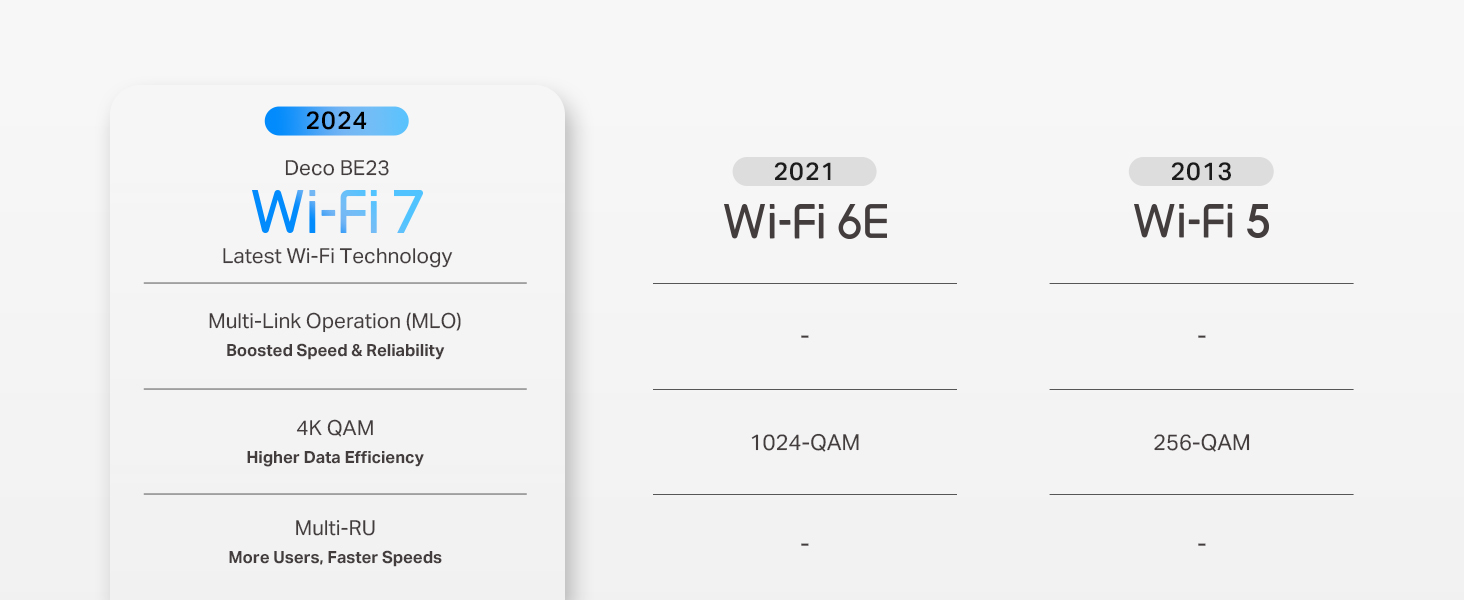
| Wi-Fi Generation | Wi-Fi 7 |
| Wireless Communication Standard | 802.11.be, 802.11ac, 802.11ax, 802.11g, 802.11n |
| Wireless Compability | 802.11.be, 802.11ac, 802.11ax, 802.11g, 802.11n |
N**.
Game changer.
Iโve been testing the TP-Link Deco BE23 and itโs honestly a steal for a WiFi 7 setup. It isn't the fanciest system out there, but for the price, itโs hard to beat. The setup is dead simple. You just download the Deco app and it walks you through everything. I had three nodes running in about ten minutes without any headaches. Coverage is solid too. Itโs rated for a huge area, and while it works great wirelessly, plugging the nodes into ethernet really unlocks the best speeds since this is a dual-band system. The IoT segregation is a huge win for me. You can set up a separate network just for your smart plugs and cameras. This keeps those cheaper devices away from your main gear and fixes those annoying connection drops older gadgets usually have. For the tech side, the VPN integration is actually useful. It supports WireGuard (NordVPN), which is fast, and you can pick exactly which devices use the VPN. I have my streaming box routed through it while the rest of the house stays on the normal connection. If you want future-proof tech without spending a grand, this is the one to get.
S**S
Excellent and reliable
Product shipped super fast. Easy to set up. The app walked you through step by step. Set up took about 10 minutes. Very sleek design. Easily able to customize room locations, new internet name and password. Extended the range of our WiFi all the way across the drive way to the shop for our home office. Very reliable and fast. Dave to run multiple devices with no interruption. since I work from home in healthcare I need a wired connection so the Ethernet connections are a must have. Pro tip: if you give your new internet connection the same name and password as your original one it will automatically connect most of your existing devices.
L**Y
Solves WIFI issues with endless configuration options for all needs, easily! FAST FAST FAST
Very easy setup, and can do whatever you want it to. Its quite easy to configure it to cover the issue you are trying to solve with different back haul options able to work together simultaneously, and the ability to use it as an access point as opposed to a router if you want to use your ISP providers management software and not a new software for this system. You only need the specific app to set it up but then you can go right back to your cable providers app.
V**A
Easy to install and activate , and it works !!
So far , 24h of use, it works perfect, no issue , better signal than the comcast router only , worst spot went up from 150 to 500Mbps on cellphone, pc computers near the main mesh , even better than comcast router (they are on same place). Connected main mesh to the comcast router on the 2.5gb port using a switch with 2.5gb ports, main mesh is on a second floor, the others on first floor. Edited: First issue, as i need Deco 6 configured as wifi router, i can't have a pc wired to the router and the quest 3 on same network as it works creating its own network for wifi, to solve this it requires a lot of changes that can affect other devices, or probably, i didn't try yet, to reconfigure the dhcp configuration on router and deco to avoid ips duplicate, meaning i'll need to reconfigure NAT configuration, port fw, etc... a hell... so 4 starts
R**W
Decreased ping in video games by 20ms
This is really easy to set up within their app, which was my greatest fear. My apartment complex's internet is not great and the old router was quite outdated. Through ethernet connection directly from our old router, our video games would spike to 200ms+ every 10 seconds in reactive games. It was driving me mad and this router blended into our living room seamlessly so I bought it. I had never messed with internet equipment but this had to have been the easiest time I've had with electronics. There were no problems during setup. Our wifi on our phones never go out anymore no matter where we are in the apartment. This thing saved me from daily frustration with spectrum.
D**S
Great router, easy interface and great app for managing your internet
This thing is amazing! I finally have strong signal throughout my entire 3500 sq foot house. Setup was a breeze, and the ability to control users through the app is a great feature. Well worth the money if youโre having issues getting a router the can reach everywhere.
M**.
Great Tech Support!
Purchased this deco system to upgrade our old Google home mesh wifi, 9 months ago. We needed something that could handle more devices on the network and handle faster speeds since we upgrade our xfinity to 2Gbps+. It's been great, with kids devices and working from home + all the smart devices we have, everything is connected and running fine. Plus I'm getting wifi speeds in excess of 2Gbps... As a bonus we had an issue with something I connected to the network... Deco support, after trying to trouble shoot over chat, remoted in and discovered the problem while they were online with me, they updated firmware and checked all my settings and provided some great recommendations to keep our network running fast and smooth! A+ Tech Support! Highly Recommend!
P**C
Not worth the frustration, especially if you are a streamer
This is a tale of 2 sides of a network. Bought this on Prime Day, because I wanted to go to Wifi7, and the price was too good to pass on. I learned why. Bought this to replace an aging Netgear Orbi Wifi5 mesh setup (router and one satellite). Setup was quick and easy, though I did find myself wanting more when it came to the app. Via the Netgear app, or better yet, direct router access via the web interface, I could do SO much more than with the Deco app. Probably fine for most folks, but as a lifelong techie, I found myself handcuffed with what I could change. Promises of 4500 sq ft of coverage are a pipe dream, unless you have no walls or floors in your house. With my Netgear setup, I had the main router at one end of the house, and the satellite @ 75-100 ft away, and up one story. That setup was stable and gave full coverage to both floors of my 2000 sq ft house. Putting these TP-Link devices in the same locations failed - satellite refused to connect reliably. When it did, speed for devices connected to it were miserable. I ended up putting the satellite on the same floor, mostly within a direct line of sight of the router. Now they connect, and they serve a signal upstairs, but it's not great. Probably reliably covering 1000 sq feet of open space in my house.... 4500 sq ft of "Whole Home" coverage did not happen. Once that was figured out, early speed results were promising. I have a gigabit connection through my ISP, yet I was topping out at @ 350 Mbps on the Wifi5 setup. With this Wifi7 in place, I was almost immediately getting about 850 Mbps. (Again, downstairs only.) Marked difference. And that was great... for devices that just need periodic connections. You wouldn't notice anything wrong if you were browsing the web, playing some mobile games... things that weren't "demanding." For other devices that need a good connection, forget it. I use a Playstation Portal that connects to my PS5 (wired directly into the router via a CAT6 cable). For months, on my Netgear, I never had an issue. Immediately with the TP-Link, it was unplayable. When/if the game remained open, it would blur/pixelate and stutter to the point of being unplayable. But more often than not, the connection would just break. Average over a week of testing was that the Portal would drop the connection @ every 5 minutes. We stream a lot to the TV in my living room via Roku. That device is located literally 9 inches from the router, so signal strength is not an issue. With TP-Link in place, we were no longer able to stream. Tested Disney, Netflix, Hulu, and more. Basically the same symptoms as the Playstations - video, which should be 4K, was blurry. After a few minutes, we'd either go into endless buffering loops, or get kickout out of the app entirely. My son is first-string on an eSports team. He had to withdraw from his last few matches, because his high-end gaming rig, which hadn't dropped a frame all season, was instantly unplayable online. It would freeze, stutter, and drop his connection. Finally got fed up, took the TP-Link out of commission, and put the Netgear back in place. Every one of the issues above went away, instantly. I used the Portal for an hour last night, never dropped a frame. At the same time, we streamed a movie via Disney+, played without a single buffer. Son played 4 practice matches of Marvel Rivals, finished at the top. Problem is not my modem, or ISP. It's this Deco system. Said system is now factory reset, boxed up, and will be getting returned today.
Trustpilot
3 weeks ago
3 days ago