Buy anything from 5,000+ international stores. One checkout price. No surprise fees. Join 2M+ shoppers on Desertcart.
Desertcart purchases this item on your behalf and handles shipping, customs, and support to Croatia.
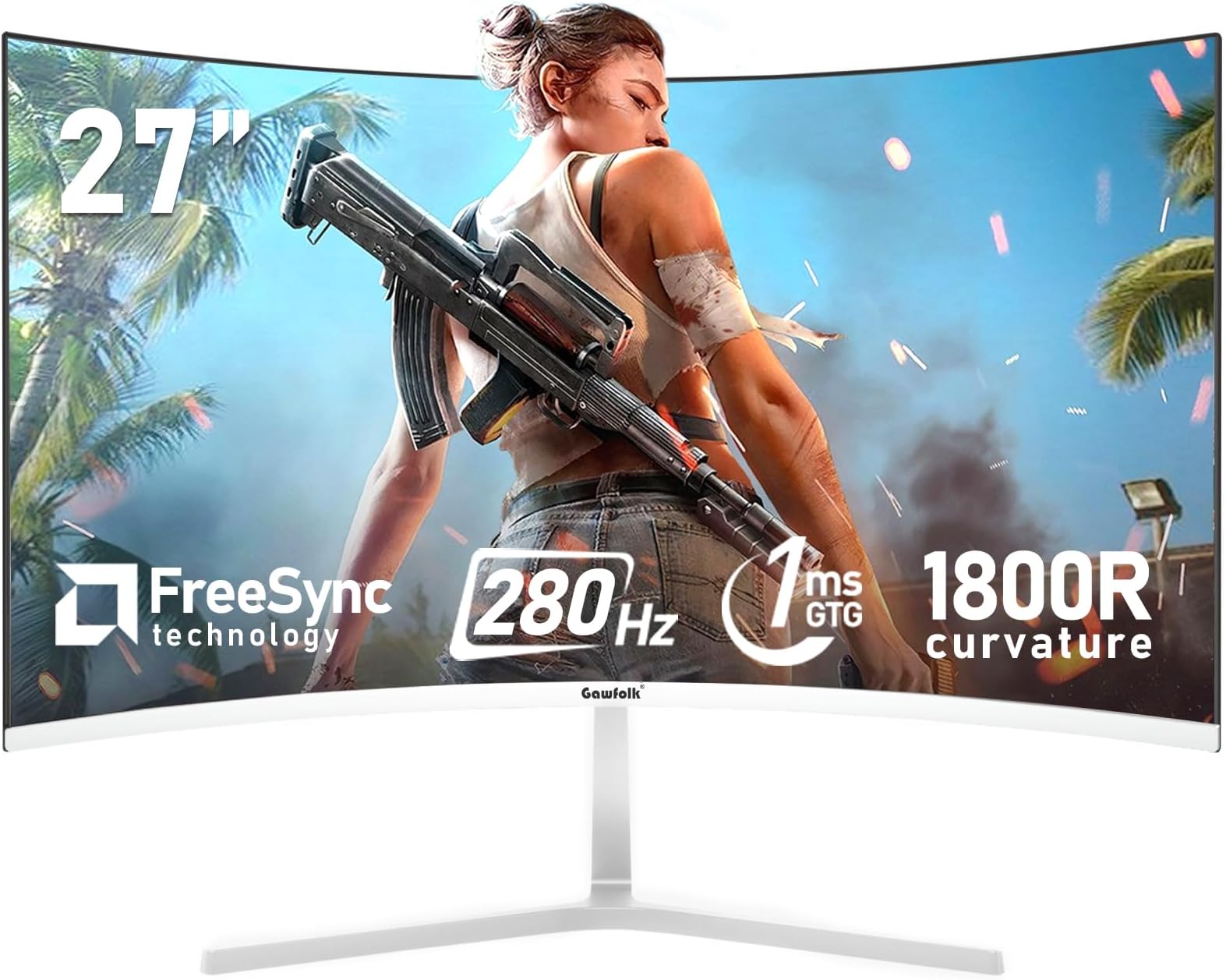
🔥 Elevate your setup with the Gawfolk 27” curved powerhouse!
The Gawfolk 27 Inch PC Monitor features a 1800R curved VA panel with FHD 1080p resolution, 280Hz refresh rate, and 1ms response time for ultra-smooth gaming and professional use. It delivers vibrant colors with 98% sRGB coverage and a 3000:1 contrast ratio, enhanced by AMD FreeSync to eliminate screen tearing. Designed for comfort, it includes low blue light and flicker-free technology, plus versatile connectivity via HDMI 2.0 and DisplayPort. Compatible with wall mounts and backed by a 12-month warranty, it’s a premium yet affordable upgrade for millennial pros craving immersive productivity and gaming.


| ASIN | B0DTH3SGZD |
| Adaptive Sync | FreeSync |
| Additional Features | Adaptive Sync |
| Aspect Ratio | 16:9 |
| Best Sellers Rank | #3,870 in Electronics ( See Top 100 in Electronics ) #152 in Computer Monitors |
| Brand | Gawfolk |
| Brightness | 300 Candela |
| Color | White |
| Color Gamut | 98 |
| Connectivity Technology | DisplayPort, HDMI |
| Contrast Ratio | 3000:1 |
| Customer Reviews | 4.3 out of 5 stars 535 Reviews |
| Display Resolution Maximum | 1920 x 1080 Pixels |
| Display Technology | VA |
| Display Type | LED |
| Hardware Connectivity | DisplayPort, HDMI |
| Has Color Screen | Yes |
| Image Contrast Ratio | 3000:1 |
| Item Dimensions D x W x H | 7.2"D x 24.13"W x 18.62"H |
| Item Weight | 3.3 Kilograms |
| Manufacturer | Shenzhen Qinghong Zhuoyue Technology |
| Model Name | GF270N |
| Model Number | GF270N |
| Native Resolution | 1920x1080 |
| Number of Component Outputs | 4 |
| Picture Quality Enhancement Technology | 98% sRGB, 3000:1 high contrast ratio, FreeSync |
| Refresh Rate | 280 Hz |
| Resolution | FHD 1080p |
| Response Time | 1 Milliseconds |
| Screen Finish | Matte |
| Screen Size | 27 Inches |
| Screen Surface Description | Matte |
| Shape | Curved |
| Specific Uses For Product | Business, Desktop, Gaming |
| Total Number of HDMI Ports | 2 |
| Unit Count | 1.0 Count |
| Viewing Angle | 178 Degrees |
| Warranty Description | Quality problems, one-year warranty |
J**A
I was bit worried but it is great monitor for great price.
I was bit worried ordering the monitor since it has some mixed reviews some great and some cited poor quality. I been using the monitor daily now for several weeks and it works exactly as advertised. The refresh rate works and the picture and colors are crisp. I had no issues at all with this monitor and the price is great for the features and spec. It may be poor quality control that warranted the poor reviews. Something the company can work on.
B**Y
Awesome!
Amazing monitor with a great value! I definitely recommend this! Great picture quality, size and connectivity! Been playing games on it with zero issues.
M**N
10/10 Would Recommend!! Love this monitor!
Great price and great monitor! I would def buy again. I paid about the same for a Samsung monitor pictured to the left, and I like this one much better. Easy to turn on and off, screen color and resolution are awesome. In love how large it is as well!!
P**A
3 MONTHS lasted....don't buy
DID NOT LAST MORE THAN 90 DAYS.....got busted out of the blue ---------------------------------------------------- DONT BUY First of all, when buying this monitor you should not expect to see the deepest blacks, or the strongest colors you've ever seen. If you are looking for excellence, go spend 500 dollars or more on a QLED or MiniLed monitor. with that said, this monitor is: 1. Super Cheap. 2. Good quality built. 3. Very bright 4. Good image quality 5. Fair gaming performance. 6. Excellent for work. Very important to mention HOW IMPORTANT it is the cable you use to connect the PC to the Monitor (the monitor comes with a DisplayPort and an HDMI cable). When I first connected my Surface laptop, I used an old/crappy Mini DP to HDMI cable....And I was not able to get all the resolution and refresh rate the monitor has. I thought it was a crappy monitor and was so sad about the useless expenditure. But then I grabbed a USB C to DisplayPort cable from my son (ugreen...great quality) and everything changed. I got the 3440 x 1440 resolution and 180 refresh rate. And it looks suprisingly good for the price. Overall, super happy with the purchase, this will be a great work monitor for me. BTW, make sure you go into the windows settings and properly set Resolution, RefreshRate, HDR, text size, cleartype, etc.....no monitor is 100% plug and play
L**Z
Gawfolk 27-inch Curved Monitor: The 280Hz Beast! Game Changer for PC Gaming!
🎮🚀 I am absolutely blown away by this Gawfolk 27-inch monitor! If you are a serious gamer looking for a massive performance upgrade without breaking the bank, stop looking—this is it. The combination of the 27-inch size and the 1800R curvature creates an incredibly immersive field of view. It pulls you right into the action, making first-person shooters and racing games feel breathtakingly real. But the real magic is the speed: 280Hz refresh rate at FHD 1080p is pure liquid smoothness! The difference between my old 144Hz monitor and this one is night and day. Motion is flawless, with zero ghosting or blur. When paired with the Sync technology (G-Sync/FreeSync compatible), screen tearing becomes a thing of the past. Setup was a breeze, and the thin bezels make it perfect for a potential multi-monitor setup down the road. This monitor is the ultimate value proposition for high-speed, high-immersion gaming! Constructive Suggestion: While the monitor is fantastic, I would love to see a future version include a height-adjustable stand for better ergonomics.
E**A
Very good
I bought it for my son and he loved it, despite being cheap it has good quality and sharpness, in addition the curved screen is a plus
S**D
Gawfolk 45 inch Ultra-Wide Curved Monitor: My experience.
I was hesitant to buy this monitor as there were no reviews for this Gawfolk 45" ultra wide 5120x1440 version. It looks like this may be the first review. My main use is for productivity, coding, etc. Occasional gaming. Pros: * The screen is very bright with good contrast. * Color accuracy is quite good out of the box. * Text at the Windows default scaling of 125% clear and easy to read. * The curvature radius of 1500R seems about right for a 45" monitor. * The 240Hz refresh rate tested and is real. * I tried the Pragmata game and wow! Amazing color and the screen never lagged. Neutral: * You need a beefy graphics card for the full potential of this monitor. I have an Nvidia RTX 5070. Cons: * The VA panel's narrow viewing angles. Contrast and color fade noticeably when you are seated facing center screen and look towards either edge. The curve helps this but not enough. * The stand holds the monitor very steady but can't be adjusted vertically. The monitor sits too low and tilting it up causes distortion. * The OSD controls are poorly marked and the documentation is confusing. * The Gawfolk website is a mess. It knows nothing of this monitor. I never figured out how to contact support.
E**E
Primeras Impresiones y actualización.
Es el primer día que me llegó, así que no tengo mucho que opinar, vengo de un monitor LG de 19.5 pulgadas, la verdad es que nunca jugué juegos a 1080p por culpa de mi antiguo monitor y ahora que tengo este monitor puedo notar detalles que ni sabía que existía con la misma configuración grafica (como reflejos de luces o hasta detalles de personajes). Me sorprende que este monitor tenga 10bits de profundidad y HDR, ya que estaba con la idea de que solo sería una de 8bits (no se cómo será en gráficas AMD, pero para los de Nvidia deben irse al panel de control, irte a la opción de la última foto, colocarle con la configuración de Nvidia y activar la gama dinámica en completa. Después vas a la App Nvidia en Sistema →Pantallas →Color, y después activar los 10 bits (o 10bpc como se ve en la imagen) (Actualización: acabo de pasarme a Windows 11, la verdad es que con la opción que te da para que tú mismo ajustes aún mejor el HDR de la pantalla es 1000% mejor que el de Windows 10, ahora veo los colores aún mejor que en Windows 10 con el HDR automático, eso sí, para que funcione obviamente deben de tener activado el HDR dentro de los ajustes del monitor). Eso sí, al menos a mi me tocó que el soporte no dejaba recto el monitor, lo dejaba mirando hacia abajo, así que si vas a comprar esto ten en cuenta eso y empieza a buscar algo para colocar debajo del soporte y dejar recto tu monitor en caso de que te pase igual. Una cosa más, nose si es cosa mía porque vengo de un panel TN, pero noto algo medio amarillento/grisáceo la pantalla, pero seguramente solamente es por no estar acostumbrado a un panel IPS, (Actualización: en realidad solo era mis lentes, por alguna razón el filtro que tiene mis lentes para el sol que es algo amarilla se nota mucho en esta pantalla, algo que en mi anterior monitor que es panel TN no lo notaba con los lentes puestos.) y si acepta el Freesync correctamente con el G sync, solamente acuérdense de activarlo primero en las opciones del monitor. Cambios en juegos: (En zenless zone Zero note reflejos de luces que ni he notado, a parte que se ven de muchísimo mejor calidad de los escenarios. En GOW 4 no note mucha diferencia, ya que el juego a lo mucho se renderiza a 720p aún si tienes 1080p o 4k de resolución, pero en áreas con iluminación o cinemáticas si note diferencia de calidad. En Expedition 33 es donde más note diferencia, literalmente el juego Goty se volvió en un x2 de goty jajaja, se veía super nítido. Y en formite si note diferencia de calidad, pero más que nada aumento de calidad por resolución. Por ahora esos son los pocos juegos que he probado durante este día que me llegó el monitor. Cierto, para los de Ecuador (🇪🇨), seguramente aduanas retendrá su paquete donde vendrá su monitor, pero es normal de que pase ya que retienen siempre ese tipo de paquetes al igual que celulares y así, sobrepasó los 4kg pero afortunadamente Amazon se hizo cargo de los impuestos aduaneros de forma automática y al final no pague nada extra, tuvo retenido durante 15 días (según agente de Skypostal estos procesos duran aproximadamente 20 días). Y eso es todo, por ahora a mí si me agarró los 200hz ya que tengo una RTX 3060, así que si tu monitor no llega a esos Hz cuando lo pruebes seguramente no sea problema del monitor, sino de tu gráfica que no los soporta, y recuerden de que en HDMI solo acepta 100hz y en DP acepta los 200hz completos, el monitor viene ya con un Display port muy bueno para 1080p, así que si su PC/gráfica no tiene entrada a DP también vayan consiguiendose un adaptador de HDMi a DP, o simplemente un HDMI para jugar a 100hz. Publicación original: 1 de agosto Actualización reciente: 9 de Agosto
Trustpilot
3 weeks ago
3 weeks ago