🚀 Elevate your mobile workspace with vibrant touch and buttery-smooth visuals!
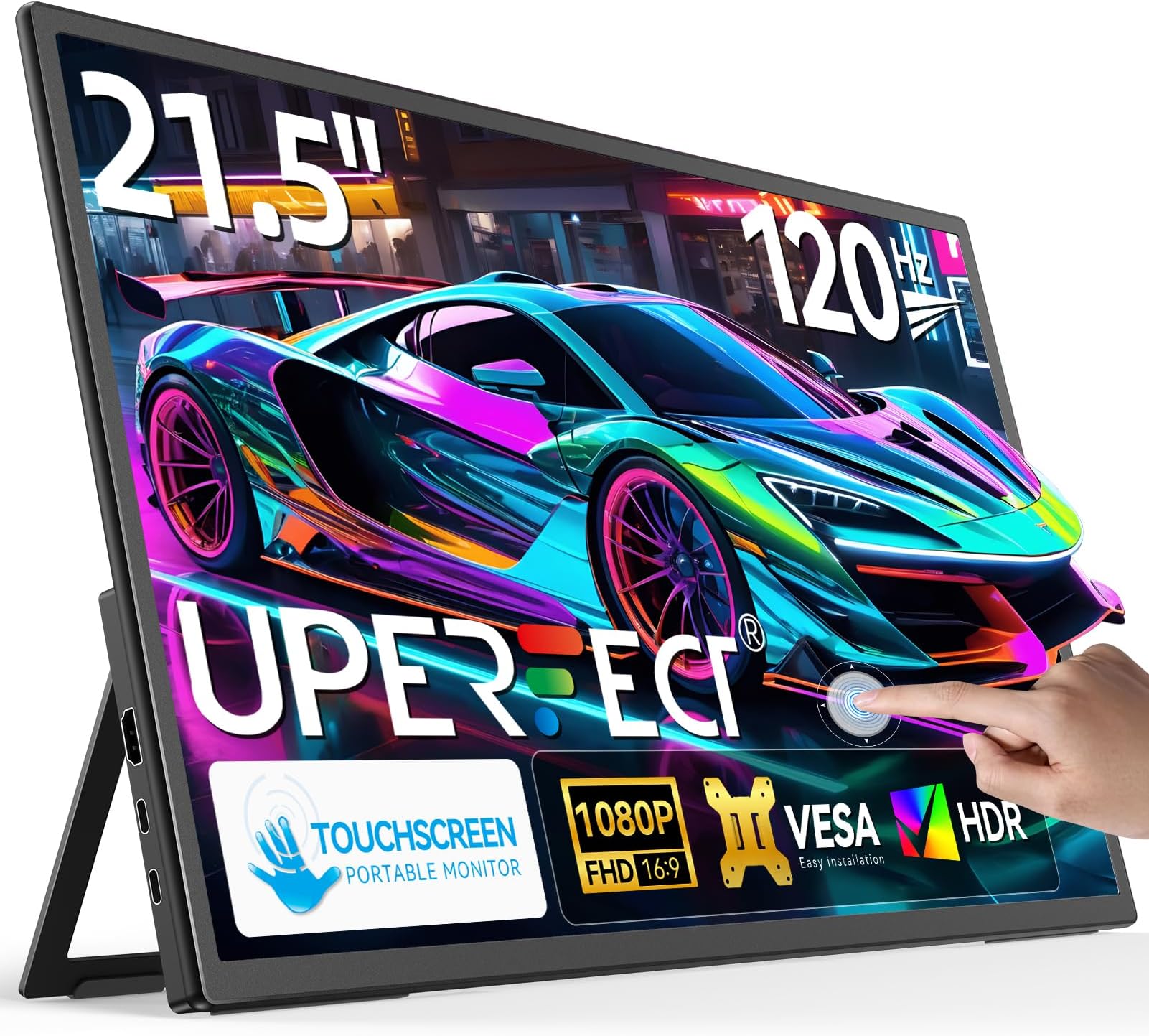
The UPERFECT 21.5” portable touchscreen monitor combines a crisp 1080p IPS display with a blazing 120Hz refresh rate, delivering vibrant colors and ultra-smooth motion for gaming, creative work, and multitasking. Weighing just 2.9 pounds, it’s designed for professionals on the move, featuring versatile HDMI and USB-C connectivity with power pass-through, an adjustable stand, and VESA mount compatibility. Its 10-point multi-touch screen and edge-to-edge glass design create a seamless interactive experience, making it a must-have companion for laptops, gaming consoles, and mobile devices.


| ASIN | B0DPCKGH5N |
| Adaptive Sync | FreeSync |
| Additional Features | Built-In Speakers |
| Aspect Ratio | 16:9 |
| Best Sellers Rank | #26,144 in Electronics ( See Top 100 in Electronics ) #626 in Computer Monitors |
| Brand | UPERFECT |
| Brightness | 350 Candela |
| Color | Black |
| Color Gamut | 100 |
| Compatible Devices | Camera, Desktop, Gaming Console, Laptop, Smartphone |
| Connectivity Technology | HDMI, USB Type C |
| Contrast Ratio | 1500:1 |
| Customer Reviews | 4.5 out of 5 stars 159 Reviews |
| Display Resolution Maximum | 1920 x 1080 Pixels |
| Display Technology | LED |
| Display Type | LED |
| Hardware Connectivity | HDMI, USB 3.1 Type C |
| Has Color Screen | Yes |
| Image Contrast Ratio | 1500:1 |
| Is Electric | Yes |
| Item Dimensions D x W x H | 0.5"D x 19.5"W x 11.4"H |
| Item Weight | 3.81 Kilograms |
| Manufacturer | UPERFECT |
| Model Name | 215E02 |
| Model Number | 215E02 |
| Mounting Type | Desk Mount |
| Native Resolution | 1920x1080 |
| Number of Component Outputs | 3 |
| Picture Quality Enhancement Technology | Eye Care |
| Refresh Rate | 120 Hz |
| Resolution | FHD 1080p |
| Response Time | 1 Milliseconds |
| Screen Finish | Glossy |
| Screen Size | 21.5 Inches |
| Screen Surface Description | Glossy |
| Specific Uses For Product | Business |
| Total Number of HDMI Ports | 1 |
| Total USB 3.0 Ports | 2 |
| Total Usb Ports | 2 |
| Viewing Angle | 178 Degrees |
| Warranty Description | 1 Year Warranty |
A**R
Perfect for a Flat Table Setup - Smooth Touch and Vibrant Display
As a frequent road warrior and avid gamer, I needed a portable monitor for both work and play. The UPERFECT 21.5" 120Hz Portable Touch Monitor has been a solid addition to my setup, thanks to its size, vibrant color representation, high refresh rate, and responsive touchscreen. Portability and Design: Despite its larger size, the monitor remains quite thin. The built-in stand is sturdy, with a controlled resistance mechanism and a smooth snap closure, allowing for stable positioning from 0 to 90 degrees without the need for external accessories. This design choice addresses common issues found in other portable monitors that rely on less stable magnetic cases. Display Quality: The 1080P IPS Glossy 10-bit display delivers vibrant colors and sharp details. With 10-bit color depth, the monitor can produce over a billion colors, resulting in smoother color gradients and more accurate shading compared to the standard 8-bit displays found in many portable monitors. This makes it especially beneficial for content creators, gamers, and media consumers who appreciate lifelike visuals without noticeable color banding. The 120Hz refresh rate ensures fluid motion, making it ideal for fast-paced gaming, video playback, and responsive touchscreen inputs. Brightness levels are more than sufficient for use in a car, by a window, even on sunny days. Though, outdoor visibility may be challenging due to the glossy finish. With colors this vibrant, the display rivals OLEDs, especially considering their burn-in issues. I can leave this monitor on all day without concern. The IPS panel delivers deep blacks similar to my other OLED monitor, and the edge-to-edge glass design eliminates a raised frame, making touch interactions feel seamless and uninterrupted. Touch Capabilities: The precise 10-point multi-touch functionality makes this monitor perfect for both work and play. The main reason I get a touchscreen monitor is for touch-based games and photo editing, where direct interaction improves precision and control. The frameless glass panel provides a seamless experience for swiping, tapping, and fine-tuning details in creative software. It’s also great for a showroom-style setup in the kitchen for catching the morning news while making breakfast or pulling up ingredient lists with an interactive touch. Connectivity: The monitor offers versatile connectivity options, including dual HDMI and USB-C inputs, making it easy to integrate with a variety of devices such as laptops, gaming consoles, and smartphones. I was able to connect my Samsung Z Fold6 and Lenovo Legion Go without any issues. However, keep in mind that Samsung Dex is limited to 60Hz, even though the screen itself supports 120Hz. Using a single USB-C cable from your device to the monitor for both video and power, combined with power pass-through from the monitor to charge your device, enables a clean, one-cable setup. This eliminates the need for extra hubs or adapters, keeping your workspace clutter-free while ensuring your device stays powered. The inclusion of full-size HDMI ports, rather than mini HDMI, is a welcome feature—it not only eliminates the need for specialized cables but is also more durable in the long run. UPERFECT includes two USB-C to USB-C cables, one USB-A to USB-C cable, a full-size HDMI cable, and a 30W power adapter—a generous addition, as 30W ensures reliable power delivery. I also use 15" and 16" portable monitors, which are great for café work but still feel too small for meaningful productivity. At 21.5 inches, this monitor offers ample screen real estate while remaining thin and portable enough for use in a car. Thanks to its slim bezels, it feels compact despite its size. Plus, the ability to power it via a power bank enhances its portability even further. Tips: Adjust the Refresh Rate: You may need to manually set the monitor to 120Hz by going to Display Settings > Advanced Display > Choose a refresh rate and switching from 100Hz to 120Hz. Touchscreen Menu Navigation: The monitor lets you navigate its menu via touch, minimizing the need for physical buttons. The toggle wheel is surprisingly satisfying—larger than the one on my 16" portable monitor, with excellent feedback. If traditional monitor menus frustrate you, these features make adjustments much faster and more convenient. Quick Brightness Adjustment: Push the toggle wheel down, then adjust. Quick Volume Adjustment: Push the wheel switch up, then adjust. A one-cable setup works best with devices that draw less power. For example, the Samsung Galaxy Z Fold6 was able to draw around 2.1A from the monitor’s power pass-through, which is sufficient for maintaining charge during use. However, for power-hungry devices like the Lenovo Legion Go or Asus ROG Ally, a dedicated power source directly to the device is recommended for optimal charging. Considerations: The built-in speakers are a convenient addition but may not provide an immersive audio experience. However, they sound noticeably better than the speakers on the Lenovo Legion Go. For higher-quality audio, external speakers or headphones (via the 3.5mm jack or Bluetooth from your device) are recommended. Additionally, when powered through a single USB-C connection without an external power source, the monitor’s brightness may be limited. This isn't really a con, but more of a personal preference. I’d love to see a 2K resolution. While I don’t notice individual pixels up close, I feel like 2K would give me more room to work when scaling. Right now, I have the scale set to 125%, even though it’s recommended to be at 100%. So, maybe I don’t need 2K, but I still want it! I've been using this monitor as a flat table setup, and it works perfectly for photo editing, touch-based gaming, or watching movies and playing music without distractions, while having another monitor in vertical mode for multitasking. The edge-to-edge glass design makes touch interactions smooth, and the 10-bit display with deep blacks brings out vibrant colors. The 120Hz refresh rate keeps everything responsive, making it feel natural for navigation. With USB-C power pass-through, it also keeps my device charged without extra cables, keeping the setup clean and practical.
B**B
Easy to Use and Delivers Great Quality
I purchased this 22" portable touchscreen monitor to use alongside my laptop and it has quickly become one of my favorite monitors. it connected to my computer within seconds using the USB-C cable, and there were no extra drivers or settings to adjust. Just plug and play. The touchscreen is very responsive, with smooth glass that feels great to use. The 10-point capacitive touch works effortlessly with gestures, dragging, and tapping, and it really adds a layer of convenience when multitasking or navigating files. I use it mostly with my Windows laptop, and the touch features perform exactly as expected. The image quality is outstanding. The 2K QHD resolution makes everything look crisp, whether I’m watching videos, editing photos, or just working with documents. Colors are vibrant and accurate thanks to the 100% sRGB coverage, and the brightness level is more than enough, even in well lit environments. The IPS panel provides great viewing angles, so I can easily share the screen with someone else without color shifting.
E**S
The best touch screen portable monitor on the market!
As an owner of multiple portable monitors for the last 7 years, i would say i am kinda picky when it comes to quality. I previously owned 2 portable monitors of uperfect, a 16" 3k 144hz IPS and a 16" 3K OLED monitor which was my favorite so far and still works perfect but i wanted a touch screen monitor as well as i found my self trying to use and touch the screen all the time. And i will tell you, this monitor is even more than i expected. The calibration of the colors is great, the blacks are pitch black and the screen is beautiful. The touch screen is extremely responsive with no input lag and it's a blast using it connected to my Samsung phone, my laptop, my Legion Go and Steam deck as a standalone device and all that on 22" screen. Also the build quality is what i expected from Uperfect, top notch and it comes with all the cables you need and also a carrying sleeve!!!! (use the cables that comes with as older cables don't work with the touch functionality). All in all i am extremely happy with my choice and i would recommend it to anyone that's looking for a good quality portable touch screen monitor!
A**R
Satisfied upgrade from my old monitor
I've been using this high refresh rate touchscreen monitor for about a couple month now, and it's genuinely become one of those upgrades that just makes computing more pleasant across the board. For gaming, the difference the higher refresh rate makes is definitely noticeable. Everything feels incredibly smooth, especially in faster-paced games. Actions feel more responsive, and quick camera pans or fast-moving objects are significantly clearer – no more distracting motion blur. It doesn't magically make me a better player, but it sure makes the experience feel more fluid and immersive, which is a big plus. Beyond gaming, the biggest daily win for me is how comfortable it is on the eyes. I spend long hours working (spreadsheets, coding, documents) and then unwind with some games or browsing. Even after a full day, I haven't experienced the usual eye strain or fatigue I used to get with my old screen. The colors look balanced and natural, not overly saturated or harsh, and the overall image just feels... easier to look at for extended periods. It's a subtle thing, but hugely appreciated when you're staring at a screen all day. The touchscreen aspect has turned out to be more useful than I anticipated. It's not something I use constantly, but for specific tasks, it's fantastic. Quickly scrolling through long webpages or documents with a swipe feels intuitive. Zooming in on maps or images is instant and precise. I even find myself using it for little things like dismissing notifications or pausing a video when my hands are messy (like snacking!) without needing to grab the mouse. It feels responsive and accurate – no lag or missed taps. A couple of other little things: The stand is sturdy and allows for easy height/tilt adjustment, which is great for finding that perfect ergonomic position. The bezels are reasonably thin, giving it a clean, modern look on my desk. Setup was straightforward – plug and play. Honestly, it's the combination of the smooth high refresh rate (great for both work fluidity and gaming), the genuinely comfortable viewing experience, and the surprisingly handy touch functionality that makes this monitor feel like a really solid, well-rounded upgrade. It hasn't blown my mind with flashy gimmicks, but it has consistently made my daily computer use more enjoyable and less fatiguing. Very satisfied.
D**Y
Good build, but key specs are overstated
I bought this monitor because of the advertised feature set: FreeSync support, 500-nit brightness, and full DCI-P3 100% color coverage. On paper, it looked ideal for both productivity and gaming. After testing it, I found several discrepancies: • FreeSync does not function, despite being clearly listed as a supported feature. I tested it on both AMD and NVIDIA systems with VRR enabled and no adaptive sync was recognized. • Actual brightness measured 379 nits, not the claimed 500. For anyone using it in bright environments or for color-critical work, that difference is noticeable. • Color coverage measured at 96% DCI-P3, not 100%. While 96% is decent for general use, it falls short of what was marketed and isn’t ideal for accurate grading or design work. Outside of these issues, the panel is crisp and the build quality is surprisingly solid for a portable monitor. But I purchased it specifically because of the advertised specs, and those are not being met. Update: 31/12/25 Uperfect Customer reached out and offered a full refund without questions ask. Fantastic customer service despite issues with the original purchase. You atleast know that you are covered if there any issues with the product.Upgrading to 4 Stars. It's still a solid monitor outside of the flaws I've called out, I think Uperfect needs to be more mindful of the listings as there often advertised specs on Amazon that are completely different on the official Uperfect website for the same product. I think there will be less issues with complaints if the listings were consistent.
C**Y
Surprisingly Good Portable Monitor – Perfect for Work on the Go
I picked up this monitor because I work mostly in the stock market and usually have 4–5 monitors running at once to track everything. My main setup isn’t exactly travel-friendly, so I needed something portable—especially since I’ve started using a high-end mini PC instead of a laptop. I tried a few portable monitors that seemed like they’d work, but they always felt too small or had weak brightness and color. I ended up doing a deep dive trying to find something that gave me plenty of screen space without being bulky. Then I found this monitor... and honestly? It’s perfect. (UPerfect? Okay, cheesy dad joke, but I had to!) Here’s my breakdown: Pros: 22 inches is just right. Super thin bezels and a slim build make it feel like a full-size monitor, but it’s still portable. 2K resolution. I totally forgot to mention this at first—resolution isn’t critical for my work, but the extra clarity is definitely a nice bonus. Really does help bring out sharp details on the screen without paying a ton of money for something like a 4k OLED monitor. HDR support: Makes a real difference when I’m staring at charts all day. The colors really pop and help keep things easy to read. Touchscreen: Not a must-have for me, but it’s great that it’s included. I was a little worried about smudges or lag, but haven’t had any issues. That said, I don’t use the touch feature much. (One heads-up: the touchscreen only works if this is the only screen connected. If you’re using it in extended or duplicate mode, it won’t respond to touch. Since I use multiple screens, this is why I don’t use it a ton.) Samsung DeX support: This is one of my favorite things about it. With just one cable, I can turn my phone into a desktop-like setup. Not everyone needs this, but it’s awesome if you use DeX. Bonus points for eco stuff. I found out on the UPerfect site that they’ll recycle old monitors for free. I had a couple of old VGA ones collecting dust, so that was a nice perk. Also, the packaging is recyclable and environmentally friendly, which I think some people do really appreciate. Cons: Mini HDMI input: Not my favorite. It’s another cable to carry, and sometimes you need to plug in power to get full brightness. It can be powered by USB-C alone, but that sometimes limits performance. Still waiting for a true one-cable solution that does everything. Possibly not ideal for rough travel: It looks sleek, is super thin, but it does worry me if I had to travel a lot with this. UPerfect sells a sleeve, but it’s $40–$50, which feels pricey. I wish it came with at least a basic case or screen protector. It gets a little warm: After using it daily for about a month, I’ve noticed the bottom runs warm. Not hot enough to worry me, but something I’ll keep an eye on. The settings menu: Could be labeled better—it’s not super intuitive at first, but once you get the hang of it, it’s fine. Final Thoughts: I think I've pushed this monitor as hard as I could, and I’d give it a solid 9 out of 10. It’s bright, crisp, portable, and looks and feels like a full-size monitor. The kickstand is sturdy, and it even comes with VESA mount support and the mounting bolts (which is rare—usually I have to buy those separately). Yeah, the price is a little on the higher side—mainly because I’d love to have two of them—but with all the features it packs, I get why. I even made a video review to show it off. Overall, super happy with this purchase and would absolutely recommend it!
I**R
UPERFECT Valuable Quality brand
UPERFECT is exactly what the brand suggests; It is PERFECT for you! Being a bit of a novice with home security, I was fortunate to fall in the hands of UPERFECT while searching for a monitor that would project home security cameras. Internet searches show UPERFECT monitors to be of high quality & value & I have found that to be true as well, by setup of the monitor, use & customer service responses. Without even using an NVR to project 4 cameras on a screen, with the help of UPERFECT customer service, who sent me, at no cost, a "Lightning to Digital AV Adapter" for my iPhone to connect to the monitor, the magic happened! With all in place, the security camera app could be easily opened on the iPhone with it also being mirrored onto the UPERFECT monitor where it can be viewed at a more reasonable size. It's working GREAT! But one of the best things about working with UPERFECT is their Customer Service communication! They have reacted to my questions and concerns within 24 hours of an email sent. They are very helpful, friendly & knowledgeable. The UPERFECT monitor itself is very easy to use and set up is a snap. My setup is with 4 camera views although the monitor can be set up for more than four. UPERFECT has an excellent reputation for quality and it shows while using their monitor. I'm very please with the functionality and quality of the monitor but also with the Customer Service backup that puts the package all together offering complete value, quality & support! In the future, I expect to use an NVR to project the video to the monitor. For those of you using an NVR, the set up is simple and also works VERY well. I have NO hesitation working with UPERFECT & I recommend that you work with them as well. You will be happy that you did!
C**R
Touchscreen does not work!
This is my review from 3 weeks' of use. 1. The good The monitor and the pictures quality both look great for what I need. I mount it onto an arm as my desktop use, and its light weight makes it very easy to maneuver. Kudos to the designers who made it light, and made it VESA-compatible! I don't use it for gaming so I cannot comment on the refresh rate. 2. The less-than-ideal 2a. The 3 cables would stick out, with the risk of being bumped and causing damages to the connectors, so I installed 3 U-turn adapters to route the cables behind the monitor itself (see the photo). I'm surprised that the manufacture did not include these inexpensive but important accessories. 2b. It runs hot. This makes me nervous about its life span. 3. The terrible The touchscreen is a nightmare! Before I describe the problems below, let me clarify that the adapters nor the cables are the causes. The symptoms below had happened before I bought the U-turn adapters, and I have tried the bundled factory USB-C cables, as well as several high rating, short, tested-to-work-well cables. The results are the same regardless of the adapters and the cables. It's definitely the monitor. My USB port also works perfectly with my other touchscreen. Now here are the problems: 3a. There are two USB-C ports. If I use the top one as the touchscreen port, and the middle for the power source, the cursor would be stuck -- a small area keeps triggering touch events (see the video). This renders the touchscreen totally unusable. However, if I use the top port as the power, and the middle port as the touchscreen connection, then no false positive event firing. 3b. Now that I got the touchscreen working, I thought life is good. No! The touchscreen would work for a few minutes, and then disappear; as in, not showing in Windows device manager anymore. Interestingly, even though my OS does not see it anymore, the touch still works with the built-in monitor setting menu, so it's the USB part that doesn't work well. It seems consistent with 3a. I really want to like this monitor, but without the working touchscreen, this is basically an overpriced monitor. I do not recommend this monitor; certainly not at this price.
Trustpilot
3 weeks ago
2 months ago