


🚀 Upgrade Your Mac’s Heartbeat with Speed & Security!
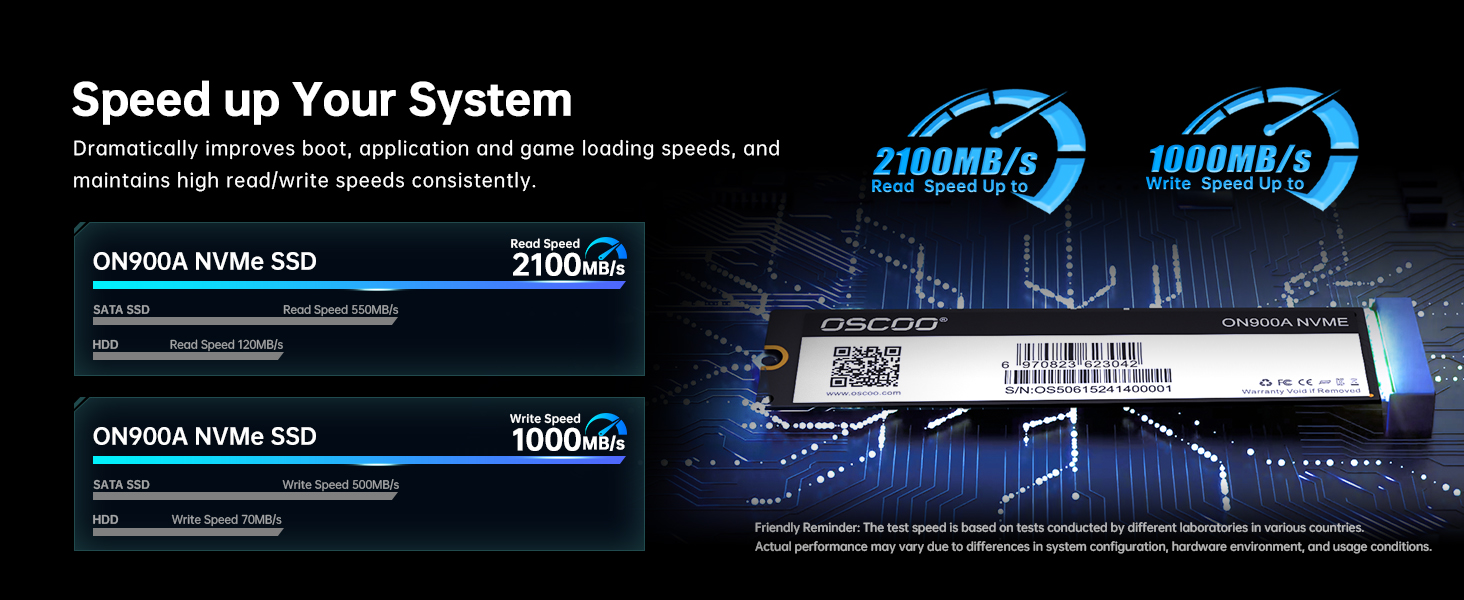
The OSCOO 256GB NVMe SSD ON900A is a high-performance internal drive designed specifically for Mac devices from 2012 to 2018. Featuring PCIe Gen3.0x4 technology, it delivers up to 1900MB/s read speeds and robust 152TBW endurance. With built-in AES-256 encryption and advanced error correction, it ensures data security and long-term reliability. Compatible with multiple MacBook Air, Pro, iMac, Mac mini, and Mac Pro models, this SSD offers a plug-and-play upgrade experience backed by detailed installation guides and professional support.




| ASIN | B0DTTHWRD8 |
| Additional Features | Backward Compatible, Data Recovery Service, Hardware Encryption, SMR Technology, TRIM Support |
| Best Sellers Rank | #1,044 in Internal Solid State Drives #17,393 in Computer Internal Components |
| Brand | OSCOO |
| Built-In Media | Quick Start Guide |
| Color | Black |
| Compatible Devices | Desktop, Laptop |
| Connectivity Technology | PCIE |
| Customer Reviews | 4.2 out of 5 stars 47 Reviews |
| Data Transfer Rate | 1200 megabytes_per_second |
| Digital Storage Capacity | 256 GB |
| Enclosure Material | 3D Nand Flash |
| Form Factor | M2 |
| Hard Disk Description | Solid State Drive |
| Hard Disk Interface | PCIE x 4 |
| Hard-Drive Size | 256 GB |
| Hardware Connectivity | PCI Express 3.0 |
| Installation Type | Internal Hard Drive |
| Item Weight | 20 g |
| Manufacturer | OSCOO |
| Media Speed | 1200 megabytes_per_second |
| Mfr Part Number | ON900A |
| Model Number | ON900A |
| Number of Items | 1 |
| Read Speed | 1900 megabytes_per_second |
| Special Feature | Backward Compatible, Data Recovery Service, Hardware Encryption, SMR Technology, TRIM Support |
| Specific Uses For Product | Business, Gaming, Personal |
| Unit Count | 1 Count |
| Warranty Description | 3 Year Manufacturer |
E**E
Works
Works with 2013
C**G
Simple replacement for a failing HD.
Easy replacement for my failing HD on my Mac Air 2017. Just popped it in and used the mac's built-in recovery software to download the latest compatible OS from Apple. I had already backed up personal data to an external drive. Saved a bunch over what was quoted to me by the "geniuses".
P**O
Highly recommended
Awesome and easy to install
D**N
Compatability doesnt match
So, the first SSD i got was opened prior to arrival, as you see in photo the sticker that goes on SSD was on outside of box. To add to it, the Macbook it was intended for didnt recognize it. Returned and ordered a new one. New SSD came sealed. However, it still isnt being seen by the Macbook its supposed to be compatible with according to the booklet. Just so happens i have a macbook air in need of a SSD but its not on the list of compatability. That said, it worked on the Macbook air with zero issue. Im not ordering again as i can trust that the compatibility will be for the Macbook i need it to be for. Im still without the use of my intended Macbook Pro Retina. Off to another brand...fingers crossed.
J**Y
MacBook hard drive
Works great and great price
G**N
Align it right when installing
This took quite a bit of effort to get the macBook Air a1466 to recognize. What I found is that the card allowed me to misalign it. After the first install, it wasn't recognized. I tried using the disk utility -> view, but no dice. I then re-openned the macBook, and then pulled the SSD back as far as the screw would allow and did my best to line it up straight. Then it was able to see the SSD. I was able to format it, and install macOS to it. The reason it didn't get the full 5 stars is that I had to jump through the hoops to make it work.
E**A
Compatible 100%
Buena compra!
D**S
NVMe SSD for MacBook
It's work normal!
T**A
Fits well and really no need for extra nvme adapter
Worked without any issues at all. I was able to install SEQUOIA on it and no need to buy nvme adapter. It fits well like the original nvme ssd
P**R
It works but be prepared to be a bit frustrated.
My SSD was failing on my Macbook Air A1465 with constant crashing and freezes where a hard power off sometimes worked. Replacing it was quite simple with the included screwdrivers but do be careful the order they come out and try not to lose them! Then came the part where you had to initialise the disk via Disk Utility. No matter what I tried including the recommended manual steps and several re-seating of the drive, the Macbook still refused to see the new drive. Which left me with the nuclear option of downloading and booting from USB - also in the manual so big plus for the manufacturer for producing a relatively decent booklet. Then the fun starts and you discover that to download Big Sur (which is was the latest version for A1465) you have to use the App Store preferably on a Mac with the same O/S version. I have discovered you can download it from the Internet Archive but that is a few more involved steps. I didn't have another Mac so fortunately the original SSD did last long enough to download and create a bootable usb version - instructions are on the apple website. That went flawlessly and booting from USB saw the new disk and from then on, it just went smoothly. Restoring from Time Machine worked exceptionally well so now I have 10 year old MacBook Air with a new lease of life, more storage and it even feels faster now! Worth the time and effort to restore a decent laptop (for me!) at a relatively low cost.
キ**グ
問題ないです。
古い💻で問題なく動作出来ました。
R**E
Works as advertised.
Works like a charm.
J**E
Bon rapport qualité prix
Explication et compatibilité au rendez-vous, fait un bon travail
Trustpilot
3 weeks ago
1 month ago