Desertcart purchases this item on your behalf and handles shipping, customs, and support to Croatia.
🚀 Powerhouse Mini PC for the Next-Gen Pro Gamer & Creator
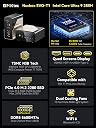
The GMKtec AI Mini PC Ultra 9 285H EVO-T1 is a compact powerhouse featuring a 16-core Intel Core Ultra 9 processor with turbo speeds up to 5.4 GHz, 64GB of DDR5 RAM, and a 1TB PCIe 4.0 SSD. Designed for gamers, AI enthusiasts, and creative professionals, it supports quad 8K displays and includes an Intel AI Boost NPU delivering up to 13 TOPS for accelerated AI workloads. With triple M.2 expansion slots, Oculink port for enhanced eGPU performance, and ultra-fast 2.5GbE Ethernet plus WiFi 6 connectivity, this mini PC blends cutting-edge tech with versatile multi-display and high-speed networking capabilities.


| ASIN | B0FH54R8J3 |
| Additional Features | 64GB DDR5 SO-DIMM, Intel AI Boost NPU, capable of up to 13 TOPS, OCULINK PORT, PCIE 4.0 SSD Drive with 3x M.2 2280 Expansion slots |
| Aspect Ratio | 16:9 |
| Best Sellers Rank | #11,652 in Computers & Accessories ( See Top 100 in Computers & Accessories ) #408 in Mini Computers |
| Brand | GMKtec |
| Built-In Media | GMKtec Nucbox EVO T1 Intel Core Ultra 9 285H Mini PC Computer, HDMI Cable, Power Supply & Cable, User Manual |
| CPU Model | Intel Core Ultra 9 |
| CPU Model Number | Intel Core Ultra 9 285H |
| CPU Model Speed Maximum | 5.4 GHz |
| CPU Speed | 5.2 GHz |
| Cache Memory Installed Size | 2000 GB |
| Cache Size | 2000 GB |
| Color | Black |
| Compatible Devices | Headphone, Keyboard, Monitor, Mouse, Television |
| Connectivity Technology | Bluetooth, Ethernet, HDMI, USB, Wi-Fi |
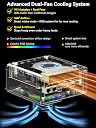
| Cooling Method | Dual Cooling Fan |
| Customer Reviews | 4.6 out of 5 stars 154 Reviews |
| Display Resolution Maximum | 7680×4320 pixels |
| Display Type | LED/OLED |
| Graphics Card Description | Dedicated |
| Graphics Card Interface | PCI Express |
| Graphics Card Ram | 64 GB |
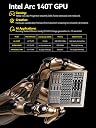
| Graphics Coprocessor | Intel Arc 140T GPU 2.35GHz |
| Graphics Description | Dedicated |
| Graphics Ram Type | VRAM |
| Hard Disk Description | PCIe 4.0x4 M.2 2280 SSD Triple Slots Max.24TB |
| Hard Disk Interface | PCIE x 16 |
| Hardware Interface | 3.5mm Audio, 802.11 ac/b/g/n, Bluetooth 5, Ethernet, HDMI, PCIE x 16, USB Type C |
| Human-Interface Input | Buttons, Keyboard |
| Item Weight | 2.24 kg |
| Keyboard Description | Gaming |
| Keyboard Layout | QWERTY |
| Manufacturer | Shenzhenshi Jimokekejiyouxiangongsi |
| Memory Clock Speed | 5600 MHz |
| Memory Slots Available | 2 |
| Memory Speed | 5600 mt_s |
| Memory Storage Capacity | 1 TB |
| Model Name | EVO T1 |
| Model Number | EVO T1 |
| Model Year | 2024 |
| Native Resolution | 7680 x 4320 |
| Number of Component Outputs | 4 |
| Operating System | OS |
| Personal Computer Design Type | Mini PC |
| Power Consumption | 90 watts |
| Power Plug Type | Type A - 2 pin (North American) |
| Processor Brand | Intel |
| Processor Count | 16 |
| Processor Series | Intel Core Ultra 9 |
| Processor Socket | FCBGA2049 |
| Processor Speed | 5.2 GHz |
| RAM Memory Installed | 64 GB |
| RAM Memory Technology | DDR5 |
| RAM Type | DDR5 RAM |
| Ram Memory Maximum Size | 96 GB |
| Resolution | 8K |
| Specific Uses For Product | Education, Multimedia, Video Editing, Everyday Use, Gaming |
| Specification Met | CE, FCC, UL |
| Style Name | Gaming PC Mini |
| Total Number of HDMI Ports | 1 |
| Total Usb Ports | 4 |
| Unit Count | 1 Count |
| Video Output | HDMI, USB-C |
| Video Output Interface | HDMI, USB-C*2 |
| Video Processor | Intel |
| Warranty Description | GMKtec offers a 1-year limited warranty for each mini PC, starting from the date of the purchase |
| Wireless Compability | 2.4 GHz Radio Frequency, 5 GHz Radio Frequency, 5.8 GHz Radio Frequency, 802.11ax, Bluetooth |
| Wireless Network Technology | Wi-Fi |
| Wireless Technology | Bluetooth |
A**N
Not worthy
If you need workstation, then stay out of this brand. All cheap quality components. A core i9 CPU benchmark score is only 3415!!!! But it should be around 10k-16k. Then whenever I tried to run my VMware it act like a dual core processor may be core i3 or lower. Only thing is good I can say is the outer case.
D**R
RUN AWAY unit says 32g of rams 24g of video rams and that not correct
unit locks up randomly didnt have 32g ram the ram is on board and cant be replaced LASTED LESS THAN 2 MONTHS BEFORE IT HAD A COMPLETE HARD DRIVE FAILURE ~!!!!!!!!! NOW IT IS TOO FAR GONE TO REPLACE THATS ANOTHER $70 AND I HAVE TO EMAIL FORT HELP!!!!!!!!!!!!! RUN AWAY!!!!!! WILL LET YOU KNOW HOW MANY MONTHS THIS TAKES TO CORRECT JUNK SSD JUNK PC
M**B
Crashes regularly
I just got this product a few days ago. I set it up and did all the Windows update on it. I only installed a couple of programs on it, as I intend to keep it setup fairly clean and only use it for remote video editing. The big problem with this device is it crashes regularly. I am not sure how much time I want to waste trying to solve the crashing problem before I just move on to a better brand.
A**R
Not compatible with ESXI 7+
I bought this NUC because everyone raved about how good it would be as an at home ESXI server. Turns out the networking drivers aren’t compatible in the slightest and completely unusable for any ESXI version greater than 6.7 (which is no longer downloadable). The processor is also not compatible, although there appears to be a sketchy work around for that.
G**.
GMKtec NucBox K10 Mini PC – Compact, Quiet, and Outstanding Value
I bought the GMKtec NucBox K10 after doing some digging, and I've been quite impressed with its performance, quiet operation, and overall value. This mini PC shines for productivity, development, and office tasks, especially for those who need solid power without taking up much space. I have several other GMKtec mini PCs and I keep coming back to them because of the build quality, performance, value, and support. The Cinebench results for the NucBox K10 speak volumes about its capabilities. The 13th Gen Intel Core i9-13900HK scores 118 points in single-core tasks, placing it at the top of the charts—it even outperforms Apple's M1 Max and M1 Ultra in that area. In multi-core performance, it lands at 856 points, securing fourth place overall—better than many desktop CPUs and trailing only behind workstation-class models. These results are impressive for such a compact device, making it perfect for demanding tasks like development and multitasking. My PassMark benchmarks further back up the NucBox K10's performance. It scored an overall rating of 5880.7, putting it in the 57th percentile. The CPU Mark hit 28,599 (79th percentile), Memory Mark came in at 4,000 (98th percentile), and Disk Mark reached 43,851.9 (90th percentile). While it's good for integrated graphics, don't expect it to handle gaming like a pro. In terms of noise, I measured idle noise levels at just 36 dB—barely noticeable—and full load at 43 dB—still very quiet. This makes the NucBox K10 an excellent pick for quiet offices or shared workspaces. Booting up is a breeze thanks to the high-speed NVMe SSD. Windows 11 Pro runs smoothly even with multiple heavy applications open. It's ideal for office suites, web development, software testing, and everyday productivity tasks. Plus, there are plenty of USB-A ports available for peripherals—which I find quite handy. One feature I really appreciate is how easy it is to open the bottom panel to access the expansion slots. Upgrading memory or adding additional NVMe drives is straightforward, making it simple to future-proof your setup or tailor the machine to your needs. At $560 USD, you really get your money's worth with the GMKtec NucBox K10. Competing mini PCs with similar specs often run $700 or more, especially models like Intel NUCs or Beelink with matching CPUs and memory configurations. Many alternatives either skimp on CPU power or come with less RAM and storage—and they usually cost more. For what you get in terms of performance and features, this mini PC is a steal. While I have this hidden behind my monitor, there are mounting slots on the back so you could easily mount it to a wall to keep it discreet. If I had to suggest one improvement, it'd be adding a USB-C port to the back of the computer. Right now, there's only one on the front—handy for quick access but not ideal for permanent connections like docking stations or monitors. With USB-C becoming more standard nowadays, having one on the back would make life easier. Still, having plenty of USB-A ports is definitely a plus for connecting various peripherals. The GMKtec NucBox K10 stands out as a compact mini PC that packs a punch when it comes to performance and efficiency while running quietly. It might not be geared towards gaming, but if you're into productivity and development work in a small form factor at this price point, it's hard to go wrong here—definitely worth considering if you need a powerful yet portable workstation!
D**T
A small but powerful computer
This is a little computer that packs a punch. It came with Windows 11 Pro pre-installed. I have added Linux in a dual-boot setup. Both operating systems have been running so far without any problems. The machine is stable and peforming well.
A**R
Overall good quality, stutters in OS
Overall, the build quality seems pretty good. However, even after updating all the software and running multiple tests, I was continuously getting stuttering in the operating system. I'm so sort of confused as to why they don't put a HDMI 2.1 as the integrated graphics should be more than sufficient to push 4K at 120. It may be possible the cooling is just insufficient for 13900hx
J**.
Competent Little Unit, Falls Short In Some Key Areas
Purchased this minicomp as a stopgap, after my ancient desktop tower tanked. Overall I'd say it's OK in most respects - hard to beat at this price. However, the i7 processor doesn't seem to perform any better then the i5 in my 5-year old laptop. Not a huge deal, just expected better. The generic 1TB SSD is way slower than I would have expected, so I purchased a 512GB replacement from Crucial, and set about cloning it. No big deal, right? Unfortunately, for some yet unknown reason this machine refuses to recognize the new SSD after cloning, and will not boot. Tried Acronis, Macrium, and EaseUS with no success - even though all 3 programs verified a successful clone. BIG bummer there. Figure it might be a problem with the HAL, since these programs worked fine on 2 other PCs. After 3 days of tweaking BIOS, re-partitioning, and cloning to other machines I've got nothing. Tried installing Windows 11 image to the new SSD, but the installer said no way, Jose. If there were two NVMe slots in the machine (or a SATA connection), things might be different. Two stars off for that alone. So......I'm stuck with a crappy 1TB drive until I can figure this out. Don't get me wrong, it's not a terrible unit - but the cripped expandability prevents me from recommending this for anything beyond basic tasks. My advice: Spend a bit more on a NUC that you can expand to meet your future needs. You get what you pay for, and in this case that's about it. PS >> Tech support is pretty much non-existent. If you need to replace drivers, update firmware, or find a meaningful diagnostic solution, forget it.
Trustpilot
2 months ago
4 days ago