Buy anything from 5,000+ international stores. One checkout price. No surprise fees. Join 2M+ shoppers on Desertcart.
Desertcart purchases this item on your behalf and handles shipping, customs, and support to Croatia.
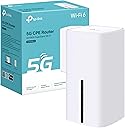
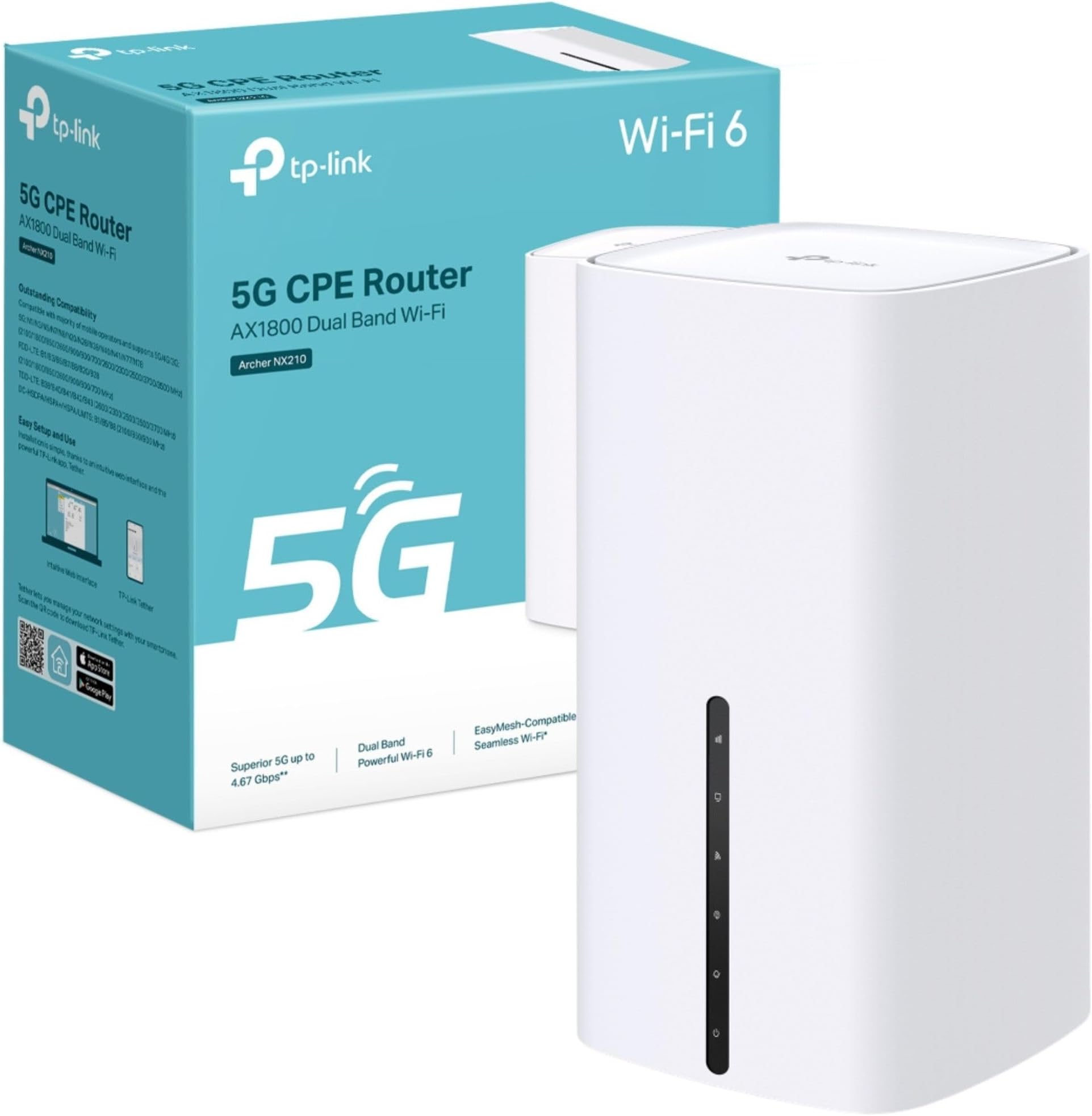
⚡ Future-proof your home network with lightning-fast 5G & Wi-Fi 6!
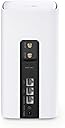
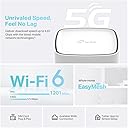
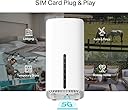
The TP-Link Archer NX210 is a cutting-edge AX1800 dual-band Wi-Fi 6 router featuring a built-in SIM slot for 5G connectivity with download speeds up to 4.67 Gbps. Designed for effortless plug & play setup, it supports EasyMesh for seamless whole-home coverage and includes gigabit WAN/LAN ports for versatile wired connections. Ideal for professionals craving ultra-reliable, high-speed internet with future-ready tech.


| ASIN | B0F2TCB3R4 |
| Antenna Location | Business, Home |
| Antenna Type | Internal |
| Best Sellers Rank | 1,087 in Computers & Accessories ( See Top 100 in Computers & Accessories ) 5 in Routers |
| Box Contents | 5G AX1800 Wireless Dual Band Gigabit Router Archer NX210|RJ45 Ethernet Cable|Power Adapter|Quick Installation Guide |
| Brand | TP-Link |
| Brand Name | TP-Link |
| Colour | White |
| Compatible Devices | Gaming Console, Personal Computer, Printer, Security Camera, Smart Television, Smart Thermostat, Smartphone, Tablet |
| Compatible devices | Gaming Console, Personal Computer, Printer, Security Camera, Smart Television, Smart Thermostat, Smartphone, Tablet Compatible devices Gaming Console, Personal Computer, Printer, Security Camera, Smart Television, Smart Thermostat, Smartphone, Tablet See more |
| Connectivity Protocol | Wi-Fi, Ethernet, 5G, IPv4, IPv6 |
| Connectivity Technology | 5G, Ethernet, Wi-Fi |
| Control Method | App, Touch |
| Controller Type | App Control, Push Button |
| Country of Origin | China |
| Coverage | Home Network |
| Customer Reviews | 4.2 out of 5 stars 6,043 Reviews |
| Data Transfer Rate | 1201 Megabits Per Second |
| Frequency | 5 GHz |
| Frequency Band Class | Dual-Band |
| Frequency band class | Dual-Band |
| Is Modem Compatible | No |
| Item Dimensions L x W x H | 9.9L x 9.9W x 19H centimetres |
| Item Weight | 0.61 Kilograms |
| LAN Port Bandwidth | 1000 [NO] |
| Manufacturer | TP-Link |
| Manufacturer Part Number | Archer NX210 |
| Maximum Upstream Data Transfer Rate | 1201 Megabits Per Second |
| Model Name | AX1800 Wireless Dual Band Gigabit Router |
| Model Number | Archer NX210 |
| Model name | AX1800 Wireless Dual Band Gigabit Router |
| Number of Antennas | 10 |
| Number of Ports | 6 |
| Operating System | Linux |
| Other Special Features of the Product | Beamforming, Guest Mode, Plug & Play, QoS |
| Product Warranty | 3 Years Manufacturer |
| Security Protocol | WPA-PSK, WPA2-PSK, WPA3 |
| Special feature | Beamforming, Guest Mode, Plug & Play, QoS |
| Voltage | 12 Volts |
| Wi-Fi Generation | Wi-Fi 6 |
| Wireless Compability | 802.11ax |
| Wireless communication standard | 802.11ax |
S**E
Easy set up, Fantastic product, great app !
I purchased The Tp-Link Deco X10-4G router AX1500, (and an unlimited data sim card from elsewhere) and the speed and signal strength is far greater than I was receiving previously from a 5G network with their provided 5G router. Installing the Deco was easy, plug in and download the app to your phone follow the simple instructions to add all your devices and watch them be added and come on-line, after installation the app will ask you to install new firmware and software available, press continue and install and your good to go. Couldn't be happier, great bit of kit, well worth the investment, have been using the Deco for approx 6 weeks now and no issues. Also making a saving of over ÂŁ8pm on my internet bill, that's a result !
R**N
Does exactly as it says on the box
Bought this router as a temp as contract ended with last provider. Registered my new sim, popped it into my phone for a few mins then it went into the router. I had WiFi the minute the sim registration completed. Setting up is so very simple. The sticker on the back was a bit hard to see but that’s down to my sight more than anything else. I was able to change names and password in next to no time and my devices connected seamlessly. The router itself seems quite sturdy and very lightweight but that doesn’t seem to affect the performance. I get full coverage of my flat and the speeds aren’t as great as a hotspot from my phone but using the antenna provided I was still getting over 100Mbps. I’ve only streamed for a few hours but there has been no buffering or any lagging. For the price paid, this has exceeded my expectations and could possibly become a permanent router if my experience so far is anything to go by.
H**4
This TP-Link NX510V AX3000 Wi-Fi6 5G router is Outstanding.
This TP-Link NX510V AX3000 Wi-Fi6 5G router is Outstanding, I previously had my broadband coming through a phone-line & I was only getting around 16Mbps download & 0.7Mbps upload, on a good day, but since installing this 5G ( Sim ), router I have seen speeds of upto 400Mbps download & 40Mbps upload, but generally my speeds with this router have been no lower then 340Mbps download & 30Mbps upload. PLEASE NOTE: Although I didn't really need to because I was getting great speeds anyway, just out of curiosity, I decided to test this router out with some external ariels to see if I could get even greater speeds. To do this, you need to remove a plastic plate on the back of the router to uncover 2 ports where you can attach the ariels, & then you need to set the router to use the external ariels in the routers settings. However after fitting 2 external ariels, I found ( personally ), that they did not make any difference to the speed of this router, & in-fact doing this seem to lowered my the speeds with this router. However, I did find out something very interesting while doing this ariel test, which is as follows: In my area the 5G signal is very patchy, & as this is a 4G/5G router sometimes it would connect up using 4G ( with lower speeds, & sometimes 5G ( with higher speeds ), because of my patchy 5G signal. However, when I left the plate off of the back of the router that covers the 2 external ariel ports ( without using any external ariels, just the internal one ), I found that the router now connects up to 5G continually. So I think that just by removing this external ariel plate, the router is able to pick up a stronger signal. Something you might want to try for yourself to improve signal & speeds.
L**E
Great value for such a top spec sim router
After years of absolute abismal BT copper broadband going for SIM dual band router has completely change our lives at home. The EE signal at my home is superlative and we never again have drop outs or buffering. The signal strength around my home is strong even in the garden office 10m outside. I simply put in the sim card and it sets itself up. The app alowed me to change the router name and create my own password and gives you full control of all connected devices. This has worked faultlessly I would highly recommend it if you have a good mobile signal in your area. I combined it with an unlimited SIM from EE and my broadband is 10 times faster than copper and half the price of BT with the added bonus of no land line to rent.
A**W
Easy setup, good signal, seems reliable so far.
Bought this to replace an M1 Nighthawk used with a large 2X2 MIO panel antenna. This new router, without the external antenna, gets higher gain and a better SNR then the old setup with the antenna. I can also connect to cell towers I couldn't previously. Only using LTE as I don't have sight of any 5G cells. I've only had it about two months but so far, it seems to be good buy.
E**C
Fast reliable wifi
This was bought to provide wifi in a house which I was putting up for sale. I put an unlimited data Pay as you go SIM card in it and it provided wifi throughout a detached 4 bedroom house easily. I used Fire sticks for the TVs and it ran all the gadgets for a family of four. I spent a lot of time researching this as I did not want to sign up to a 24 month contract with a broadband provider. I was in the suburbs so the phone reception was generally good. I can honestly say we didn't notice any difference between this and the major broadband providers. Set up was really easy.
J**N
Brilliant improvement over 4G mobile if you have a 5G signal
Went from a 4G to this 5G router when I noticed that our (rural) mobile phone signal had been upgraded to 5G. Although my signal strength meter (free download) indicated only a weak signal available (25-30% signal strength) I thought this worth a try on the basis that if it didn't work then I could return it to Amazon anyway, so no risk. Oh wow! Connected it up and without any additional antennae fitted (the ones that I had ordered from Amazon wouldn't fit) the speed increased from 15-20mbps under my old 4G router to a consistent 70-80mbps with this item. Now that is what I call a result. Works seamlessly with my mesh setup (also TP-Link items) to provide high speed internet access through the whole house. Easy to set up as well - it has to be as far as I'm concerned.
J**D
It Works.
I have two sim cards one is vodafone and the other is a giffgaff one which is of a esim i cannot put my giffgaff one in it which i ran a speed test of the giffgaff one which is download of 5mbps & upload of about 3mbps which when i put the giffgaff esim back onto a nano sim card and to put it in the router too hopefully i will let you know about it on too. I didn't run a speed test of the vodafone sim but i just forgot to do it which i feel it would of been the same speed test of it too. Now i have seen amazon reviews of other tp link sim routers which upload speeds and download speeds even from 450 to over 2000mbps which mine is nowhere near that but it has gone up a lot hopefully i will have the three round tp link wifi extender in around the home to use and to pick up our tapo 4k wireless cameras and doorbell camera which i haven't been able to pick them up much which sim card wifi but now maybe when the giffgaff sim is in the router which they are all connected to that sim i hope i can connect to them all without or with wifi extenders too. Which Hope i will let you know of too. Update - I have a giffgaff sim in the tapo hub & a giffgaff sim in my phone both are exactly on unlimited which the sim from my phone get's to about 140mbps but the one from my tapo hub is which you will have to see the picture for final results. Hope This Helps.
C**M
Prise UK
Attention, livré avec une prise UK, ne fonctionne pas en France
A**S
Solider 4G-Router fĂĽr einfachen Internetzugang
Der TP-Link TL-MR110 lässt sich sehr einfach einrichten. SIM-Karte einlegen, einschalten und nach kurzer Zeit ist das WLAN verfügbar. Die Verbindung ist stabil und reicht für Surfen, Streaming und normale Alltagsnutzung völlig aus. Die Geschwindigkeit ist in Ordnung, auch wenn man keine Höchstleistungen erwarten sollte. Verarbeitung wirkt solide und zuverlässig. Für Zuhause, unterwegs oder als Ersatzlösung bei fehlendem Festnetz eine gute Wahl.
M**.
Funciona EXCELENTE con Claro Puerto Rico
Excelente modem, funciona muy bien con Claro Puerto Rico. Estable, excelente receptor de señal y sirve muy bien. Mucho mejor que con los Modems que brinda la compañĂa. La velocidad de Claro PR no es muy buena, pero este modem le ha dado una excelente estabilidad que hasta con alta resoluciĂłn funciona. La instalaciĂłn no es tan fácil como la describen, pero siguiendo las instrucciones lo tendrás funcionando en minutos.
L**P
Una vez instalado va muy bien
Lo que más: Rendimiento y estabilidad Lo que menos: La instalaciĂłn no es difĂcil, pero no tan fácil como se publicita. Si se utliliza un duplicado de tarjeta, hay que validarla antes con el operador con un movil. Una vez validada puede introducirse en el equipo y creará la red wifi. El nombre de la red y la clave de acceso vienen en la etiqueta situada en la base del equipo. Si se quiere personalizar el nombre de la red o la clave de acceso hay que conectar el equipo a un ordenador con el cable de red. Una vez hecho este proceso se puede desplazar el equipo a otra vivienda donde se pondrá en marcha automáticamente tras conectar la alimentaciĂłn a la red
D**N
Très bien !
Très pratique ! J'ai acheté ce routeur pour ça connectivité en 4G qui plus tard ce transformera en point Wi-Fi connecté en RJ45 depuis ma box. UTILISATION TYPE ⬇️ Actuellement je rénove une maison dans ça totalité, il me fallait un système de caméra sur enregistreur/serveur que je puisse accéder à distance et recevoir des notifications en temps réels (je ne vis pas sur place, et la maison ce trouve dans un hameau peu fréquenté), ainsi que quelques éléments connectés comme des prises connectées pour des éclairages de dissuasion, et un point Wi-fi pour mon père possédant un forfait 4G très limité. J'ai un doublon de ma carte SIM que je vais mettre dans cette box pour pouvoir avoir Internet pendant les travaux sans souscrire à un abonnement fibre (sachant qu'il ne reste que les quatre murs de la maison, donc difficile de faire intervenir un technicien fibre pour me l'installer) Lorsque cette maison sera rénovée, ce routeur sera dans ma dépendance/atelier et servira comme point wi-fi (le bâtiment est trop loin de ma future box internet et les murs de la maison sont épais), il y aura un câble RJ45 sous terre qui partira de ma box Internet dans ma maison, et qui sera branché sur ce routeur dans la dépendance, me permettant ainsi de ne plus utiliser le doublon de ma carte SIM, mais de pouvoir à la place ce connecter via un câble RJ45 partant de ma box fibre ! RESSENTI SUR LE PRODUIT ⬇️ Personnellement, la box fonctionne bien, là où je rénove ma maison la 4G est bonne, mais pas incroyable, et pourtant je n'ai pas de problème à voir mes caméras à distance, pas de problème à activer mes prises connectées, le signal est fluide, il n'y a pas de perte de réseau, dans les paramètres du routeur, j'ai programmé un redémarrage tous les jours vers midi, un redémarrage prends environ 2 minutes, je suis plutôt bluffé et satisfait !
Trustpilot
2 weeks ago
2 months ago