Buy anything from 5,000+ international stores. One checkout price. No surprise fees. Join 2M+ shoppers on Desertcart.
Desertcart purchases this item on your behalf and handles shipping, customs, and support to Croatia.
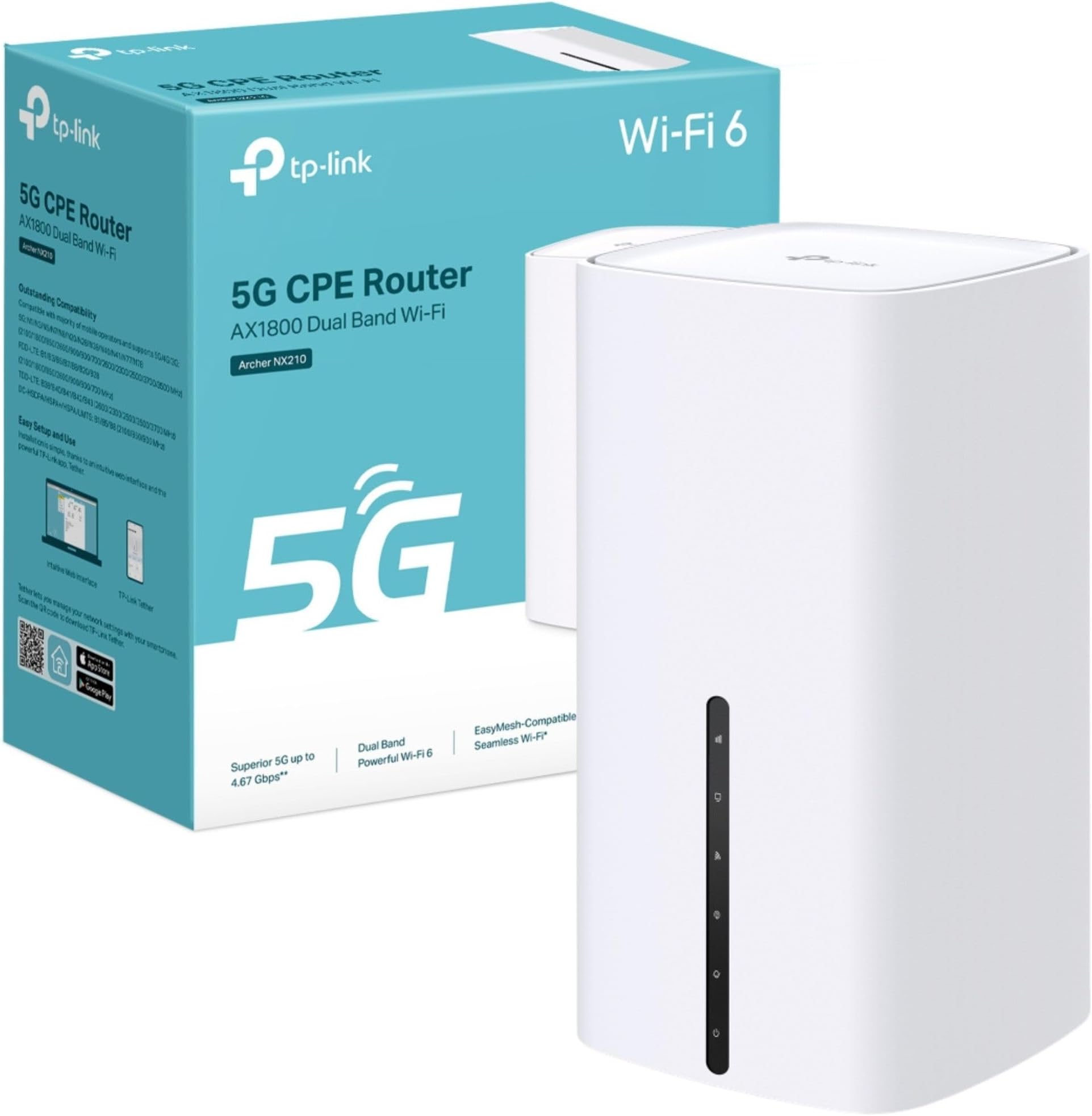
⚡ Future-proof your home network with lightning-fast 5G & Wi-Fi 6!
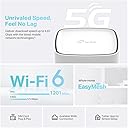
The TP-Link Archer NX210 is a cutting-edge AX1800 dual-band Wi-Fi 6 router featuring a built-in SIM slot for 5G connectivity with download speeds up to 4.67 Gbps. Designed for effortless plug & play setup, it supports EasyMesh for seamless whole-home coverage and includes gigabit WAN/LAN ports for versatile wired connections. Ideal for professionals craving ultra-reliable, high-speed internet with future-ready tech.


| ASIN | B0F2TCB3R4 |
| Antenna Location | Business, Home |
| Antenna Type | Internal |
| Best Sellers Rank | 218 in Computers & Accessories ( See Top 100 in Computers & Accessories ) 1 in Routers |
| Box Contents | 5G AX1800 Wireless Dual Band Gigabit Router Archer NX210|RJ45 Ethernet Cable|Power Adapter|Quick Installation Guide |
| Brand | TP-Link |
| Brand Name | TP-Link |
| Colour | White |
| Compatible Devices | Gaming Console, Personal Computer, Printer, Security Camera, Smart Television, Smart Thermostat, Smartphone, Tablet |
| Compatible devices | Gaming Console, Personal Computer, Printer, Security Camera, Smart Television, Smart Thermostat, Smartphone, Tablet Compatible devices Gaming Console, Personal Computer, Printer, Security Camera, Smart Television, Smart Thermostat, Smartphone, Tablet See more |
| Connectivity Protocol | Wi-Fi, Ethernet, 5G, IPv4, IPv6 |
| Connectivity Technology | 5G, Ethernet, Wi-Fi |
| Control Method | App, Touch |
| Controller Type | App Control, Push Button |
| Country of Origin | China |
| Coverage | Home Network |
| Customer Reviews | 4.0 out of 5 stars 144 Reviews |
| Data Transfer Rate | 1201 Megabits Per Second |
| Frequency | 5 GHz |
| Frequency Band Class | Dual-Band |
| Frequency band class | Dual-Band |
| Is Modem Compatible | No |
| Item Dimensions L x W x H | 9.9L x 9.9W x 19H centimetres |
| Item Weight | 0.61 Kilograms |
| LAN Port Bandwidth | 1000 [NO] |
| Manufacturer | TP-Link |
| Manufacturer Part Number | Archer NX210 |
| Maximum Upstream Data Transfer Rate | 1201 Megabits Per Second |
| Model Name | AX1800 Wireless Dual Band Gigabit Router |
| Model Number | Archer NX210 |
| Model name | AX1800 Wireless Dual Band Gigabit Router |
| Number of Antennas | 10 |
| Number of Ports | 6 |
| Operating System | Linux |
| Other Special Features of the Product | Beamforming, Guest Mode, Plug & Play, QoS |
| Product Warranty | 3 Years Manufacturer |
| Security Protocol | WPA-PSK, WPA2-PSK, WPA3 |
| Special feature | Beamforming, Guest Mode, Plug & Play, QoS |
| Voltage | 12 Volts |
| Wi-Fi Generation | Wi-Fi 6 |
| Wireless Compability | 802.11ax |
| Wireless communication standard | 802.11ax |
J**N
Brilliant improvement over 4G mobile if you have a 5G signal
Went from a 4G to this 5G router when I noticed that our (rural) mobile phone signal had been upgraded to 5G. Although my signal strength meter (free download) indicated only a weak signal available (25-30% signal strength) I thought this worth a try on the basis that if it didn't work then I could return it to Amazon anyway, so no risk. Oh wow! Connected it up and without any additional antennae fitted (the ones that I had ordered from Amazon wouldn't fit) the speed increased from 15-20mbps under my old 4G router to a consistent 70-80mbps with this item. Now that is what I call a result. Works seamlessly with my mesh setup (also TP-Link items) to provide high speed internet access through the whole house. Easy to set up as well - it has to be as far as I'm concerned.
C**L
EE 5G SIM had issues until settings changed - now awesome
I'm not supposed to be in a 5g area yet but there is a good outside signal & I can pick up >100mbps pushed up against lounge window. However, despite going fully through (the delightfully simple) set-up, everything (phone, Sky puck, Philips Hue etc.) besides my laptop said connected without internet. Had it not been for my laptop working, I would have put it down to incompatibility & sent it back. As the laptop did work, I had a chat with a brilliant EE adviser & found the the PDP Type (IPv4 + IPv6) setting within the profile (defaulted by the router on SIM detection) was the issue. To get around this, you need to set up a new profile (>Advanced>Mobile WAN) & replicate all other settings but to set PDP Type to IPv4 only. Now it's working, I can highly recommend this router but I suspect many will be returned until TP-Link realise their mistake.
C**Y
Good all round 5G router.
I have had this for a couple of weeks to replace a Zytel MC888 Ultra that failed after just over a year so I decided to try a different make. It performs well inside in the very strong signal area I live in giving a download speed of around 400Mb/s and up to 650Mb/s at quiet periods during the night. It is very sensitive to small movements in its position and you can add or lose 50-100Mb/s by moving the router less than a couple of millimetres. Feature wise it has the full range of settings you would expect of a router at this price level and more than the Zytel although things like port forwarding (or virtual servers as TP-Link call it) is of little use behind the CG-NAT used by most 5G providers. I changed the IP Address range to match that of the ZYtel (from the default 192.168.1.xx to 192.168.0,xx to enable it to be just connected to my existing devices without having to change the static IPs I had set in the devices. I have had a couple of issues with the DHCP server allocating dynamic IP addresses that have already been fixed in some devices and causing a conflict and having to switch one device off whilst manually changing the other device’s IP address. There is a setting to program an automatic reboot at regular intervals and I would recommend that this is done once a day, perhaps in the middle of the night when no one is likely to be using the internet as after a few days without a reboot the router it no longer delivers internet although devices can still talk to each other on the local network e.g. I can still access the drives on my Asustor NAS devices that are mapped on my PC and my Alexas still work and I can still give instructions to turn lights on and off etc which means there must be some connection to the internet or the echo devices wouldn’t work at all. But internet speed measured on my PC drops to zero. Rebooting restores it to normal speed and doing this as a precaution once a day appears to prevent loss of internet access. I tried attaching a dual cabled external antenna to the connectors on the router but it actually reduced the speed I was getting and the unit performs best without it. This could be just because I live in a very strong 5G signal area and it may make more of a difference if the signal levels indoors are lower. I switched the wi-fi off as I use four Mercusys mesh devices string my home, all connected via Ethernet. I only use one of the three RJ45 sockets on the rear of the router to connect the main mesh device and then take two cables from the mesh device to two switches and from there to all my devices to three more mesh units set as access points or connect devices by Ethernet. The router appears to handle the 64+ devices connected to the network without any difficult except for the occasional allocation of an IP address I have already allocated as a static address. However, I learned that the router allocates IP addresses in order starting at 2 so if I set the static IP addresses at 100 or more, there is no risk of the DHCP issuing one of the static addresses and this seems to have solved the problem. There are lots of things in the NAT forwarding settings that you can switch off and if you use VOIP you will want to disable the SIP ALG at least as it caused my VOIP phones to cease to work at all. You may also want to disable the RSTP ALG as well although this didn’t make much difference for me. Most of the other settings you are not likely to need to change although it depends exactly how you are going to use it. Overall, I am quite happy with the router. It doesn’t quite get the speed the Zytel did and having to reboot it regularly is a bit of a pain but I would recommend this device if you live in a good 5G signal area and can’t get fibre.
D**.
Poor cellular reception.
Bought this unit for our holiday caravan as an upgrade from our old TP Link 6400 4G router. The caravan area can now get 5G and my phone shows 2 bars and delivers OK speeds on 5G with EE. This router wouldn’t connect to 5G with an EE SIM card and delivered a worse performance on 4G than our old unit.
A**.
TP Link Archer NX210 AC1800mbps Wifi 6
This is a nice Wifi router. Quick setup. I just put my SIM card in, switched the device on and it was set up to go. When connected to the TP link ‘Tether App’, it is easily adjusted to suit individual needs. It gives a stable connection to the internet with excellent signal strength indoors where I live. Unfortunately, I live in an area where there is only 4G at present. Can’t wait for 5G to arrive! The display on the front is good and tells me exactly what is going on. Like it and can recommend!
P**8
excellent
I am loving this mobile wifi, half the price of my previous broadband, seven or eight times the speed, and I can place the router anywhere, it's not stuck in a cupboard by the front door, so the signal strength is so much better.. should have done it years ago.
A**T
Requires a settings tweek before use with EE SIM.
I have been suffering from a slower-than-ideal-speed Internet connection via ADSL2 for many years. Although we are finally on the list for FTTP, this could still take up to 2 years. So I decided to take up Plusnet's offer of a £20 per month EE SIM card giving unlimited data at up to 100Mbps (symmetrical), saving me £8 or so per month. I just had to purchase my own router - and I chose this one from TP-Link. I'm in a 4G area, but decided to buy a 5G router just in case we got lucky with 5G. In practice speeds have improved from about 30Mbps down and 5Mbps up to about 100Mbps down and 40Mbps up (not very symmetrical, but a big improvement in upload speed. The router turned out to be a version 2 unit manufactured in 2024 (I believe version 3 is the latest), but I don't know if this has any disadvantages. The main issue I had was the same as that experienced by many others: TP-Link routers don't seem to play nicely with EE SIMs. The solution involves changing from IPv4/IPv6 to IPv4 only, but this isn't a simple edit; instead you have to create a new profile, copying all the parameters from the default profile, except for the IPv4 only setting. It's quite straightforward once you have trawled the Internet for the remedy, but shouldn't be necessary, or should at least be included in the documentation.
M**R
Superb 5G Router
Superb router if you don't have good DSL broadband. I'm in the country with only 50% signal strength on 4G+, but I bought the NX210 as soon as my mast was upgraded to 5G. On an EE 5G contract, I am now getting 100% signal strength and 245Mbps, which is more than I've ever seen here. Very good user configuration via the user interface, or you can use the Tether app if you don't want to tweak. I like that the front lights face me so that I can see them easily. Neat, tidy design with three rear LAN ports. Works with TP-Link mesh units for extended wi-fi in a large house.
C**M
Prise UK
Attention, livré avec une prise UK, ne fonctionne pas en France
X**A
Enchufe incorrecto para España
viene con enchufe que no se puede conectar en la España y no pone nada en descripción
G**N
Super Teil. Absolute Empfehlung
Sehr guter und schneller Router. Es gibt nichts Negatives zu berichten. Mit Repeater von Fritz kombiniert ist jetzt top Internet in der ganzen Wohnung. Kein Vergleich mehr zum ollen DSL
R**T
Unterschied TP-LINK 200 zu 210
Wurd mir von Amazon als neueres Modell des TP-Link 200 angeboten. Erstens exakt Baugleich mit 200er , zweitens hat UK Stecker, daher in EU unbrauchbar. Eigentlich UK Version des TP- Link 200.. Daher retourniert
Trustpilot
5 days ago
1 month ago