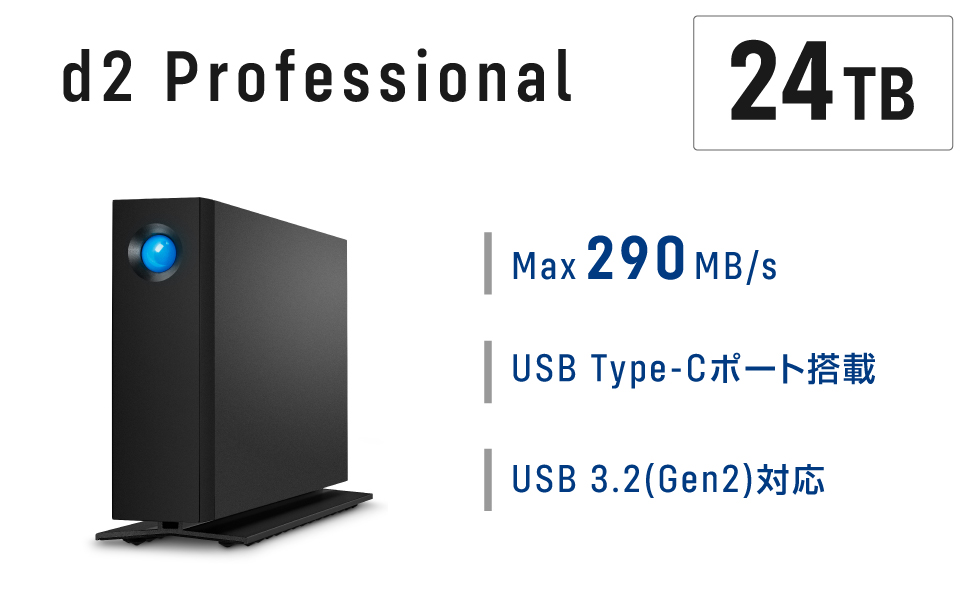
Hands down one of the slowest, most disappointing storage devices of any kind! I am writing a fairly long review (which I never take the time to do), and I know it may appear to some as a mad rant...my goal is to share that this is not user error or due to a specific issue with a file type or specific software application. The poor performance is consistent regardless. I am a commercial director and editor. I've worked with all kinds of storage systems, from RAID to NAS to small portable hard drives. I was looking for something easy to stay on my desktop that I could quickly dump footage to following shoots, so that I could clear my portable SSDs. I would say to call this "professional" or "fast" is comical, but after having this for 10 months, I lean more towards an outright lie. When I purchased this, I was editing on a fully loaded 2019 i9 MacBook Pro. I've now been using it with my fully spec'd out M4 MacBook Pro. Whenever I unlock my computer, the drive rumbles and takes several minutes before it shows in Finder and is accessible. It doesn't matter if I have just plugged in my computer or if my computer was on the lock screen with the Lacie already connected and powered. Every time there is a massive lag. You may think, Oh, that's inconvenient but after it connects, it probably is fine. NOPE. Even after it has been connected, every time I click to access the root folder, it lags; clicking subfolders easily takes 10-30 seconds (sometimes over a minute) for the folder to expand and display files. It doesn't matter if I am editing photos, graphic files, HD video, or 4k videos, RAW, mp4, proxies...it is consistently slow across the board, no matter what. My original workflow plan was: onsite dump cards to my SSDs, come home, and immediately back up all files to the Lacie to clear SSDs, edit off the Lacie so there is a consistent folder structure and organization (instead of editing off of SSDs then dumping once the project is complete). The read/write is so slow and inconsistent that you cannot edit using files stored on the Lacie. It doesn't matter if I am in Premiere Pro, After Effects, doing photos in Lightroom - using Affinity Designer, Adobe Illustrator, Photoshop, Logic, or doing something browser-based like uploading photos for a website edit. There is no correlation between a specific software application or file type - the inconsistency is the same across the board. Even after importing files into Premiere or Lightroom, the speed is so slow and inconsistent that files regularly buffer or take forever to display. I am not just a creative professional; my background is in custom software development, and I have extensive experience with networking hardware. I have tried everything I can to troubleshoot, isolate any potential issues, and optimize this in hopes that it would perform as described. I've owned so many Lacie drives over the years, and it just feels like the reliability and their focus on quality products continue to not be a priority for the company. I know I am being critical, but this was a $634 investment, not a cheap, no-name brand solution. I have conceded to keeping it unplugged and only using it for final backup storage once I am completely done with a project. I hope this helps some other small business professionals or creatives considering spending their hard-earned money on a product that is not "professional" nor "fast." Avoid this product and find another solution that actually does what it says it's supposed to.