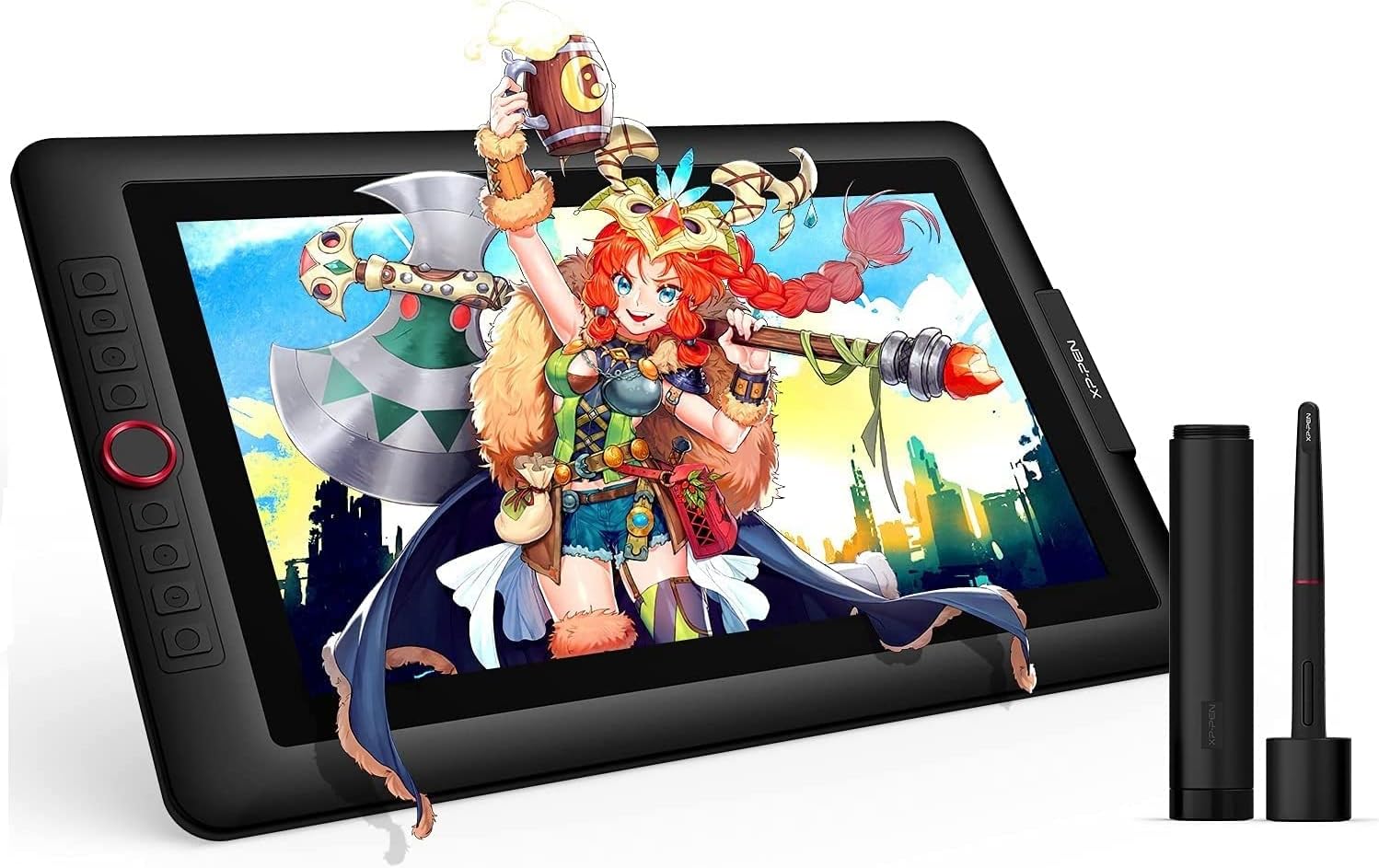


🎨 Unlock your creative genius with precision and color that commands attention!
The XP-Pen Artist 15.6 Pro is a professional-grade drawing tablet featuring a 15.6-inch Full HD IPS display with 88% NTSC color gamut and full lamination for vivid, glare-free visuals. Equipped with an advanced PA2 battery-free stylus offering 8192 levels of pressure sensitivity and 60° tilt support, it ensures precise, natural drawing experiences. The tablet includes 8 customizable express keys and a red dial for enhanced workflow efficiency. Designed with a slim 11mm profile and smart brightness controls, it connects via HDMI and USB-A to Windows, Mac, and Chrome OS devices, supporting all major creative software. Ideal for digital artists, designers, and professionals seeking a vibrant, responsive, and customizable digital canvas.


| オペレーティングシステム | OS X 10.10 Yosemite, Windows 10 Education, Windows 10 Enterprise, Windows 10 Home, Windows 10 IoT Core, Windows 10 Professional, Windows 7 Enterprise, Windows 7 Home Basic, Windows 7 Home Premium, Windows 7 Professional, Windows 7 Starter, Windows 7 Ultimate, Windows 8 オペレーティングシステム OS X 10.10 Yosemite, Windows 10 Education, Windows 10 Enterprise, Windows 10 Home, Windows 10 IoT Core, Windows 10 Professional, Windows 7 Enterprise, Windows 7 Home Basic, Windows 7 Home Premium, Windows 7 Professional, Windows 7 Starter, Windows 7 Ultimate, Windows 8 表示を増やす |
| ブランド | XPPen |
| モデル名 | Artist 15.6 Pro |
| 圧力感度 | 8192 レベル |
| 接続技術 | DVI, HDMI, USB |
| 特徴 | 60度のチルトサポート, アンチグレアガラス, エクストラスリム, ショートカットキー, フルラミネーション |
S**H
Personally, zero issues. Great for the price.
So, to start, I've seen a number of reviews that said they were completely unable to make this work with a multi-monitor set up, but I found this to be false in my case. I have two regular monitors, and this acts as a third. It took a bit of work, but I finally found the way to set it up properly and have had zero issues since then. There was only a really, really tiny scratch on the screen (which I think was my fault, but I have no memory of if it was on there before I peeled off the plastic or not, and it's only able to be noticed at specific brightness levels and angles, and has no impact on functionality or detection). I purchased this in February of 2019 though, so maybe earlier products had some issues that mine didn't. In terms of technical functionality, I use Krita with it, and the detection, tilt support, etc. of the display worked great once I set Krita to use the proper amount of RAM. For Krita at least, there's definitely an issue with detection if the program has restrictions on how much RAM from your computer it's able to process, it might seem like the detection of the display isn't that great, but it's possible that it's actually the above-mentioned RAM restrictions, so if you're having trouble like I was, try to check for that and adjust them to something suitable for your computer's specifications. As I said, after I diagnosed that it had nothing to do with the display, I've had no issues and haven't had to adjust a thing. On to the actual user experience of it, it's very simple to set up (if you have multiple monitors, you might have to put in a bit more effort), and you can pretty much plug it in and go once the driver is set up. The length of the HDMI cord it comes with is decent, so unless you have a behemoth of a workspace, you should have plenty of length to position the display wherever you'd like. The weight of the pen definitely comes down to personal preference, but as someone who prefers the weight of something like a nice ballpoint pen, it feels perfect. The display itself has a good weight to it, so it doesn't feel so light it'll slide away if you put any pressure on it, but it doesn't feel so heavy that it's unpleasant to have it sitting in your lap for long periods. It also doesn't generate a lot of heat either like a laptop or tablet might, so again, it's great for long drawing periods or using it to take digital notes for studying or other academic/creative tasks. My only criticism here would be that the stand that it comes with really only has one, single resting position, so depending on how you like your drawing medium to be angled while you work, definitely look in to getting a display that has multiple locking positions. All in all, despite what some of the reviews say, my experience with this has been virtually flawless, with most issues either being outside of the tablet, requiring some minimal effort to fix, or being so trivial that it doesn't have an effect on experience or functionality. For the price it's at, I highly recommend this display.
A**R
One of the best drawing tablets available
I have been using this tablet for months now, and it is a pleasure to work with. The few problems it has are so inconsequential that I can do nothing but recommend this product to anyone looking for a screen this size. I am very happy with the tablet and hope XP-Pen continue to make products of this quality. PROS: - Great screen with great colours - Comfortable pen with very low activation pressure -Tilt function -Express keys with a programmable dial wheel - One cable - Included screen protector Cons: - No VESA mounting option - The nib remover scratches the nibs THE BUILD: The tablet's made of sturdy plastic, unfortunately it has no options for VESA mounting at the back. It's very thin, and lightweight, has no air vents and doesn't overheat. The included stand is practically unusable because of the tilt angle. In fact, I'd be happier if it wasn't included at all, and the saved costs be used to improve the tablet itself. There are 8 distinguishable express keys with a red dial wheel. The express keys can be distuinguished by touch and feel good to press. The dial is a feature I didn't know I needed until i tried it. Spinning it can make you zoom in/out, change brush size, or even work as extra 2 individual functions (spinning left = step backwards, spinning right = step forward). THE DISPLAY The display is a 1080p IPS panel, clear and sharp, capable of displaying very accurate colours after calibration. It does have a slight yellow tint towards the edges, which are taken up by software UI anyway. The tablet comes with a removable pre-applied matte screen surface protector. The screen itself is glossy, but the protector does a great job at reducing glare and adding some texture to the surface. The screen protector's quality is questionable, as mine scratched in the first few days, but I have since replaced it with a third party solution. Either way, having any screen protection out of the box is a great foresight and I hope XP-Pen will do include a removable screen protector in all of their products. This display is laminated, which reduces the distance between the surface you draw on and the display. The reduced parallax is great, however because of this, pressure gets transfered to the IPS panel and hue shifts will pulsate through the screen when you press the pen too hard. This is a drawback of having a laminated screen, and it is present on every tablet with a laminated screen, so I don't count it as a con. THE PEN The pen is very comfortable to hold. It's very similar to the Wacom Cintiq pens, although a bit lighter, but still substantial enough to not feel like a toy. The tip of the pen has very little amount of play, which is a huge bonus for me. It doesn't *click* every time you put the pen to the screen. This also means the activation force needed for the tablet to register a stroke is very tiny. The pen pressure was a little jumpy for me, but works perfect after adjusting the pressure curve in the drivers. This pen also has a tilt function. This works surprisingly well. I use the tilt function to rotate brushes, and about every 60 degrees there is a slight "jump" to the next 60 degrees when tilting the pen around in a circular motion. The tilt function works perfectly for what it was designed, and works very well whatever you decide to use it for. A massive plastic pen holder is included. Opening one side lets you access the pen, the cap doubling as a pen holder. It functions well. Unscrewing the other side reveals 8 extra nibs for the pen, along with a small hole to help you extract the nib from the pen. CON: The hole is lined with a metal ring from the inside, and has cut a small dent into the my nib when removing it. This extra edge on the nib has scratched the screen protector, leaving rainbow-like marks on it. I advise on using nailcutters, pliers, or just extra care when trying to remove the nibs!
J**A
Perfect Gift
I love it. A nice gift for my son.
N**D
Came with NO adapter
Works fine, but do keep in mind that this doesn't come with an adapter incase your computer doesn't work with a usb-c connection.
C**E
Belle tablette légère et de qualité
Utilisant une tablette graphique sans écran j'ai voulu passer à la tablette avec écran. Je l'ai reçue depuis peu donc pas encore assez de recul. Mais je peux déjà dire que le packaging est vraiment de qualité, soigné avec les accessoires prévus : gant, stylet et ses recharges, socle pour la tablette qui me semblait fragile mais qui au final est très bien. L'installation du driver s'est effectuée sans difficulté. Les raccourcis fonctionnent parfaitement. Le stylet avec parallaxe parfait. Bonne sensibilité et quel bonheur de pouvoir piocher ses brosses et couleurs et plein d'autres choses avec plus de rapidité et d'aisance. L'écran est de taille vraiment idéale avec de belles couleurs. Je ne peux pas comparer avec un autre modèle car c'est ma première avec écran mais pour l'instant je suis satisfaite de mon achat.
Trustpilot
4 days ago
2 months ago