Buy anything from 5,000+ international stores. One checkout price. No surprise fees. Join 2M+ shoppers on Desertcart.
Desertcart purchases this item on your behalf and handles shipping, customs, and support to Croatia.
💻 Illuminate your workspace like a pro — never miss a detail or a meeting!
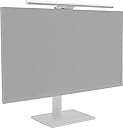
The BenQ ScreenBar Pro is a premium monitor light designed for modern professionals with wide or multi-monitor setups. Featuring over 1000 lux brightness, patented asymmetric optics to eliminate glare, and smart auto on/off motion detection, it creates an optimal, eye-friendly lighting environment. Its versatile clamp fits curved and thick monitors, while touch controls allow personalized brightness and color temperature adjustments. Energy-efficient and certified for blue light safety, it’s the ultimate desk upgrade for focused, stylish productivity.


| ASIN | B0CZ94MB2R |
| Amazon 売れ筋ランキング | パソコン・周辺機器 - 1,103位 ( パソコン・周辺機器の売れ筋ランキングを見る ) USBライト - 3位 |
| GTIN (Global Trade Identification Number) | 04718755093586 |
| light_source_type | LED |
| おすすめ度 | 5つ星のうち4.7 1,229 レビュー |
| カラー | シルバー |
| コネクティビティ プロトコル | USB。 |
| シェードの素材 | アルミニウム |
| スイッチのタイプ | タッチ |
| スタイル名 | ミニマリスト |
| セット数 | 1 |
| ブランド名 | ベンキュージャパン |
| ベース材料 | 金属 |
| ベース材質 | 金属 |
| メーカー名 | BenQ |
| ユニット数 | 1.0 個 |
| ランプタイプ | LED |
| ワット量 | 8.5 W |
| 仕上げタイプ | 光沢仕上げ |
| 付属コンポーネント | アダプター |
| 保証の説明 | 1年間安心保証 |
| 光源数 | 1 |
| 効率 | 省エネ |
| 取り付けのタイプ | クランプマウント。 |
| 取り付けタイプ | デスクトップ |
| 品目の寸法 (D x W x H) | 13.5奥行き x 50幅 x 9.2高さ cm |
| 商品の入り数 | 1 |
| 商品の寸法 | 13.5奥行き x 50幅 x 9.2高さ cm |
| 商品の推奨用途 | 読書、タスク照明。 |
| 商品の重量 | 800 グラム |
| 商品種別 | モニターライト |
| 型番 | 9H.W4KWT.WS3 |
| 屋内屋外での使用 | インドア |
| 接続方式 | USB |
| 照明器具タイプ | LED |
| 照明方法 | 調整可能 |
| 特殊な用途 | ご自宅やオフィスなど、さまざまなインテリアでお使いいただけます。 |
| 特殊機能 | 省電力 |
| 素材 | アルミニウム |
| 終了タイプ | 光沢仕上げ |
| 製品はコードレスですか | いいえ |
| 部屋タイプ | 教室 |
| 防水 | False |
| 電圧 | 100 ボルト (AC) |
| 電源 | 電源コード式 |
| 電球ベース | 電球 |
| 電球形状サイズ | 54SMD |
A**I
両モニターをBenQ ScreenBar Proに統一して大満足
34インチのウルトラワイドにはQuntis、27インチには別のBenQと混成で使っていましたが、今回両方をScreenBar Proに揃えました。結果は大正解です。 まずウルトラワイドへの照明が見違えました。従来より照明範囲が広く、34インチの横長画面でも端から端までムラなく明るく照らしてくれます。これまで気になっていた両端の暗さが解消され、デスク全体の明るさも一段とアップしました。 目の疲れの軽減も実感しています。画面への映り込みを抑えた配光で手元はしっかり明るく、リアルタイム自動調光が周囲に合わせて明るさを調整してくれるので、長時間の作業でも目が楽になりました。点け忘れもなくなり快適です。 左右を同じ機種で揃えたことで色味や明るさが完全に一致し、2台が一続きの作業空間としてまとまったのも想像以上の効果でした。価格は高めですが、毎日長時間モニターに向かう方には十分おすすめできます。マルチモニターやウルトラワイド構成の方は特に満足できるはずです。
K**T
特に液タブ使用時に重宝しています。
こちらの商品を買う前は別メーカーの廉価版を2本使用していました。 それも悪くなかったのですが、明るさが足りなかったり途中で切れるようになったりと 不具合が出たため思い切ってこちらの正規品を購入しました。 結果大満足です。 明るく反応も良く映り込みも少ない、取付の安定感もある。 光も自然で目に優しいです。 光に関しては同じLEDだし別メーカーとそんなに変わるものなのかと疑っていましたが 実際目の疲れがマシになっているので驚きです。 明確にここが違うと言い表せないのでもどかしいですが 自分は高くても最初からこちらを買っていれば良かったと感じました。 他には 液タブ使用時に部屋の電気をつけるとどうしても画面に天井の照明が映り込み 見えづらい上に目も痛いので困っていました。 しかしこのモニターライトと壁を照らす間接照明を併用すれば部屋の電気を消しても ディスプレイ周りの明るさは保たれ液タブの反射に悩まされず作業ができます。 一応このモニターライト単品でも輝度を最大にすればいけなくはないですが さすがにまぶしさを感じるため間接照明かバックライト付きのHaloを買った方が無難です。 注意点として液タブの角度が0°に近いとさすがにモニターライトの光が反射しますが 20~30°くらいの環境では快適に使えています。 あとは耐久性が良い事を期待しています。 一応購入から半年経ち、毎日12時間ほど6500K50%輝度で使用していますが 現状は何も問題なく稼働し続けています。
K**I
全く後悔なしです。おすすめ。
以前は通常のデスクライトを使用していましたが、ヘッド部分が作業中に邪魔なのと、目がチカチカして位置や明るさ調整がむずかしかったりしていたので買い替えを検討。 価格面で迷い、購入を1年保留にしていました。 しかし一度購入すれば頻繁に買い替えるものでもないし、もし10年使えたら全然高くないなと考え購入。 購入後は「明るさでストレスを感じてるなら、もっと早く買えばよかった」と思いました。 ・モニターに光が反射しない。 ・デスク上で邪魔にならない。 ・明るさを微調整できるので、環境に合った明るさに調整可能。 ・デスクに近づくだけで自動点灯、離れたら自動消灯 作業中は点灯しているのを忘れるほど違和感なく照らしてくれます。 派手さはないけど確かな良い商品だと感じました。 デスク環境が整うと仕事・作業・勉強が捗るので、買ってよかったです。 長時間デスクワークする人にはおすすめです。
D**E
商品の品質自体は良いと思います
EIZOの37.5インチディスプレイに取り付けてみました。手許を十分に照らしてくれるので,このモニターライトがあれば,シーリングライトのほかに照明器具を用意する必要はないと思います。照度や色合いを調整できますし,照らしてくれる範囲も十分です。また机周りもスッキリします。なので,商品としてはそれ自体満足できる高い品質であろうと思います。 が,このモニターライトでないとダメかと言われると,ちょっとクエスチョンマークが付きます。デスクにアームライトを取り付けた場合と比べても,なにか特別プラスに感じることはありません(このモニターの自動消灯・点灯機能を特別視するのであれば話は別ですが・・・)。このモニターライトはほぼ2万円と比較的高額な商品ですが,比較的安価で一般的なデスクライトで代替可能ではないかとも思いました。
五**也
デスクが別物になった。モニターライトの効果をなめてた
安心です。 19:09 ◎デスク全体が明るくなって作業環境が変わった モニターに直接取り付けるタイプで、手元とキーボード周りをまとめて照らしてくれます。デュアルモニターやウルトラワイドモニターでも照射範囲が広いので「端が暗い」という不満が出にくい設計です。「ライトを変えただけでこんなに変わるとは思わなかった」という声が複数あって、デスク環境への効果実感がレビューの軸になっていました。 ◎操作が直感的で使い続けやすい 明るさや色温度の調整がしやすく、一度自分好みの設定を見つけたら毎日ストレスなく使えます。「つけたまま作業することが習慣になった」というレビューが見られて、道具として邪魔にならない点が継続につながっているようです。デスクライトって「なんとなく使わなくなる」パターンが多いジャンルですが、モニターに固定されているぶん出しっぱなしで使えるのは強みだと思います。 ○クランプの固定力が上がっている 強化されたクランプ構造が特徴として挙げられていて、モニターへの取り付けが安定しているという評価が見られます。ライトがずれたり傾いたりするストレスが少ない点は、長く使ううえで地味に重要なポイントです。 △モニターの厚みや形状によっては取り付け確認が必要 クランプ式なのでモニターの縁の厚さや形によっては取り付けできないケースがあります。特に湾曲モニターや縁が薄いモニターを使っている場合は、購入前に対応状況を確認しておくのが無難です。 △4.6点と高評価でも低評価レビューは読んでおく価値がある 全体評価はかなり高い水準ですが、機器系は環境との相性で満足度が変わります。私は満足でしたが、「自分のモニターには合わなかった」「接続まわりで想定外があった」といった声が低評価側にないかだけ確認しておくと、買った後の後悔が減ると思います。
ソ**エ
人感センサーがいい働きをしている
【概要】 モニターの上に引っ掛けて手元を照らすデスクライトです 基本的な操作はライト部分の上面にあるタッチセンサーで行います 輝度、色温度、オート調整、電源が操作できます またproは人感センサーがあり、人が前にいると自動的に点灯、いなくなると5分で消灯、となります モニターライト本体のほか、typeCアダプター、webカメラを取り付ける用のマウントが付属しています ケーブルはライト背面と一体になっています 【良い点】 ・光量があり、手元が明るい ・ライトが直接目に入らず、まぶしくない ・感度の良い人感センサーのおかげで非常にオンオフが楽 【改善点】 ・端子破損を防ぐため、という話ではあるがケーブルが一体化しているのは個人的に好かない ・タッチだけではなく、左右へのスライドでも光量や色温度の調整が出来たらよかった 【総評】 モニターライト、いやデスクライトとして完成度が高い製品です 人感センサーのおかげで、コントローラーだけ独立しているようなものと比べて机の上がすっきりします 私のモニターはそれなりに背面が湾曲していますが、問題なく設置できています ただ大きな地震が来たらどうなるかは分かりません 値段はそれなりにしますが、満足感は高いです
ミ**ヤ
モニターライト迷ったらこれ変えば間違いと思います
LG 27GX700A-Bの上に置いて運用しています。 これが普通のモニターと違ってOLEDなのでめっちゃ画面が薄いのですがちゃんと置けており、自動消灯も使えてます。 他のレビューでも言われてますがちゃんと手元明るくしてくれるので下手な安いライト買うより多少奮発してこれ買った方が満足感高いと思います。 地味に白モデルがあるのも良いと思います。
Y**O
新世代テクノロジーに満足
PCデスク(W160cm・D80cm)が広いので、スタンド型照明を2基使用していましたが、デスク上の煩雑解消のため、このモニター照明を購入しました。(モニター IRIE32吋) 使ってみて感じたことは500ルクスでも問題なく明るいのに1,000ルクスにすると超次元の明るさになります。 これだけ明るいのにモニターには映り込みがなく、80×50cmの超ワイドな照度範囲でストレスなく作業が出来ます。 自動調光機能で常に500ルクスの照明環境を維持。 PC前面の人の動きを検知して自動点灯、5分間感知がないと自動消灯する機能。 8段階の色温度調整で作業に適した寒色系、リラックスしたい時の暖色系などを好みで選べます。 更に、16段階の照度調整で最適な明るさで作業できます。 給電はUSB A → USB Cで賄い、同梱のACアダプターでコンセントからも給電可能で、PCをシャットダウンしてもデスク照明として使えます。 PC照明としては高額ですが、新世代の技術を取り入れた諸々の機能や使いやすさ・堅牢な作りなど十分満足できる商品でした。
A**.
Cher mais bien meilleur que la compétition
Rien à voir avec la qualité médiocre de la compétition: - bonne stabilité et adaptabilité - détection de mouvement: s'éteint quand on ne l'utilise pas, énorme plus par rapport aux autres modèles - ajustement automatique en fonction de la lumière ambiante - retient les réglages avec possibilité de sauvegarder un favori - éclaire parfaitement le bureau sans illuminer l'écran: l'angle est réglable La perception de ce qui est cher varie selon les points de vue; difficile à dire si ce produit vaut vraiment presque 3 fois le prix de la compétition. Cependant la qualité est amplement au rendez vous et après avoir renvoyé 2 autres articles similaires bien moins chers, c'est au final celui ci que je garderais.
A**E
Smarte Schreibtischbeleuchtung fürs Homeoffice
Ich arbeite viel im Homeoffice und habe lange nach einer Lösung gesucht, um meinen Arbeitsplatz optimal auszuleuchten, ohne dabei wertvollen Platz auf dem Schreibtisch zu verlieren. Die BenQ ScreenBar Pro war für mich ein echter Gamechanger – hier meine ehrliche Einschätzung nach einigen Wochen täglicher Nutzung. Erster Eindruck & Verarbeitung - Die ScreenBar Pro wirkt hochwertig und modern. Das matte Schwarz passt zu jedem Setup. - Die Montage ist super einfach: Die schmale, patentierte Klammer sitzt stabil auf dem Monitor, Eine Webcam lässt sich recht gut „oben drauf“ stellen – perfekt für Video-Calls, weil man selbst auch gut ausgeleuchtet wird. - Alle Bedienelemente sind direkt an der Lampe angebracht und reagieren zuverlässig auf Berührung. Beleuchtung & Funktionalität - Die Lichtleistung ist beeindruckend: Mit bis zu 1.000 Lux in der Mitte und einer großflächigen Ausleuchtung (bis zu 115 x 60 cm) ist der gesamte Arbeitsbereich optimal beleuchtet – kein Vergleich zu einer klassischen Schreibtischlampe. - Besonders angenehm: Das Licht blendet nicht, erzeugt keine störenden Reflexionen auf dem Monitor und ist augenschonend – gerade bei langen Bildschirmzeiten ein echter Pluspunkt. - 16 Helligkeitsstufen und 8 verschiedene Farbtemperaturen lassen sich individuell einstellen. Von warmem Licht für entspannte Abendstunden bis zu kühlem Licht für konzentriertes Arbeiten. - Der Bewegungssensor ist im Alltag super praktisch: Die Lampe schaltet sich automatisch ein, sobald ich am Schreibtisch sitze, und nach ein paar Minuten Abwesenheit wieder aus – das spart Energie und ist einfach komfortabel. Persönliche Erfahrungen im Homeoffice - Ich habe die ScreenBar Pro sowohl an einem flachen als auch an einem Curved-Monitor getestet – sie passt bei beiden problemlos und sitzt stabil. - Besonders in dunklen Wintermonaten oder bei langen Abenden am Rechner ist das gleichmäßige, blendfreie Licht eine echte Wohltat für die Augen. - Die Lieblingsfunktion: Ich habe mir einen Modus mit etwas wärmerem Licht gespeichert, der perfekt für Videokonferenzen ist – so sehe ich immer frisch aus, ohne künstlich ausgeleuchtet zu wirken. - Die Bedienung direkt an der Lampe ist intuitiv, auch wenn ich mir manchmal eine kleine Fernbedienung wünschen würde, um nicht immer zum Monitor greifen zu müssen. Kritikpunkte - Die Lampe ist nicht ganz günstig, aber die Investition lohnt sich für alle, die viel Zeit am Schreibtisch verbringen. - Der USB-C-Anschluss braucht etwas Platz hinter dem Monitor – bei sehr engen Setups sollte man das bedenken. - Wer eine Hintergrundbeleuchtung für den Raum sucht, sollte wissen: Die ScreenBar Pro leuchtet nur den Bereich vor dem Monitor aus, nicht dahinter. Fazit Für mich ist die BenQ ScreenBar Pro zu einem unverzichtbaren Begleiter im Homeoffice geworden. Sie sorgt für eine angenehme, augenschonende Beleuchtung, spart Platz und lässt sich flexibel anpassen. Wer viel am Schreibtisch arbeitet und Wert auf Komfort und Ergonomie legt, wird mit dieser Lampe sehr glücklich – klare Empfehlung für alle, die ihr Homeoffice auf das nächste Level heben möchten!
S**R
Outstanding in nearly every way. But here's a reason why you might not want to buy it...
My office isn't well-lit. For years, I've been using a desk lamp, which is essential for reading and writing, but my desk isn't huge and the lamp reduces the amount of useable workspace. Amazon somehow sensed my frustration and suggested this BenQ monitor light bar. The price ($120) seemed a bit high for what you get, but I figured I'm not just getting a light, I'm freeing up space which will really be useful almost every time I need to work at my desk. So I bit the bullet and ordered one. I've been using it for a month now, and I really love it. Setup was easy and fast. All the controls are on the top of the light bar and they're touch controls. It's easy to adjust the brightness and the color temperature (warm vs. cool light) to your exact liking. There is no learning curve, everything just works, you don't have to think about it or read a manual. It has a feature that turns the light on whenever it senses movement within a couple feet. Practically, it turns the light on when I sit down at my desk and turns it off about 10 or 15 minutes after I leave. I love that it's powered by USB-C, rather than batteries you have to replace when they wear out. Like many monitors, mine has extra USB-C ports for peripherals, but the ports also provide power to accessories like this light. Okay, so why should you consider NOT buying this? Simple: Amazon sells other monitor light bars that do almost everything this one does for half the price (or less). I decided to get a second monitor light bar for my office at work, and I was about to buy another one of these. But the Amazon algorithm showed me other monitor light bars that cost less, by a brand called Quntis. They make a variety, ranging from $40 to $70. I bought a 20" wide Quntis model for $55. For me, the Quntis has one disadvantage. Almost all of their models, including the one I bought, has a separate remote controller that's about the size and shape of a hockey puck. And it uses 3 AA batteries (included in the package, thankfully). I strongly prefer the all-in-one operation of the more expensive BenQ. My desk gets pretty cluttered, and things on my desk sometimes get misplaced. Without the Quntis remote, you simply cannot use the light bar. Also, the adjustments to brightness and color temperature have only four levels; with the BenQ, it's easy to dial in the exact brightness and temperature you want. Looking at the user reviews of the Quntis light bars, many people say they like the separate remote. You might, too. Hardly anyone complains about the lack of fine adjustments to brightness and color temperature that you get with the BenQ but not the Quntis. I really can't recommend spending $120 for the BenQ when for $55-ish you can get a Quntis that does practically everything the BenQ does, with very minor compromises that most people can life with. That said, I'm not sending my BenQ back to get a refund and buy another Quntis.
A**K
Smart technologies and premium quality
The product is expensive, but worth the money. You understand this clearly when you use it. Adaptive brightness adjustment and automatic switching on and off depending on your presence at your workplace are extremely convenient. A truly smart and technological device.
G**E
La migliore barra luminosa da monitor
Ho acquistato la BenQ ScreenBar Pro LED (nera) e l’esperienza d’uso è stata complessivamente molto positiva, soprattutto in abbinamento al BenQ RD280U. Il primo aspetto che colpisce è la semplicità di montaggio: l’installazione richiede pochi secondi e la compatibilità con il RD280U è perfetta, con un fissaggio stabile e ben progettato. In più, se utilizzata con questo monitor, il LED Halo offre un’ulteriore fonte luminosa: insieme alla barra crea un’illuminazione della postazione davvero piacevole, in particolare nelle ore serali, migliorando comfort e percezione dello spazio. Ho apprezzato molto anche il sensore di rilevamento dei volti, che consente l’accensione automatica non appena ci si siede alla scrivania: una funzione pratica e ben implementata. È altrettanto comodo il fatto che si possa disattivare e passare alla gestione manuale accensione/spegnimento, a seconda delle preferenze. Dal punto di vista illuminotecnico, la luce è ben indirizzata sul piano di lavoro e non interferisce con la vista, anche nel mio caso con monitor rialzato. L’ampiezza di illuminazione è un altro punto di forza: copre in modo uniforme non solo l’area immediatamente davanti al monitor, ma anche oltre la scrivania, rendendo l’ambiente più omogeneo e riposante per gli occhi. Infine, avendo anche un monitor con schermo opaco, non ho riscontrato alcun riflesso: merito sia della finitura del display sia dell’angolazione con cui la luce viene emessa, che rimane efficace senza generare fastidi visivi. In sintesi, una lampada da monitor curata, funzionale e particolarmente consigliata a chi lavora molte ore al PC e desidera una postazione ben illuminata, senza riflessi e con automatismi realmente utili.
Trustpilot
1 month ago
1 week ago