



エレコム トラックボールマウス ハンディタイプ Relacon メディアコントロールボタン搭載 スタンド付 静音 Bluetooth ブラック M-RT1BRXBK
Product ID: 736762914
Details
- ブランドエレコム(ELECOM)
- 動き検出技術光学
- 接続技術Bluetooth
- 特徴サウンドレス
- 色ブラック
🎮10 customizable buttons
📶Bluetooth 4.0, 10m range
🔋107h continuous use
Desertcart purchases this item on your behalf and handles shipping, customs, and support to Croatia.
🖱️ Elevate your workspace comfort—control at your fingertips, freedom in your hands!
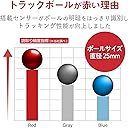
The ELECOM Relacon Bluetooth Handy Trackball Mouse redefines relaxed computing with its ambidextrous design, precision optical sensor featuring a 2.5mm artificial ruby ball, and 10 customizable buttons including media controls. Compatible with major OS platforms via Bluetooth 4.0, it offers up to 107 hours of continuous use and a sleek black finish, perfect for professionals seeking ergonomic freedom beyond the desk.


| ASIN | B08GSCC8RX |
| Amazon 売れ筋ランキング | パソコン・周辺機器 - 963位 ( パソコン・周辺機器の売れ筋ランキングを見る ) トラックボール - 8位 |
| OS1 | 対応OS:Windows 11、Windows 10、Windows RT8.1、Windows 8.1、Windows 7(※1)、macOS Mojave (10.14)、iOS13.4、iPad OS13.4 ※各OSの最新バージョンへのアップデートや、サービスパックのインストールが必要になる場合があります。 |
| おすすめ度 | 3.8 5つ星のうち3.8 (2,182) var |
| カラー | ブラック |
| スタイル名 | Bluetooth |
| テーマ | オフィス、自宅、テレワーク、カフェ |
| ハードウェアプラットフォーム | Mac, PC |
| バッテリー付属の有無 | はい |
| バッテリ平均持続時間 | 4 months |
| パターン | 単品 |
| ブランド名 | エレコム(ELECOM) |
| ボタン数 | 10 |
| ムーブメント検出技術 | 光学 |
| メーカー名 | エレコム(ELECOM) |
| メーカー型番 | M-RT1BRXBK |
| モデル名 | Relacon |
| ユニット数 | 1 個 |
| 互換デバイス | 対応OS:Windows 10、Windows RT8.1、Windows 8.1、Windows 7、macOS Mojave (10.14)、iOS13.4、iPad OS13.4 ※各OSの最新バージョンへのアップデートや、サービスパックのインストールが必要になる場合があります。※最新情報は対応表をご確認ください。 |
| 保証内容 | 6ヶ月 |
| 利き手 | 右利き |
| 原産国 | 中国 |
| 商品の寸法 L x W | 11.2長さ x 4.1幅 cm |
| 商品の推奨用途 | オフィス、自宅、テレワーク |
| 商品の追加説明1 | サウンドレス |
| 商品の重量 | 2.7 オンス |
| 型番 | M-RT1BRXBK |
| 必要な最小オペレーティングシステムバージョン | Windows 7 |
| 必要電池数 | はい |
| 装飾機能 | ロゴ |
| 通信・接続インターフェース | Bluetooth |
| 電池の数 | 2 単4形 電池(付属) |
| 電源のタイプ | バッテリー式 |
| 音域 | 10 メートル |
N**I
なんとかiPad Pro 12.9(第一世代)にもつながりました。
レシーバー付きのも持っているのですが、それではiPad Pro 12.9(第一世代)では使えなさそうなので、こちらも買いました。 iOSとの接続は非公式かもしれません。Bluetoothの接続がうまくいかなくて、5,6回ほど試みてやっと成功しました。 少し離れて動画を見るときに便利です。私のiPadだけかもしれませんが、第4,5ボタンの[戻る][進む]は機能していません。
な**か
大きなポテンシャルを持つが、細部の作り込みに課題を残すトラックボールマウス
コンセプトは非常に優れています。手首や腕の動きを最小限に抑えられる点は、大きなメリットであり、製品のポテンシャルは高いと感じました。 しかしながら、実装面や細部の作り込みには、改善の余地が大きいのが現状です。現時点では、いくつかの使用上のストレスが、コンセプトの良さを打ち消してしまう可能性があります。 懸念点 ・カーソルの挙動の不安定さ: 最も気になるのは、意図しないタイミングでカーソルが勝手に大きく移動してしまう現象です。この「予測不能な動き」は、作業中の集中力を著しく阻害します。 ・メンテナンス性の低さ: 電池交換時の設計が非常に悪く、手作業での取り出しが困難です。工具を駆使して無理やり外す点は、ユーザー体験として大きなマイナス点です。 ・単体で使う場合と、他のデバイスと併用する場合でカーソル移動距離などの調整ができないため、利用シーンによっては使い勝手が大きく制限されます。 ・付属スタンドの品質: 付属スタンドは非常に軽量であり、保持力に欠けるため、安定した作業環境を整える上でのサポートとしては不十分です。 多少の動作の不安定さを許容できるのであれば試す価値はありますが、高い信頼性やシームレスな操作性を求める方には、現時点では他社の製品を比較検討されることをお勧めします。
B**T
ハードウェアは期待通りだが、ソフトウェアが問題
ハードウェアとしては、ベッドで操作できるし左手デバイス(タブメイト)使ってるのでその感覚で使えてとても良い エレコム マウスアシスタントでキーバインドも出来るのでアプリ毎に設定すればちょっとした編集作業が片手で済むのも素晴らしい 問題はエレコム マウスアシスタントでマウス放置して接続切れて再接続するとキーバインドが全て外れる Bluetoothの設定からデバイス削除して再接続しないと(もしくはOS再起動)キーバインド戻ってこないのが致命的なので星3
お**じ
ここ最近で1番のライフハック
⚫︎寝るときにスマホをいじるのに、鎖骨や肩などが強烈に凝ってしまうので何か無いかとか探した結果、スマホ用コントローラーにたどり着きました。 まだ1日目なので耐久性はこれからですが、寝ながらスマホでの使用感は革命的です。 ⚫︎アイフォン14でIOS26で使用しましたが、Bluetoothが繋がる→即切れるという不具合が発生してました。どうやらiOS側の不具合みたいですが、27にアップデートしても治ってませんでした。 何回もやっているとAssistiveTouchのデバイスに登録できるとこまで行きました。 また切れたんですが、再度Bluetoothを繋いでる途中でトラックボールをグルグル動かしているとカーソルが出現し、それ以降は接続は切れていません。 ⚫︎ごろ寝してスマホで使うならトラックボールは必須です。 加えて、左右どちらでも使える形状もほぼ必須と思います。 ⚫︎従来のマウス型は、操作にかける力の向きのせいで指の腱に負担がかかるため、避けた方が良いと私は考えてます。 座位にてパソコンでマウスを使っても親指や手首に負担がかかりますし、寝ると更に不自然な角度になるので、その形状は除外です。 リング型は使ったことないですが、想像する限りでは指を不自然に曲げないといけない&親指にかかる操作量が多そうで除外しました。 やはりゲームコントローラーみたいな形状が一番持ちやすいです。 ⚫︎トラックボールは初なので比較はできませんが、特に操作に問題はないです。 ボールの収まる場所にやや遊びがあるので、寝ながらだと重力で下にきたボールがカクッと動く瞬間はありますが、画面操作自体には気になるほどの支障はありません。 ⚫︎ホイールが付いてますが、縦スクロール漫画とか読むときにはかなり回さないとページ が動かないのでやや疲れます。 普通にタッチ&スワイプして途中で離すと勢いよく動かせるので、そっちで操作してます。 スワイプ&途中離しは慣れが必要ですが、慣れてしまえば簡単にできます。
城**美
電池交換が必要です。
以前は接続方式をUSBと記載しており、充電方式を誤認させるかのような表現がありましたが、現在は修正されています。 充電式ではなく電池交換が必要なので、購入する際は気をつけてください。 正直これが充電式ならかなり高評価をつけたい。
L**C
Very satisfied
The trackball is very smooth, glides much better than other models. It’s very convenient to be able to hold your trackball in your hand like a remote. The button placement could have been better thought I believe, it’s very easy to push the wrong button especially while moving your thumb from the trackball to the media command buttons. The elecom software makes it very easy to assign any commands to any buttons.
T**4
先ずは操作の慣れ。それ次第
使い出した当初はトラックボールの操作(特に微調整)に苦しめられる。 でも使っていると操作に慣れるもんで気にならなくなる。 専用のソフトウェアをDLしたらある程度配置ボタンの割り振りを指定できるのも便利
西**児
Elecom has made better products.
I really wanted to like this, as it is very cool-looking and ergonomic, but it has really bad connection issues. The mouse movement is jittery at best, nonfunctional at worst. Also does not work with Linux, which is not stated clearly. I inevitably had to return it.
C**N
Ottimo
Perfetto per fare Cyclette e lavorare contemporaneamente. È possibile regolare la sensibilità della sfera per il puntamento, dopo un po' di pratica è un mouse ottimo.
M**T
Génial et difficile à trouver
Ma copine ayant une tendinite à l'épaule, cette souris convient parfaitement car elle n'est plus obligée de lever le bras. Elle est légère et ergonomique. Bien penser à avoir un adaptateur bluetooth et installer le logiciel ELECOM pour paramétrer la souris comme il faut.
A**N
nacceptable Quality A Complete Disappointment
Absolutely unacceptable quality for a $70 product. The trackball is excessively loose, the scrolling mechanism doesn't work properly, and the plastic feels cheap and poorly finished. The construction is terrible, and the accompanying software is just as bad. Even the digital signing and licensing information are questionable. For this price, I expect a properly functioning product, not something that feels cheaply assembled and comes with unreliable software. The entire experience has been extremely disappointing. I've wasted both money and valuable time on a product that fails at the most basic things it is supposed to do. This is about more than money. It's about trust and treating customers with respect. I feel completely misled by the quality of this product. This is unacceptable, and it is not how customers should be treated One star. I cannot recommend this product.
J**N
Lite för dyr för vad man får.
Uppfyller behovet av att kunna styra pekaren utan att ha ett underlag tillgängligt. Bra med scroll och volymknappar. Men i förhållande till hur kulan beter sig (reagerar lite dåligt och svårt med precitionen) är den väldigt dyr. Man hade kunnat förvänta sig bättre funktionalitet för de pengarna - eller ett lägre pris; 3-400 kanske.
P**V
This is perfect for laptops
Great little trackball, very comfortable to use. When you first get it your going to think the left and right mouse buttons are the wrong way around, but you soon realize its designed for index finger only and it all falls comfortably into place. Scroll wheel is a little bit tight, but it needs to be that way, otherwise you would accidentally knock it around. Track ball is very comfortable to use with thumb with it set to the middle resolution speed or the lower one. This trackball is very effective for using with laptops. Edit two years later, still like this trackball scroll-wheel has loosened nicely. Right handed and I use this left handed as well. BT model had no issues with old laptop, new laptop seems to disconnect from the trackball, but this is looking like a issue with the Acer laptop disabling BT service.
Trustpilot
1 month ago
1 month ago