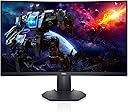
I recently tried using my 40-inch television as a monitor, and it was awful. The image was larger, true, and it offered some benefits, but the resolution, the pixel density, as well as number of colors, was not there. Plus, it was actually a little too large, like watching a movie in the front row. If you’re eyeballing your big TV and wondering how well it will work as a monitor, don’t try it. It will only be good for playing videos on the computer. I needed a real monitor, but I needed one larger than my original monitor. So once again, there I was shopping on Amazon. I settled on this one because of the size and the resolution. So many monitors these days have a max of 1080p. I remember way back in the early 2000s, my monitors going higher than that. At least, I think. Well, 2560 x 1440 is what the doctor ordered. This is not merely a gamer’s monitor. It is an animator’s monitor, at a higher resolution. Acres and acres of screen so that I don’t really need to have two monitors any longer. I love it. It’s just on the edge of being too large. The look and feel of the monitor is quality. This thing is serious. After a year of an ONN monitor that I didn’t really like because it didn’t have proper contrast, and a second Dell monitor that was slightly smaller, old, and dying, I was finally back to quality. It’s almost frightening because my animations look so much better now that I hope the final product looks as good to people who see my work. The reason I use two monitors at work and at home is because there’s not enough room on one screen for all my tools. Generally, increasing the monitor size doesn’t help, because only so much information can fit on a screen. But in this case, the screen is bigger AND the resolution is higher, so more information can indeed be placed on the screen. I no longer need two monitors! I have my two work monitors and this huge Dell monitor. Well, honestly, there’s not much more room left on my desk for a second personal monitor anyway. I’ve only included one screen shot to impress upon you the amount of information that can be squeezed onto the screen. On a 1080p monitor, and perhaps on a 1440p monitor, but smaller, the screenshot will look crowded, but it’s perfectly comfortable now. Normally, I always have the timeline at the bottom hidden, because it takes up too much room, and I need the viewport larger. Here, everything is comfortable, and my old eyes have no problem seeing all the information. I’m also finding that I don’t tend to go on full screen as much on YouTube, but I will probably end up switching to the dark mode, because all that white can be blinding. It’s a bright monitor, and it’s a dark monitor. The contrast is excellent. I would buy this monitor again in a heartbeat. I almost talked my daughter into buying the replacement that I was going to send back, but she just has no room for it until she moves. Speaking of replacement, I had a rocky start though. This speaks nothing to the quality control of the hardware itself. The original monitor was just left in my driveway by USPS, just minutes before a sketchy guy came to buy my car. If the neighbor’s dog hadn’t barked, I wouldn’t have stepped out to see the box… left just ten feet from an unused doorbell. But here comes the real rockiness and it sort of embarrasses me because I’m a tech guy. I’m NOT that customer who calls tech support because he forgot to plug in a device. I swear, I’m not that guy! The first monitor arrived with no instructions, and I couldn’t turn it on. I checked cables, and power strips. Amazon offered only general advice for idiots on connecting a monitor and (choking) making sure it’s on. And, this is also key, it was in the box upside down. Remember! This is my alibi. A simple instruction manual or quick start guide would have shown me the nearly invisible power button on the bottom right. And now that I think of it, that power button is in the same place, invisible, on my two newest TVs, though there is a RED LIGHT to alert you that there is the button. The red light goes away when the TVs are on. This monitor has no such illumination of the power button. It only lights up when it’s ON, not off. But all I had was a warranty slip, and the power button was all but hidden on the bottom. I tried every permutation of the prominent unlabeled buttons on the back, and nothing. I thought that the first monitor was dead and called in for a replacement. The replacement came, and by sheer chance, as I tilted the properly packaged one out of the box, there was the faint gray power button! It was literally the FIRST THING I SAW! The replacement came with a no-words uni-language hieroglyphics quick guide for setup that was missing in the first one, that also had a callout for the power button. My heart sank. I went back and checked the original. There was the power button! It had worked all along. There was nothing wrong with it. The final hieroglyphic showed a disc and a hardcover book and a webpage and a down arrow. I checked with Indiana Jones, and he told me that this cryptic message meant to download the user guide from dell.com/s2722dgm for further information. Dell spent a ton of money on more than adequate packaging for this monitor. A whole tree died to deliver it. It came with an extra HDMI cable, which was nice. I would have traded the shiny box, which I’m just going to toss out, for maybe one more 8.5x11 sheet of paper to get me up and running. There was also plenty of white space on the outside of the box for all the info I needed. Just a picture of the power button, because when you look at the back of the monitor, the joystick button makes you think it MUST be the power button. Poor packaging ended up costing Dell and Amazon. How I wish I had gone ahead and googled an online manual, but I was so depressed that it didn’t work that I just waited on the replacement. But the next debacle is all my fault. I thought that the replacement was defective. I couldn’t insert the HDMI into the HDMI 1. The problem was my orientation. I had my head upside down, looking, and then righted myself, my mind inverted left and right, and I was trying to insert into the display port and not the HDMI port. I used HDMI 2 and loved it. So, when I returned the perfectly fine replacement, I mentioned that the HDMI 1 was damaged, when it wasn’t. Some guy at the Amazon returns department is going to call me an idiot. One had to be returned, so it wasn’t a real issue. But overall, I love this monitor. I’m spoiled to it, and don’t want to go back to regular monitors. It shouldn’t be called a gaming monitor. It’s a workstation monitor. Love it to death.