Buy anything from 5,000+ international stores. One checkout price. No surprise fees. Join 2M+ shoppers on Desertcart.
Desertcart purchases this item on your behalf and handles shipping, customs, and support to Croatia.
📝 Elevate your note game with the Penstar eNote 2 — where paper meets future tech.
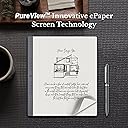
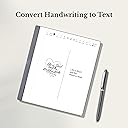
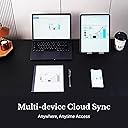
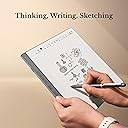
The Penstar eNote 2 is a premium 10.3-inch pen-only E Ink tablet featuring a 300 PPI PureView display that mimics real paper for an ultra-natural writing experience. It offers advanced handwriting-to-text conversion powered by MyScript, AI-driven real-time voice-to-text in 52 languages, and 9 customizable physical shortcut keys for optimized productivity. With 128GB storage, 2-week battery life, multi-format document support, and seamless cloud syncing, it’s designed for professionals seeking distraction-free digital note-taking and reading. The bundle includes two high-precision styluses, a magnetic folio cover, and all necessary accessories for immediate use.


| ASIN | B0FKT9PNFC |
| Additional Features | 4-MIC Array, Anti-Glare Eye-friendly Screen, Multi-Device Cloud Sync, Stereo Speakers, Voice-to-Text |
| Best Sellers Rank | #33,139 in Electronics ( See Top 100 in Electronics ) #631 in Computer Tablets |
| Brand | Penstar |
| Built-In Media | Cable USB A to Type C, Leather Folio Cover with Pen Position, Penstar eNote 2 Innovative Paper Tablet, Quick User Guide, Two B5 Pens Each with 4 Spare Nibs Inside + Spare Nibs Kit (10 Nibs) |
| Color | Gray |
| Compatible Devices | Headphones, Keyboard, Laptop, Speaker, Stylus |
| Connectivity Technology | USB |
| Customer Reviews | 4.4 out of 5 stars 93 Reviews |
| Display Type | Electronic Ink |
| Item Weight | 0.97 Kilograms |
| Manufacturer | Penstar |
| Mfr Part Number | N10PRO |
| Model Name | eNote 2 Bundle with Two B5 Pens and Leather Folio |
| Model Number | eNote 2 |
| Native Resolution | 2480 x 1860 (300PPI) |
| Operating System | Android 14 |
| Screen Size | 10.3 Inches |
| Special Feature | 4-MIC Array, Anti-Glare Eye-friendly Screen, Multi-Device Cloud Sync, Stereo Speakers, Voice-to-Text |
| Specific Uses For Product | Business, Creative, Student |
| UPC | 860012201372 |
| Warranty Description | 1 Year Limited |
W**S
Feels like writing in a notebook
This has been an impressive product so far. It takes a few minutes to get your bearings with it, but after that it's smooth. Moving files to/from my laptop is easy, very paper like when writing, light weight, feels solid not cheap. Works great with being left-handed since it is pen only and not touch screen. I've already recommended this to several people. Great price for what you get in the box.
T**E
Great e-notebook to replace all the paper
I would take a half star off for 3 reasons, but I will also say, that maybe I just haven't figured it out yet. First, it has a calendar app, which is nice, it would be better if I could sync it with my Google calendar or my Outlook work account, but the calendar app isn't even something I was originally expecting. Second, writing on pdfs works great, it also has a function where you can have a pdf open, and split screen to take notes. However, the notes taken in this method cannot be moved to a different folder in the device, pretty minor ding. Third, it is a little fragile. Completely my fault, but I dropped it on to asphalt getting out of my car, from 3 or 4 feet high and wound up cracking the case around the power button. This made the power button a little finicky. The good. The eNote 2 is doing everything I wanted it too and more. I originally just wanted something so that I would stop accumulating paper notebooks. I realized that taking notes on pdfs would be handy for my job, and this would do both. Transferring files is super easy, I think you can do it by syncing it to the Penstar servers somehow, but I connect it to my computer with a usb cable and it pops right up and is super easy. Something I wasn't expecting, I was able to get the Outlook email app and can access my work email. I can also email files to myself both to access on the eNote and access on my computer from the eNote. Now the great, Penstar customer service. As I said, I dropped it doing some damage. Since I had only had a week, I contacted Penstar, just to see if there was something I could do to get it repaired. Instead, they offered to swap it out. The only thing I had to pay for was to ship the original one back to Penstar. I had the new one in my hands before I was able to get the original shipped. In summary, good little device that is meeting my expectations and then some. And great customer service.
J**S
Excellent B&W ink tablet for the
Excellent device, though I wish I had waited another month as they brought out a "Pro" version with touch input. This device has an excellent screen, very solid and mature software with great functionality. Once you get used to the stylus-only input for most functions, it becomes quite useful. For the money, I consider it one of the best e-ink tablets on the market. Avoid the color screen unit. It uses the Kelido-3 color screen, which is a major downgrade from the B&W screen this device has. It is one of, if not the whitest and brightest e-ink screens on the market currently.
K**E
Great Handwriting Experience
What a great tool. In my profession I write a lot of notes. I prefer handwriting, over typing notes. As I researched the different digital e- note options, Penstar stood out to me because it wasn't a touch screen. Touch screens seem to jump around too much for me when I'm trying to use the stylus on the actual screen. The actual screen feels like you're writing on paper. The screen's very clear and when you erase, there's no trace of what you erase so there's no shadow. The stylus that they provide feels like a real pen which I appreciate for the tactile aspect of handwriting notes. And they're very generous by sending two pens. The writing to text option is pretty accurate. And the ability to transfer your notes to your docs works very quickly. Another plus- it is light weight. Easy to put in my briefcase without adding extra weight or much space. I watched many reviews on the Penstar and I'm very thankful that I purchased one. Customer service for the Penstar is incredible as well. Had an issue of trying to download something and they got right back to me and helped me resolve my issues.
B**F
Good eNote & poorly packaged
The tablet works very well. Fortunately the completely damaged packaging did not have a negative effect ( although it's is a pity you cannot use the box any longer). The screen is very bright white and needs a bit of adaptation since it is not a touch screen. Pen & screen are very responsive and there is practically no noticeable delay.
J**E
Helped organize my meeting notes for my new role
I was seeking a straightforward notepad that was neither as elaborate as an iPad nor as costly as other alternatives. This purchase has proven to be excellent value for the money. It enables me to take and organize notes from various meetings in one convenient location, and I can easily transfer and update them on my computer when necessary.
A**X
Helps me keep organized and off my phone constantly
My new favorite device. It's great for reading and taking notes along with other useful life and schedule apps. Battery life holds up great and the paper display makes it alot easier on thr eyes. Only problem i have is how thin the device is and how little thr folding screen would really protect it. Had to buy a padded carrying case but I consider it worth the investment.
M**L
Disappearing Keyboard/ Screensaver popping up randomly
I just bought a Penstar 5 days ago. It worked great until yesterday when I tried to create a new note. The letters on the kevboard disappeared so it onlv shows the side bar with the characters. If I click on any of them the entire keyboard disappears and there is no way to get it back unless i exit out of the note and create a new one. If 1 click on the keyboard icon, it pulls up the option for the standard keyboard or floating keyboard. Clicking on the standard keyboard does nothing. Clicking on the floating keyboard, moves the keyboard. I have turned my note on and off And did a soft reset to the device. There are no updates that need to be done. I cannot find anywhere to make changes to the kevboard. If I click on the settings gear that is on the keyboard it takes me to the standard/floating keyboard option. I am very frustrated because I have a lot of notes and really don't want to do a hard reset back to factorv settinas. I write on it but can't type on it. (Update: I did a factory reset and the keyboard still didn't show up. So it's definitely an issue with the notebook.) Now the screen saver randomly pops up, even when I'm writing so i have to 'wake' it back up. I really, really wanted to like this.
H**P
Penstar eNote 2 Excellent paper like note taking device
I have had this for 2 weeks and it has more than lived up to my expectations so far. Highly recommend that you read the manual before using. Set up was easy following the steps in the manual. I like that there is no touch screen functions on it. It is easy to load documents using Google drive or OneDrive. Email function is nice as well. The note function is what I was primarily after and it is excellent. It is very close to a paper like feel and the writing to text feature works well. The recording function works very well to. I have not used the voice to text feature yet. It comes with 7 hours worth of that after that you have to purchase more time. There is no colour but I am fine with that. Anyone looking for a paper like electronic note taking function I would highly recommend the eNote 2. The price point is good when compared to other enote devices on the market.
L**R
THE BEST OF THEM ALL
This is one of the best things I have bought. I have both Scribe and Scribe 2 (absolute waste of money, referring to the apparent upgrade; only brightness seems better). Remarkable 2 is a nightmare with no software or proper link with devices. THIS IS LIKE MY iPad Pro but a notepad. First of all, when it arrives, it arrives beautifully packed. It comes right away with a folio which is magnetic and beautiful leather. The brand is not stingy about pencils because you receive two right away, and there are so many tips, some of them inside the pan just in case you need them right away, and there are many extra. The screen is amazing. I love the fact it’s only Penn operator because the hand doesn’t disturb, so it creates this feeling that it’s really like a proper note, but unless you write something, it’s not going to do anything. So it doesn’t confuse you with other tablets, in case you have one. My mind unconsciously now recognises the iPad in my hand and this device, and I don’t get confused for touching and scrolling with my finger. It comes with such huge storage memory. All the apps you want to have, you can. Microsoft, Amazon Kindle, you name it. It’s super fast, and there’s a speed option so you can sacrifice 300 MB of the memory, and it will be switching and speeding around the screen so fast, just like the iPad does. So you don’t have this flickering sensation, like Kindle, for example, or the other paper-like notepad. So many options for templates, notebook, calendar, web browser. The buttons on the side are a brilliant idea. It actually comes with little built-in speakers; you can listen to music. The pencil is brilliant too. You can open it and you can start with pencil tips inside. Responsiveness is just spot on, not even comparable to anything else. And I’m really wondering why this is so underappreciated, because it really is, absolutely, the best from all of them. I can surely guarantee this to everybody. It can transcribe for you very well, and comes over is of minutes for free first of all, and then later we can buy some, but they are very cheap compared to other ones. The transcription mode is brilliant and perfect. It’s super slim. The design is beautiful and feels expensive in your hands. You can read your books. You can have your email. You can have everything you wish. The best is probably how many options you can have in terms of sharing, downloading, or exporting files. The best one is the Wi-Fi option, which takes split seconds to take something off your Mac or Phone into the pad, or the other way round. You can connect it to your Mac too very quickly. You can start photos, no movement. The settings are extensive options. I really have no word because it’s so much good stuff, but it’s actually super clean, easy to navigate. It’s not cluttered. It’s super cool, friendly, and I really, really recommend it to everybody. The battery is like never ending. It is one of those products that are so perfect , priced etc that makes you wonder how much we get ripped of on other things just for the brand name.
I**S
great device
brillint and simple but carries out everything you need, no touch screen and no anoying back light. so for your eyes its perfect ..... had many tablets over the years and this wins hands down
R**E
Best writing tool!
Feels just like paper and great writing features!!! Easy to learn and so far I’m able to use exactly as I had expected to!
R**E
Best pdf reader
This product is excellent. I use it all the time for reading and marking-up pdfs. No problem reading them, underlining or making notes. Easy to save to Dropbox.
Trustpilot
3 days ago
2 weeks ago