Buy anything from 5,000+ international stores. One checkout price. No surprise fees. Join 2M+ shoppers on Desertcart.
Desertcart purchases this item on your behalf and handles shipping, customs, and support to Croatia.
⚡ Elevate your network game with TP-Link’s powerhouse switch — speed, control, and security in one sleek package!
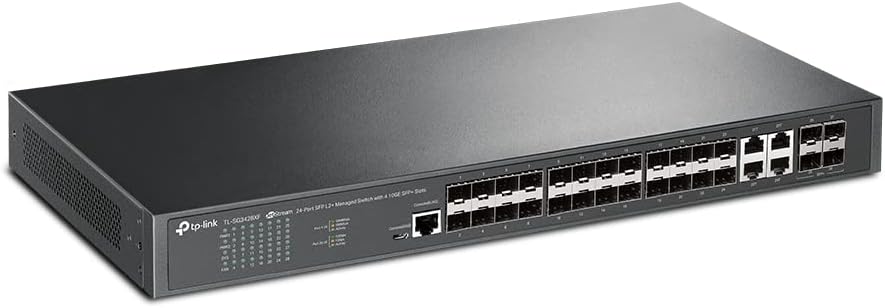
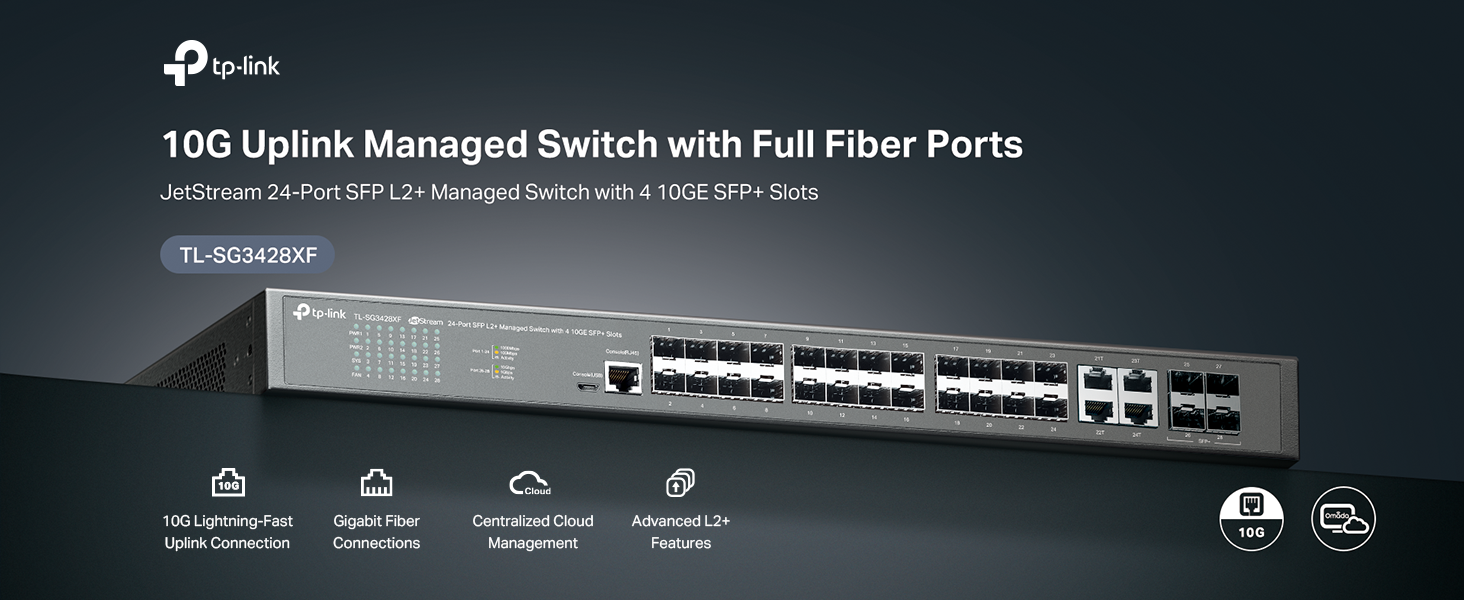
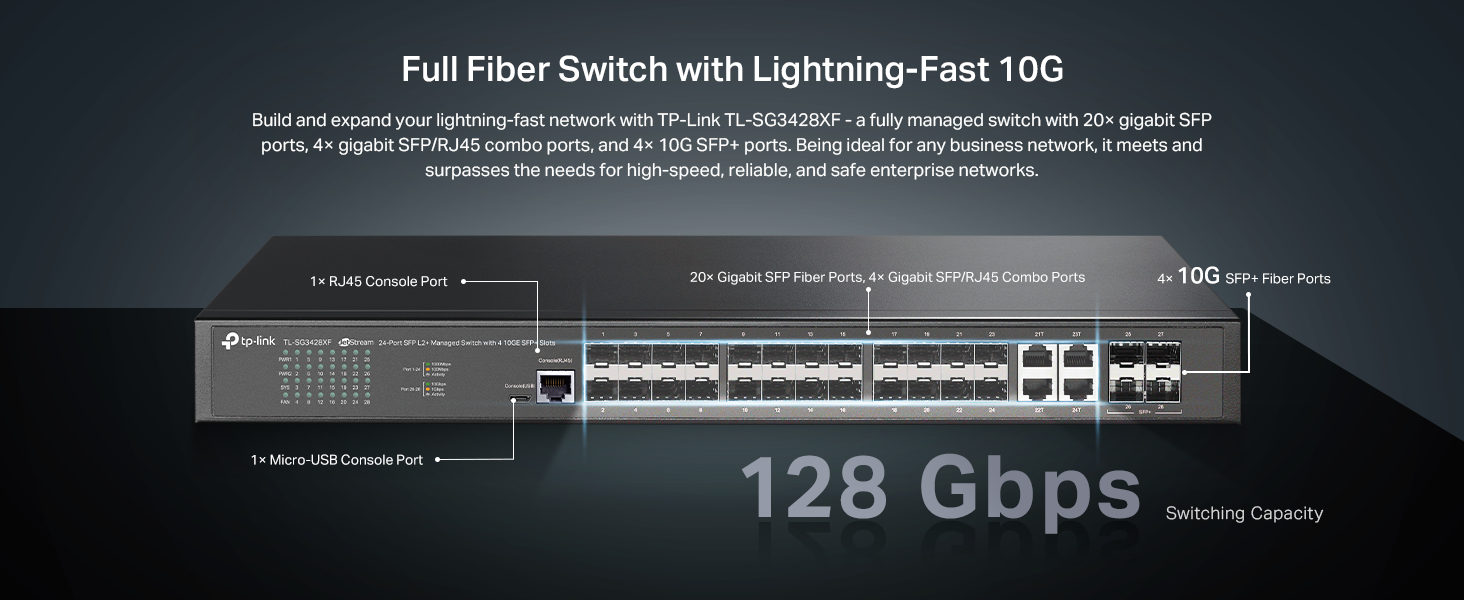
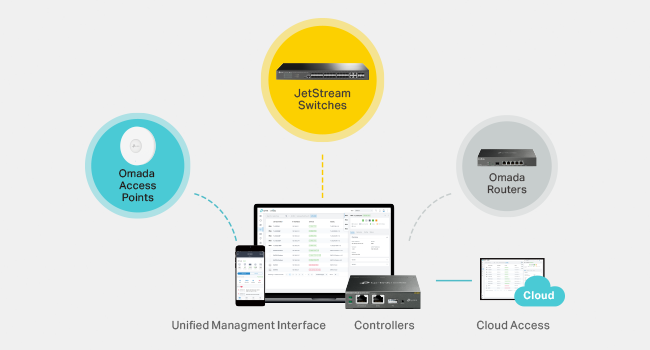
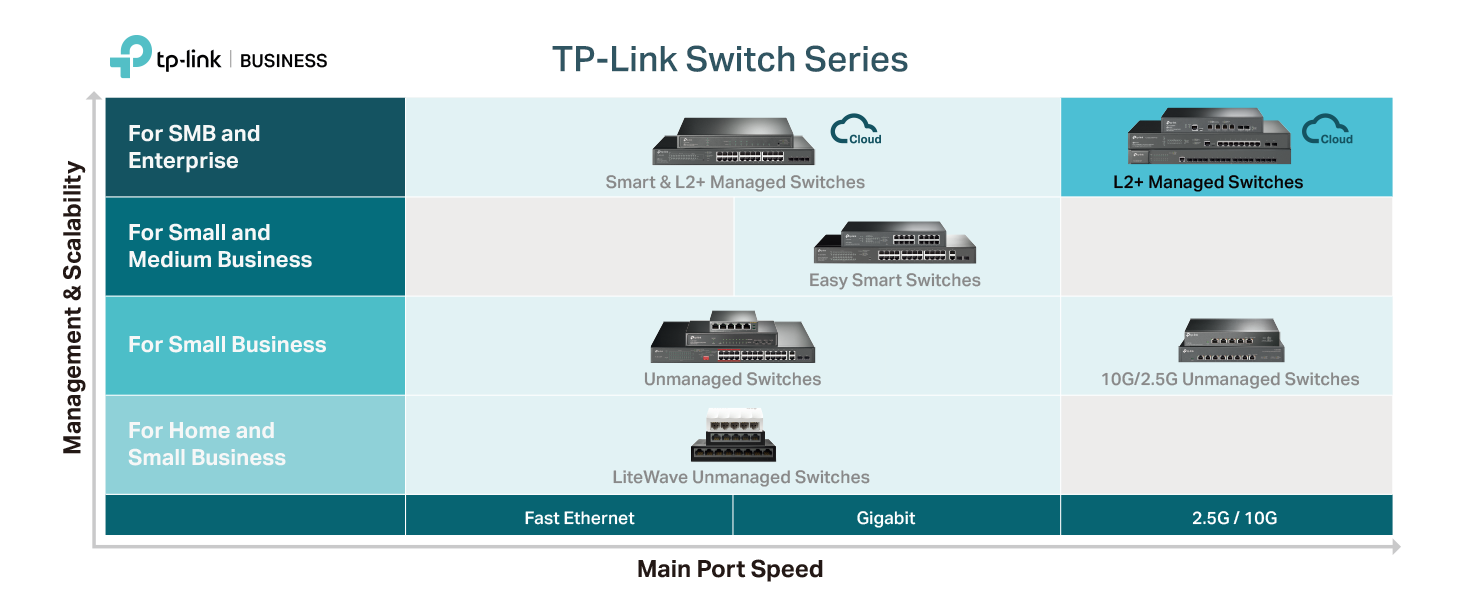
The TP-Link TL-SG3428XF is a 24-port L2+ managed enterprise switch featuring 4 ultra-fast 10Gbps SFP+ ports and 20 Gigabit SFP fiber ports with 4 combo SFP/RJ45 ports. Integrated with Omada SDN for centralized cloud-based network management, it offers advanced security protocols and QoS features, backed by a 5-year warranty. Ideal for professional environments demanding scalable, high-speed, and secure network infrastructure.


| ASIN | B0BNSTR8N4 |
| Best Sellers Rank | 388,603 in Computers & Accessories ( See Top 100 in Computers & Accessories ) 2,223 in Network Switches |
| Brand | TP-Link |
| Brand Name | TP-Link |
| Color | black |
| Colour | black |
| Compatible Devices | Desktop |
| Compatible devices | Desktop |
| Customer Reviews | 4.0 out of 5 stars 23 Reviews |
| Data Transfer Rate | 176 Gigabits Per Second |
| Interface | RJ45 |
| Item Weight | 2.97 kg |
| Item weight | 2.97 kg |
| Manufacturer | TP-Link |
| Manufacturer Part Number | TL-SG3428XF |
| Model Number | TL-SG3428XF |
| Number of Ports | 24 |
| Number of ports | 24 |
| Platform | DOS |
| Switch Type | L2+ Managed |
| UPC | 840030708213 |
| Unit Count | 28.0 count |
| Upper Temperature Rating | 75 Degrees Celsius |
| Upper temperature rating | 75 Degrees Celsius |
A**C
Recomendado! Una excelente columna vertebral IP de redes informáticas.
Switch empresarial me funciona muy bien en una red donde tengo sistema Omada y administro 16 puertos de fibra óptica con más de 32 antenas activas de WiFi para clientes , y WiFi para cámaras IP poe y por WiFi. Como algunas 112 cámaras activas IP ). Todo excelente y con capacidad de expansión ....volvería a comprarlo .recomendado!
T**L
This switch is a nightmare
I couldn't form a trunk link between my Cisco switch and this piece of garbage. I started a live chat with TP-Link support and after thinking about it (I was next in the queue for over an hour) I decided, if it's this difficult to get a trunk link up, why bother with it? I returned it and bought a used Brocade ICX 6610. A trunk link is basic switch functionality. The only options were to set the switchport to general mode and tag the VLANs, untag a VLAN, and set the PVID. Nothing worked. Access port? Sure, if I set the port on the Cisco side to access a specific VLAN it worked, but if I need to pass multiple VLANS? Nope. This switch may as well be a dumb switch. The documentation on it sucks as well. The price is good for a brand new switch but I cannot recommend this switch to anyone, for any reason. There are many better choices. I'm very sorry I bought this switch and wasted my time with it just to return it and all the SFPs I bought for it.
K**O
Switch OK so far, Fan loud AF
This switch is ok so far. The main function is as expected. The only issue I have with it that brand new out of the box the fan, at its top speed, screams so loud that it overpowers the noise of en entire 40U rack full of equipment. It is ridiculous to say the least. One thing though is that the speed is variable so if the unit is running cool it will be quieter, but as soon as you have some heat, the noise is unbearable. For all of you that would still want to keep it, one thing you can do is to replace the fan on the inside with a Noctua fan that is quiet and efficient in moving the air. Arguably a better solution than the factory, which TP-Link should have implemented to start with. The Noctua NF-A4x20 FLX, Premium Quiet Fan, 3-Pin available on Amazon fit's perfectly as a drop in replacement, 15 mins of effort do it. I will come back and update the review to comment on the switching function and management software once I have more run time with the unit. So far 3 stars is all I can give because of the necessity of modification to a brand new unit.
A**D
the 24 GigaBit SFP ports do not work with SFP fiber modules
The switch has 24 SFP Gigabit fiber ports and 4 10G SFP fiber ports, and 4 RJ45 Gigabit ports. I installed Gigabit SFP fiber modules (Single mode, from different brands) into some of the 24 SFP fiber ports, no data is communication, light does come on on the matching port, but no communication. When I install the same SFP modules into the 10G SFP ports, we get communication. When I install ethernet SFP modules, data is also received. So it seems like it is very finicky as to what modules you use, considering that I have other switches from many different brands that are not having issues with the SFP modules that I have. Just as a side note, I am very very experienced in networking and have been doing it since 1992, I don't know everything, and I don't claim that I am mistake free. But I do know a thing or two about networking. So I am well aware about possible issues with port isolation and VLANs and port forwarding and that is not the issue. My guess is that it does not like non TP-Link SFP fiber gigabit ports. I purchased this in Feb 24 for a project but did not get to install it till last week (April 24) which means I am out of the return window for a full refund. TP_link tech support was not helpful at all in resolving the issue, they tried, but I honestly feel like that the technical staff that I was dealing with should be a little more experienced in this product.
A**I
Solid performance
A very good value 10G aggregation switch. Despite many switch snobs derailing TP-Link as not enterprise-class, i have used their Omada products including this 10G switch with no issues and solid performance. The Omada controller (OC300) is a great, almost necessary, companion for this switch.
Trustpilot
5 days ago
2 months ago