![H&R Block Tax Software Premium 2025 Win/Mac [PC/Mac Online Code]](https://m.media-amazon.com/images/I/51dMIAMHkkL._AC_SL3840_.jpg)
Buy anything from 5,000+ international stores. One checkout price. No surprise fees. Join 2M+ shoppers on Desertcart.
Desertcart purchases this item on your behalf and handles shipping, customs, and support to Croatia.
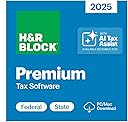
H&R Block Premium Tax Software offers everything people need to easily file complex individual federal and state taxes. It includes a help center with over 13,000 searchable articles, step-by-step guidance on more than 350 credits and deductions, and in-person representation in the unlikely event of an audit. System Requirements Review: Everything that you need to replace arrogant Turbo Tax. - Why would I say what I said in the title? I used Turbo Tax for 29 years (and was also a multi-year Quickbooks user in my distribution company before retiring). I purchased it again for tax year 2025. Then I discovered that I could not install it on a Windows 10 Pro, Cor I7 computer. The excuse given by Turbo Tax was, "this is for security reasons". I have FOUR windows 10 Pro Cor I7 computers. All were just outside of the window where upgrading to W11 was allowed. But, as I approached the end of W10 support in October of 2025, ALL FOUR were granted the ability to obtain Microsoft updates through October 13, 2026. You would think that, if security was the MAIN concern at Turbo Tax, they would have updated their program to allow install on W10 computers who continue to receive updates through most of 2026. Did they? NO! To further illustrate the idiocy here, corporate users can still install most business versions of Turbo Tax for 2025 on their W10 computers. I therefore assume that these people have their noses stuck in Microsoft's tail. I decided to take my nose out of Turbo Tax's tail. This is where H&R Block's software enters the picture. I researched the issue and discovered a boatload of online frustration over the above mentioned issue. It was there that I discovered references to H&R Block and their decision to still support Windows 10 with their software. Before continuing, let me say this. I called Turbo Tax support BEFORE a final decision. I wanted to make sure that there was no way around this issue. Their computer prompt asked me if I was calling about this issue. To make a long story shorter, once that was confirmed, the system REFUSED to allow me to speak to a live person (representative) and disconnected the call. They wouldn't even talk to me! I purchased the H&R Block software yesterday afternoon, March 12th (writing this on the 13th). It installed flawlessly. I opened it immediately and it also flawlessly imported my info from Turbo Tax files on my hard drive. That's a big deal as it saves a ton of time that imputing details would otherwise require. I started our tax return within minutes. Our return is not so simple. We have income from seven LLC's and Sub-S corporations and for that reason I purchased the premium version of the software. We have significant interest income and several brokerage accounts. I finished the Federal and State returns before dinner and eFiled each of them. Each were accepted by the appropriate agencies before I went to bed. Truthfully, I would have rated the H&R software a 4 out of 5 for a three reasons. One, I wish that the interface opened to a full-screen view. If that was possible, I could not figure out how to do it. Two, instead of basically making me fill out details when deciding what to pay quarterly for next year's estimated taxes, I would prefer that this is automatic based on last year's return. In other words, in order to avoid penalties for the next tax year, you must pay either 90% of taxes owed through withholding or estimated payments or 100% of what was owed the prior year (110% for some like me). Rather than answer all of the questions about what I expected to make next year in all income categories, I just went to the form dates and told the system what I intended to pay and printed the .pdf forms as reminders (I pay the estimated taxes via online portal rather than mailing a check with SS numbers on it). Three, Block needs to expand the list of financial institutions where you can auto-download data. I also had annual problems with Turbo Tax handling of Code V under line 20 when entering LLC info (either line 16 or 17 on Sub-S info). Block's software handled this without any issue whatsoever. The bottom line is this. I wish to say a GIANT "Thank You" to the folks at H&R Block for supporting Windows 10 through this tax season. I know that will probably not be the case next year, but I am thrilled that you decided to not join the cabal this year. I have no intention to go back to Turbo Tax. I will reward you forward for what you did this year. Your software did the job seamlessly. It was very thorough and it did not create any problems for me despite our complicated return issues. And I say this to anyone frustrated with their prior vendor's decision to stubbornly refuse to make what should have been an easy, customer friendly decision........I did not find a single functional weakness in the H&R Block software. It did the job exactly as I expected the job to be done. Review: Cannot file due to software error - Cannot file my taxes due to a known software error. There is a known issue that I can see online on Reddit that H&R Block has known about for at least 2 weeks and has not fixed. They told one user it would be fixed with a 2/14 update and it wasn’t and then they said the 2/20 update and it still wasn’t (I’m writing this 2/21). The issue is when I run accuracy review I get an error on form 8962 even though it is correct. But it won’t let you change the form and you are stopped from e-filing. I called support and after 45 minutes on hold was finally told it’s a known issue and they would get back to me in 5-10 days. (More specifics: form 1095-a is for the marketplace health insurance. Column B is supposed to show the amount of the next cheapest silver plan in your area. Some (maybe all?) forms come with zero in that field. H&R Block will correctly identify that as an error and tell you where you can look up the correct amount for your zip code. Then you enter that in the interview section. But when you try to file, you still get an error on form 8962 saying column B needs an amount even though the correct amount is now entered). If you don’t receive a form 1095-A you won’t have to worry about this. If you do, you can probably file manually but you can’t e-file due to this glitch in H&R’s software. Update: was finally able to file even though H&R Block never contacted me with an update like they said they would. Besides the issue above, there were multiple errors and lack of clear instructions. It took me several hours extra to file my return due to the poor software. I’m a retired CPA so generally know what I’m doing but this years software made it hard. I may have to try TurboTax again next year.


J**H
Everything that you need to replace arrogant Turbo Tax.
Why would I say what I said in the title? I used Turbo Tax for 29 years (and was also a multi-year Quickbooks user in my distribution company before retiring). I purchased it again for tax year 2025. Then I discovered that I could not install it on a Windows 10 Pro, Cor I7 computer. The excuse given by Turbo Tax was, "this is for security reasons". I have FOUR windows 10 Pro Cor I7 computers. All were just outside of the window where upgrading to W11 was allowed. But, as I approached the end of W10 support in October of 2025, ALL FOUR were granted the ability to obtain Microsoft updates through October 13, 2026. You would think that, if security was the MAIN concern at Turbo Tax, they would have updated their program to allow install on W10 computers who continue to receive updates through most of 2026. Did they? NO! To further illustrate the idiocy here, corporate users can still install most business versions of Turbo Tax for 2025 on their W10 computers. I therefore assume that these people have their noses stuck in Microsoft's tail. I decided to take my nose out of Turbo Tax's tail. This is where H&R Block's software enters the picture. I researched the issue and discovered a boatload of online frustration over the above mentioned issue. It was there that I discovered references to H&R Block and their decision to still support Windows 10 with their software. Before continuing, let me say this. I called Turbo Tax support BEFORE a final decision. I wanted to make sure that there was no way around this issue. Their computer prompt asked me if I was calling about this issue. To make a long story shorter, once that was confirmed, the system REFUSED to allow me to speak to a live person (representative) and disconnected the call. They wouldn't even talk to me! I purchased the H&R Block software yesterday afternoon, March 12th (writing this on the 13th). It installed flawlessly. I opened it immediately and it also flawlessly imported my info from Turbo Tax files on my hard drive. That's a big deal as it saves a ton of time that imputing details would otherwise require. I started our tax return within minutes. Our return is not so simple. We have income from seven LLC's and Sub-S corporations and for that reason I purchased the premium version of the software. We have significant interest income and several brokerage accounts. I finished the Federal and State returns before dinner and eFiled each of them. Each were accepted by the appropriate agencies before I went to bed. Truthfully, I would have rated the H&R software a 4 out of 5 for a three reasons. One, I wish that the interface opened to a full-screen view. If that was possible, I could not figure out how to do it. Two, instead of basically making me fill out details when deciding what to pay quarterly for next year's estimated taxes, I would prefer that this is automatic based on last year's return. In other words, in order to avoid penalties for the next tax year, you must pay either 90% of taxes owed through withholding or estimated payments or 100% of what was owed the prior year (110% for some like me). Rather than answer all of the questions about what I expected to make next year in all income categories, I just went to the form dates and told the system what I intended to pay and printed the .pdf forms as reminders (I pay the estimated taxes via online portal rather than mailing a check with SS numbers on it). Three, Block needs to expand the list of financial institutions where you can auto-download data. I also had annual problems with Turbo Tax handling of Code V under line 20 when entering LLC info (either line 16 or 17 on Sub-S info). Block's software handled this without any issue whatsoever. The bottom line is this. I wish to say a GIANT "Thank You" to the folks at H&R Block for supporting Windows 10 through this tax season. I know that will probably not be the case next year, but I am thrilled that you decided to not join the cabal this year. I have no intention to go back to Turbo Tax. I will reward you forward for what you did this year. Your software did the job seamlessly. It was very thorough and it did not create any problems for me despite our complicated return issues. And I say this to anyone frustrated with their prior vendor's decision to stubbornly refuse to make what should have been an easy, customer friendly decision........I did not find a single functional weakness in the H&R Block software. It did the job exactly as I expected the job to be done.
D**H
Cannot file due to software error
Cannot file my taxes due to a known software error. There is a known issue that I can see online on Reddit that H&R Block has known about for at least 2 weeks and has not fixed. They told one user it would be fixed with a 2/14 update and it wasn’t and then they said the 2/20 update and it still wasn’t (I’m writing this 2/21). The issue is when I run accuracy review I get an error on form 8962 even though it is correct. But it won’t let you change the form and you are stopped from e-filing. I called support and after 45 minutes on hold was finally told it’s a known issue and they would get back to me in 5-10 days. (More specifics: form 1095-a is for the marketplace health insurance. Column B is supposed to show the amount of the next cheapest silver plan in your area. Some (maybe all?) forms come with zero in that field. H&R Block will correctly identify that as an error and tell you where you can look up the correct amount for your zip code. Then you enter that in the interview section. But when you try to file, you still get an error on form 8962 saying column B needs an amount even though the correct amount is now entered). If you don’t receive a form 1095-A you won’t have to worry about this. If you do, you can probably file manually but you can’t e-file due to this glitch in H&R’s software. Update: was finally able to file even though H&R Block never contacted me with an update like they said they would. Besides the issue above, there were multiple errors and lack of clear instructions. It took me several hours extra to file my return due to the poor software. I’m a retired CPA so generally know what I’m doing but this years software made it hard. I may have to try TurboTax again next year.
B**A
SO MUCH better than TurboTax !!
We've been dyed in the wool users of TurboTax for about 12 years. Never did really LIKE it, but got comfortable with it, warts and all. Finally, this year, in part due to TT no longer available for Windows 10, we decided to give H&R a try. WOW! - initial impressions were full of delight! Smooth download, simple, FAST setup and updates. Silk smooth import of 2024 TurboTax data. When I went back to run TT 2024 to get a fresh print, of COURSE it forced an Update, then hung and had to force stop it with Task Manager. Their attempt to apologize for the slow startup ["OK, so we know it's taking more than a few minutes"] got old real fast. Now, I'm about halfway through doing our 2025 return on H&R - other than just the learning curve of a new User Interface, things are going smoothly. Any new user is going to feel some frustration, learning to work with it - I place the blame squarely on Congress for our convoluted, overly complex tax code and I feel like H&R has done really well with this Premium edition helping the User work efficiently through the maze. Just a note here - I leaned on ChatGPT for coaching on meshing tax code with this software and it was extremely helpful. Give it a try, you'll really appreciate the hand holding!
R**H
Works well, just not as well as Turbo Tax
I used to use Turbo Tax but switched to H&R Block because it was less expensive. While the software works well enough, it is not as user friendly as Turbo Tax and lacks some of the features and because of this I think I will swtich back to Turbo Tax next year. Yes, this is software is 15% less expensive and it will certainly help you do your taxes but when you are pulling your hair out on on 4/14, trying to get your taxes finished, the added help Turbo Tax provides is well worth the additional $20.
I**O
BETTER than TurboTax
I used TurboTax for over 20 years, I wanted to try H&R but never had an opportunity, NOW is the right time, TurboTax has horrible customer service and to change your # you need to upload your id and don't support windows 10. I was skeptical about H&R after reading the reviews. I was able to import TurboTax files and able to submit my taxes with no issues, adjusting to the GUI was not too difficult, actually I think my raxes are done better.
C**.
H&R Block Software Works Fine
This review compares H&R Block Premium Desktop to Turbo Tax Premium Online, and a few general comments about the differences to Turbo Tax Desktop. 03-30-2026 As of the 2025 tax year, TT Desktop requires Win11, which I do not have or want. In contrast, HRB Desktop is compatible with both Win 10 and Win11. Being a Turbo Tax Desktop user since 1995, I first tried TT Premium Online ($129), but after two hours of fiddling with it, I gave up and downloaded HRB Premium from Amazon for $70. Unlike TT, HRB charges a $20 fee to file a paperless State return. Note: My tax situation is relatively simple, if it were not for a 16-page Fidelity 1099, but I can only estimate certain amounts, which the IRS does not like. Plan A: TT Online is free to use - the fee is due later. After importing last year’s tax report and my 16-page 1099, TT only reveals a handful of key values such as: AGI, Taxable Income, Senior Deduction, IRA withdrawals, Final Tax, Interest, Dividends, but does not segregate the ST and LT Cap Gain values. Unfortunately, TT does not reveal how it arrived at these values, or which IRS Forms they apply to, and none the amounts agreed with my homebrew Excel spreadsheet. Maybe TT conceals the details until after paying, to prevent taking a screenshot and filling out free forms available from the IRS, a painful method to save $129. Or, maybe TT does not run the numbers through all their algorithms until paying. I suspect TT knows how to calculate taxes, but I decided not to pay the $129 to reveal what is going on behind the curtain. I also prefer to keep my data out of the cloud. Plan B: I paid $70 (Amazon) to download HRB Premium Desktop, then install the app. This took less time than creating an online account with TT. After 20 minutes of getting acclimated (never used HRB before), I imported my 1099 (directly from Fidelity) and HRB processed all the data in mere seconds. The HRB values were all within a few dollars of my Excel spreadsheet. HRB properly digested a rather obscure REIT gain that is taxed at a fixed 20% (IRS Form 8995), and ST/LT gains that made sense (Schedule D and Form 8949, including a wash sale). It also recognized U.S. Treasury Bonds taxable by the Fed’s, but tax free in my State for some reason. Good job HRB. The next step is manually transferring HRB’s professionally calculated values to replace my spreadsheet’s estimated values. All calculated results agreed to the exact dollar. Breathing easier, I explored HRB’s interview process to check for any missed opportunities, using last year’s TT return as a reference template. Nothing new came up, other than what HRB had already discovered in the Fidelity 1099. Then I entered my 2025 quarterly estimated payments, and once again, my spreadsheet and HRB matched to the exact dollar. Then HRB offered to calculate my 2026 quarterly estimates, and whether to apply my refund to next year’s taxes. All standard stuff. My general observation is that TT (desktop) attempts to be “idiot proof,” thus requires an elaborate, time-consuming interview that I always found annoying. In contrast, HRB’s interview is less work, but adequate and easier to navigate, just not as pretty. I was able to find whatever I needed after becoming familiar the HRB’s navigation tactics. If there are any tax situations HRB does not address during the interview, simply hit the AI HELP button to get some clues. Regardless of the differences in interview effectiveness, both products perform a final error check that flag incomplete or questionable items, and I had 26 of them, mostly IRS formatting issues. In general, HRB is somewhat more awkward than TT for auxiliary interface tasks, but this evaporates once acclimatized. For example, after clicking on the downloaded executable file that installs HRB, a pop-up appears as a reminder to update the software, but this pop-up would not update my State’s software, just the Fed. Later I discovered an option in the upper tool bar that updates both. In contrast, TT (desktop) forces software updates upon every boot, consuming 75 exhales I will never get back. This idiot proofing probably saves TT as much trouble as the user. Updates are a hint software bugs exist; the world is imperfect. One key task is importing last year’s tax report. HRB’s import pick box defaults to a .TXF file, indicating it requires a .TXF format. What’s that? This time I queried the Onboard Help where it explains a .TXF is a universal format for taxes, as well as what I was looking for, how to import my 2024 TT file in its native format: myfile.tax2024. How difficult would it be to prompt for all popular tax formats when clicking on the import button, especially those of major competitors. Unlike TT, HRB does not automatically import Fidelity’s Brokerage ID and addressing information, or my Credit Union’s. A minor nuisance that helped save $40+. The only “bad” HRB feature I encountered is printing. The Official Report to the IRS looks great, but when including the supporting worksheets for archiving, the page formatting is terrible. And HRB does not combine the Fed and State together as a single file. Bottom Line. I found HRB easier to use than TT (desktop). Whatever uncommon tax situations TT claims HRB does not address, HRB Premium has more features than I need, and probably adequate for most taxpayers as well. If in doubt, search HELP. Or, a unique option is visiting the local HRB office for a professional review, then use the episode to accomplish everything at home next year. TT also offers custom help for an additional fee, but only online.
K**.
Premium Edition has a problem. Entries made previously can be altered without you knowing!
Buyer beware! For 15 years I have been using the Mac Premium package. However, after importing the 2024 return into the 2025 program, updating or reviewing any Interest entry after the 1st will replace the 1st entry name with that one. Worse, in similar fashion, updating or reviewing any Rental information after the 1st rental will replace all data in the 1st entry with any entered after the 1st including Total Monthly Rent and Depreciation! Tax went from getting 350 back to owing 7500! I started a new return to see if that would solve. No. Exact same issues. Program was up-to-date as of Mar 16 2026. If you can't trust an entry being rock solid once entered how can you trust the program at all? PLEASE FIX OR PROVIDE ME WITH A SOLUTION OR WORKAROUND! Update: Some good. But some very bad. The good. I updated again 3/24/2026 and they did the easy SW fix for the 1st-in-list labels for Interest and Dividends. However, the 1st-in-list label for 1099-R is replaced with any entry to other 1099-Rs. The very bad. More critically the 1st in the list of my rentals is still totally screwed if I work with any other rental entry. It replaces the numbers of the 1st rental with the rental I have been entering or reviewing. And in one case it entered the basis for the house with a basis for the A/C unit! Tax day is fast approaching but the IRS wants perfection. Another update. Some corrections in updated 3/27 BUT still BIG PROBLEMS. With 2 depreciations listed for a rental, just reviewing the 2nd item alters the first’s values. So the usual 1st item’s corruption by accessing others in a list. Thankfully Google Gemini assured me that it isn’t just me. Did a new SW Manager dictate a code reorganization to once solid code? Like a switch to Object Oriented? This is a simple indexing issue with corruption to the first item in a list that should not be this tough. Latest update. The 4/3/26 update FINALLY fixed my issues with the Mac Premium package. Still keeping the rating at one star for the headaches ... will give it one more chance next time since after 15 years of usage it don't want to start over.
M**.
Very decent tech software program!
This is definitely a good version of the software. I had about decided I was just going to take my taxes in and have somebody else do them, because I had some new things in life to deal with, and I'm sure they would have been happy to have charged me and exorbitant amount to do so. I decided I would give this a try and it was pretty easy to use. The price was good and my state taxes were filed properly. The only issue I had was that when a scanned in my tax forms, the employers forgot to put the leading zeros on some tax information and I had to manually go back and fix those. Of course it's designed to use what it sees, and I get that. One form was sort of tough to find, but I eventually got to it and everything seemed to go flawlessly.
Trustpilot
2 weeks ago
2 weeks ago