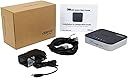
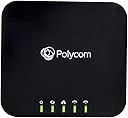
๐ Elevate your calls: The smart VoIP hub for the connected professional.
The OBi202 VoIP Phone Adapter combines dual phone ports and a built-in router to streamline your digital and analog communications. Supporting up to four SIP VoIP accounts and the T.38 fax standard, it offers versatile connectivity for calls and faxes. Integrated with the OBiTALK network, it enables free calls between OBi devices and easy management via a user-friendly portal. USB accessory compatibility adds wireless and Bluetooth options, making it a powerful, expandable VoIP gateway designed for modern professionals.


| ASIN | B007D930YO |
| Antenna Location | Home |
| Best Sellers Rank | #733,385 in Office Products ( See Top 100 in Office Products ) #1,158 in VoIP Phones |
| Brand | PLT |
| Built-In Media | VoIP Gateway |
| Color | Black |
| Compatible Devices | Personal Computer |
| Connectivity Protocol | Ethernet, Wi-Fi |
| Connectivity Technology | Ethernet, Wi-Fi |
| Control Method | Touch |
| Controller Type | Android |
| Customer Reviews | 4.4 out of 5 stars 2,657 Reviews |
| Frequency Band Class | Single-Band |
| Global Trade Identification Number | 00804879327578 |
| Item Type Name | VoIP Adapter |
| Item Weight | 9 ounces |
| LAN Port Bandwidth | 10/100 megabits_per_second |
| Manufacturer | Obihai Technology, Inc. |
| Maximum Upstream Data Transfer Rate | 100 megabits_per_second |
| Mfr Part Number | OBI202 |
| Model Name | OBI202 |
| Model Number | OBI202 |
| Number of Items | 1 |
| Number of Ports | 2 |
| Operating System | Custom |
| Other Special Features of the Product | Supports T.38 fax standard for facsimile calls, Supports two VoIP Lines |
| Router Network Type | Wired |
| Security Protocol | WPS |
| Special Feature | Supports T.38 fax standard for facsimile calls, Supports two VoIP Lines |
| UPC | 610807883784 |
| Voltage | 12 volts |
| Warranty Description | 1 year manufacturer's limited warranty |
| Wireless Communication Standard | 802.11n |
| Wireless Compability | 802.11n |
S**U
OBI202 VoIP Adapter Review & How to use VoIP with old Rotary Dial Phones
I bought the OBI202 VOIP $80 box and got a free Google voice number and setup the OBI web interface and Google voice interface in about 20 minutes and started FREE local and long distance calling in and out. Google voice allows you to get a free local area code phone number in your area, but you can port over your existing land line # to Google Voice for $20, See details below. Ive used this system for about one month to date. I spent about 30 minutes prior to this setup reading all the documentation on the OBi web site. The physical OBI box setup consists of plugging in the 12VDC powers supply into the OBi box and into a wall outlet, connecting a supplied 4' Ethernet cable from your OBI box to your router, and connecting an RJ11 phone cable from the OBI box to an existing house phone line, after disconnecting from any phone company analog line outside your house. Plug in BlueTooth adapter into OBI box. You need a high speed internet hard wired line from your router to use the OBi box. There is a OBI wifi adapter $20 to connect to your router via wi-fi, but hard wired router connection is recommended for better quality. I have had Comcast VOIP service for two years and this will replace the Comcast voice account and save about $40/mo plus an additional $10/mo when I return the combo internet/voice modem and by a new internet only modem $80 and cancel Comcast VOIP service. I forwarded my home phone # thru Comcast voice forward to the temporary Google Voice phone number they assign to test this OBI box for one month, almost done testing and have had no dropped call, very clear sound quality. With the bluetooth OBI adapter $20 you can also pair your cell phone to he OBI box and use your cell phone to call out and in as a second phone line from a wired house phone. In my case I have a base wireless phone in the kitchen plugged into the phone line and 4 wireless remotes wired thru the old ATT house hard wired phone lines back to the OBI box RJ11 phone output jack and the OBI box internet input jack is hard wired with a 4' CAT 6 cable to my router port RJ45 Ethernet port in the living room. The OBI box back feeds an analog phone signal to the original ATT phone lines in the house which used to be connected via the original ATT analog phone system up to about 2 years ago when I switched to Comcast VOIP. My 2 year Comcast contract is up and they raised the price so OBI is the replacement. These hard wired phone lines in turn connect to my rotary phones and my wireless phones. I Also have several very old hard wired rotary phones I wanted to keep active, over 75 years old, with pulse dialing that would not work with the OBI box tone system, but I bought a DIALGIZMO interface box (From Australia) http://www.dialgizmo.c o m for $40 which plugs into a standard RJ11 jack hard wired line and the old rotary phone plugs into the interface DIALGIZMO small box 2"x3" which converts pulses to tones, and the old rotary phones work correctly with the OBI box. The Dialgizmo box also allows up to 6 phone numbers to be stored and recalled from the old rotary phone, slick trick. The best thing about the whole OBI system is the FREE local and long distance calls, no annual fees and no taxes, like Comcast or the other VoIP boxes which all have annual or monthly fees. Savings should be over $500/yr for an $80 investment in the OBI. Google voice also has low long distance rates. The setup software on the OBI website takes a while to go thru, but the OBI setup wizard is good and clear instructions. Google Voice number also allows voice mail to show up on their web interface, and if you allow, Google Voice will convert voice mail to text if you don't answer the phones so you can retrieve voice mail from any browser. Obi web site goes thru detailed instructions in how to obtain and setup a Google Voice account. You can also have the OBI box also ring your cell phone as well as your hard wired phones in the house or remotely. Reading the OBI FAQ's on their web site shows people with lots of issues on the OBI systems, but mine has been flawless. One more great feature is the OBI IOS or Android app you can download to a phone or an IPAD that has only wifi connection, no cell service, that will allow a phone or Ipad app to dial the OBI box thru the internet and then an auto attendant asks if you want to dial another number, you put in your local or long distance number and it dials out and connects. So your IPAD uses the OBI box as a re-dialer for free phone calls from anywhere in the world you have wifi access, with no need for a cell phone service. This system using the OBI box and Google voice is probably more complex to setup than other VOIP phone systems like Magic Jack, Vonage, Ooma, etc, but once you buy the $80 box, and the blue tooth adapter for $20 there is zero cost for calls or taxes or fees. The next step in the total phone # conversion will be to port my Comcast very old phone # used for over 30 years to a T mobile cheap cell phone which cost $1.50 for a GSM sim card and $20 for a cheap BLU brand unlocked GSM phone to port my Comcast land line to the temporary cell phone. (Google Voice only ports over mobile phone numbers) After my old land line number is ported to the temporary T mobile cell, then you pay Google Voice account a one time $20 fee to port the number to the Google voice number which in turn is the final number used for calling my OBI box for the permanent Google voice number so I keep my historic home land line number. There are a lot of pieces in this Free VOIP conversion but it all works and the savings pay back the total costs in about 2-3 months for all my investments ~ $140 for the box, blue tooth adapter and the Dialgizmo rotary phone adapter. If you have the time to read all the instructions and do these steps its worth the cost.
M**P
Great Analog Telephone Adapter ... Maybe the best one out there
I have not been using this adapter for a great deal of time but have discovered and am still discovering how powerful this is, how versatile it is, and how well it functions. Some background before I continue about this device. I have a history of being intrigued by electronic gizmos and technology. I was originally with a POTS line. I then discovered and played around with the Sipura analog telephone adapter and found it way to complex to use. I downloaded some software to give it other functionality with a dedicated provider to bypass its complexity. I was able to find free VOIP services to use with it. After this service provider found out I was doing this they cut me off from the service and I basically threw this device into the garbage. I then discovered the MagicJack and used it for several years. I had to stop using this when I discovered if I used 2 on the same network they would not work. The other thing about the MagicJack is that the voice quality would break up causing a lot of complaints with people who were on the other end of the line. Then I acquired an Ooma Telo. It works well however thay are asking for $15.00 a month plus an additional $3.98 (they are calling this a tax). This is expensive for 1 year VOIP service IMHO. This is when I looked around for another option and found Obihai. The provider I have chosen for the OBI202 is Phonepower which is $60.00 a year. This includes all calls made within US and Canada plus a plethora of features which is sure to please. The best part is the voice quality is crystal clear (while the MagicJack was not). I can not only easily run 2 phone services but can run 4 at the same time with great voice quality. Should I have a problem with this provider I can just change after the 1 year agreement expires. This device not only supports up to 4 VOIP services, it also supports internet fax with the T.38 standard (this will only work if your service provider supports internet fax). It works very well with Google Voice. This is a very easy device to setup out of the box as you only need to hook up the power cable, internet cable, and analog phone cord of the phone which you will use with it. You may run into an issue with QOS if you are using a router like I am. Depending on what activity was going on with other computing devices it would interfere with the bandwidth allocation. Luckily I went on the Obihai forum and got some help from another Obihai user who had the same router I have with the same Tomato software on it. He coached me through setting QOS priority to the Obihai and Ooma over all other bandwidth demands from other devices. Once QOS was setup properly on the router the voice quality has been consistently great. Once you have setup the Obihai Obi202 you create a userid on the Obihai portal. I would strongly suggest you pick a GMail email address so that you can set up Google Voice to use on the device. Once you select the VOIP service provider you would like to use you provision the service on the Obihai portal and select the one of the 4 ports available to you on the device. For example I have my home phone number from Phonepower set on SP1. I have my business line from Phonepower on SP2. I have Google Voice setup on SP3. I have not decided what I will use on SP4 yet; I will revisit this once I have figured out how the faxing works and then decide if I need a separate service provider for this. In summary I believe this is a quality device with lots of options. The voice quality is excellent. The user friendly interface and functionality is the best I have encountered based on my prior experience with this type of thing. They can always improve it however. I hope this review was helpful and worthwhile reading. :>)
T**E
Outstanding
The Obi device is as advertised. Basic wired installation was quick and simple. I set up a Google Voice account before getting the Obi and after making three basic connections to the router/modem, the only thing left was to register the device on the Obi web site and pair it up with the Google Voice number. Overall it took about ten minutes from opening the box to having a functioning phone line. I can't tell any difference in call quality from the AT&T land line being replaced. I tested the Obi using a hard wire connection for a week to make sure everything was working correctly and then moved the Obi and main phone to another room using the wireless adapter. There was no drop off in call quality with the wireless connection. Its just a great device that works. After using the Obi202 for a few weeks, here are some things regarding configuration and porting that others might find useful. PASSWORDS: If you use Google Voice (GV) with the Obi, you have to give Obihai your GV password to store on their servers. Because of this, I set up a new Gmail/GV account only be used for the Obi. This prevents you from having to provide passwords to your main email account. Also, make sure you have the Chat function checked in your GV settings before making calls. MAC FILTERING: If you use MAC filtering in your router/modem settings, be sure to disable it before trying to make a wireless connection. I was unable to make the initial connection even though I had added the Obi MAC address to my settings. Once disabled, the connection worked automatically. I enabled MAC filtering after making the wireless connection and everything worked but when I unplugged it and powered it back on again, the connection once again failed. Based on this, it appears if there is a power outage and you have MAC filtering enabled, you will not have phone service restored until you manually disable MAC filtering on your router/modem. However, if you leave MAC filtering disabled, the wireless connection will be made automatically once power is restored. MAC filtering had no effect when the Obi was hard wired. I contacted Obi support and they recommend that MAC filtering is always disabled when using the wireless adapter. PORTING: You can keep the GV number assigned to your account for free or you can port over an existing cell number for $20. I wanted to keep my old AT&T land line number which meant I had a extra step. This ended up being the cheapest and easiest way to do that. If you want to keep your current phone number, go to the Google Voice site to verify that your current number can be ported. 1. I went to the Tracfone site to verify that they could also port my current number. Then I bought a pay as you go Tracfone from Walmart for $10 that included 10 airtime minutes good for 60 days. You will need a few airtime minutes to complete the porting process. 2. Activate the phone using the Tracfone web site and select the option to port an existing number (in this case my AT&T land line number). Tracfone ported the land line number to the cell phone in less than 2 days and they contacted AT&T to disconnect their service. No having to spend time on the phone with any customer service reps to get this done. 3. Once the land line number is ported to the cell phone, go to your GV account and request to port that number to GV. There is a $20 charge so you will need to set up a Google Play account. You also need the account number of your cell phone to complete the request. If you port from Tracfone, your account number is the phone's serial number. 4. Google will complete the port within 24 hours and you're done. GV will let Tracfone know to disconnect the pay as you go phone. That's it. In this case it took three days and $30 to port from a land line to a cell phone to GV. One of your phones will always be working during the porting process so you are never without service. 911: GV does not provide 911 emergency service and there are many options available listed on web sites and blogs. I contacted my local emergency dispatch center (you can find them on your county web site or phone book) and asked if they had a local 7 digit number that would connect me to the same dispatch center as if I dialed 911. They provided a local number (XXX-0911) which I programmed into the phone on speed dial and free 911 service. CALL SCREENING: The default settings on the Obi firmware causes issues with GV Call Screening and the main phone hooked up to the Obi. In short, the X_CallScreening option in the Obi dashboard needs to be disabled for GV Call Screening to work with the primary Obi phone. However, doing this will require that you have to press "1" to answer all incoming calls or "2" to screen a call. This seemed like more trouble than it was worth so I left X_SkipCallScreening at the factory default of enabled. But it will work if you think its worth it. Overall, the Obi paired with Google Voice provides everything I need with a home phone service at no monthly cost.
A**R
Great Product When it Works
The product was excellent when it worked. At first, I was able to configure it with Google voice and 2 different isp's and it worked perfectly. However, I was not able to configure it to work with one other sip. I was able to have that sip work with a Grandstream product, but not the OBbi. I contacted support and they asked me to perform a number of tests. I performed all of the tests, gave them detailed reports, but nothing solved the problem. In addition, I gave them all of the information on the setup of the Grandstream and the router configuration. I made numerous experimental to the advanced settings on the OBi, and kept detailed records of the changes and lack of successes. Unfortunately nothing worked. When I asked questions of OBi Support to be able to better understand the problem and draw conclusions from the various experimental tests, they never supplied answers to any of my questions. They simply suggested the same tests over and over again. They could not or would not attempt to explain why the Grandstream worked perfectly each time and the OBi did not. Although I asked a number of times on how I might configure the OBi to replicate exactly the settings of the Grandstream. It appeared to me as if Support had a routine list of potential fixes and they only have the knowledge to reiterate those fixes. They do not appear to be able to advise on making advanced setting changes or understanding the relationship between various problems and specific settings. Unfortunately, now one of the other SIP's, (in fact, the most important SIP's as it is the SIP that is utilized the most) has stopped working. All of my attempts to correct this new problem have been unsuccessful. During all of this period, the OBi has worked perfectly with the Google voice feature. The Problem is that it appears to not work with all SIP's and one is not able to utilize the advanced settings to correct the problem. In summary, if the OBi works with your SIP's out of the box and continues to work with them, it is a great product. Or if you want to utilized it only as a Google Voice device, it is a great product. However, if it does not, there does not appear to be any solution. I expended a lot of effort and time to try to implement a solution, but with no success. In the end, it is better to utilize other devices. The Grandstream is a far simplier, less sophisicated device, but it works and works without hazzle. Follow up: I increased the rating to 4 stars. I was able after considerable time and logical trial and error to make the changes in the advanced settings to solve the problems with the SIP service that I utilize the most. The Device is impressive in that it permits one to make so many different changes. The problem is that there is no good explanation as to purpose of the various setting. In summary, I believe the device is an exceptional device and probably with enough knowledge, one would be able to configure it to work with any VOIP service provider. The only shortcoming is the lack of explanations that are sufficiently detailed to permit one to be able to understand all of the various advanced settings so that one could intelligently make changes and select the correct settings to work with each VOIP service provider. As I mentioned before, the service center was unable or unprepared to provide any intelligent feedback on why other devices worked when this device did not and the various advanced setting configuration to duplicate the alternative device.
R**D
Awesome. Period. I'm saving $2,000 per year with this device!
OBi202 VoIP Phone Adapter with Router, 2-Phone Ports, T.38 Fax - Supports: Google Voice & SIP (Unlocked) I realize that this review is rather lengthy, but bear with me, as I think you'll find it worth-it! This is how I use the Obi202 to save $165/month (approximately: $2,000 per year): I have a home-based business, so I needed at least 3 different phone numbers: Business line, fax number, and personal-business number. I also wanted a 4th phone number for "strictly-personal" calls to/from friends. Prior to buying the Obi202... it just wasn't financially possible to have-it-all. I paid a major land-line company approx $120 a month to have 2 separate land-line phone numbers for business and fax, as well as home internet service. I also paid approx $85/month for unlimited cell/data service for my personal number. I used the cell for both personal-business (like when calling around for quotes on car insurance, or when needing a number to sign up for various online services), AND for strictly-personal calls to/from friends. I found that I rec'd a lot of spam calls on my cell phone when doing this, though! So, when the recession hit...my business was affected, and I needed to cut-down on expenses. After hours of internet research, I chose to buy the Obi202 (over the Magic Jack, and others like it). I have been able to cut down the $205 per month internet/phone bills down to JUST $40 ($30 for internet (using Charter Cable) + $10 for cellular service). I haven't even factored in the savings reaped by no longer having to pay for long-distance calls to anywhere in the USA or Canada. I wanted to show how the $2,000 annual savings can be applied to anybody needing a multi-line business system like mine, even if they only made free, local business calls. I still have a business number, a fax number, and a cell phone number, but now I also have a 4th number for those personal-business calls, and I no longer get SPAMMED via my cell phone. ALL using three separate Google Voice numbers with the Obi202! I use T-Mobile's Prepaid $3 PER day plan (runs from midnight - 11:59 pm) with unlimited calls, texts, and 3/4G data. I rarely even use my cell phone anymore, and only gave out my new cell number to family and a few BEST friends...so, they'll know it's me calling from my mobile phone. Now, I spend an average of $9 per month on cell service! Granted, that old adage, "It takes money to make money" is true...I had an initial outlay of about $600. The 1st three of the listed devices below = $340 + $60 in GV porting fees, + the $200 Sprint ETF (total = $600), but it took less than four months to recoup the initial outlay of $600; I am now saving a MINIMUM of $165 EACH month (~ $2,000 per year!) and have everything I had before...only even MORE! However, for most people who aren't using the Obi202 for business AND personal calls like I am, the 'initial outlay' is only the $74 paid for the Obi202 device. Most people also already have a 5.8 GHz single-line cordless phone system if they bought a new cordless phone in the last 4-5 years. Some might already have a DECT 6.0 cordless phone if they purchased it in the last couple of years. You'll need either type of phone in order to use GV/VOIP and the Obi202 to it's full potential. So, my $600 initial outlay is based on me just being a 'gadget-queen' and wanting a wireless head-set that worked with a 2-line DECT 6.0 phone system, AND being fed-up with Sprint, so I didn't care about the ETF. You all don't need to get that crazy! Also, if you can wait until your cell phone contract expires...you won't pay an ETF fee. I wanted to keep all three of my "old" numbers, especially business and fax numbers, as they are used on all printed materials. But, you can't port land-line numbers into GV, they have to be cell phone numbers. So I ported the two land-line numbers over to T-Mobile (in December 2012--it only cost $0.99 to purchase a SIM card with FREE shipping, when purchased online at TM's site). I purchased three: one for my business number (GV#1), one for my fax number (GV#3), one to go ahead and get a new cell number using T-Mobile on my jail-broken iPhone. I paid Google $20 for each of the two land-line numbers, and another $20 for my old cell phone number to be ported. T-Mobile didn't charge me an 'activation fee' for any of the three phone numbers, nor did they charge me for porting the land-lines ported over to them before re-porting again to GV. I don't know if they are currently charging more than $0.99 for the SIM cards or if they've started charging for either activation or porting service. That whole porting process from land-line -> TM -> GV took about 10 days from the day I purchased the SIM cards online, to receiving them, to completion of the porting process for both landlines, first to TM, then to GV. The port from Sprint to GV only took 2 days. NOTE: The employees at GV who do the porting only work Monday-Friday. So, make sure you start the port process no later than on a Tuesday or Wednesday to make sure it's done by Friday. CAUTION: If you're terminating your cell phone contract before the 2-year period expires, AND you pay your monthly Sprint bill via their automated payment option--make sure you STOP the automatic withdrawals at least 30 days PRIOR to terminating your Sprint account, AND make one payment AFTER the 30 day period, without using the automated payment system. Doing it this way ensures that the automated payment system is no longer active. Also, make sure to delete the checking account info from the Sprint cell phone site. (Better yet...don't ever choose the automated payment option for any online billing service!) Finally, start the port process with your cell phone provider at least 4-5 days prior to the 1st day of the next billing cycle. I did not know any of this, so failed to make sure that automated payments were rescinded, and ported my number out of Sprint on the last day of my billing cycle--after I paid the balance due for the previous cycle, of course. However, because it takes at least 2 days for GV to finish porting the number in, unbeknownst to me, I STILL had "cell service" until GV finished the port process. Although, I didn't use the cell phone after I contacted Sprint to start the port process and terminate my service...because I was expecting GV to finish the port "at any moment". However, Sprint withdrew the $200 ETF PLUS the entire NEXT month of cell service from my checking account, even though I only had service for 2 days---that I never even used OR realized that I still had! They did this within 2-3 days after the porting process was completed. I called and raised hell about it, but they just referred me to a certain section in the damnable 3-4 page contact, that nobody ever reads, which states that upon early termination, any service fees will not be prorated. The buggers! Had I known then...what I know now, I'd pay them $10 a month to 'pay-off' that ETF, and final cell bill. As long as you make monthly payments every 30 days, they can't "ding" your credit for receiving a late payment of the ETF, AND they can't lock your phone's IMEI number (phone's serial number/internal ID) so that it can't be used on another carrier. I wasn't prepared to have them take out $286 within 3-4 days of taking out the $86 for the most recent bill. I should have known to disable the automatic payments online... prior to terminating the service--but, now YOU know how to do it! HERE ARE MY LISTED DEVICES: 1. Obi202 (Amazon DOES have the best price!) 2. VTech 2-line phone system (model DS6151). I found the best price for the DS6151 at factoryoutletstore.com. But, a 5.8 GHz or DECT 6.0 single-line cordless phone is really all you need for two GV accounts. 3. AT&T wireless headset (model TL7810) [I like be able to go outside and, say: garden--while still being able to receive business calls and keep both hands on the task at hand...I couldn't do this before!]. I found the best price at factoryoutletsore.com 4. All-In-One printer, copier, scanner and FAX. The machine must have it's own dedicated fax/phone jack on the back (I already had this device, and use the HP OfficeJet Pro 8500A). I found the best price at Costco. 5. Three different gmail accounts set up, so that I could have 3 different GV numbers. I wanted to keep the 3 numbers that I already had...so, as I was willing to pay $20 each to port them over to GV. Otherwise, getting a new GV is free...the only caveat is you MUST have a SEPARATE 2nd number for the new GV to "ring to". The number cannot be the same phone number used to verify any other GV account. Many people only want one GV number, and also want to keep their land-line and/or cell phone service--so for those folks, the following wouldn't apply: Google Voice requires a separate "ring-to" number for EACH GV number. You can use your home, cell, and work number as this "ring to" number if you want, since they are all different. You don't need to actually have your GV calls forwarded to any of these numbers in order for GV to work--AFTER it has been set up. Google only asks for a 2nd number for "verification" purposes, which must be a different number used for verification on ANY of your other GV numbers. I've never needed to use a "work" number as a ring-to/verification number, so I am only assuming that using a "work" number may be problematic, unless you are at the number to receive the GV "verification" call when setting up the GV account. If another employee used the work number for the ring-to/verification process and forgot to delete the number in the GV settings, then a 3rd step MAY be required for you to use the same work number--that is IF GV has not made "Work" numbers any different from how they treat using the same "Home" and "Cell" numbers for ring-to/verification purposes--but I won't bother going into it. Remember, you don't really need to use the verification number to forward your GV calls...you just need that 2nd "verification" number in order to acquire a GV number. I think it's Google's way of 'validating' that you are human--by making sure that the GV customer has a separate phone number. If you don't have a land-line number AND a cell phone number in order to get two GV numbers (or want to do what I did: port both land-line numbers AND my cell phone number over to GV) then the 'work-around' is to get a free land-line number. I used IPKall.com to get free land-line numbers that are required to be used with a VOIP account. To get a number from IPKall.com, you FIRST need to go to ANY VOIP site to set up an account and create a username. I chose to use iptel.com because, it's free and (fairly) simple to set-up with the Bria phone app. Then, you go to IPKall.com and input that VOIP account username you just created on the VOIP site, to be eligible for the free land-line number. In order to get a 2nd free land-line number from IPKall.com, you MUST WAIT at least 2-4 hours (I wanted to be safe, and waited 24 hours) after getting your first IPKall number. Just set-up a 2nd account on iptel.com and follow the whole process again, before going back to the site to get a second number. When you set-up your GV account, put the IPKall number in as the "ring-to" phone, and your cell phone will ring (if configured properly) so that you can get the verification code. There may be an easier way to do all this, this is just the way I did it. I obtained the two IPKall numbers while I was waiting for my SIM cards to arrive before porting over numbers to GV. BTW, I've since discovered that the GoogleVoice app on the cell phone is much simpler to use AFTER you've set-up your GV numbers. The Bria app is a bit too complicated for dialing outbound calls. CAVEAT: You must have at least ONE call forwarded to the IPKall number during each 30 day period---otherwise, you may lose the IPKall number on Day 31, because it goes back into 'the system' as an available phone number for new users. This is important if you use an iPhone app, such as Bria, to make/receive free calls from your iPhone. (I don't know about how Android phones work to make free calls.) For me, I didn't need to worry about the 30 day thing with the IPKall number associated with my fax number(GV3), because I never forward those calls. Subsequently, I "lost" that IPKall number, but now that my GV3 number has been set up, I don't care; apparently, neither does Google! I received an email informing me that my forwarding phone number (from IPKall) had been claimed by another user, but they didn't ask for a new forwarding number. I do keep the 2nd IPKall number associated with GV2 in order to make free calls using my iPhone. This has come in handy whenever I am able to access a free WiFi hotspot (Think: McDonald's) to use my iPhone for free calls/texts. (But, that's a different review!) Finally, my GV1 (business number) gets forwarded to my NEW cell phone number only when I NEED to receive/make business calls on my cell phone when I'm away from the home-office. THIS IS HOW I HAVE EVERYTHING HARD-WIRED: Again: GV#1 = business number; GV#2 = my old cell phone number; GV#3 = fax number. On the back of the OBI202, there are two jacks/ports for a phone cable: 'PHONE 1' and 'PHONE 2' On the back of the VTech, there are two jacks/ports: Port 1 = L1/L1+ L2; Port 2 = L2 I subsequently found out that OBi202's PHONE 1 and PHONE 2 ports are not necessarily tied to hardware system1(VTech) and hardware system2 (HP8500A Fax). This can be a little confusing, especially for those with a 2-Line phone system, AND a fax machine--with three different GV numbers...so read carefully. STEP 1: On the Obi202, I run a phone cable from PHONE2 to the dedicated phone jack/port on the back of the fax machine (HP 8500A). However, PHONE2 isn't really just the fax machine. PHONE2 receives incoming calls to the GV3 number, but PHONE2 outgoing calls are made from the GV2 number. See STEP 4 for clarification. STEP 2: On the Obi202, I have a 2-jack splitter (purchased at Home Depot for about $2) plugged into PHONE1. The splitter has a phone cord running from one of the jacks to the single L1/L2 port on the back of the VTech, and the other jack from the splitter has a phone cord running to the AT&T wireless headset. STEP 3: I have the Obi202 set up so that GV1 is LINE1 on the VTech and GV2 in LINE2 on the VTech. When someone calls GV2, there is a distinctive ring so I don't have to rush to answer it, knowing that it's not a business call. STEP 4: On your ObiTalk.com control panel, you must decide which GV/SP service that you want to assign as the 'Primary Outgoing' number for each PHONE. Then, you choose which PHONE will ring when someone calls your GV number(s). Although each PHONE can have only one GV/SP number assigned to it as the primary outgoing line, this same GV/SP number doesn't have to ALSO ring to the same PHONE! I just figured this all out tonight! This is my current set up for each PHONE1 and PHONE2 on the ObiTalk site: PHONE1: Primary Outgoing: GV1 Incoming calls: GV1, GV2 PHONE2: Primary Outgoing: GV2 Incoming calls: GV3 When I make business calls on the VTech, I just press LINE1 and dial the number. When I make personal-business calls using GV2, I just press LINE2 on the VTech. When I receive a fax, the fax machine rings. When I want to send a fax, I dial "**3" then the fax number on the HP8500 dial pad, so that the receiver sees my GV3 (fax) number on their CID. This seems obvious, right? But it took me months to figure out how to set up the OBi202 to do this, because I had assumed that since I had the phone cord running from PHONE2 to the fax machine that PHONE2 "WAS" the Fax machine, limiting it to my GV3/fax number. Also, I was told by an Obihai CSR, that there was no way to use 3 different GV numbers, and the OBi202 to work as Line1 and Line2 on a 2-Line phone system if I had a fax machine plugged into PHONE2. I was told that if I wanted to use GV2 that I needed to press Line1 on the VTech, then dial **2 to route the call through GV2. Although it was a little annoying to have the 2nd line of the 2-Line phone system be the same number as my fax machine...I got used to never pressing Line2 on the VTech. So, although incorrect, but based on what I was told (which made total sense to me!) this is how I had my ObiTalk.com INITIALLY configured for the first six months: PHONE1: Primary Outgoing: GV1 Incoming calls: GV1, GV2 PHONE2: Primary Outgoing: GV3 Incoming calls: GV3 But now that I figured it out....I actually have a working 2-Line phone system! I have GV1 set so that receivers ALWAYS see my business number (GV1) on their CID, even if I use my cell phone to make the call. I have set GV2 so that receivers see EITHER my GV2 number or NEW cell number-- depending on who I'm calling, and where I am calling from, OR if I want to use the Bria iPhone app to make free calls using ANY internet access point, either from my home ISP service, or from a HotSpot (again, think: McDonald's). BTW, the Bria app would also work anywhere else that had WiFi access. I just use McDonald's as an example, because they are EVERYWHERE...and, using it is free. This is good to know, especially when out-and-about/traveling, but still want to limit paying big-bucks to cell providers when not staying at a WiFi hotel or don't know where to find a cozy coffee-shop or library with free WiFi. You KNOW that you can always find a Mickey-D's! HOW I USE MY NEW CELL PHONE NUMBER USING T-MOBILE'S "DAILY" PREPAID PLAN: I use T-Mobile's PREPAID $3 PER day plan for unlimited calls, texts and 3/4G data (midnight-11:59 pm). In order to NOT be charged $3--every single day that someone calls or texts that number, I set my iPhone on 'airplane mode' and then turn on the phone's wireless feature so that all calls are routed through my ISP and GV2 and that 3rd IpKall number I mentioned above. Putting the mobile phone on 'airplane mode' is KEY! If you don't do this before 11:59 p.m., then any subsequent call/text sent to the mobile phone number between midnight and 11:59 pm the next day, will automatically activate the $3 charge...and, you've just purchased another 24-hour period, even if the incoming call/text was from someone who dialed a wrong number! So, to be safe, I keep my iPhone on 'airplane mode' all the time, and only disable it when I know that I will need to use the mobile phone to receive business or personal calls when away from my home ISP service. I just make sure to return my phone back to 'airplane mode' before midnight that same day. I normally only have to use the mobile phone in this manner--no more than once a week, if even that often. Thus, my monthly expense for T-Mobile during the last 6 months has always been between $6-$12, and averages around $9. Yes, I had to re-train myself to not be so tied to my cell phone...and have more patience, by returning/making calls from home, rather than when 'out-on-the-road', but it really wasn't that difficult. In fact, with the money I've saved, I bought an Android 7" tablet (Hyundai T7s directly from China. The tablet is MUCH better AND cheaper than the Nexus 7--but, that's also a different review!), and I'll probably just pay T-Mobile $20 a month for a 'data-only tablet plan'. By doing this, I can use the Bria app with my iPhone for unlimited FREE calls/texts, and won't have to pay a separate $3/day prepaid cell phone plan. I've just not figured out how to fully use the tablet yet, since I only received it a few days ago, and am also a unfamiliar with the Android iOS. But, I'm sure it can be done...so that as long as I have the iPhone and 7" tablet in my purse/car at the same time....I can use the tablet as a HotSpot/access-point for cell phone usage. So, that's it. Whew! If the 'time-spent' that it took me researching on how to set up "my system" was 'money-lost', then it wouldn't have been so cost-effective. That's why I took the time to write such a detailed review. Hopefully, YOU will benefit by saving both TIME and MONEY. Now that Obihai updated their software, the calls have been crystal-clear on every single call. Buy the Obi202, and say, 'good riddance' to expensive land-lines and cellular companies...forever! As an aside, there are rumors that Google may start charging for their GV service, 'sometime in the future'. I doubt this will happen, because they will be integrating their GV service with their new Google+ Hangouts (conference video calls where multiple users can join in), and will likely make money from other advertisers. However, if they did start charging for a GV account, I'm sure I'd still be saving a lot of money over using traditional land-lines for a business calls and fax transmits. Also, Google does charge $3 to port-out any free GV to a cell phone company or VOIP service. However, if you initially paid $20 to have a cell phone number ported into to GV, then they'll waive the $3 fee to port it back out.
M**J
Simply amazing.
Like many people I've been without a land line for a very long time. For the most part, a cell phone is all I need, but when I am home I have a tendency to leave my cell phone sitting on a charger on the opposite side of the house and sometimes even with the ringer off. As a result I have a tendency to miss calls initially and then call the person right back. I also am a big fan of google voice, but don't always want to be sitting in front of my computer to make outgoing calls, and using google voice with a cell phone still eats away at my cell phone minutes. There are all sorts of options, but this is the most economical (no cost expect the cost of the device) and was incredibly easy to set up. You simply plug it in to you router and the to your existing home phone system (making sure you don't have it also connected to a traditional phone service provider. Then you log into the obitalk.com website and add a device to your account. There you are prompted to dial a special code on your home phone system which causes the device to connect to the obitalk servers and now your device is connected to your obitalk account. Finally, you add your google voice account info (well actually up to 4 of them or any combination of 4 voip providers), wait a few minutes and you are good to go. Incoming calls to your google voice number ring though virtually instantly verse the 5 to 10 seconds it usually takes if google voice is forwarding your call to a cell phone or other number. Outgoing calls are also done through google voice (or whichever account you select as the primary) meaning you now have completely free phone service. Now, as good as this all is it gets even better. While the configuration is super easy and simplistic through the obitalk website, you can get a crazy as you want if you are a nerd like myself by using the web interface on the device itself. The interface here is not nearly as straight forward as the obitalk website, so you have to be willing to do some research, but you can configure things like unique rings based on which of the 4 accounts is receiving the call. You can also set up rules to route calls differently based on what phone number is dialed. I've not actually set this last part up, but the option is there. The only negative is that the instructions were very sparse. That doesn't mean they aren't accurate, it just felt like I was missing something. As it turns out I was just expecting it to be more complicated that it was and spent a few minutes scratching my head trying to figure out what to do until I simply decided to follow the simple instructions provided which was all I needed to do. All in all, this is an amazing product. With the google voice integration you end up with home phone number that follows you wherever you go and automatically rings through to your cellphone if you aren't home and no monthly bills. If you had this same services your get with this setup through a traditional phone service provider, it would cost you around $40 per month for a single line. Want a second line? Another $40 per month. Don't forget installation fees. The end result is the device pays for itself in 2 months or less. What else could you really ask for?
B**U
If you are not are technical person, don't buy it.
I purchased this base on reading the purchasers' review. When I got it I have to wait until I get my analog phone to arrive in order to get it work, so I put it aside for a week or so, then one day my phone arrived I started to install it. The physical installation plugging the wire is easy. For setting, looks easy but confusing. Why I have to link up with Google? The ObiTalk have a no. underneath the box, you have to create a Google Voice No. and there is a soft no. totally 3 nos. The first installation seems fine at least my analog phone have a tone sound and I did try to using the phone to call my friend. But I couldn't figure out how to get incoming call how to get my phone ring but after that I want to take a break as long as it can call outside so I think I will do some reseach and sooner or later I could get it ring, plus need more time to figure out what I'm going to deal with these 3 phone nos. which is which? After leaving it for a while, yesterday I decided to stay home and get it fixed. I search online for answers, ObiTalk's trouble-shooting and forums, the Trouble-shooting had an answer to delete the whole thing and start all over again, so I follow the instruction to delete the device unplug everything, reset the ObiTalk......., then redo the setting, once I get to add device, dial **5xxxx, the line is busy, once I hang up there is no ring tone in my phone. I redo all the steps again and again and suddenly I realise that the ObiTalk's only have the Power light solid on Geen, the data light blinking and no Phone 1 & 2 lights, that means the box unable to detect my analog phone even I have already hook it up, I try switch Phone 1 to 2 and 2 back to 1, not working. I unplug it and change all the wire redo the procedures still unable to link it back to work. Because was 10pm I can't phone ObiTalks so I wrote them an email. I continuous to try my best, I even reboot my Router. Then I go to ObiTalk's forum and realize that a lot of users complaining the machine stop working by itself all of a sudden. Some did go through my situation, some said it has to do with the upgrading itself and unable to read the phone lines, some have to return and exchange the box to get it work. Anyway, I spend almost 10 hours fighting with this thing, from 1 pm till 10:44 pm, I just want to get ride of it in my life and get something easier. So I go to Amazon look for returning the product. Unfortunately my return date expired on Nov. 17 What? I got it in Oct 10, I don't really remember just base on the packing list. And it only have a month time for returning? Some products especially electronic products, it takes a while to reflect the problem. I was really upset, what am I going to do with this ObiTalk? Another 10 more hours? No way, so even was late, I wrote an email to Amazon explain what I have gone through and see if they could help me out with this ObiTalk junk then too tried have to turn off the computer and go to bed. This morning when I woke up, the first thing I get two messages from Amazon. One is to apologize what I have gone through and they offer full refund and two a link to free return shipping list. Oh! how wonderful they are. Amazon's service are super! Sure the best to purchase with. Thanks Amazon and their customer service staff very efficient and helpful. Secondly, I want to spend time to write this review is to let anyone who looking to buy ObiTalk have to think twice and do more research before buying it. If you are a very technical person you may be able to get it done, if you are not, try to look for something easier, not worth to spend hours. Plus, when I go through the research, I noticed that Google Voice will no longer support ObiTalk to get it function, so it's no longer FREE phone service after 6 months time. So beware of it. Good luck!
T**E
I'm very pleased with this unit, and highly recommend it for GoogleVoice users.
Once upon a time there was only land lines in my life; as I suspect is true for most people reading this today. In 1995 I got my 1st cell phone. It was super handy to be able to make and receive calls while mobile. But it was not a replacement for the land line. Although I found cell service affordable in general, it got much more expensive real quick if you exceeded your minutes, roamed onto an out of network tower etc. So I maintained both landline and cell service as they each offered me something the other didn't. Fast forward to the introduction of Google Voice; now I could give out just one phone number to anyone, and have it be usable from either home, mobile, or even the office; fantastic! After some time, I signed up for a cell plan which was unlimited for anything (talk, text, data). I had already for some time had such good nationwide coverage that roaming charges were no longer a concern. So now reasons to keep paying for a landline were diminishing more and more. About the only advantage left was the ability to send or receive a very occasional fax. Well that wasn't enough to justify the monthly expense so away it went with only cell service remaining. I carried on like this for some years with just an unlimited cell plan and a Google Voice account. In my home I would sometimes use computer headset with the Google Hangouts web app so I didn't have to hold my cell phone (or place it on speaker) on longer calls. I would stumble across murmurings about using VOIP phones with GV (through a DIY Astersik PBX). And although deploying and configuring servers isn't at all intimidating to me, the investment in additional equipment and time needed to learn the specifics of PBX deployment, kept the whole idea on a slow simmer in the back of my mind. Things went on like this for quite some time. Fast forward to now and the acquisition of this OBiHai device. I can now bridge a standard, wired, home phone infrastructure to my Google Voice service. This allows any POTS (plain old telephone system) style phone to be used again in the home. That's nice for my family because it greatly broadens the options for hands free headsets, plus the quality is so much better than cell. In fact, we can use fax equipment again and not have to pay for a cloud based fax service. Here I'll lay out the pros and cons of purchasing and using this device (with Google Voice, though I understand it works with several other VOIP services as well). Pros: - Affordable. - Relatively simple to setup. - Modest power requirements and completely silent (in contrast to a PBX server which is overkill for me anyway) - Works very well. - Can use POTS style phone equipment. This translates to a large selection of phones, headsets, call recorders, etc. at affordable prices. Cons: - The silk-screened legend for the operational LEDs are upside down if you mount the unit on it's vertical mount points (although they are right side up if placed on a desk). I wouldn't normally bother to even mention that because it matters so little to me, but I'm having to scratch pretty hard to come up with anything negative to say about this. - Buying this ended up making me upset; upset that I didn't get one sooner that is!
R**V
Five Stars
Great product for free calling using Google voice
I**S
Fantastic !!!
I bought this to use it with Voip.ms. It works perfectly !! - Sound quality is 100% - All calling features such as CallerID work great. - Easy to setup if you follow Voip.ms guide. - Reboots in about 5 seconds when you make changes (really fast). - Supports all 3 major codecs This device has literally hundreds of configurable options. You'll probably only ever use 10-15 of them. It's not a click click your done type of device. But it isn't meant to be. If you use this with Voip.ms you'll have no problems. And I highly recommend Voip.ms by the way. Sound quality is exactly the same as land line. I had my Canadian phone number ported from Rogers within 4 business days. They have Points of Presence in many major cities within North America and are super affordable. I was paying Rogers about $40/month for home phone service. Now I pay Voip.ms about $5-$8/month and have waaaay more flexibility. This is the box to have if your switching over to your own Voip provider.
A**R
Great landline replacement!
Obi202 and voip.ms are a perfect match, bought this about 15 months ago, and have no problems at all, no dropped calls, just pure gold so far. First year was only using it as a secondary line beside our landline phone, now Use it as main line and secondary with zero issues, setting up isnt for the faint hearted, this was my first voip device but got it going first shot. Think obi charges a fortune for 911 access etc, dont need that, pay 1.75 or whatever it is per month with voip.ms and can select that this number has 911 access from within the obi settings. Will change review if device ever gives any problems etc.
A**A
Five Stars
Perfect solution for Google voice uses....
J**R
Great Device for Voip.ms
My second OBi device. The first one, which I'm still using with my Google Voice account is the Obi200. The OBi202 is now powering my Voip.MS home line and I'm really happy with it so far. Note: If you are purchasing it to use with the Voip.ms account make sure you don't register it with the OBi website and change the default password for your own security. Here is the guide to set it up for Voip.ms: http://wiki.voip.ms/article/OBi_100/110 And here is my Voip.MS DigitMap which seems to be working well for me: (1xxxxxxxxxx|<1905>[2-9]xxxxxx|<1>[2-9]xxxxxxxxx|911|011xx.|xx.|*xx.|***xxx|4xxx|(Mipd)|[^*]@@.)
Trustpilot
1 week ago
3 weeks ago