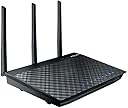
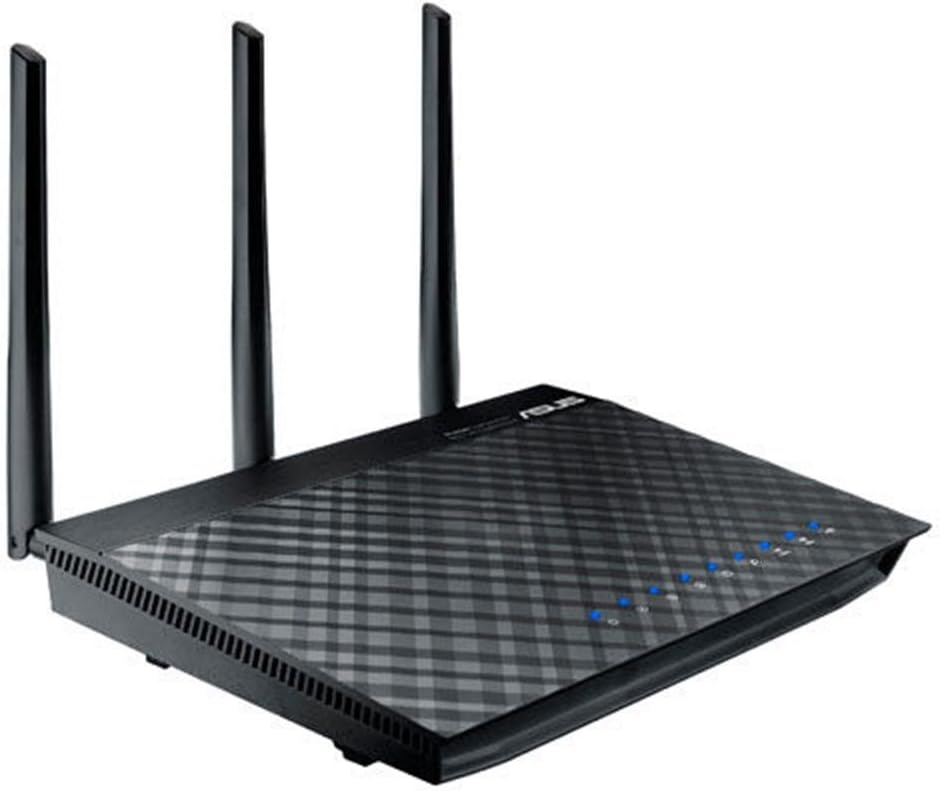
🚀 Elevate your home network — speed, range, and control in one sleek router!
The ASUS RT-AC66R is a dual-band 802.11ac router delivering up to 1.75Gbps wireless speeds with gigabit Ethernet ports and AiRadar technology for enhanced coverage. Featuring an intuitive ASUSWRT interface, it supports cloud access via AiCloud and multi-functional USB ports for versatile device sharing. Ideal for professionals craving reliable, high-speed connectivity across multiple devices, it combines performance with smart network management.
| ASIN | B00IEG4H1K |
| Antenna Location | Monitoring |
| Best Sellers Rank | #76,741 in Computers & Accessories ( See Top 100 in Computers & Accessories ) #1,817 in Computer Routers |
| Brand | ASUS |
| Built-In Media | detachable high-powered antennas |
| Color | Black |
| Compatible Devices | Printer |
| Connectivity Technology | wireless |
| Control Method | App |
| Controller Type | vera |
| Customer Reviews | 3.2 out of 5 stars 194 Reviews |
| Data Transfer Rate | 2400 Megabits Per Second |
| Frequency | 5 GHz |
| Frequency Band Class | Dual-Band |
| Global Trade Identification Number | 00886227290536 |
| Is Electric | Yes |
| Is Modem Compatible | No |
| Item Weight | 2.5 Pounds |
| LAN Port Bandwidth | 10/100/1000 (Gigabit) |
| Manufacturer | ASUS Computer International Direct |
| Model Name | RT-AC66R |
| Model Number | RT-AC66R |
| Number of Ports | 4 |
| Operating System | Windows 8, Windows 7, Windows XP, Windows Vista, Windows 2003, Windows XP, Android |
| Other Special Features of the Product | WPS |
| RAM Memory Installed | 512 MB |
| Security Protocol | WPA, WPA2, WPS |
| Special Feature | WPS |
| UPC | 886227290536 |
| Voltage | 100240 Volts |
| Wireless Communication Standard | 5.8 GHz Radio Frequency , 802.11a/b/g/n, 802.11ac |
| Wireless Compability | 5.8 GHz Radio Frequency, 802.11a/b/g/n, 802.11ac |
M**T
So far it seems well worth it.
I have only been running it for 24 hours, but I wanted to leave a review now to let people know to not install the very latest version of firmware so that they do not waste their time on tech support. The very latest firmware will toast the 5G band and the 5G stops working. If you do install it, go to the ASUS support website and get the very last version prior to the latest one and flash it back to this one, it will fix the 5G issue and everything will work again. Unfortunately it doesn't seem that ASUS has addressed this issue yet, but this is easily fixed by reverting the firmware to the previous version and will save you time on the phone with tech support. Thankfully I simply searched and found a couple of forums that mentioned this firmware issue and I didn't need to call support, and I suspected a firmware issue being that the 5G band was working before the firmware flash. I will post an update later on if anything changes as I generally like to let some time pass before reviewing items, but so far this router is fantastic. I bought this to replace a Netgear WNDR3400 that I have had for a few years now due to needing better coverage range and to remedy some of our devices randomly starting to drop connection to it, and just an increase in connected devices in the home that the Netgear seemed to start having issues in keeping up with, otherwise the Netgear was a good router. We have a 100mbps cable internet connection. I sat on our front porch (the router is on the other side of our house) and ran some before and after tests. The test laptop even maintains a 72mbps connection on the ASUS when it would drop to 5.5mbps on the porch with the Netgear, the connection quality before and after is significant. Even my phone will pick up signal out to the street side now. The 5G band also seems just as strong as the 2.4G band, the Netgear you almost had to be in the same room with it in order to get the 5G band. I pretty much have full signal throughout the house now. The configuration interface is also really well laid out and easy to use, lots of nice features. I have quite a bit of experience with ASUS products and I hope that I have as good of results with this item as I have had in the past. Last night I was installing updates on my laptop, someone was watching Netflix in one room, and I was watching Amazon Prime TV in another room at the same time, nothing skipped a beat. So, as I was saying, very encouraging so far. 5/21/16 Update: It is still running strong, and so far no more firmware update issues that I've seen (I now have the latest one released), of which I do recommend doing, after a couple of months I had to start rebooting the router occasionally, apparently one of the firmware updates they released fixed it (I know, an update actually fixing an issue, right?). It sits on its perch and it just runs and I don't have to think about it. The range is really great on it and the speeds are excellent, I get my full rated internet speed even on wireless (that is, on my better wireless adapters that are newer and support the higher speeds better).
C**I
Be cool, ASUS
Even though I have had one glaring issue with this router, I want to give it a full review because when it worked, it worked well. Too bad it does not always work. The problem. I have had this router since February 2015, or about 5 months. For the eight weeks, it was great, no problems. Speeds on wifi and wired connections were great. Then 12 weeks ago, it started having problems or one really big problem. The WAN side stops connecting to my Comcast Modem. Everything on LAN still works, everything on the network functions, except I lose my internet connection. This has happens about every three weeks, three times. Each time this happened, I unplugged it, left it unplugged for about 5 hours, and it would work fine for three weeks. The pattern from what I can tell, is that over three weeks it heats up and cannot dissipate the heat correctly. After a couple weeks it's usually warm to the touch, but not excessive. But on or around that third week, it's almost scalding hot. Now, the WAN side won't connect to my modem. Great. Unplug it for a while (hours), starts working again. If I unplug it for only a few minutes, not enough time for the heat to dissipate, it won't connect. If I hard reset it and power cycle after 5 minutes, it still won't connect on the WAN side. My theory is poor components or a poor heat sink leading to an overheating issue. I have searched for similar incidents, but outside of this review, they are not all that common. So maybe it's a problem on one or two ASUS models. In the end, I've probably put about 10 hours dealing with/pulling my hair out over this router. Build Straight-forward. The router has a flat, svelte feel to it. It has 3 antennas, which I use in 45/90/45 degree angles for optimal coverage. I question the build quality of the internal components, as you can imagine. Range The range is very good. Compared to an N router, I get 2 more bars on average. So 4/5 vs 2/5 over the same distance. Speed The speed like the range, is very good. Where I was getting 5 mbps, this gives me 20-25 mbps. This is probably also because 5 ghz devices are limited in my area. Most everyone near me is still using 2.4 ghz devices. So there is no interference. UI The UI is nice and clean. Very easy to use/navigate. I would have liked some more admin stuff, like a way to schedule restarts for example or input commands directly. Maybe that would mitigate my heating problem. Overall This router has good features, range and speed, but in the end because of this heating design flaw/bug/whatever, I can't recommend this router. If you bought one, you might never even see this problem, or you might get it every other day. But why take the chance, especially for $189?
P**M
Insane speed boosts upgrading to Wireless AC. Eliminated streaming/gaming lag completely. Awesome router!
Very happy with this purchase. Upgraded from a Cisco WRT-160N. It went on the fritz a few months ago. Also had a Cisco E-900 that I received from a relative. Both needed to be restarted at least once per week, sometimes more. Reception was in and out. Decided to upgrade to a wireless AC router and saw the reviews on this ASUS unit. I have several ASUS monitors and my wife has an ASUS laptop and we've had no problems out of any ASUS devices. I work in I.T. so I wasn't scared off by the reviews that said the set up was too difficult. It was pretty simple if you have any experience setting up routers. I was able to set up the router and enable port-forwarding for my PS4 within a few minutes. The only hiccup I had was that each time I restarted the router, I also had to reset my internet modem. I've never had to do that before with any previous routers. But if I don't reset the internet modem, I will not get a connection. Strange. Now that that's out of the way, the performance on this thing is awesome! On regular wireless N, I was able to get 20 Mpbs on my (old) laptop connected to the 2.4GHz band. When I switched on the ASUS router, my speeds jumped to 50 Mbps. I thought my speed was maxed at 30 mbps. Great way to discover the change. If that's not enough, I have another laptop that supports Wireless AC and when I did a Speedtest on the 5GHz band, the download speeds maxed out over 100 Mbps! Now I just need to buy more devices that support the Wireless AC standard! So far, after about two weeks, I've had no connection issues and the signal is strong. I experienced lots of lag playing my PS4 online and that has pretty much completely disappeared (even though PS4 does not support Wireless AC). No issues streaming two Netflix shows/movies at once or playing PS4 while wife is watching Netflix. I did purchase a USB cooling fan that sits underneath since some reviews said the unit can run warm. Hopefully that'll keep this baby running nice and smooth. If anything changes, I'll come back and review this unit. One star removed due to the weird need to restart the modem every time I update or restart the router. Also wish updating the firmware could be done on the unit itself. I still have not updated mine, but will do so soon. Great buy though. Very satisfied.
K**T
BUYER BEWARE
My previous router couldn't handle high speed internet like this one does. It is good but I did have an issue where it somehow reset itself to factory settings one night while I was asleep. Woke up and was extremely frustrated, as I have a smart home and am overly addicted to my Wifi. Other than that, it's a good router and I recommend it. Update as of 2/14/18 (and downgrade from 5 stars to one star) the return window has closed and the router is already a dud. I purchased this 4 months ago and it is already a dud that is completely unusable. It won't even power up correctly. The power LED doesn't even turn on when it is plugged in, even though the LAN lights do (thus it's not a problem with the outlet but must be a problem with the device). Since the device won't power on, the computer cannot detect it on ethernet so it's clearly a hardware problem. Don't waste your money.
C**E
Terrific Router!
We set this up Christmas Day. I am no techie, and I had this installed in about 30 minutes. It is not as hard as some reviews make it sound. I was not able to connect to the server (Asus) on Christmas Day to update the firmware and need to try again. I imagine it was a busy day for them. It works great on both channels and is a huge improvement over our old router. We have a 2 story home with a basement and it reaches both the upstairs for the Xbox One and the basement for the iPad Mini. My Macbook Pro and my sons iPad all work great and get great reception. They will all get great service at the same time, and our internet is called high speed, but it isn't nearly as fast as the router. We are very happy with this purchase. Our cable internet company tech recommended it.
C**S
Bad firmware is allowed to live
Pros: Great hardware, strong signal, polished GUI, low latency and high bandwidth. Cons: Disconnected from network for several minutes for even minor changes (port forwarding and such), ASUS promoting known bad firmware versions. This is a great router, don't get me wrong, but ASUS needs to figure out what's going on with their QA department. I updated my router's firmware as advised when I was configuring it, something I had to do manually as the router refused to automatically download the update (first red flag). After upditing to the latest firmware (3.0.0.4.376.3602), the 5 GHz band ceased to exists. The configuration showed that it was active, but no device could detect the band. This is kind of a big deal when the whole point of this router is to have that 5 GHz band. After some research I discovered that both of the two most recent firmware versions (3.0.0.4.376.3602 and 3.0.0.4.376.2524) have this issue. How does that slip through, and once discovered, how are those versions allowed to stay live on the support site? After reverting to version 3.0.0.4.376.1123 the 5GHz band returned, and the router has been working wonderfully since. I will however be hesitant to upgrade the firmware in the future.
V**R
Good for 6 months, then stopped working right.
I've had this unit for less than 7 months. I decided to pay extra for the best to avoid problems I'd had with earlier router (which was also Asus). I probably should have gone with Netgear, but this one got such good reviews. About six months after getting this unit, it started to intermittently turn off and on, completely disrupting the ability to do anything for more than a few minutes. Forget Netflix or Amazon because who wants to watch a show that gets randomly shut down for any number of minutes or hours. It would just randomly turn off for a few minutes, and when it decided it was good and ready, it would turn back on, which would again last for a few minutes; repeat, repeat, repeat. Resetting the system sometimes worked for a while, but inevitably the problem returned within hours. Separately, the parental controls mean nothing more than the ability to prevent certain devices from accessing the router in one hour blocks. In other words, you can shut down wifi access to your kid's ipod from, say, 10pm to 9am. You choose the one hour blocks. That's all. Not much for parental controls. However, if you want to and know how, you can point the DNS settings to opendns.com and get more content blocking that way. So, the router works really well .... until it doesn't. I still have no idea what the benefit is of paying $130 for a device that stops working in about the same time that a $50 device stops working. Super glad I bought the squaretrade warranty that I will now need to use, although I'm annoyed I need to use it after only 7 months!
W**G
Excellent product except it runs a bit warm
This is a seriously nice router for home use. I come to this as a long time Linux user and really appreciate the way this is based on open source software. The result of this is that this router is the beneficiary of the efforts of many open source efforts in network software, and there are several alternative packages that can easily be run on this machine if the base software doesn't meet your needs. Also Asus has done a great job putting a nice easy to use front end on top of what has to be the one of the strongest foundations possible for an internet appliance. The community for this product is consequently large, and user support resources for this are all over the internet. The only criticisms of it I have are on the hardware side. It runs a bit warm, the LEDs are way too bright, and the wall mounting bracket holes in the router body are too shallow to accept normal screws. The LEDs I addressed with some tape, the wall mount I fixed by Dremeling the stand that came with the router and drilling a couple of mounting holes in it to convert it into a wall mounting bracket. (additional information) After wall mounting I found that the space behind the router felt fairly warm so I added 3/4 inch spacers between the modified bracket and the wall for air flow. Using an infrared thermometer this resulted in a 7 degree F drop in the surface temperature of the router, which I think is pretty significant. So if you are going to wall mount this, I'd strongly recommend what I did and space it out from the wall something like an inch or so. It makes a real difference in temperature. In retrospect it may be that the mounting holes on the bottom of this are intentionally shallow, and it's not really intended to be wall mounted despite what it says in the product description. Anyway the only real concern I have is the operating temperature. If this causes a long term issue I'll come back and take stars off.
Trustpilot
1 week ago
1 week ago