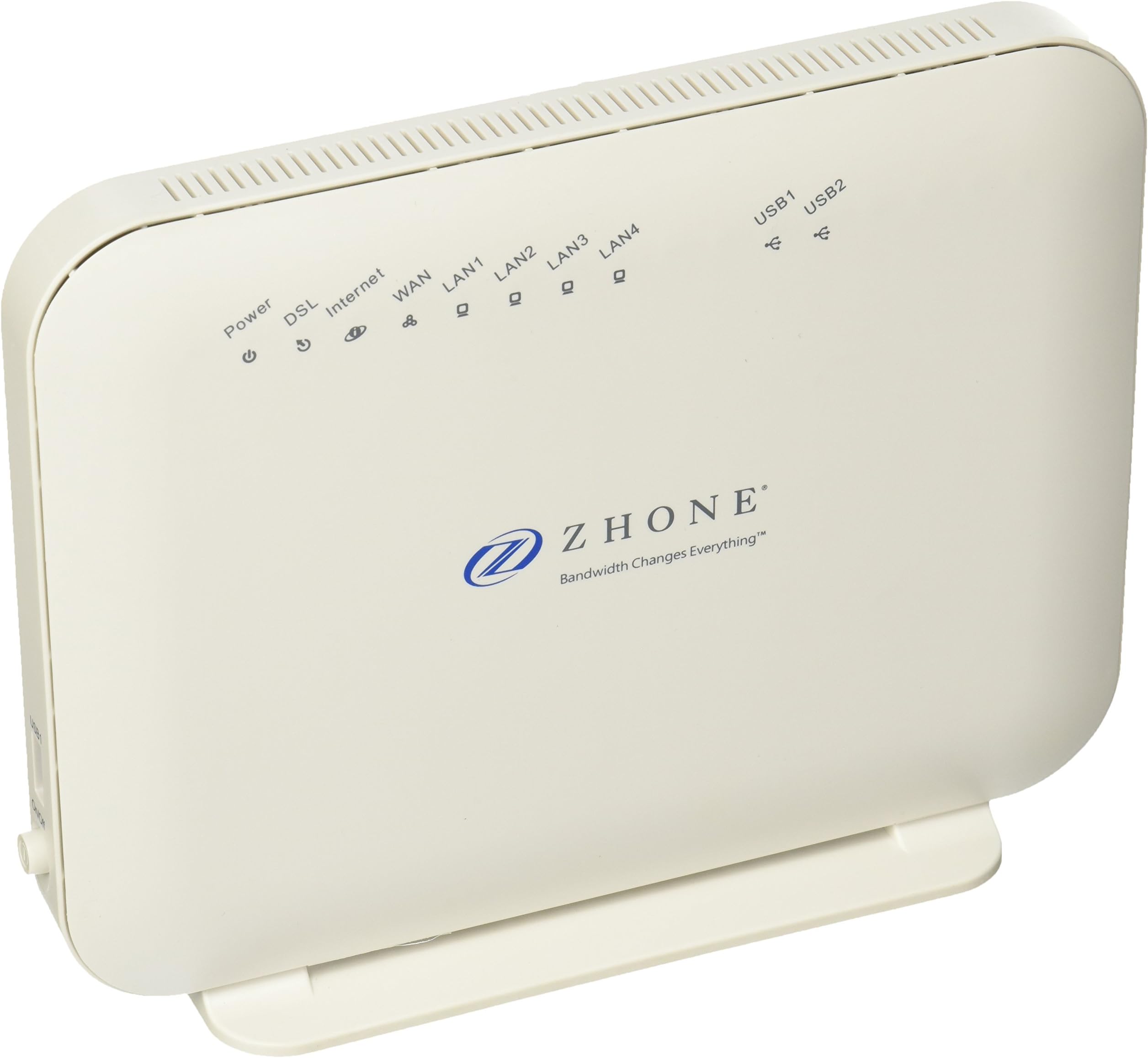
Zhone will NOT provide any kind of customer support on this modem They make you register your email to download a pdf of the entire manual which can be helpful in places. However if you can get the modem working it is lots more stable than the TP-Link bridge modem TD-8616 linked to a router if you are using Sonic ADSL 2+ Sonic will not give or sell you a modem any more. Sonic does not know how to set up this Zhone modem although after waiting on hold for over an hour a nice customer service guy did try and help me for over an hour switching in and out of static and unsuccessfully trying to set it up. After many, many hours of playing around with different configurations on my own it was easiest for me to set this up when my Sonic account was in static, which you can do under Member Tools and be sure to copy all address and routing info. I found going through the static address eventually to be easier than setting the Zhone into bridge mode through a router, although if you can figure out how that should work too. The router is now just set to listen to info from the Zhone. The directions for set up for the Sonic ADSL 2+ are different than the directions given earlier on Amazon for a PPOE internet account which Sonic does NOT have. The early parts of the directions though are mostly the same: 1) Plug in the phone cable from your ISP to the ZHONE and the Ethernet cable from the modem to your computer into appropriate jacks. Plug in the power and let the ZHONE power up (power button on the left needs to be pushed in). Do a full reset (just to clear any settings and to make sure factory defaults are set) by pushing the reset button on back with paper clip. 2) First see if you can get into the ZHONE login menu using the IP address of the modem: 192.168.1.1. If not, then you need to temporarily change the network adapter settings in your computer (which are usually set to `Obtain an IP address automatically'). Note, this is for Win7 but will be similar to other OS versions. Do this by: a) Start Button b) Control Panel c) Network and Internet d) Network and Sharing Center e) Change adapter settings f) Right click on `Local Area Connection' and choose `Properties' g) Click on `Internet Protocol Version 4 (TCP/IPv4)' h) Click on `Properties' then on `Use the following IP address' i) Add an IP number: 192.168.1.X (you can use any number for `X' from 2 - 250, 1 is for the modem here) j) Click `OK' and `Close' to save changes. * Remember: this is temporary, change the settings back to `Obtain an IP address automatically' after the router is fully setup and you have a link to the internet. This is done by the same above: a) through h) and choose `Obtain an IP address automatically'. 3) Now open a browser and type in 192.168.1.1 to get into the setup menu of the ZHONE 4) Type in the username and password of your ZHONE Modem: Username: admin Password: admin###### (###### is the last 6 numbers of your modems serial number. 5) Click on `Quick Setup' on the left menu 6) Unclick `Automatic Configuration' if it's already clicked. 7) On `ATM PVC Configuration', add the following values: VPI = 0 VCI = 35 This number is different than the earlier Amazon entry 8) Leave other configurations modes at default: `Encapsulation Mode': LLC/SNAP-BRIDGING 9) I think `WAN Service Configuration' is DHCP 10) Leave `Use Static IP Address' unchecked. You cannot apply it here but must apply it in Advanced Menu. 11) Click the `Apply/Save' box. 12) Now you'll need to go to the `Advance Setup' section. By adding and editing in the Layer2 Interface drop down categories under Advanced Setup you want to end up with something that looks like the info below. All of these fields may not be needed, and they may not need to be identical to what is below for modem to work, but trying to save someone else all the hours it took me to get the Zhone working: DSL ATM Interface Configuration Interface atm0 vpi 0 Vci3 5 DSL Latency Path0 Category UBR Link Type EoA Conn Mode Default Mode IPQoS Support MPAAL Prec/Alg/Wght 8/WRR/1 Under PTM Interface DSL PTM Interface Configuration Interface ptm0 DSL Latency Path0 PTM Priority Normal&High Conn Mode VlanMuxMode IP QoS Support Under ETH Interface ETH WAN Interface Configuration Interface ETHWAN Connection Mode VlanMuxMode Under WAN Service Wide Area Network (WAN) Service Setup Interface atm) Description ipoe_0_0_35 Type IPOE Igmp Disabled NAT Enabled Firewall Enabled IPv6 Disabled Mld Disabled Under Routing Routing -- Default Gateway Selected Default Gateway Interfaces atm0 In Advanced Setup you can add interfaces by clicking the Add box and creating them You can delete interfaces from the main page by clicking Remove at the end of the row and in the Remove box below Think what finally got everything working was going to WAN Service Go into Interface atm0 and clicking Edit box at very end Then enters WAN IP Settings Here is where the Zhone will accept a Static Address Click Use the following Static IP Address: Enter all static info from Sonic WAN gateway IP Address is a shortened variation of WAN IP Address, Sonic may call it default On next page Enable NAT and Enable Firewall are checked WAN Setup - Summary should read: Connection Type: IPOE NAT: Enabled Full Cone NAT: Disabled Firewall: Enabled IGMP Disabled Quality of Service Disabled At the end to get Zhone to accept everything you may need to go to Apply/Save and you may need to give it both the First Static IP Address again plus the MAC Address. One variation of the MAC Address can be found on the Device Info page the first top option on your left. Another version of MAC Address without the : is on the Zhone box. I don't know if the system will just accept this version since I used the MAC address exactly from the Device Info Summary Page. Think this is what finally got everything working for my Sonic ADSL2+ connection If anyone has a faster or clearer way they should please post it.