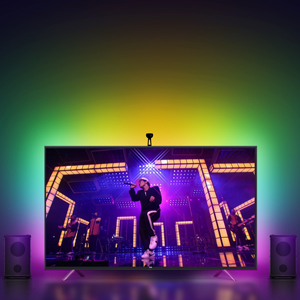
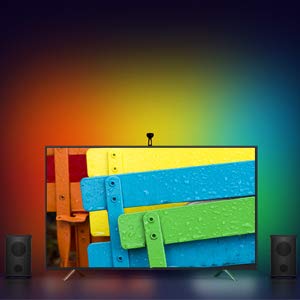
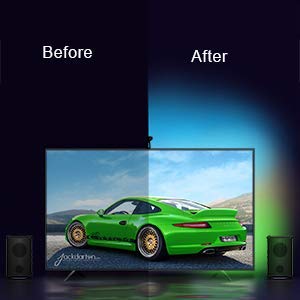
✨ Transform your TV nights with smart, color-synced brilliance! 🎬
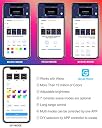
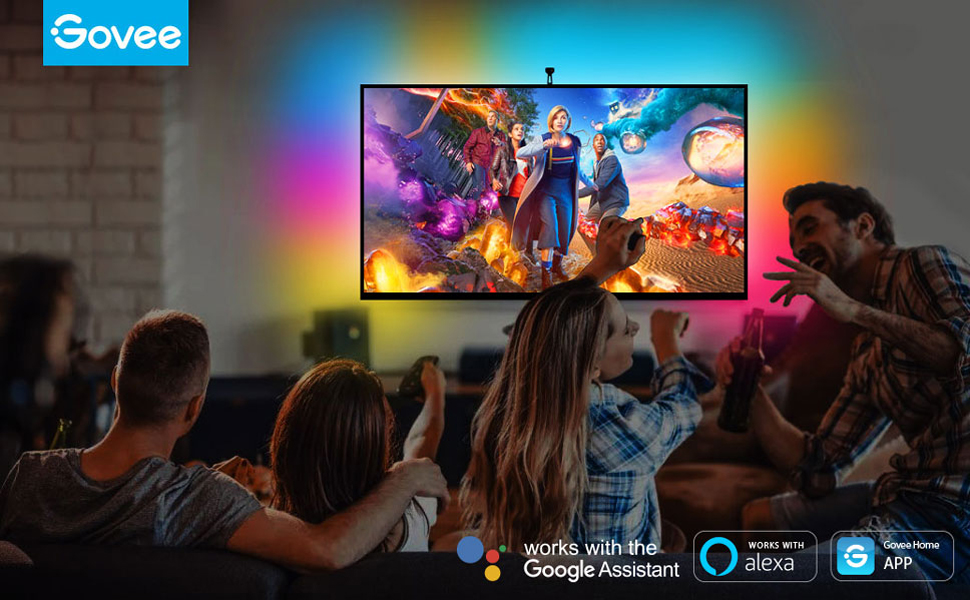
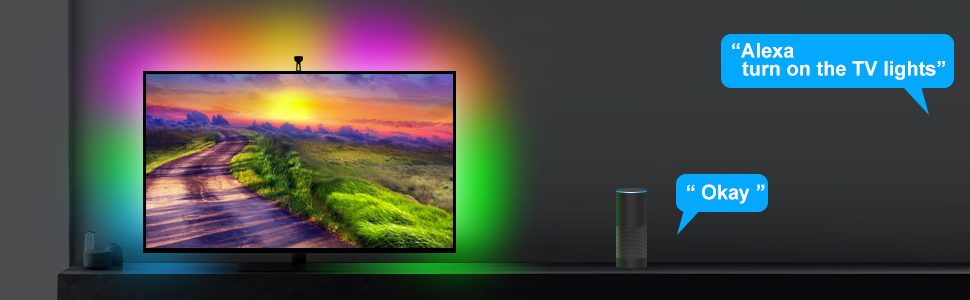
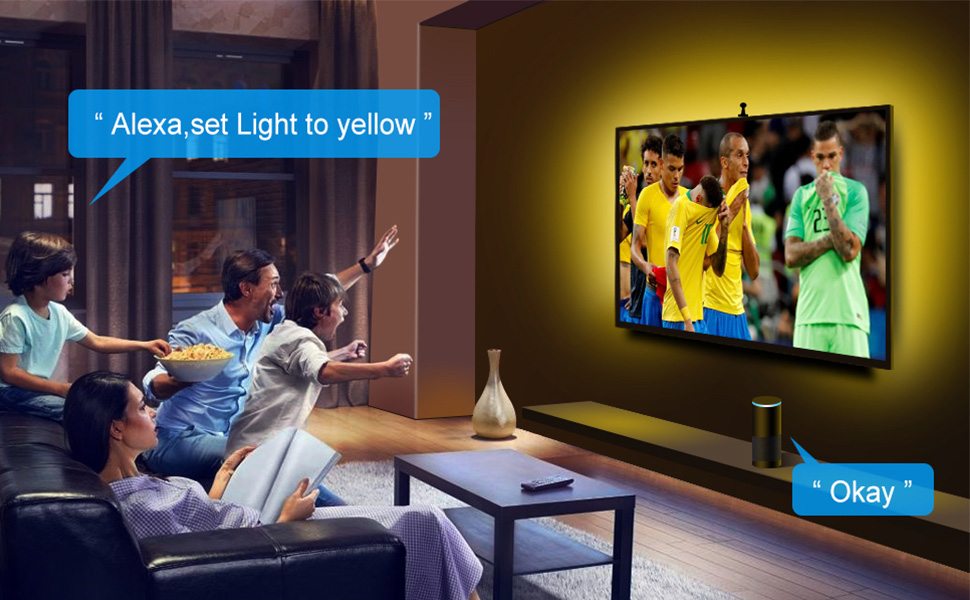
The Govee LED TV Backlights feature an 8.5-foot RGBIC LED strip designed for 55-65 inch TVs, equipped with a camera that captures on-screen colors to dynamically adjust ambient lighting. Controlled via WiFi through the Govee app or voice assistants like Alexa and Google, it offers multi-zone color effects and music synchronization for an immersive viewing and listening experience. Easy to install with adhesive and clips, it enhances your home theater ambiance with vibrant, customizable lighting.




| ASIN | B07JKVKZX8 |
| Batteries Included? | No |
| Batteries Required? | No |
| Brand | Govee |
| Color | Multicolor |
| Control Method | Voice |
| Controller Type | APP Control & Voice Control |
| Customer Reviews | 4.2 4.2 out of 5 stars (4,523) |
| Date First Available | October 20, 2018 |
| Form Factor | TV-shaped LED strip lights |
| Included Components | Light kit inlcuded |
| Indoor/Outdoor Usage | Indoor |
| Is Discontinued By Manufacturer | No |
| Item Length | 8.5 Feet |
| Item Weight | 13.6 ounces |
| Item model number | Govee-TV-Backlight-55-65 |
| Light Color | Multicolor |
| Light Source Type | LED |
| Manufacturer | Govee |
| Material | Vinyl |
| Number of Items | 5 |
| Number of Light Sources | 68 |
| Occasion | Christmas |
| Part Number | H61041A1 |
| Power Source | Corded Electric |
| Special Feature | Corded |
| Special Features | Corded |
| Style | Modern |
| Theme | Tv |
| UPC | 741663591510 799953928201 |
| Voltage | 12 Volts |
| Wattage | 18 watts |
C**E
Definitely a great experience for the price
After some digging and [we'll call it] research on Bias lighting/reactive LED options, I decided to give this set a shot. The reviews are overall pretty solid, and the handful of YouTube videos were helpful. What I like For price point, these lights 100% do the trick. I was looking for a set that were going to react to what is being seen on the TV. This camera approach was something I hadn't seen before, and it works pretty well! Not to mention, they're pretty bright (for being up against a dark green wall). I liked having everything I needed included in the box (minus a tape measure, but let's be honest... you should have a tape measure by now). As of now, I can say that the app is working just fine so far, no issue. I love the ability to turn them on/off over your wifi, these are "smart" anyway. Honestly, it works! Overall, I dont regret this purchase at all. The backlighting is definitely a cool addition to our viewing experiences, and I plan trying another set for the upstairs TV too. What needs improved I have nothing to compare these to at this time, so the following may be due to quality at this price, I'm not sure; The colors the LEDs are putting out are sometimes random. The camera relays the colors its seeing from 5 pivot points from the calibration, but sometimes it projects a color that's not prominent on the screen. For example, if there was a shot of a beach, half blue sky half beach, and there is a red beach umbrella somewhere in the shot, the camera might throw a good bit of red out since that's what its seeing. I wonder if there is a way in the preferences to just have the colors closer to the outside edges to be displayed more than other, not prominent colors. Along the same lines, I'm not a fan of how the lights project white when the screen goes dark/black. I feel like, under the display match setting, they should dim/fade out! The adhesive on the LED strips themselves are pretty good, but the corners pop off due to the cables (there is coiled wiring at the 90* angles, which is pretty smart but they pull on the adhered strip). HOWEVER, this kit did include some additional 3M "clips", that provided extra support, so that definitely makes up for the strips themselves. The USB cable from the camera is slightly short. if it was maybe an extra 6 inches, it would have been perfect. Since this goes to the converter box, which also needs to attach to the end of the LED strip, it would have been ideal to have a little wiggle room (for the larger TVs). I made it work, thanks to those additional clips to keep it all attached. There is the SLIGHTEST lag of color change from screen to lights, but I think that's normal considering you're utilizing a camera/converter combo... aka, theres a lot going on in this setup, so minor delay may be expected. If anyone has some suggestions on ways to improve the above items, let me know! I'm still learning myself If you want to give bias lighting a chance, I recommend this set. There are a ton of other options that I havent even looking into yet (continuous backlighting of same color, timers, other settings/environments). If you're on the fence, tries these out.
J**0
$70 well spent.
In separate places in my star rating, I gave the adhesion a 5/5 and ease of install a 2 - overall a 4/5. Why? I'll list some nitty gritty with a solid review, and not some glowing garbage I've seen posted elsewhere. In fact, better reviews are available readily from 3rd party websites. First though, if you're new to bias lighting - then get this and skip the rest. See what you like or don't and go from there. I will note later that I think much of the reactive stuff is overrated with the exception of video games, while the average color modes are excellent almost everywhere. This is preference though. It's well worth $70... and almost a 5/5, but there are some issues. Note however, I've only had this installed for maybe 6 hours so far so I'm infantile in this product's age. Still, for $70 it's very close to being a perfect 5/5. Compared to the Lightberry or another self-coded RPi, it's not even going to be close. Install chapter one. The tape sucked. The ribbons kept peeling off both sides of the product when trying to install. On one side of one strip I had to re-press it back on to the end and finally got the correct side off the other. On the other strip it pulled all of it off both sides and I had to use a knife to pry just the non-sticky side up enough to finally grab it. That's not confusing enough? Without writing a 40-page article explaining it, just know that it' pretty standard double-sided 3M tape and because it's so small you might have some trouble without some fingernails. Not a huge deal, and it sticks just fine. I've heard of some other stuff coming off because these TV's these days get pretty hot on their backs so some of the glue melts, but I don't see that as an issue when I'd used the same tape to adhere some bug deflectors on my old truck in Texas summers for 6 years with no problems. Secondly on the install part, it's not going to easily meet your requirements like it says for an 80-inch TV. Mine is installed about 2" or 5cm from each edge of a 70" TV to test this out, and it's ALL that way stretched out. I used the little strip holders it comes with (glued sticky brackets) on each end of all cables to help make sure it doesn't come off anytime soon. Again, I doubt it will, but longevity isn't China-made product's strong suit.... so let's hope 3M comes to its rescue. I would NOT put this on anything over 65" at all.... it'll be a little too far back to be as effective as it should be. Both of my top corners are darker than the middles by a decent margin. Still, I don't mind that - the Philips Play setup would be much the same. Still, I would recommend Govee stop saying it's good for "55 to 80 inch" TVs. That's simply not going to be as good as it could be should they simply just add maybe 4 more LEDs to each strip (it's 3 strips connected in the corners by a cable) and it would easily fit 70, and probably the new 82" standard for big TVs pretty easily. TL;DR - it's not going to fit as well as it could on anyting more than a 65" TV. At least, not the biggest model they currently have. If anything, I'd order one size up from your TV size perhaps. On a 55 it would be perfect, you'd just have to tighten down your own cords somehow in the back. Install Part 3 - the power cord, hub box, LED USB cord (connected to the lower right, if looking at your TV from the back, of the strip), and camera cord are funny.... because they're all more than long enoug except the little, tiny camera cord. It's like 2 feet long, give or take, so mine is at it's max, stretching the cord for the USB cable, and putting my power cord at it's maximum length.... again, not condusive to a 70" screen. I'm glad it's not bigger now. If the camera cord was maybe a foot longer, or just make it 1 meter in length, none of this would be a problem and I wouldn't have this goofy set of cables stretched around the back of my TV. It's all at it's maximum with my setup... and the power cord thing is just because it's a big TV mounted on my wall, with the power source about a meter below the bottom of my screen. The hub is fine, but mine's just mounted funny because of all this. So we're done with install finally... the stupid strips are in place, and everything is mounted, albeit oddly. So let's plug it in a give it a whirl. Boom, problem numbers 2 through whatever. The App is clearly written by someone with minimal English formal education. It's a mess, but it does work and all their social posts within the app are written well, but the whole thing, while pretty and functions VERY well, is sloppy in the grammar and spelling. It's funny, but the app is as smooth as all of my smart home stuff is and just as fast - so I have to give this thing the credit it deserves. Calibration however is odd. The camera is of course a fishbowl type, more than wide enough to see all of my screen, but the calibration portion is funny to mess with on a screen this large (let alone even bigger). It works, but I've done the calbration probably a dozen times and I don't know where it should actually go. Inside my screen just slightly? Outside? Right on the corners? Nothing made much of a difference, given the way this works, but still - it's just an odd setup. But, it works - and I'll get to what I prefer in a little bit. The Wireless is 2.4GHz only, which all my smart devices run off (everything else that needs faster speeds are on my 5GHz anyway, so I did this part with intent). It's connected to Google Home without issue at all as well, and I've messed with it a bit on there and it does everything it's supposed to - so I'm happy with it. It works then. Good. So far, besides minor issues and some oddities already causing a one star loss, let's see what could make it a 3/5 like so many other websites give it. Besides the fact that there's very little information in the "user manual" - it just tells you how to set it up and download the app... that's it, there's a myraid of weird things it's been doing. One is connection issues a couple times, and sometimes it's just had a few too many or something and has flickered every so often. It's totally random.... but ALL of these only happen in the video modes, in music, scene, or color mode it won't - those are preset and don't matter to the camera telling it what to do. There's two settings in Video Mode in it you'd like to check out once it's connected to your Bluetooth (oh - this has to connect every time you open the app, even if you swipe off the app but it's still running... so that's annoying, but it's quick though hasn't been able to connect a couple of times so far). One is the "All" setting, which takes the average image color of what you've calibrated it to look at and project it outward - which I prefer, and "Part," which is the same way the Ambilight, Lightpack, Ambiscreen, Philips Play (well, kind of), and Dreamscreen does it... assuming you like the pitfalls of all those other systems. I went with this not because of cost, but because ALL of those can't render certain things, and I already have 5 devices on HDMI hooked up through my LG SL10YG and LG TV via ARC (PC, Xbone, PS4, Switch, and Wii U)... so no more for me, one repeater is too much already. Some don't render HDR (Lightpack), some are not making them or supporting them anymore (Dreamscreen), some are not available in the US or something (Ambiscreen, and who knows how it'll actually perform), and some take some coding, soldering, and DIY skills and still won't process everything through them correctly (Lightberry doesn't pass DTS:X or Atmos through from what I understand, but could be wrong). Thus, a camera system like this works fine for what I wanted, and even with a slight lag the "all" mode (average of the screen) is awesome. I personally find the "part" mode distracting, and it's too slow for video games. * It doesn't lag much, but it is noticeable. It needs both more processing power and a better configuration to what it sees to basically remove most of the issues. * It won't turn on with your TV, though they could have added a USB power option for sending a signal for on/off since most TVs have USB on/off sync with the TV, at least as an option. * The Sensitivity slider doesn't seem to do much. I've put it on minimum, maximum, and every 3rd or 4th of the way and just leave it in the middle because it seems to just be an extra piece of software. * The Brightness is impressive, I've left mine at 70% and been fine in blackout conditions. * If you have other lights on in the same room where it reflects off the TV, it gets confused and puts either red or blue somewhere (mine kept putting the whole bottom left corner as red with my dining room light on, and blue in the top right when it gets confused and doesn't know what color to show - so I kept it on the average color setting and it works beautifully). I think blue is it's default color when it had no idea what to output. * There is no remote - you control it through Alexa, Google Home, or the App only. Since Google is everywhere in my house and can hear all the nasty things going on, it's okay with me. A power on/off with TV function could still be pretty easily added I think. * The scenes in the app are subjectively pretty cool. My wife like the snowflake one for Xmas upcoming, which I agreed would be cool to have behind the TV at night or something when we're just in the holiday mood. I live in Hawaii - so I don't exactly get snow. The Candlelight one is nice too, and she also liked the "dating" and "romantic" modes. * There is a music mode, but I haven't done anything with that yet and don't care to. I'm too old now to party much. It does also have just plain solid colors you can choose with either presets or a whole color wheel like any advanced RGB/W strip can. * In white mode it can be all the way cool or warm too, though it doesn't give a temperature measurement. It's just a slider with warm on one side and cool on the other. * You CAN reverse the calibration if you want to mount the camera on the bottom. I did at first, but it looked even more strange with my setup, so it sits on top of my Wii U sensor like a 1950's alien antenna. * There is no bottom strip, nor any way to add one. I wish there were, given my wall-mounted TV could use one. Since many people DO mount their TVs on the wall, I have no idea why they don't provide two things: another strip for the bottom, and about 4 more LEDs on all sides to actually fit a 70+ inch TV better. This would work a lot better on a TV that's on a stand of some sort. * It will often get confused and just default to a blue, and even the white has a VERY slight blue hue to it. That bothers me exactly zero since in my preferred mode the colors change differently than in the fully reactive mode. This may bug you a lot though if you prefer the other. Overall, I'm impressed. Given the lack of some functionality with other lighting systems - like the Philips Sync Box and LED strips only being one color at a time... or the others mentioned prior... a camera system like this is pretty good. It's just a bit goofy sitting over my TV like it is, but it does work pretty well once you figure your calibration out. ***Oh, another note for my TV specifically, I can't mount the Wii U sensor to the bottom because LG has this fetish with big IR sensors on the bottom sensor of their TVs, and with my Wii U sensor mounted behind it, it wasn't so accurate, so I had to leave it on top or put it hanging underneath - which was not an option. I think this contributes to another bit of strange behavior, with the center top of my strip always showing red, yellow, or blue when in part mode - the sensor may just block some of the camera. So if you have a Kinect, PS4 camera (who has one of those anyway though?) or a Wii U (mine os for emulation now mostly, so yes I still use it) sensor or some other device up there, this one may act funny like mine. If possible, move your device to one side or another - this camera seems a little sensitive to being left or right too much, and may also by what it doesn't have a bottom strip. You'll see when you go to calibrate, as I had to move this thing a little bit a couple of times to even be able to properly set the corners. I'm also still not fully convinced I have calibrated or even placd the camera optimally - but we're talking under 1mm movements now so I'm good with 98% optimal and the general idea of how well this works. For $70, it's WAY worth it to have something THIS good until you decide to fork out bigger bucks for a much better system, decide this is good enough, or you simply don't need all the goodness of others and just want something that works and can do some nice things without worrying about the capabilities and limitations of HDMI-passthrough devices, as some are severely stricken. For $10 you can do your own LED strips easily, and the similarly-priced Luminoodle is a great USB-powered option but doesn't do much else but stay one of a few colors and has it's own remote, though does power on with your TV because of the USB power. There's a million ways to skin this cat, and this one is definitely ahead of the curve. Let's see if the Ambiscreen can do better now. Until an HDMI option comes through that can pass ALL formats through without issue, I'll stick with this el cheapo option.... unless something even better comes along in the same family of options. I would like to now get more Govee products to use in the app they have and mess around lighting up all sorts of stuff I don't need to. I'd always been interested in indirect lighting anyway. No videos or pictures can do much justice either, electric eyes just see differently than we do. I took a few pictures that look way more blue than what I see, and the videos don't come out looking like they really do either. Thus, only one is posted, and it's still not all too accurate. I just opened YouTube on my PC and took a picture of what it showed while reactive - and I saw some blue, but not the purple like the camera picked up. Will update as time goes on - I think there's a lot of potential here, but it needs to be faster and the strips need to be longer, and things need to work more smoothly or this will easily be taken over by another product.
E**D
Inexpensive, looks and works great. Welcome addition to my smart home.
I saw this item presented on a YouTube tech channel. This is not something I knew existed or would have looked for if they hadn't done a review. After watching the video, I looked around at similar products and decided to go with this one. The item comes in a surprisingly small box, but everything you need is included. I have a 55" TV, and this fit perfectly. I cleaned the back of my TV with rubbing alcohol and a rag (they include a small wipe, but I used my own to make sure the plastic was very clean). The LED strips stuck very well to the back of my TV. It only took me about 20min to install and get this working. The app was easy to use and intuitive. I think this works surprisingly well considering what it costs. I looked at the Phillips Hue, but buying a hub and the sync box and the LED strips was ridiculously expensive. There is just the slightest delay with the colors changing with the picture, but since the colors are a blur on the wall behind, it's really not an issue. I wanted to use this with voice commands and I was able to get it installed into my Google Home and added a custom routine to turn on my TV, Audio and this strip. Now I can say "Hey Google, let's watch TV" and the TV, audio and this light strip all come on automatically. The LED strip works great and looks great. I was surprised how much better movies and TV look with the backlight. At first I was put off by the idea of a camera and didn't purchase the unit, looking for some type of HDMI unit like the Hue sync box. But, honestly, once it's installed, you don't even notice the camera, and I've had no issues with the colors or brightness.
A**O
Excelente producto. Solo que no imita bien los colores en video
R**N
رائع ويضيف لك متعه بالمشاهدة
W**.
Otros productos mas caros están limitados por lo que puede reconocer las luces, este reconoce todo. No es muy preciso pero funciona. Para mi gusto le falta brillo. Quizás un precio mas bajo estaría acorde. Fácil de usar. Obtuve mejor resultado adaptando una extensión del soporte de la cámara. NO me gusto que en escenas oscuras, de noche o interiores las luces quedan prendidas, debiera ser mas realista y apagarse también y dar esa misma sensación de oscuridad. Para música que es mas simple cumple con ritmo, intensidad del sonido; en este modo, cuando no hay sonido si se apagan las luce en su totalidad
E**Z
La verdad es que stan muy buenas las luces, les falta un poco de gama de colores y para pantallas muy grandes es un poco dificil encontrar la mejor posicion de la camara pero si esta muy bien Recomendado
C**N
esta muy padre la tecnologia pero creo que le falta solo distingue los colores azul y rojo si no logra ese efecto visual si sale algo amarillo , verde o naranja.
Trustpilot
3 days ago
2 weeks ago