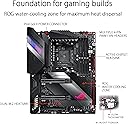
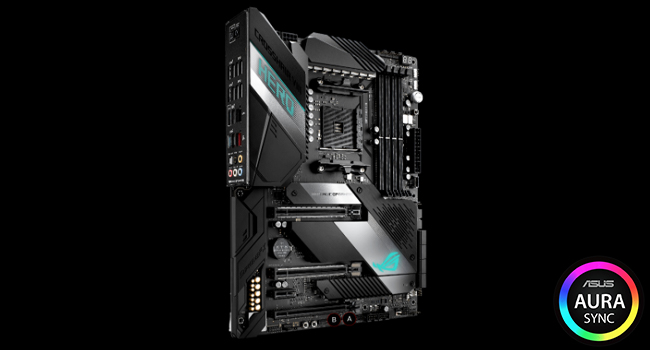
⚡ Power your Ryzen build with speed, style, and rock-solid reliability!
The ASUS ROG Crosshair VIII Hero X570 ATX motherboard is engineered for 2nd and 3rd Gen AMD Ryzen processors, featuring PCIe 4.0 support, integrated 2.5 Gbps LAN, USB 3.2 Gen2, and advanced thermal solutions. Designed for enthusiasts and professionals, it offers robust networking, DIY-friendly features, and customizable Aura Sync RGB lighting, making it a top-tier choice for high-performance, future-ready PC builds.


| ASIN | B07SYW3RT2 |
| Best Sellers Rank | #1,618 in Computer Motherboards |
| Brand | ASUS |
| Customer Reviews | 4.2 4.2 out of 5 stars (1,258) |
| Date First Available | July 1, 2019 |
| Item Dimensions LxWxH | 14.57 x 12.28 x 4.25 inches |
| Item Weight | 2.2 pounds |
| Item model number | 90MB1100-M0EAY0 |
| Manufacturer | Asus |
| Memory Speed | 5100 MHz |
| Product Dimensions | 14.57 x 12.28 x 4.25 inches |
| RAM | DIMM |
| Series | ROG CROSSHAIR VIII HERO |
| Voltage | 12 Volts |
R**T
Great Motherboard for Ryzen Systems
First off, I want to say that the way this was packaged was unacceptable. It came in the retailer box without any other box or packaging. I was very angry about the way this expensive and crucial part was shipped. With that being said, it worked on the first try. I was able to easily update and setup the UEFI/BIOS with no issues. I've had my system built for over a month now, and I have no complaints. Everything works just fine. I just wanted to make a statement about how it was shipped. I didn't dock any stars because the product itself is fine despite the horrendous packaging (or rather lack thereof) job. Update: There was no Q-Connector in the box. I am currently going through Amazon support to see if I can get one. Will update when I find out how it goes. Update 10 Mar 2020: Amazon was unable to help, but they did send me to ASUS Customer Service. The rep told me via chat that they could send one to me. As of now, I am waiting for the Q-Connector. I will update this review when I get the connector. Update 16 Mar 2020: I received the Q-Connector but it was the wrong one. However, I found one that works so I'm using that. Update 26 Sep 2020: After removing RAM to better access the CPU and AIO cooler, the B DIMM slots have stopped functioning. I have reached out to ASUS and am attempting to RMA this board. We shall see how that goes. I know that these boards are weird when it comes to memory, but I tried every trouble-shooting technique I could think of and could not get them to work. I was extremely careful when removing and reinstalling the RAM and all modules work in both A slots. At this point, I am docking stars and taking it to a two because this should not have happened. If the RMA process is smooth, then I will put the stars back. Update 14 Oct 2020: The RMA process was approved, but the motherboard came back with the same exact problem -- both B DIMM slots do not work. I will again have to contact support to get this fixed. I payed $360 for this board. There should have never been a problem to begin with, but at the very least when it was sent back for repair, it should have been repaired. It's as if they did nothing to fix it at all. One star now, ASUS. What a shame as this board was rated nearly a five by me originally. Update 27 Oct 2020: I received a replacement board and all issues have been resolved. The customer service was outstanding, thus I have increased the rating to five stars.
C**I
Great board so far with lots of USB 3.x ports
I will say I originally wanted the WiFi version but it was out of stock everywhere, and I can't actually use WiFi 6 right now nor am I currently using a WiFi connection at all though that may change again. So I wanted it more for "just in case" than anything. The only other difference between this board and the WiFi model is no bluetooth which I wouldn't use on a gaming PC either. So, with that said let's move on. The board is solidly built and the BIOS software seems decently laid out but I'm coming from an older Intel board from Asus so I was pretty familiar with how Asus does their BIOS layout anyway. The lighting features are nice, I was worried about the "Hero" logo being too much but it's actually pretty muted (and I think can be turned off individually in the Aura software). Since I'll be going watercooling I was intrigued by the high current pump header but I've realized nobody seems to actually make a 3-4 pin pump connector that can go on a mobo header, they're all Molex or Molex with a 4pin mobo connector for a PWM feed. So I have to wonder if Asus knows something is coming. One of the big reasons I went with this board over the Gigabyte Master is USB support. They both support the same overall amount of ports, however the Asus board ALL of the USB ports are USB 3.x where Gigabyte 4 of the rear USB are 2.0 still. My case supports 4x USB 3 ports and a type C port so Gigabyte would have won there due to having two USB 3 front panel headers where the Asus only has 1, however Asus has basically put those on the I/O panel. The Hero has 11 ports plus the rear Type C. The Gigabyte board is 9 plus the Type C but 4 are 2.0. I was initially hesitant since I really wanted to enable all 4 front panel ports, but having things in the rear I/O is just cleaner anyway. Perhaps in the future they'll get rid of USB 2 headers entirely and replace with 3.0 The top M.2 slot is a bit finicky to get to since part of the mounting is under the chipset fan shroud, but that's the one you want to use first as it's directly linked to the CPU. The other slot goes through the X570 chipset first, and disables some SATA ports in the process. It would be nice if there were 3 like the other boards, but there are limited resources and it's always a tradeoff. I suspect that ditching USB 2.0 on the rear panel and having a bunch of 5Gbit/s USB superspeed ports didn't allow for a 3rd M.2 slot. Other thoughts: My first board with built in I/O shield. This is very nice, and you can't forget it during install now M.2 built in heatspreaders with thermal pads is a plus. Some PCI 4 drives come with heatsinks but they're big copper blocks and won't blend in if that matters to you. These would eliminate the need to use them. Asus still needs to refine the BIOS but it's early days still. They're one of the ONLY board manufacturers without the ability to set fan profiles for the chipset fan. It does run pretty quiet. I can't hear it over the stock cpu cooler I'm using for now. However once I go water cooling it's possible it might be noticed. VRM is more than enough for up through the 3950X at least. Buildzoid didn't have a lot of criticism for it vs Asus Z390 boards.
R**3
Excellent board...This is worth the price!
So this has a bit of a story to it: when I was ordering parts for my new rig in the Spring (which I put together over Labor Day Weekend) I first settled on a different motherboard than this one (MSI MPG X570 Gaming Plus). I did further due diligence after getting that board and thanks to a certain PC Hardware YouTube channel I discovered the Power VRM system on the MSI board was rather lousy. So I returned it for a refund and went with the Republic of Gamers (ROG) Crosshair VIII Hero. Let me first begin by saying it is my first ROG motherboard. Also, as I've been in the IT Professionals field for 20 years I am aware that with ASUS you better get a fully working board in the box because if it is faulty or DOA ASUS Support is a gigantic pain to deal with. Fortunately I got a nominal, fully functioning board and being that I did I can tell you this board is worth every penny you spend on it. It's feature set is rich and you get a lot of great options to work with when building your PC with this being such a key piece of the jigsaw puzzle which is a computer build. It's fast, rock steady stable and a joy to have in your build. Of what I can recommend about working with this board first the obvious: when you get your entire PC together and power it on for the first time make sure you flash the BIOS to the most current version right then and there. Then check for new BIOS revisions every 3 months or so. Then, setup your memory profile (XMP or what DOCP) and then install Windows (as long as you aren't OCing your CPU. Also, have the drivers for the motherboard on-hand on a USB flash drive before you plug into the Internet for the first time. In the end, this is a great high-end board and a worthy addition to any build so long as you want to spend for it. That all I got from here and until next time I am out!
P**L
* Made for Ryzen 1,2 and 3 (maybe updates avail for version 4?) * Supports memory DDR4 up to 128gb at 4600+ Mhz Overclock * 3 PCIe 4 x 16 slots (4.0 Video only now comming out) * 1 PCIe x1 slot * 2 slots for M2.0 storage functions either in PCIe X4 mode (up to 8x faster than SATA - Windows 10 boots in 5 seconds) * 8 onboard SATA III plugs * 1 x 2.5 gbit LAN and 1 x 5.0 gbit LAN * 8 x USB 3.2 Gen 2 ports (1 type C) * 4 x USB 3.2 Gen 1 ports * 7 USB ports front panel plugs Various on-board switches (ON/OFF, USB Flashback, Clear CMOS, Reset, Retry, Safeboot, Speed switch) Voltage test points 1 x Pair LED 7-segment Displays to indicate bootup position codes (00 - 99) shows freeze condition) Onboard water cooler connections or 6 chassis fan connectors Color LED Strip connectors Windows 10 only. The only thing I wished it had (because I screwed up when ordering it) was the on-board WIFI and Bluetooth options. It's well built, strong, built-in M2.0 heat sinks (The sticky foam is part of the heat sink, don't remove them. I've been building computers since 1976 and this is one of the best boards I've had... LOVE IT. (Using it with Ryzen 3800x (gen 3) and 16gig ram and 2 x M2.0 disk drives.
E**T
Its well a well specced motherboard, but why for the love of god does it require a HDMI connector for the first boot?!?!?! I wasted 2 days with error codes 02 and 98 trying to figure out what on earth was wrong. As soon as I changed my display port to a HDMI it booted and worked no problems. Thank goodness for internet forums otherwise I would have had to return it.
M**B
Easy flashing bios without a cpu, supports the 3700x nicely. Great build quality, great features. x470 is a good chipset for the 3700x
M**Y
من افضل البوردات في كسر السرعة
S**P
Great MoBo, paired mine with a 5900x and 6900xt. Offers good overclocking room. My 5900x runs at 4.45 ghz. The AI suite 3 offers good overclocking options. Been a month since purchase don't see any issues.
Trustpilot
3 weeks ago
2 days ago