
DOWNLOAD THE APP



Desert Online General Trading LLC
Warehouse # 7, 4th Street, Umm Ramool, Dubai, 30183, Dubai
DOWNLOAD THE APP
Desert Online General Trading LLC
Warehouse # 7, 4th Street, Umm Ramool, Dubai, 30183, Dubai
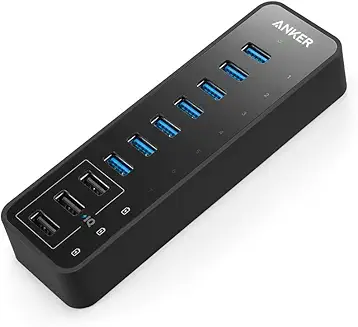
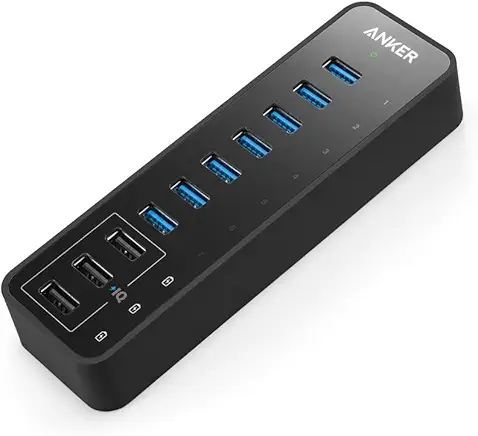
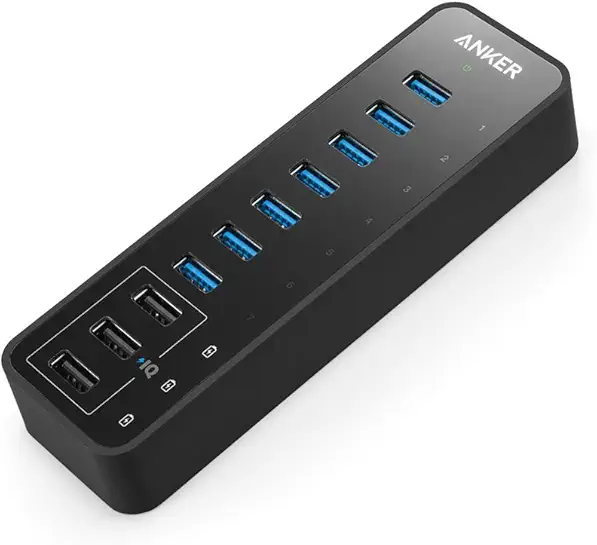
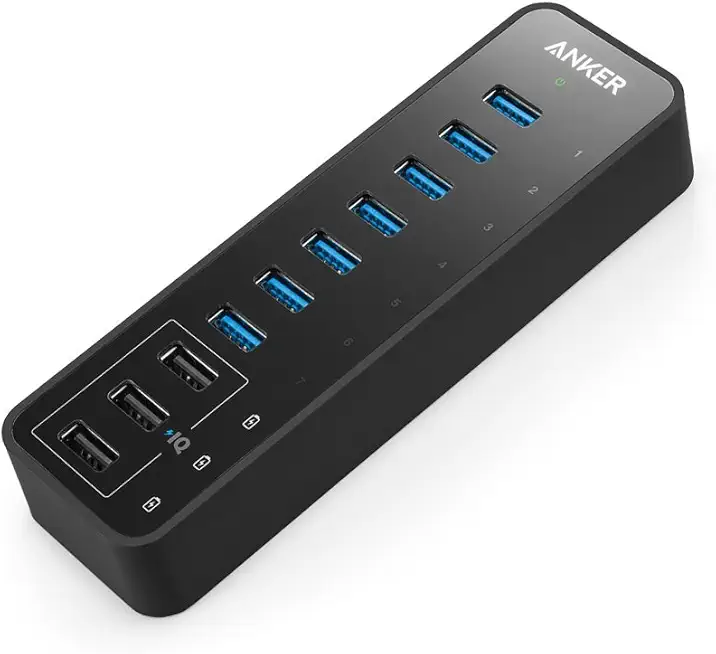
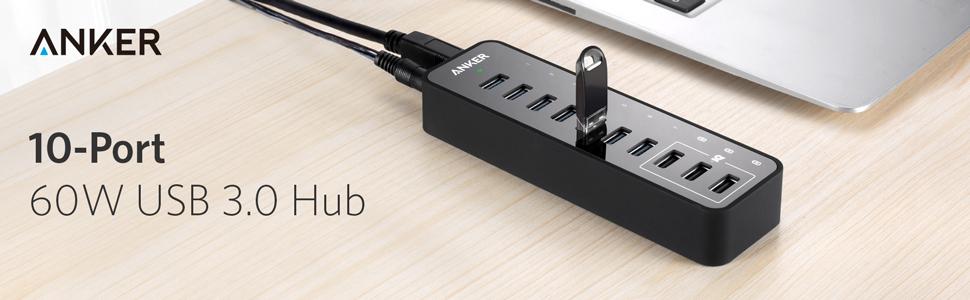
🔗 Power, speed, and style — all in one sleek hub!
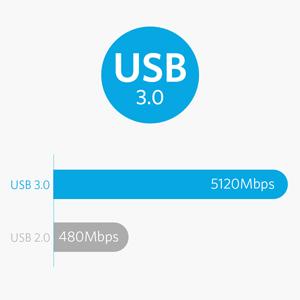
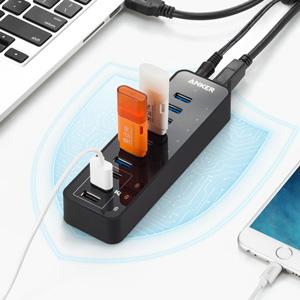
The Anker 10-Port USB 3.0 Hub combines ultra-fast 5Gbps data transfer with 60W total power output, including 3 smart PowerIQ charging ports delivering up to 2.1A each. Its compact design supports simultaneous connection and charging of multiple devices, compatible with leading laptops and mobile devices, backed by Anker’s trusted 18-month warranty.



| Brand | Anker |
| Item model number | AK-A7515111 |
| Operating System | Mac |
| Item Weight | 3.7 ounces |
| Product Dimensions | 5.71 x 1.73 x 0.91 inches |
| Item Dimensions LxWxH | 5.71 x 1.73 x 0.91 inches |
| Color | Black |
| Voltage | 12 Volts |
| Manufacturer | Anker |
| ASIN | B00VDVCQ84 |
| Is Discontinued By Manufacturer | No |
| Date First Available | June 30, 2015 |
T**T
First Class Quality and Attention to Detail!
This is a very impressive little device! - The piece is very well built and obviously using high quality USB ports and other first rate materials. This USB hub also provides some nice unique touches you won't find on other brands like a numbered port display spanning 1-7 with blue LEDs sitting under each character that backlight each port's number when an active device is plugged into that position. Everything is housed in a solid, glossy white, hard plastic chassis comprising the smallest footprint of any active/charge capable 7 port USB hub I have ever seen. Much smaller than I was expecting from the product photo. The device is powered by an external AC supply (wall wart) that attaches to the hub via your typical two pole female connector. The power connector itself is located on the top end of the chassis next to the USB input/output cable that connects the hub to your computer. And Yes... as some of the whinier more anal reviewers have made abundantly clear to everyone, the AC adapter is one of the large ones and if you happen to own one of those odd power strips with the AC plugs aligned parallel to the row of female AC receptacles, then yes, this adapter is going to cover up several of the empty AC receptacles below where you plug this power supply in. My suggestion to those who consider this to be a deal busting design flaw... How about buying a better power strip? One that is designed to work with a collection of AC power supplies? They even make some strips that have swiveling receptacles to allow you to configure your power strip to suit what you are plugging into it! Amazing what technology can do eh? Problem solved and disaster averted! For whatever reason, Anker has chosen to use that specific AC power supply, so I assume there must be a very good reason for its addition to the package. So far I have been very pleased with the performance of the hub and have even done some hard drive backups through it using one of my Touro S Mini USB 3.0 hard drives just to see how the hub handled read and write to and from a 3.0 spec.hard drive. It performed just as fast as the dedicated USB 3.0 ports on my Macbook Pro do, so no complaints there. All in all, I am very pleased with this sleek little USB hub and have been very pleased to confirm that we are most definitely getting the quality and performance we are paying for here. If you are looking for a sleek, small and well built USB 3.0 hub with some nice added display features, I think you have just found what you have been looking for! And as others have said, Anker appears to be an up and coming small component manufacturing company who is specializing in first class quality devices for just a little more $$ than your typical Chinese stuff everyone else is offering these days.
D**N
Like it. Excellent Customer Service
16Jun14: Customer support offered to replace my defective hub without any fuss. The new hub works fine. Note however, it will not work with a Superdrive and that is not the hubs problem but only to do with Apple. All the other devices work great including iPod, external hdd and flash drives. Much better and happy with the Anker hub. - - - - 06June14: Edit to add that for some reason this hub does not work with iPods, iPhones or super drive on a Mac. Not even a non-Mac device such as Transend SD/usb card functions. No matter which port I use they are not recognized. Maybe it's the mac but I cannot find a solution online. These devices only seem to work if directly plugged into the computer...but...I don't have any free ports, hence why I bought the hub. Is this hub under powered? I don't know but just be aware your iPods and some other devices may not be recognized when they are connected through the hub. Anyway, it works for some things but not all and for the cost, it's not worth my trouble to send back. So ..two stars. - - - - Original review: There is a single powered usb port which is good for charging iPod. The other usb ports do what you expect them to. There are blue, numbered indicator lights on each port. A green power light too! The power cord has one of those side facing wall wart plugs so putting into a power strip works fine, however, on a UPS not always so good to the fitting but I got lucky with all my cords and plugs for how they are arranged on the UPS. In conclusion, the AH221 USB 7-Port Hub is good and does what I expect it to do. I have some devices plugged into the hub and they make communication to the computer. Earlier today, I listened to some music that is on a usb drive connected via USB cable to the AS221 USB hub. That hub is then connected to my computer. The music played fine without pausing and buffering which is nice.
B**T
Good for Streamers
If you happen to be a streamer who uses OBS/SLOBS on a laptop this product is great for adding additional usb 3.0 slots with ability to power the devices connected. Since buying this I have my elgato facecam, elgato stream deck, hyper X quad cast microphone and a mouse all plugged into this device. All are working normally. For the most part it’s plug and play, although i did have to reset my mic and facecam in SLOBS. I will update this review if needed.
N**F
Started to fail after 8 years - But still a good choice.
OK, This MIGHT NOT be a fair review, since I purchased this device 8 years ago to assist my docked laptop workspace at my job. I am a 20+ year veteran sysadmin for a Public School in Upstate NY, and I utilize allot of USB flashdrives. As of this week. I noted the device began to get HOT to the touch. Since then, this hub only consistently recognizes devices attached to ports 1-3. Unfortunately ports 4-7 have become hit-or-miss. All 7 ports continue to deliver power. I have tested the AC Power adapter with a multimeter, and it is still working fine. I have swapped the USB 3.0 cable for 2 known-good cables and re-tested the hub against multiple desktops/laptop computers, and found the problem follows the device. Context: This hub is normally connected directly to a free USB 3.0 port on my laptop. And it is my nature to be very careful with all my devices to ensure I get a good return on my investment. This hub has been resting comfortably on a flat piece of aluminum (for heat dissipation) on my desk. And at the end of each work day, I turn off the switch on the surge suppressor which supplies power to all the devices at my workspace. That said: A powered USB hub of this size not a terribly complex piece of equipment. And I would expect that it would last practically forever, if cared for. Is it possible I accidentally killed it from a static discharge, or potentially one of my peers tried to plug a USB-C device into it without looking, and killed it? Sure. This is possible. I guess I have to say, that for the 8 years this device has served me well. I am disappointed that it suddenly it started acting strange. I need a new one, but I am hesitant to purchase this same device considering the premium price I paid for it initially, and the fact that it eventually failed. Is this a fair review? I don't know. But it is an accurate description of my experience. THAT SAID: I do want to leave some positive feedback: While this hub was healthy, it was fast and reliable. And I have to say, I very much like that Anker decided to incorporate a USB 3.0 uplink port on this hub, rather than incorporating a "hard wired" USB 3.0 up-link cable. This enables you to utilize a shorter (or longer) uplink cable if your workspace requires it, and in the event the cable gets damaged, you can easily replace it and keep going. That design choice is a welcome one, and it actually helped simplify my troubleshoot, when it started to fail. So when I go shopping for a replacement for this device, I will make sure to purchase another hub with a removable/replicable uplink cable. I consider it a MUST-HAVE feature, and my kudos to Anker for designing this hub with that option.
B**.
Speed for days - phenomenal product
INTENDED USE CASE: Utilize the data ports for the following items in order to free up onboard 3.0 ports for my new VR headset: - External hard drive - USB sticks - Keyboard - Webcam - Mouse Utilize the 3 power charging ports for the following: - Charging phones (Samsung Note 8, S9, and Google Pixel 3) - Charging GoPro batteries (3rd party accessories/attachments) - Powering LED strip lights behind monitor and around desk (from Wal-Mart and Amazon) Performance is highest priority. Performance for me is defined as consistent power output, fast read/write (comparable with onboard ports), and enough ports to fit growing accessory pool. PREVIOUS EXPERIENCE: Let me start by saying that I have purchased and used many USB hubs. I have come to learn that if you intent on plugging in any items that need high speed transfer or require significant power to run (external hard drives -- especially if not SSD) you need a hub that is powered externally. The power your motherboard can output and allocate to each port is limited and you will experience lack of performance the more things you plug in. In my experience, a general rule of thumb is to keep solo standing USB hubs to 4 ports or less for best possible performance, and even then keep an eye on the things you plug in. THIS PRODUCT AS A SOLUTION: Perfect. This product met and exceeded my expectations. The read/write speeds for this product are amazing (see image - used usbflashspeed tool), and the charging speed/consistency on my Note 8 was fantastic (see image - used Ampere app). I tested the device with the following plugged in during both the data transfer and charging tests: keyboard (with led), external hard drive, webcam, Cyberpower UPS, Samsung Note 8 (power port, not data). The speed test images show all you need to know. If you are looking for an AMAZING USB hub, look no further. IMPORTANT NOTE: I am currently using the Logitech G602 wireless gaming mouse, which had issues when plugged into the hub. This is NOT a concern for me because most wireless mice have various latency or lag issues with then are plugged into hubs -- externally powered or not. For best results when using wireless mice, especially if you want the accuracy to be crisp and on target, use an onboard port for your receiver.
M**.
Works great
Works great, my bluetooth works way better since plugging the dongle into this instead of my desktop usb port. No issues with charging either.
S**D
Finally one that works
This is the second of of these I've bought. My first one was not from this company but it touted the same specs. This one actually works! I'm using it right now to expect the USB ports of a mac mini. I was using it before to extend the ports of a windows computer. It was up for both tasks and all ports. Good stuff. It's also just the right size. Not so small it's unusable and not larger than it needs to be. It does need wall power and I was okay with that because it's trying to do a lot so I don't mind giving it that extra oomph to make sure all ports are working.
S**I
Powered USB Hub for remote hard drives
I purchased this powered usb hub when I invested in a 2nd remote drive to act as a remote backup. With the 2 drives pluged into my old hub there was not enough power provided to handle both at the same time. With this powered hub, both drives work great along with several other peripheral devices.
Trustpilot
1 month ago
4 days ago