
DOWNLOAD THE APP


Customer Services
Copyright © 2025 Desertcart Holdings Limited
DOWNLOAD THE APP
![Roxio Easy VHS to DVD 3 Plus | VHS, Hi8, V8 Video to DVD or Digital Converter | Amazon Exclusive 2 Bonus DVDs [Windows Disc]](https://m.media-amazon.com/images/I/71Vo5Zbv1oL.jpg)
📼 Turn nostalgia into shareable magic — don’t let your memories fade away!
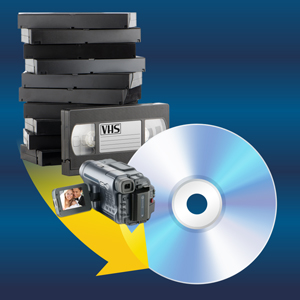
Roxio Easy VHS to DVD 3 Plus is a powerful Windows-compatible converter that transforms analog VHS, Hi8, and V8 tapes into DVDs or digital files. Featuring a USB capture device, video enhancement tools, and customizable DVD menus, it preserves and revitalizes your home movies. This Amazon exclusive includes 2 bonus DVDs to jumpstart your projects, making it the ultimate solution for digitizing and sharing your cherished memories.




| ASIN | B07TWN55VV |
| Best Sellers Rank | #58 in Software ( See Top 100 in Software ) #1,224 in Computer Internal Components #5,397 in Camera & Photo Accessories #5,979 in Home Theater Accessories |
| Customer Reviews | 3.7 3.7 out of 5 stars (3,881) |
| Date First Available | July 12, 2019 |
| Item model number | REVDPL3EFAZAM |
| Manufacturer | Corel |
| Product Dimensions | 1.63 x 5.38 x 7.5 inches; 3.04 ounces |
S**E
Frustrating at first and then worked like a dream.
It took me several attempts to get this to work but once it did start working, it was wonderful and I didn't have any problems. Most of my issues had to do with getting the program to open after downloading it. The first time I downloaded it, it was fine but the VCR I had was not working correctly. When I connected a new VCR and tried to open the program it would only flash the "Roxio" banner and go away. I downloaded and deleted the program 3 times before I was able to get it to open. Once it was open, it was very easy to use. I downloaded the user guide by googling "Roxio user guides" and locating the one for this product. I copied over 4 VHS tapes onto my laptop. All went very well from there.
P**9
It worked recording a video but.....
It took a while to download and install. I was able to record a video but I thought the quality of the video would be better My biggest issues ended up being: 1. If you choose to use the enhanced "MyDVD" program, it take 30 or more minutes to import. I walked away and did other things and came back when it was done. Then when the program is loaded, you can't see all the options until you make the screen box smaller because some of the "MyDVD" menus are below Windows Start bar. Once I could adjust the screen smaller, I could see all the features. But this wasn't the worst of it. After working in the "MyDVD" software to the point I was ready to burn to a DVD, the whole application just quit/disappeared from the screen with no errors. When I restarted the "MyDVD" software back up and opened the project, I would have to make the same adjustments/rename the components and as soon as I clicked burn to DVD, it quit/disappeared again. I even restarted a new project and waited again for it to load and I was never able to get "MyDVD" to function to burn a DVD. I eventually realized you could burn a DVD from the standard software (photos attached). I was able to successfully burn one DVD. After that, I could never get it to burn again. It went through the entire process until 99% and eventually state there was an issue with the DVD. Once that happens, it renders the DVD useless because you if you try to use the DVD again, it states it cannot used and to install a blank DVD. I spent so much time with this software over the past few days that I gave up on downloading VHS tapes to DVDs. Heaven forbid I take advantage at least transferring my home VHS tapes to the computer. It may not be cheaper to pay a professional company but it sure will be faster.
L**7
IT WORKS!!!😀
I’d been needing to covert several older VHS tapes for some years now. Years ago and for a very short time I owned a SONY VHS-to DVD player. I had completed one video conversion successfully before I returned the SONY player mentioned. I later purchased VHS conversion software that proved to be a bit more complicated per software instructions. And here we are and fast forward to today. I purchased this ROXIO VHS conversion software with the specific goal of converting several older instructional VHS tapes/videos to digital files for safe keeping and so I could also simply save the converted VHS files to my hard drives, usb drives, and c-drives etc. I could access or watch the files as needed on my laptop or tv. From again my external hard drive or portable flash drives. The ROXIO Easy VHS to DVD plus software proved to be easy to set up and a pleasure to use. You’ll need a working VHS/VCR tape player. The ROXIO conversion software kit comes with a video capture usb device with RCA connection so you’ll also need your own RCA cable to plug your included usb capture device into. The package comes with installation disc but the software instructions ask that you download the required conversion software from the ROXIO website. I have a fairly new ASUS gaming laptop packed with memory and data storage so I had no issues using the software. This software does give you the option to transfer your converted VHS files to DVD disc or digital file. I attempted using an older portable external SONY blu-ray player and burner that still works but for reasons unclear to me my computer would not burn the converted VHS files to disc? But I actually preferred to save the converted VHS files to my computer and move them to a portable external drive of my choice. The quality of the VHS conversion files is VHS/VCR quality and though the software provides options to enhance the video quality I found it does too much to wash out out the original recordings color and the need for that option can vary with the condition of the VHS media you are converting. In closing if you’re looking for a software that simply gets the job of converting your older VHS tapes to either digital file or DVD? Then ROXIO’s VHS to DVD plus software gets the job done. 🏆Recommended!🎯
C**N
It's a very user-friendly piece of software with simple step-by-step instructions for connecting the VCR to the computer via the device included. It should be expected that the videos will range from moderate to fairly low resolution when compared to a 4K or even 1080p screen. My own very small complaint is the menu screens on the DVDs are pretty limited, but that's miniscule. Great product!
A**R
No es compatible con Windows 11. Se tiene que desactivar la seguridad de la integridad del núcleo para que funcione, y eso vulnerable la seguridad del sistema.
P**L
Lo uso para lo que es, para pasar videos análogos a digital.
J**.
Je m'attendais à mieux
M**O
Es para win 32bits
Trustpilot
2 weeks ago
1 week ago