Some deliveries may take a little longer than usual due to regional shipping conditions.

DOWNLOAD THE APP


Customer Services
Copyright © 2025 Desertcart Holdings Limited
DOWNLOAD THE APP
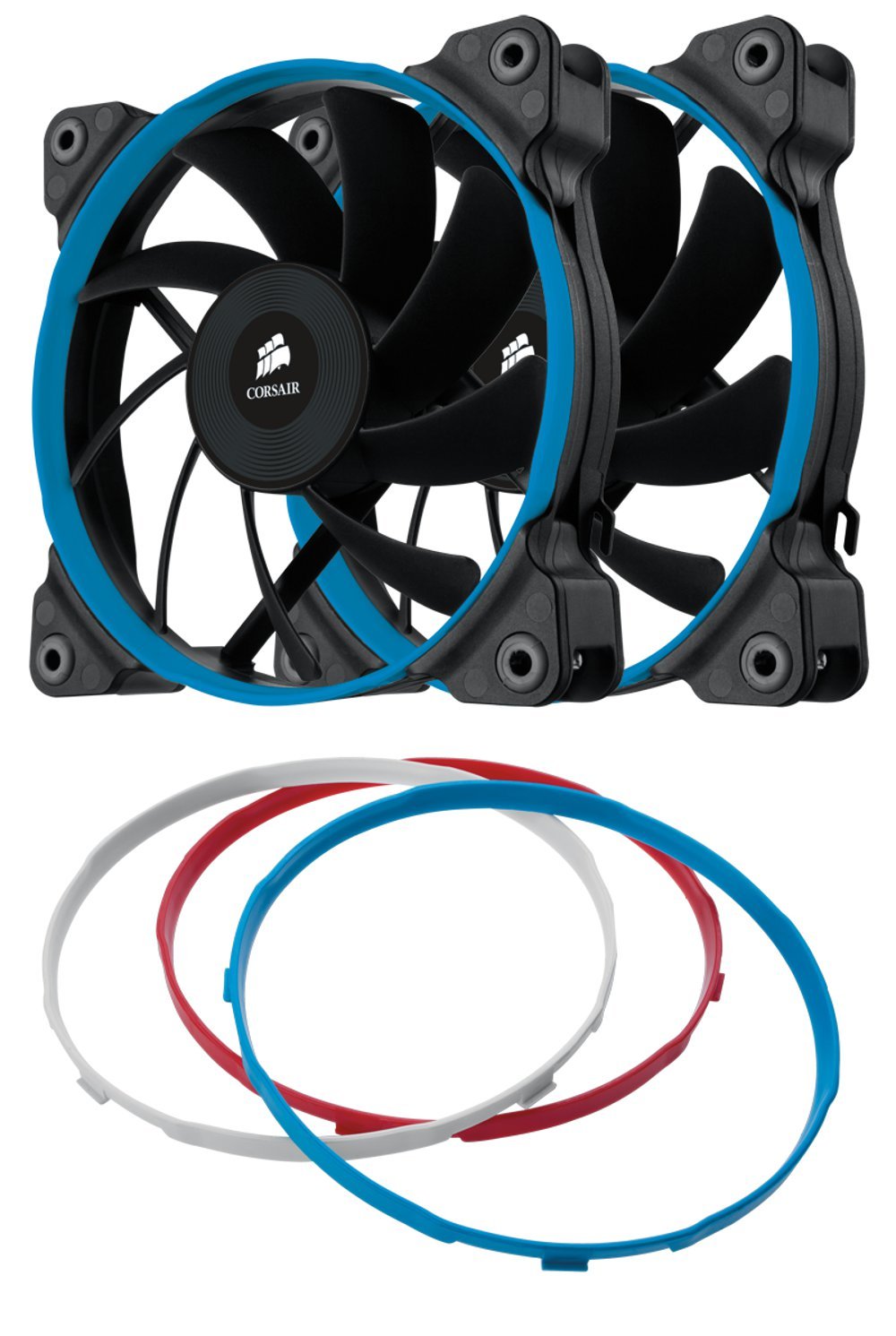
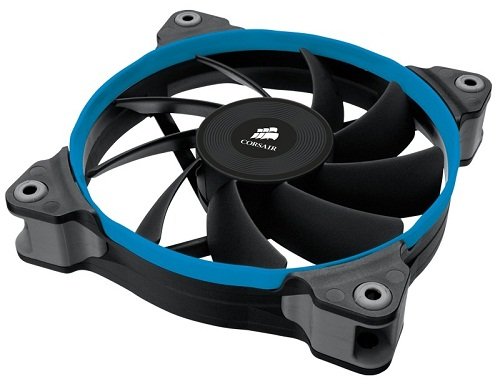


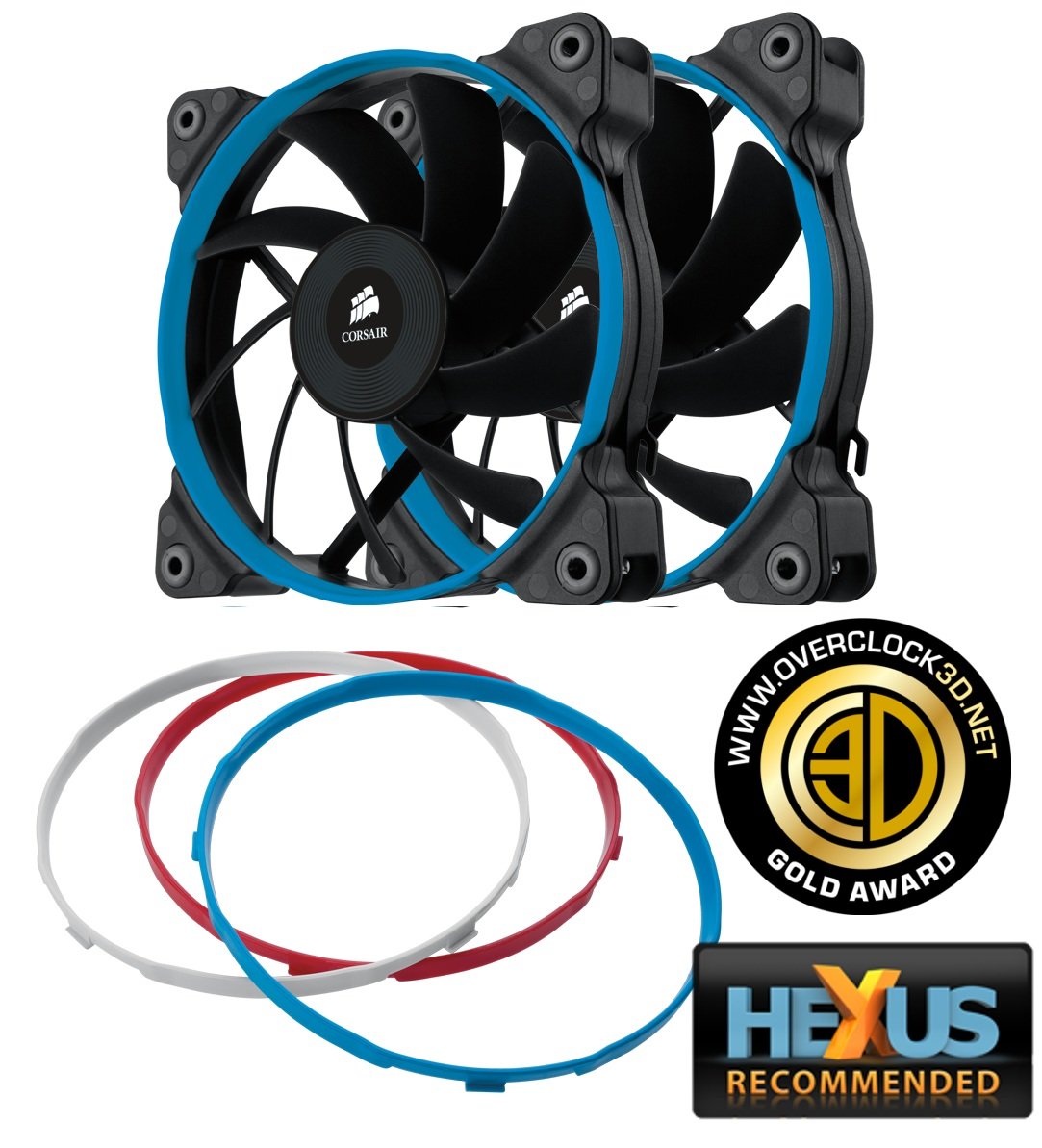
💨 Stay cool, stay silent — your PC’s new best friend.
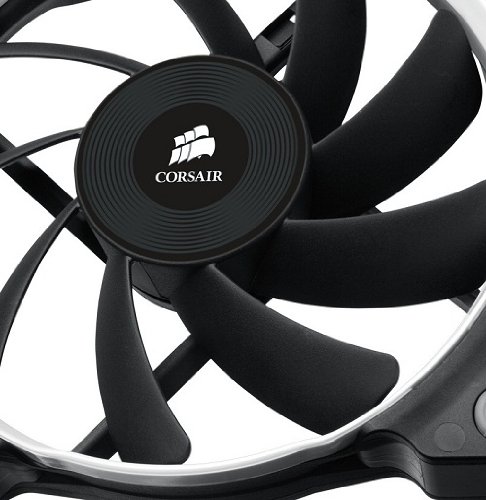
The Corsair Air Series AF120 Quiet Edition Twin Pack features two 120mm fans engineered for high airflow (37.85 CFM) and low noise (23 dBA). Equipped with advanced hydraulic bearings and vibration-damping rubber corners, these fans deliver reliable, whisper-quiet cooling. Included colored rings let you customize your PC’s look, while the 3-pin connector and voltage adapter ensure easy installation and versatile speed control.
| Brand | Corsair |
| Power Connector Type | 3-Pin |
| Voltage | 12 Volts |
| Cooling Method | Air |
| Compatible Devices | Desktop |
| Noise Level | 21 Decibels |
| Material | Copper |
| Air Flow Capacity | 39.88 Cubic Feet Per Minute |
| UPC | 843591014168 191120055473 803982745897 |
| Global Trade Identification Number | 00843591014168 |
| Manufacturer | Corsair |
| Number of Items | 1 |
| Item model number | CO-9050002-WW |
| Item Weight | 7.1 ounces |
| Product Dimensions | 5.23 x 8.58 x 3.54 inches |
| Item Dimensions LxWxH | 5.23 x 8.58 x 3.54 inches |
| Department | cooling |
| ASIN | B007RESG7G |
| Is Discontinued By Manufacturer | No |
| Date First Available | April 15, 2012 |
A**R
Nice and quiet
I recently bought an AIO Corsair H100i v2, which works great, but the fans were extremely loud under full load. Almost sounded like a vacuum cleaner. I was considering Noctua fans but for one, they are an eye sore... and two they are cost almost 30 bucks a piece. I did not need the best performing fans since 4 fans would be cooling the radiator via a push pull config. At $23 for the twin pack I was hesitant, but I purchased them with the idea that I would return them if They were not quiet enough. To my surprise, they are (in my non scientific observation) 10 times quiter! Im very happy with my purchase as I'm no longer alarmed by the radiator fans when the PC goes to full load. Although you still hear a slight elevation in fan noise when on full load, the sound is more of a whisper and not nearly as loud as it used to be. I'm sure there are better fans out there but I can't imagine them being alot more quieter than these fans.FYI: ran Aida 64 to monitor performance and temps using these fans and temps stayed slighly lower both on idle and on full load; 1-2 deg difference (29 idle 65 avg full load 15min). 6700k OC 4.6 on 1.370 vWould recommend
B**L
High Quality Quietness
I got 4 of these fans sitting in my Corsair Carbide 400C Compact Mid-Tower Case by an ASUS Z270 M1 Motherboard with an Intel i7 7700K CPU, Corsair H105 AOI CPU Cooler, 64gb of Crucial Ballistix RAM, ASUS GeForce 1080GTX Turbo GPU, Corsair HX850i PSU, and an ADATA SU800 512gb SSD running Windows 10 Pro 64-bit. These are well built and REALLY quiet. I am going to get 2 more to replace the ones on the H105 because I'm so happy with them.
B**Y
The Quiet Edition, 120mm
tl;dr powerful enough to cool a 980ti at max load and unnoticeable while doing soEveryone: these are super quiet. If you want to quiet down your PC, replace the stock fans with theseI bought one of these to replace the radiator fan that came with my 980ti Hybrid. That and the stock case fans were the cause of most of the noise in my PC. Now, all I hear are the pumps from the two closed loop systems in there. I really can't hear this fan under normal conditions. However, if I'm not doing anything I can hear a clicky noise coming from the fan motor, but its so low I don't notice it when I'm doing something. The temps are still good, too. After an hour of BF4 with gpu load at 99% it never got over 60C. In fact it was sitting at 55C, which is pretty much the same as what the stock fan was doing. But, I can't emphasize this enough: these fans are quiet. The included colored rings are welcome, too. You can have blue, red, white, and black if you remove it. My only complaints are the clicky fan motor (almost inaudible) and the grey rubber used to dampen vibrations. Black would be ideal. My NZXT fans, which are also quiet and reasonably priced, have black rubber vibration dampers, so it can be done.Overall, great fan. When I want to do a custom water cooling loop in the distant future I'll be using these fans. They look good, cool well, and run quiet. I mean, one 120mm low rpm version is sufficient to cool a 980ti at maximum load, what more could I ask for? Would buy again and highly recommend.I do need to get some sleeved cables for the PCI power cables, and then my rig will be ready for the camera
O**H
Quiet and Easy to install.
I replaced the stock front fans with these and now my airflow is perfect. Paired with the Corsair Air Series AF120s for the top, and the AF140 if your back fan area can handle the length, and your airflow will be absolutely perfect and quiet.Installing in your case: Installation was easy as the screw slots are made of rubber to aid in silencing noise. All you have to do is align them with the premade holes in your case and screw in a couple of times, because the screw slots are made of rubber there really isn't a stopping point so just simply screw them in until the fan itself no longer/doesn't move and you're good to go.Colored Ring Installation: For the rings all you have to do is apply pressure inwards, assuming your hand(s) are(is) around the ring in an open grab, and it will make a small click as all three notches come out of their holes. Then simply grab the colored ring you want and align the notches with their holes, and either bend the ring inward to get the notches in or carefully go at an angle to slide them in.
P**X
Get it!!!
Purchased 2 set of these bad boys to replace my stock phantex fans that came with my case. I'm glad i did, my stock fans only cover 32 cfm at 1200rpm was not moving enough air, causing my GPU to get temps up to nearly the mid 70's C and i hate gaming at high temp. (2) fans was installed in the front, (1) on top and (1) in the rear for exhaust.These corsair sp120 high performance fan nearly doubled my stock fans covering 64 cfm at speeds up to 2300rpm. It also have outstanding static pressure and have a 4-pin PWM support for fan control.The highest temps i got was only 61c playing The Witcher 3 on ultra settings with all fans at 80%. My pc runs and plays much cooler now.Highly recommend to any pc builders out there..
D**O
These are the quietest fans I've had and i've had the best
These are quieter than the famous Noctua nf-f12s, which are amazingly quiet fans themselves! I didn't think that anything could get quieter. These most certainly and noticeably do. When compared side by side, you can hear an audible droning noise coming from the Noctuas at full load, for want of a better expression. The Corsair's do NOT produce this sound at max RPM, and they are rated for the same speeds, more or less.Now some independent youtube reviewers have pointed out that with the Noctuas mounted to a rad, they cool the CPU better than the Corsairs by a margin of 3-4'C max. I currently have an overclock on my i7 4790k at 4.7ghz on all cores at 1.2v adaptive. With the h100i GTX and the Corsairs, I hit a max temp of 81'C after an hour on Prime95v26.6 on the small fft test. Yes, that's quite high but when you consider 1. The all core high overclock without custom loops 2. the duration of the small FFT test during UK summer ambient temps and 3. the silent setup of my system...a 3-4'c improvement for some noise wasn't appealing to me. This is because 81'C is within the thermal limit that this CPU can handle, so long as it is not sustaining this high temp for long periods of time.In Battlefield 4 online multiplayer, my CPU temps stay in the mid 50's, skimming the high 40s on the low end and 61'C at the highest end. The noisiest part of my system is actually my GPU, 980TI that only wakes up during gaming. Other than it, I wish I could shut up that Corsair h100i pump that everybody knows about.I would not recommend any other fan other than these Corsairs, despite still using the Noctua NF-F12s, a Noctua AF 140mm fan and a pair of Noctua's IndustrialPPC 3000RPM fans. If you want silence, and second best cooling in this category of static pressure fans, get these Corsair quiet edition fans. They cost less too!
Z**R
Wonderfull Fan - I Love it
This is a great fan, solid, chunky feel to its operation, responsive, efficient, excellent cooling curve. There is not anything to dislike about this one to be honest. Does what it says on the tin as they say, and for what it is, an extremely reasonable price. These days, buying a PMW capable fan is a no brainer, because if you don't utilise PMW at present, you soon will once its installed - you'll wonder what you did before without that level of control.Its a Corsair, so you expect quality, and it is. Don't hesitate, go for it, its well worth the slightly extra cost. Penny-pinching on fans and cooling is counter productive. If you have a powerful machine, good quality fans - not manufacturer stock fans - are a must, and this fits the bill perfectly. There is a marked, significant improvement in cooling ability over stock fans.Nice One Corsair ...... :)
S**R
Great for cooling efficiency, modest aesthetics, and low volume! Perfect for enthusiast builders!
These fans are perfect for any enthusiast computer builder.A note for those considering purchasing:These fans are better suited for a placement against hard drive bays, radiators on water cooling loops, and CPU coolers. Please consider placement before making purchase as the AF120mm fans may be better suited for your desired use.I purchase these to replace the alternate models that come stock on the Corsair H100i AiO loop. Straight away I can tell a different in the volume levels and acoustics after installing these fans, and even at 100% speed through Corsair Link they are still noticeably quieter than the stock fans.The rings are a great part of the aesthetic and can easily be swapped out. A lot of enthusiast builders have been known to respray them to match the aesthetic of their rig.These fans are great for cooling efficiency, aesthetics, and nice and low on the dB meter. A definite recommendation from me to anyone looking to give their computer a nice new kick, and perfect if you like your case window with none of these fancy lighting setups.
D**H
Perfect quiet 120mm case fans!
I was looking at the best way to increase airflow in my PC case. I first made the mistake of ordering the 140mm PWM version for my non PWM connection. This sounded like a jet engine as it was on full power. I was able to get around this by using a splitter I bought on amazon and used the CPU fan PWM connection. After realising that I needed a 120mm case fans instead, I returned the 140mm and ordered these corsair SP120mm quiet edition and these are perfect. I was able to put these into the Fan connection my my motherboard without the PWM and they are very quiet.I went for the SP version which means static pressure rather than AF which is for air flow. SP versions are usually used when a fan is pushing through radiators however my case has dust filters so i used these.As usual the delivery was quick and well packaged. The fans came with black fan screws.I paid £19.99 which i believe is a good price, not the lowest if has been but still under the average which is £23.27Click if you found this review helpful.
J**D
Must-buy upgrade if you have a restrictive case and a hot GPU!
Excellent replacement fans. If, like me, you chose a case over it's aesthetic appearance, rather than it's cooling , airflow, capabilities, but also have a power horking AMD graphics card, then these high static pressure fans are a must if you don't want to be renewing hardware every 6 months.To put things into perspective, I'm running an MSI AMD R9 390x gpu inside the NZXT Razr h440 case. During graphic intensive games like Fallout 4 and the Witcher 3, the GPU temperature would stick at 94c with no movement, despite the Twin Frozr's best efforts to cool things down. I suspected that the cause was the ambient hot air being pushed around inside the case, rather than being sucked out. So, I swapped out the rubbish exhaust and front fans supplied with this case with 3 of these bad boys at the front, and one Corsair AF140 at the back, exhaust position. The effect this had was instantly noticeable from the start- the amount of air these fans can push through the case is unbelievable. Now, my GPU running temps rarely go above 80c at maximum stress (typically stay around 75c in a cool, well ventilated room). The AMD R9 390x is a hot card, so this airflow upgrade was a must, and even gave me a bit of headroom for slight GPU overclocking.The only aspects of these fans that I don't like are the noise at full RPM and the stupid rubber mounting holes. You can't screw these in, unless you have bolts that can go straight through the holes, so don't bother using the screws supplied. The fans are quite low when being worked, but are generally quiet if at mind to low RPM. If your motherboard doesn't have 3/4 pin fan headers, invest in a fan controller because the sound will drive you mad if you're just web-browsing or doing a bit of work while these are spinning at max. There are silent versions, but I doubt their as effective as these for providing strong air flow. I would suggest configuring these fans to spool up dependent on GPU temperature using SpeedFan. Idle speeds will be suffice at cooling the rest of your system, providing you have a decent CPU cooler, you'll only really need maximum performance if your fans are obstructed by drive mounts or, like me, have a hot graphics card.All-in-all, excellent fans.
Trustpilot
1 month ago
5 days ago