Some deliveries may take a little longer than usual due to regional shipping conditions.

DOWNLOAD THE APP


Customer Services
Copyright © 2025 Desertcart Holdings Limited
DOWNLOAD THE APP
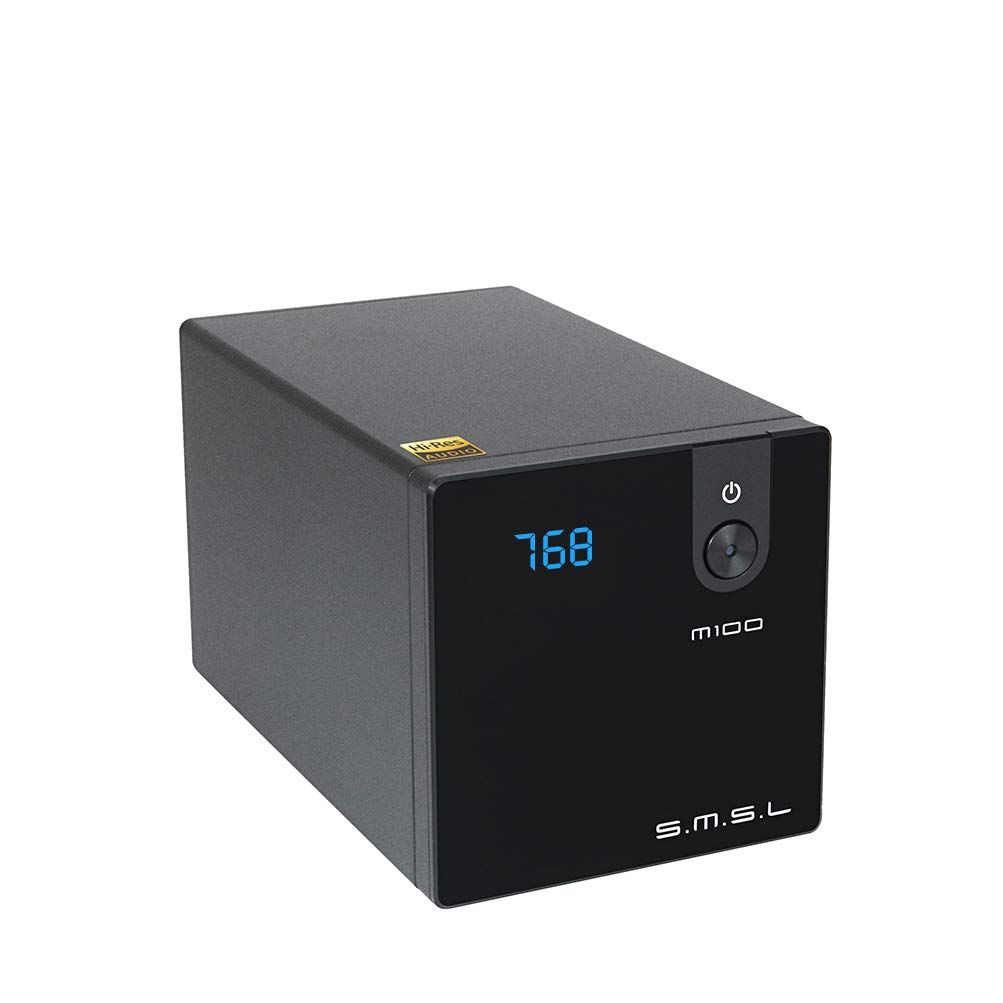
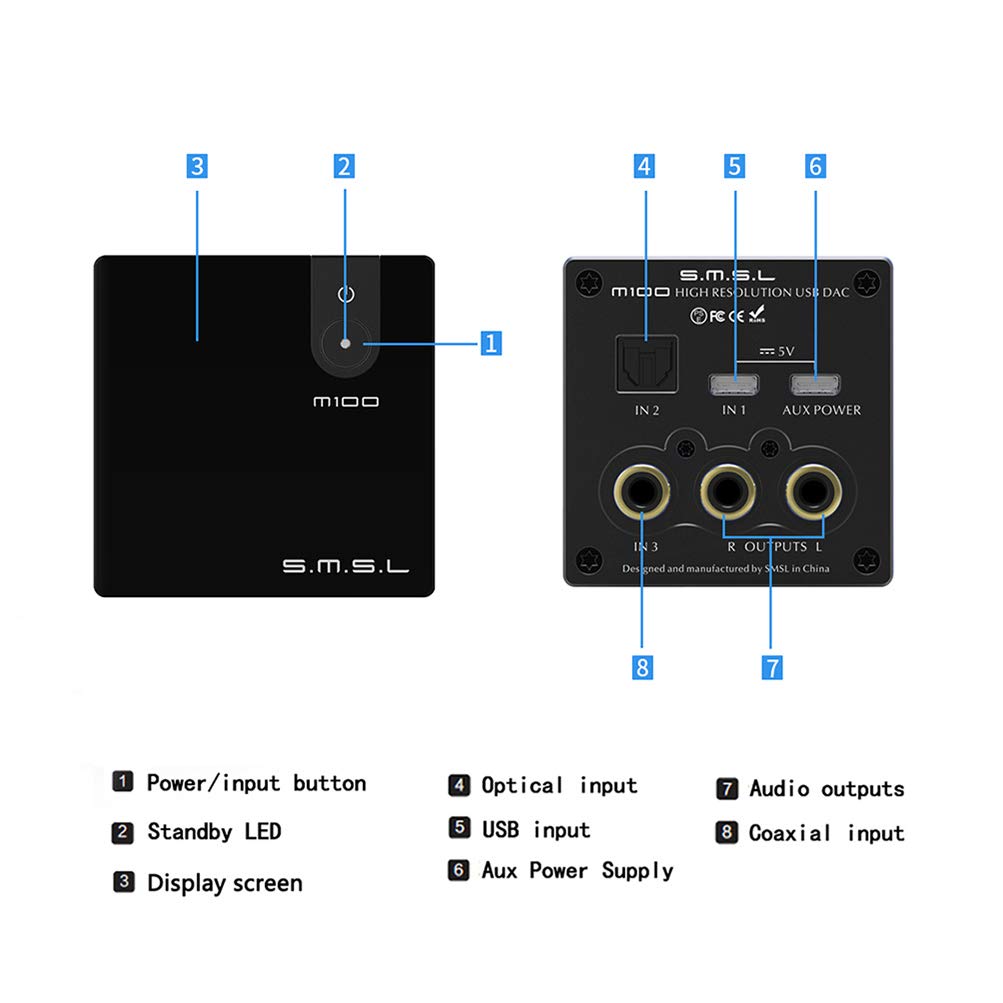
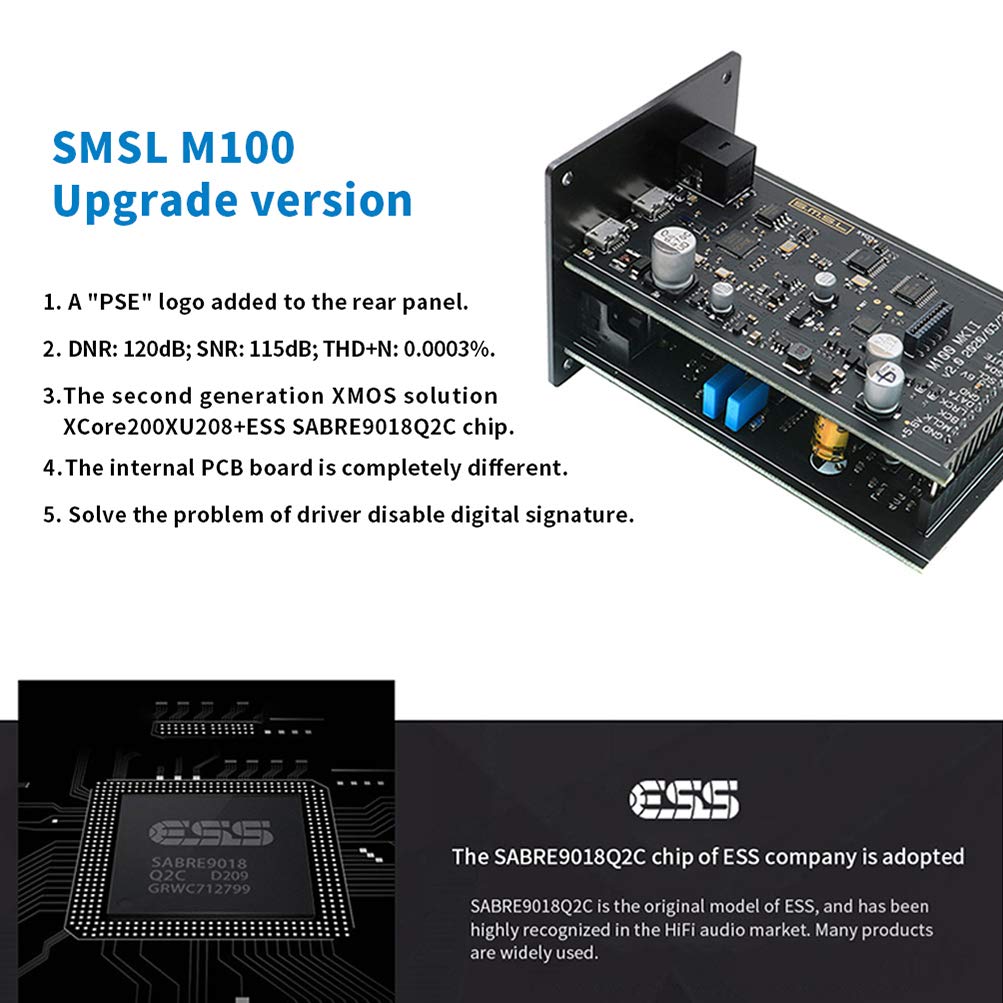

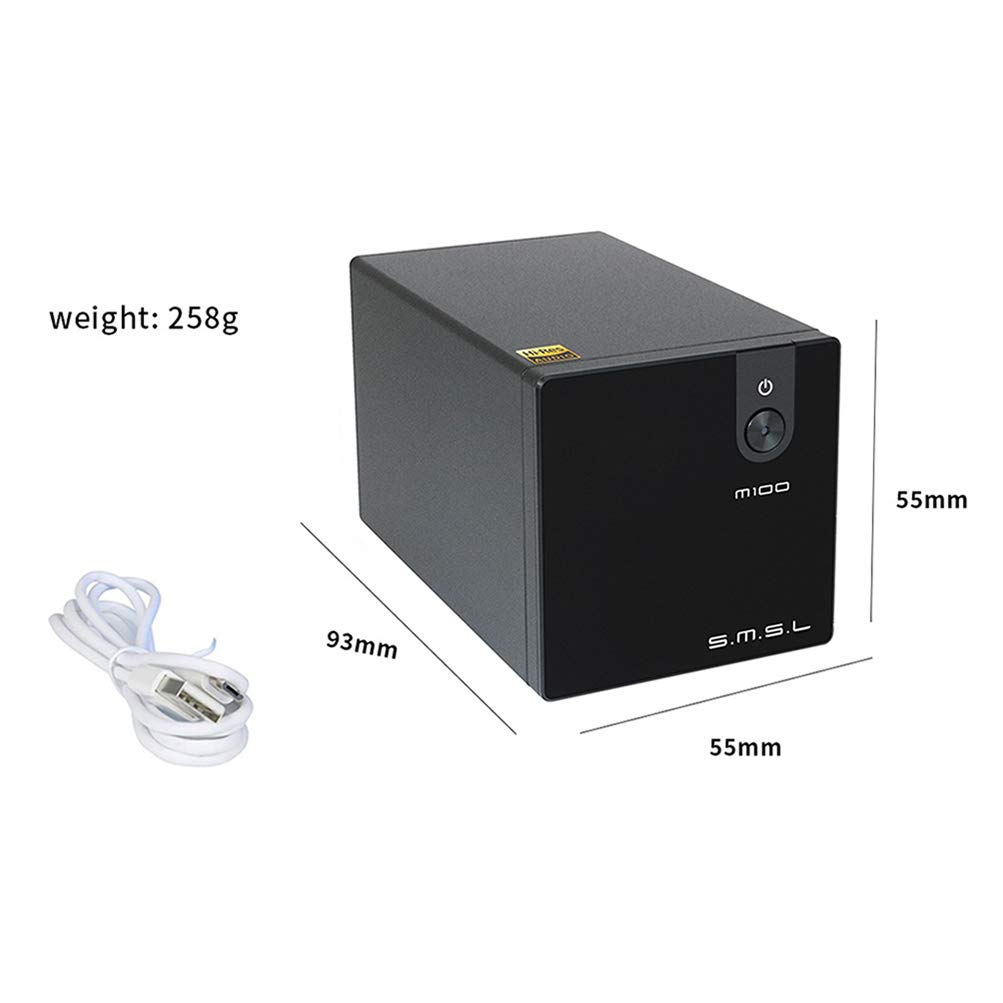
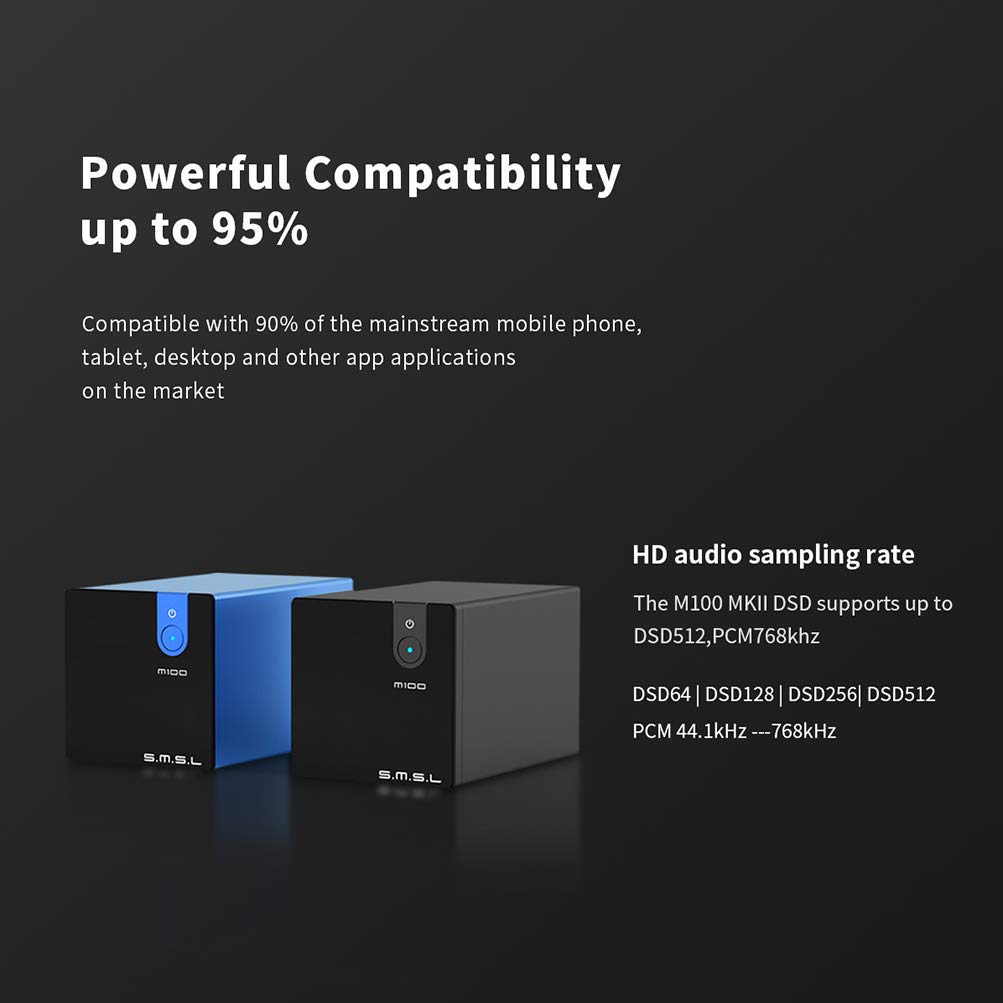
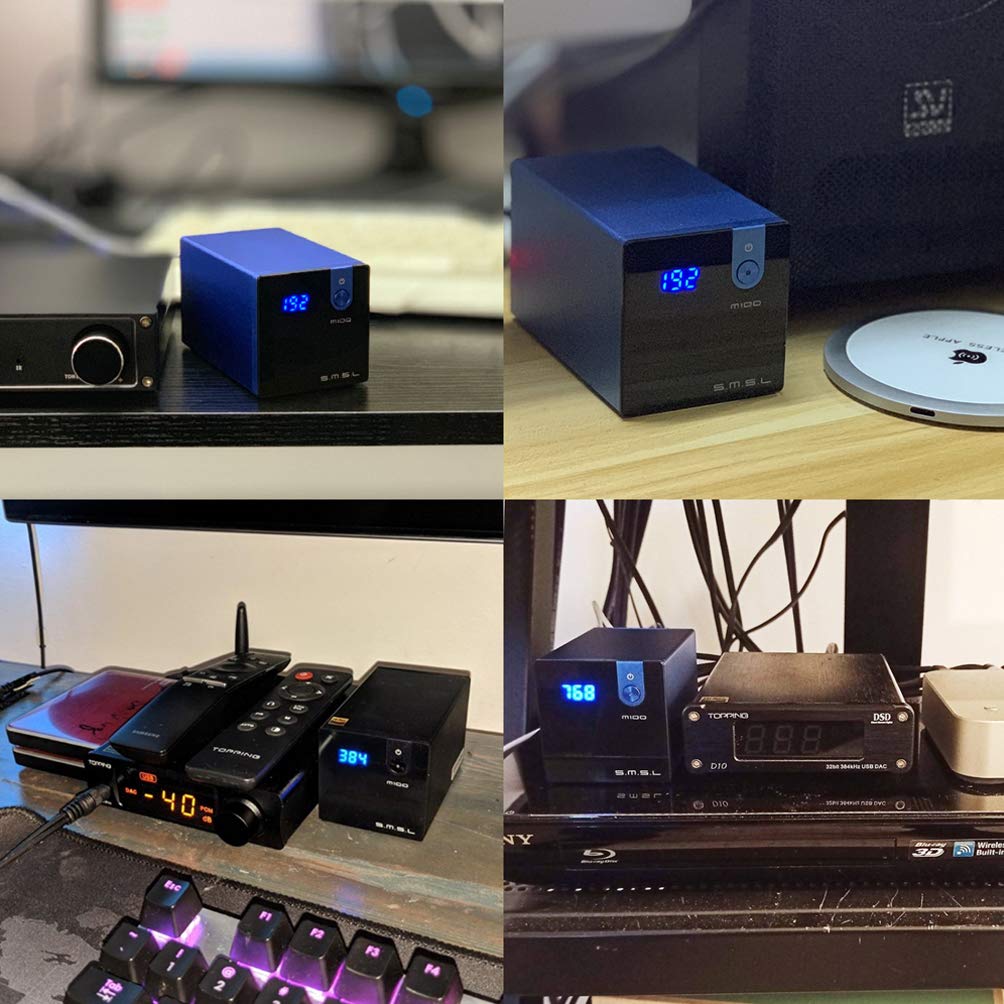
Color:Black This is the latest version, it use the ESS SABRE9018Q2C chipSMSL M100 MKII DAC DSD512 HiFi Preamplifier USB/Coaxial/Optical Audio Decoder Analog-to-Digital Converters SMSL M100 MKII Characteristics ♫ SMSL M100 MKII USB DAC: Use XMOS 2nd generation XCore200 XU208 USB Audio solution. Supports PCM 32bit/768kHz and native DSD512 for high dynamic range, low distortion. ♫ ESS SABRE9018Q2C CHIP HIGH POWER DAC: Built-in high-efficiency power module and lots of low-noise LDOs provides sufficient power for analog circuit. Aux power supply for phones connection. ♫ SIMPLE TO USE: The back panel shows that the M100 decoder is purely USB powered. Support USB /Optical/Coaxial /OTG USB input; RCA output. USB Asynchronous Transmission Mode. ♫ MINI CUTE DAC: The SMSL M100 innovates on the form factor and succeeds in producing a very small and attractive form factor. Power it on, select the input and start to use it. ♫ LOW DISTORTION: Two ultra-low phase noise crystal for 44.1/48kHz multiple frequencies. Lots of audio grade components, include MELF resistors, NP0 capacitor, Gold-plated jacks. Low budget dac. Product Type : SMSL M100 Color : Black / Blue Product parameters Input: USB /Optical/Coaxial Output: RCA USB Transmission Mode : Asynchronous Transmission USB Compatibility : Windows 7/8/8.1/10 Mac OS X10.6 or higher/ Linux THD+N : RCA output 0.0005% SNR : 106dB Dynamic Range :114dB Bit depth : USB: 1bit~32bit Optical /Coaxial: 24bit Sampling Rate: USB:44.1kHz~768kHz; DSD64、DSD128、DSD256、DSD512 Optical/ Coaxial: 32kHz~192kHz Power Consumption: 1.2W Standby power: <0.1W Size : 55 x 55 x 93 mm( W x H x D) Weight : 258G Package: 1 * SMSL M100 MKII DAC 1 * USB line 1 * User's manual
J**Z
I'll help you with drivers... if you need it
Real quick review then on to the help with drivers.. its a dac and it sounds good. No issues for $100 or less you wont be mad. I got it for like $90 cause they had a coupon and I saw a used/like new one for $62 a few days ago.So onto the bad. I knew that the drivers were going to be a problem so when I ordered it I also got a optical cable so wouldnt have to mess with it right away. I tried 2 or 3 times to install them then just gave up for a couple weeks. It sounds great with the optical and you can run it up to 24/192. So here is the down and dirty time saver on the drivers.1- you have to have a program to unzip the download from smsl. (i used winzip)2- download zip file at smsl's site and pick the M100 driver3- unzip the folder to a file (i just made one that said "smsl m100")4 - open the file that you unzipped and hit application that says "setup" let that run and reboot.5- plug in your dac with usb (make sure you have the power one plugged in too then turn on6- go to device manager find the device without drivers and do an update driver7 - let the computer browse automatically for drivers and it should find it (mine worked this way). If not narrow it down to the folder you picked for the download.8 - go to sounds and select it. Mine showed up as SMSL speakers or something similar. Go to advance and select the bitrate you want. I did 32/384just saved you probably hour or more of messing around :P
C**0
Great Dac, Rough Edges
Pros:1 - 768kHz PCM2 - Status Display3 - Multiple Inputs (USB, Coax & Optical)Cons:1 - Windows Driver Issues2 - Obsolete USB connections3 - USB Power DesignComments:Despite some significant drawbacks with the SMSL M100, I am reluctantly giving it a 4 star rating because for the price, you simply will not do better sonically in the price range. I wanted to give it 5 stars but honestly debated whether I should drop it to 3 stars. Read on.Design wise, the SMSL M100 stands out with it's Santa Fe Blue (I once had a car that color) paint and long rectangular almost-a-cube shape. A refreshing change from the usual cheap looking boxes DACs come in. Although I expected it to be featherweight, it is actually quite hefty for a 4" long box which helps keep it (almost) in place instead of being dragged away by the cables you inevitably must attach to it. One might say it's cute but some of the issues I encountered make is less than cuddly.The Bad:Downloading the Windows drivers from the SMSL site was an adventure. First issue was that the site was blocked by SAFEDNS (and still is as of this writing) but I threw caution to the wind and used an old laptop to download the zipped driver package (it has no virus or malware so just the issue is just the site). Moving right along, with the driver package downloaded, the next issue was that the installation package that would not load (NSIS Error - Error launching installer).... AAARRGH!!No matter though, all the drivers are there in the zip file... but... you have to read the "setup.ini" file to figure out which one's to use and where they go. It's a process and the sort of thing that I would normally lop off 2 stars for. Curiously, Windows 10 had a difficult time loading a generic driver for the M100 so there was no getting around the driver issues. Fortunately, I'm techno-literate enough to get through such issues but I suspect there will be some returns because of them. Would it have hurt to put a USB stick in the box that had drivers that worked? SMSL? Care to weigh in?Anyway, I finally got some drivers that work and was treated to some very good sound albeit a bit harsh (expected with a new DAC). Being anxious to try out some DSD files however turned out to be quite a chore. The instruction manual makes no mention of ASIO drivers (Huh?!?) so I burned another 90 minutes with J River trying to figure it out - and here it is:Audio Device: SMSL M100 v1.0 [Kernel Streaming]Settings: DSP Studio Output Encoding - use DoP formatBitstreaming Formats: Custom - Bitstream all DSD sample Rates** Be sure the volume is set to 100% or you'll get noiseNow that I'd done all that, the magic began. With 256DSD files, the M100 came alive and as an earlier reviewer stated, it punches far above it's price. Still a bit harsh but the overall quality far exceeded my expectations. In comparison to my Topping D10, I found the presentation of acoustic instruments and solo vocals very natural but somewhat dry without being cold as many digital decoders can be. In comparison to my Sound Magic Serenade, the M100 simply is not anywhere near the same league but it is also 1/3 the price so there's that.Before I get to my final thoughts on the M100, I have to mention the USB connectors on the unit. There are two micro USB jacks with one being for auxiliary power. While this arrangement works for D/A conversion situations, I wish there were a relay to cut off the USB power from the computer (super dirty and always noisy) and also, I would expect a new-ish unit like this to go with USB-C.In conclusion, I'm going to agree with the earlier reviewers (3 as of this writing) that sonically, SMSL knocked this one out of the park. A new bar has been set and I believe the M100 sits atop the low end of DACs and even challenges many costing twice as much. I fear however that driver issues might be a show stopper for some buyers so I hope SMSL takes a good look at that situation and perhaps even provides a ASIO driver (I was unable to get to 512 DSD without it).
J**.
If you have a Windows operating sytem do yourself a favor and purchase another DAC.
Review: I purchased a SM.S.L. M100 as an addition to my powered desktop near field monitors. I was excited to receive the package today 10/5/2019, due primarily to the M100 DSD support with the promise of better audio fidelity from my Qobuz and Tidal subscriptions.1) The M100 was not plug and play for Windows 10, as I had hoped.2) I downloaded the M100 driver from the S.M.S.L. website, and installed the driver; plugging and unplugging the USB cable connected to the M100 DAC from my 18-month-old DELL XPS13 – 9350 - 64-bit laptop as instructed from the “broken” English guide that is provided.3) The driver was not detected in the Windows Control Panel under Audio devices, next as recommended in the installation guide, I4) Disabled Driver Enforcement Support and restarted the laptop5) The TUSB Driver from the S.M.S.L.website was still not found, although I do have the TUSB Driver Icon that shows when opened NO DEVICE CONNECTED6) There is no option to connect the TUSB driver in the TUSB Audio Control Panel7) Next I Uninstalled and Reinstalled the M100 Driver from the website that was successful a second time8) I again removed the USB connector from the Laptop and then plugged the USB connected to the M100 back into the laptop as instructed9) Still no new USB audio driver found to select in the Windows 10 Audio Control Panel.10) At this stage I do not know if the M100 Driver file has on the S.M.S.L website is poorly written, or corrupt and frankly has wasted hours of my time which is too valuable to put up with such a poorly designed an executed product.A message to S.M.S.L. Management: As a suggestion from someone who once ran one of the largest companies in the world that manufactured and sold access points (wireless routers) and wireless LAN cards in the late 1990’s - this is unacceptable for a company such as S.M.S.L if you have any intention of being successful in this day and time. Your products need to be plug and play; if your software people are not capable of accomplishing this for the most popular operating system in the world, you frankly should not be in the business.
B**X
fantastic budget DAC
First thing I did was to run an optic cable to my blu ray player to compare the players built in DAC to this for music playback. Very noticeable improvement in detail and soundstage. Having 3 inputs, optical, USB and coaxial covers everything for me. Finding budget friendly DACs that perform is becoming easier and I think the SMSL line deserves high consideration.
J**S
Super!
Hervorragend. Super Preis/Leistungsverhältnis.Ich glaube nicht an den ganzen HiFi-Voodoo, insbesondere bei einem DAC denke ich, dass es vornehmlich auf den Chip ankommt.Bin sehr zufrieden, das Gerät sieht auch gut aus.Nutze es vornehmlich zum HD-Audio-Streaming.
Trustpilot
2 months ago
3 weeks ago