Some deliveries may take a little longer than usual due to regional shipping conditions.

DOWNLOAD THE APP


Customer Services
Copyright © 2025 Desertcart Holdings Limited
DOWNLOAD THE APP


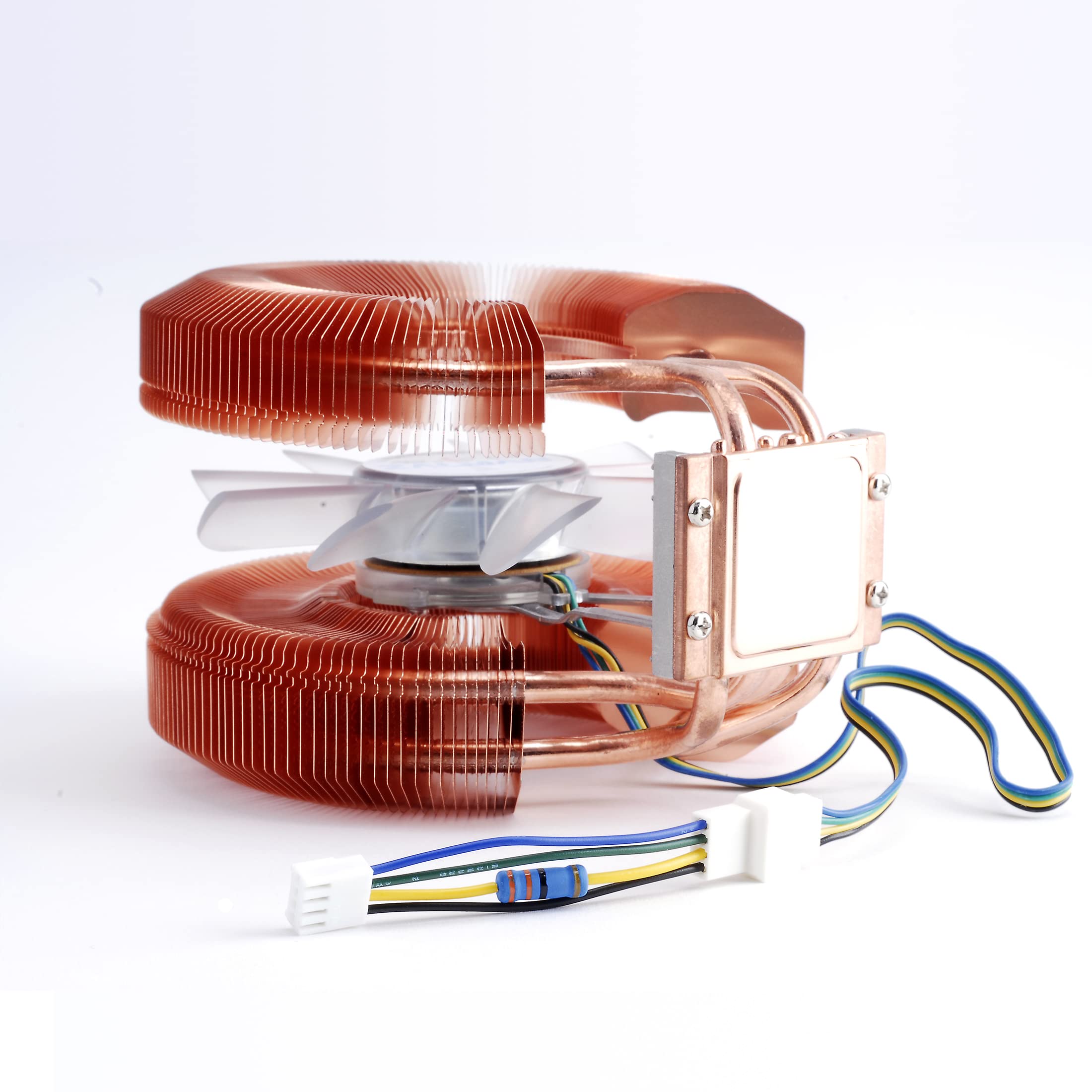
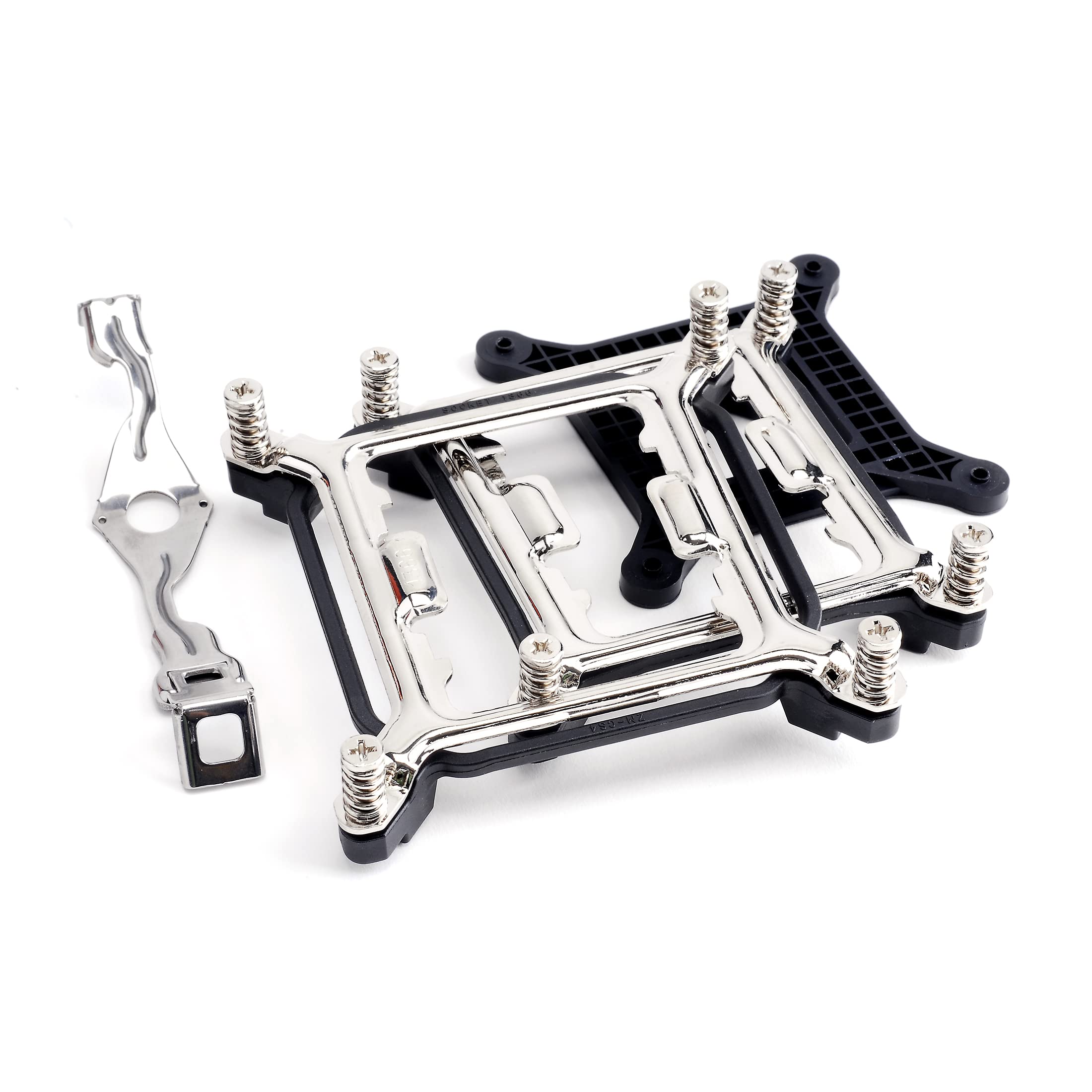
❄️ Stay cool, stay ahead—because your CPU deserves the best chill.
The Zalman CNPS9900A LED Ultra Quiet CPU Cooler combines whisper-quiet operation at 38 dB with a powerful 1500 RPM fan speed, compatible with a broad range of CPU sockets. Featuring durable copper construction and subtle LED lighting, it’s designed to keep your desktop running cool and stylishly efficient.


| Brand | Zalman |
| Power Connector Type | 3-Pin |
| Voltage | 12 Volts |
| Cooling Method | Air |
| Compatible Devices | Desktop |
| Noise Level | 38 Decibels |
| Material | Copper |
| Maximum Rotational Speed | 1500 RPM |
| UPC | 172302677850 823884200775 521227143498 909764173046 070070050656 088021287594 763615829311 088022193894 803982768490 012304312093 012951662497 |
| Global Trade Identification Number | 00823884200775 |
| Manufacturer | Zalman |
| Number of Items | 1 |
| Item model number | CNPS9900A LED |
| Item Weight | 1.7 pounds |
| Product Dimensions | 7.5 x 11.3 x 4.4 inches |
| Item Dimensions LxWxH | 7.5 x 11.3 x 4.4 inches |
| ASIN | B001P1B7B4 |
| Is Discontinued By Manufacturer | No |
| Date First Available | November 20, 2006 |
M**L
Wow, what a difference in cpu temps!
While I expected a drop in cpu temperatures based on the simple fact that I was swapping out a standard CPU fan for a more sophisticated one ... I was amazed at the difference!Now it may be a case of not just the Zalman being a superb cooler but also possibly a subpar thermal paste job on the formerly installed fan. But either way I have optimal temps and couldn't be happier.My cpu is an Intel Core 2 Quad Q950 running at 3ghz, standard settings etc.The original fan that came with it was an Intel Pentium D Socket 775 Heat Sink and Fan D34017-002. The D34017 served my cpu admirably and I was able to handle a lot thrown at it. But the combination of frequent high-pitched noise from the fan (as the system auto-adjusted the RPMs on high load) + the very high temperatures lead me on a search for a new solution. The Zalman filled in wonderfully.At this point the only real fan noise I can hear is one of my antec case fans, which is great as the D34017 was quite noisy at peak usage.Took some temp measurements before and after and again it is possible that when I installed the D34017 I didn't do a great job of applying the thermal paste hence the reason my temps were so high previously. But I'd like to believe that what I'm achieving with the Zalman 9900 simply wouldn't be possible under the same conditions with the D34017 AND at such a quiet level of operation.CPU: Intel Core 2 Quad Q9650 at 3ghzMy IDLE scenario is:-Win 10- Piriform Speccy Running (the only actively running application)Background Apps:- Bittorrent Sync- Avira- CrystalDiskInfo- ProcessExplorer- VirtualClone Drive- Cobian Backup- Flux- WinsplitRunning Piriform Speccy I got the following avg temperature measurements for the IDLE load scenario:- Avg temp with the Intel D34017-002 fan: 60°C- Avg temp with the Zalman 9900A LED fan: 41°CFor my Heavy Load (which honestly isn't exactly heavy (as opposed to running an actual stress test) but was enough to recreate the high temps I wanted to eliminate, we have the IDLE scenario + the following apps running/open:- Piriform Speccy- Winamp 5 mp3 stream playback- Paint.NET- Google Chrome - 1 tab "Inbox by Gmail" / 1 tab Youtube 1080p 60fps video at full screen- Windows Explorer Window- Cmder- Franz Messenger Desktop App- Microsoft Outlook 2016"Heavy" load scenario temps:- Avg temp with the Intel D34017-002 fan: 85°C- Avg temp with the Zalman 9900A LED fan: 47°CAgain my testing is fairly crude but it was enough for me to be happy with the improvements. To know that instead of jumping from 60 degrees at idle to as high as 85 degrees under a heavier load to now only an increase of 6 degrees with the Zalman? That's pretty awesome. And it's super quiet!Now regarding the installation, I'm using a 775 setup and I will say the install definitely took me some time. I've dealt with somewhat difficult installs before. This was by no means an easy install. It wasn't incredibly difficult but it took me some time. It's also true that I didn't fully follow the instructions mainly because I got stuck with the backplate install and this square, plastic spacer that's supposed to go between the motherboard and the backplate for the fan. But I found that piece simply made it virtually impossible for me to get the bolts far enough through the motherboard so that I could successfully screw in the fan from the top side.In additon, my Gigabyte GA-965P-DQ6 had it's own "quad6" cooling system that included a copper heatsink square plate directly beneath the motherboard where the backplate needed to go. So I had to unscrew and remove that heatsink component completely (which didn't seem to visibly disable or impair the remaining heat sink "silent pipe" structure that was partially connected to that plate on the top side).Lastly, I found the screwing in of the fan fairly awkward given the screws placement so close to the heat sink fins.My advice is(at least for the 775 setup): it's a worthy cpu fan upgrade but be prepared to have some patience, read the documentation as well as watch a couple Zalman videos to see how folks installed for scenarios that fit your install version eg 775 vs other socket types.Due to the installation difficulties I was inclined to give this a 4 star review...but I'm just so happy with the reduced temperatures and quiet operation that I'll keep it at 5.
D**S
So quiet you can hardly hear it. Cools very effectively and on some systems pushes hot air out of the back of the case.
Typically the loudest thing in your PC is the CPU fan. When I set about to make my PC quiet for the living room the CPU fan had to go. Enter the CNPS9500, a truly outstanding product from Zalman.I attached this fan to an external power supply for testing and was amazed at the mass of air being pushed through the heatsink blades while there was nearly no noise at all. Comparatively my Intel heatsink fan that came with my P4 HT screams like a jet engine. More realistically it sounds rather like a dust buster set on low. Regardless that amount of constant noise can become grating.The installation was very simple on my ASUS P4P800 Motherboard. The heatsink is a bit heavy so I was prepared for the worst. Apparently on some AMD boards you must install a support plate on the opposite side of the motherboard which almost certainly means removing the board from the PC case. Fortunately for me th CNPS9500 attaches to the standard heatsink brace found on motherboards for socket 478.Cooling appears to work well. My CPU does operate at roughly the same temperature as before. Perhaps on a few occasions the temperature is down by a few degrees. I would imagine that the sheer size of this cooler would appeal to overclockers because the heat dissipation probably has enormous potential.A not-so-obvious benefit of the CNPS950 in most PC cases is that the fan is oriented perpindicular to the motherboard so it will help blow air toward the rear exhaust fan or out through vents.I purchased a Zalman VF700 for my video card at the same time as the CNPS9500. The two Zalman heatsinks are finely crafted and look like they meet some exacting tolerances. Both of them are very quiet and made me realize how loud the fan on my power supply is now that it's not being drowned out by my old CPU fan.Some of the edges are a little sharp. I think it isn't from poor manufacturing but rather because the blades are fairly thin and there are many of them, smoothing them individually would be an expensive process I'm sure.Nearly a perfect product. Before purchase check the dimensions and verify that you have enough room in your PC for the CNPS9500. Also consider that some motherboards will require you to access the area of the board behind the CPU making it likely you will need to remove the board from your PC to install this heatsink.It may also be heavy enough to wreck a poorly constructed motherboard.
J**E
No AMD clip & lever part, unable to communicate with Zalman.
kudos to amazon for speedy delivery as usual, but the product on the other hand i can only bring myself to give it a single star. I liked Zalman CPU fans in the past so I thought this would be a good choice. i opened it from the package and the AMD clip and lever piece that came with the older models did not come with this model making it exceptionally difficult to install for a beginner. I tried to contact Zalman on their website and by phone and have had no success on them getting back to me. all I have wanted was 2 small pieces that came with their earlier products but for some reason didn't come with this model. the AMD clip and lever that made it so easy to just snap on. If i had those 2 parts there would be no screwing and unscrewing or taking the mobo out changing out the back board bracket piece or anything like that. but after waiting around for over a week and still no e-mail or reply back i feel I will not be doing business with Zalman again.
Trustpilot
1 week ago
1 week ago