

Desert Online General Trading LLC
Dubai, United Arab Emirates
Desert Online General Trading LLC
Dubai, United Arab Emirates


⚡ Unlock Pro-Level Storage Speed & Flexibility
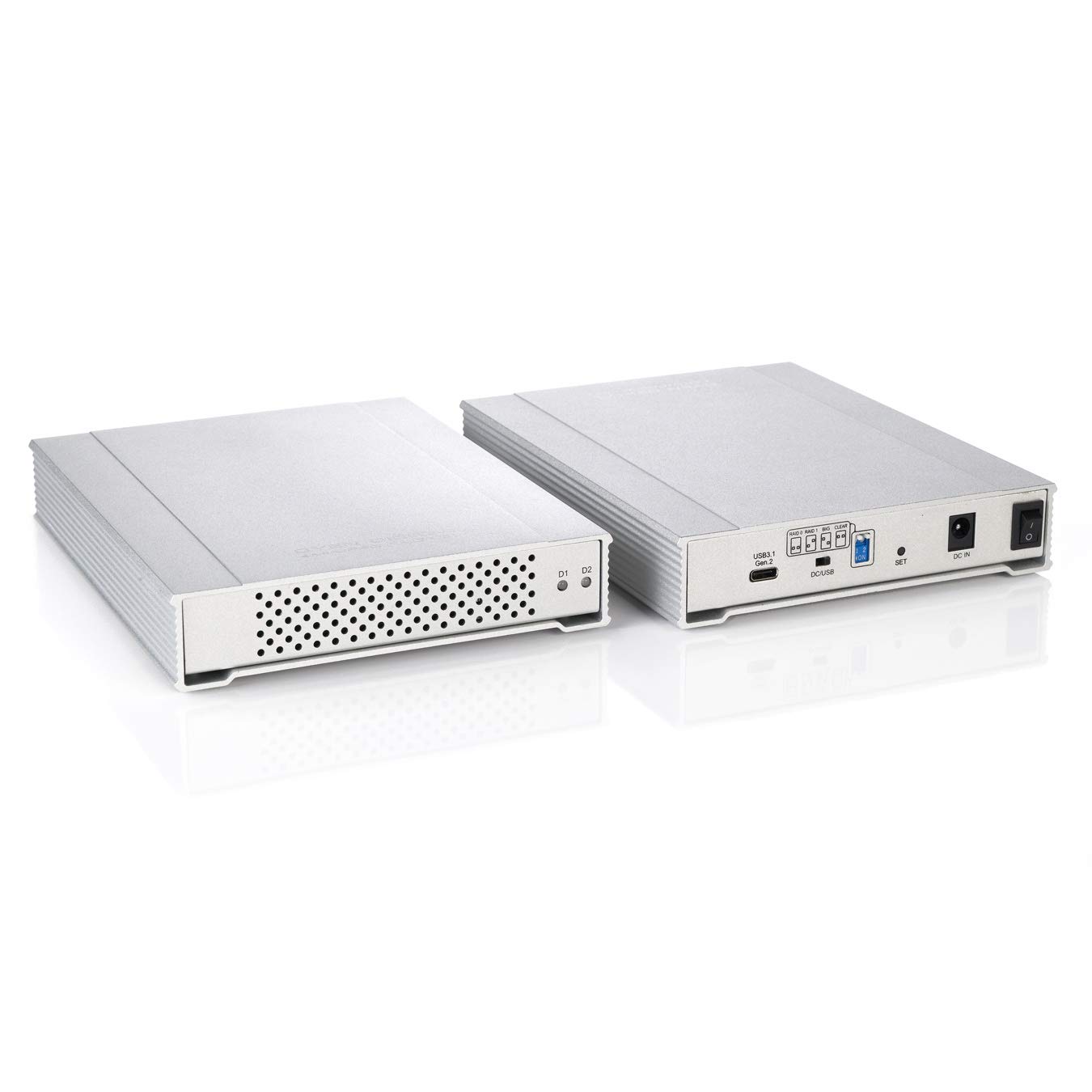
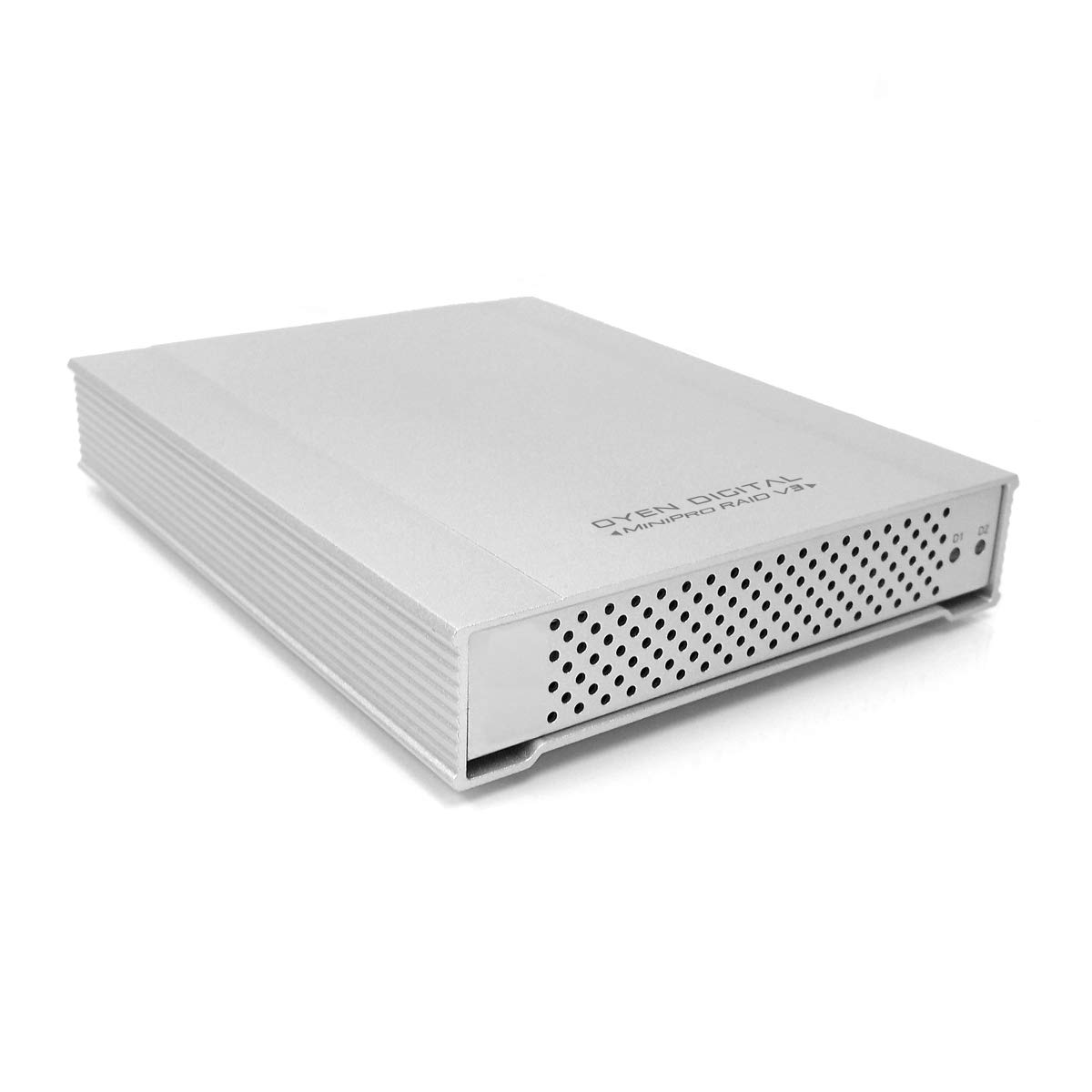
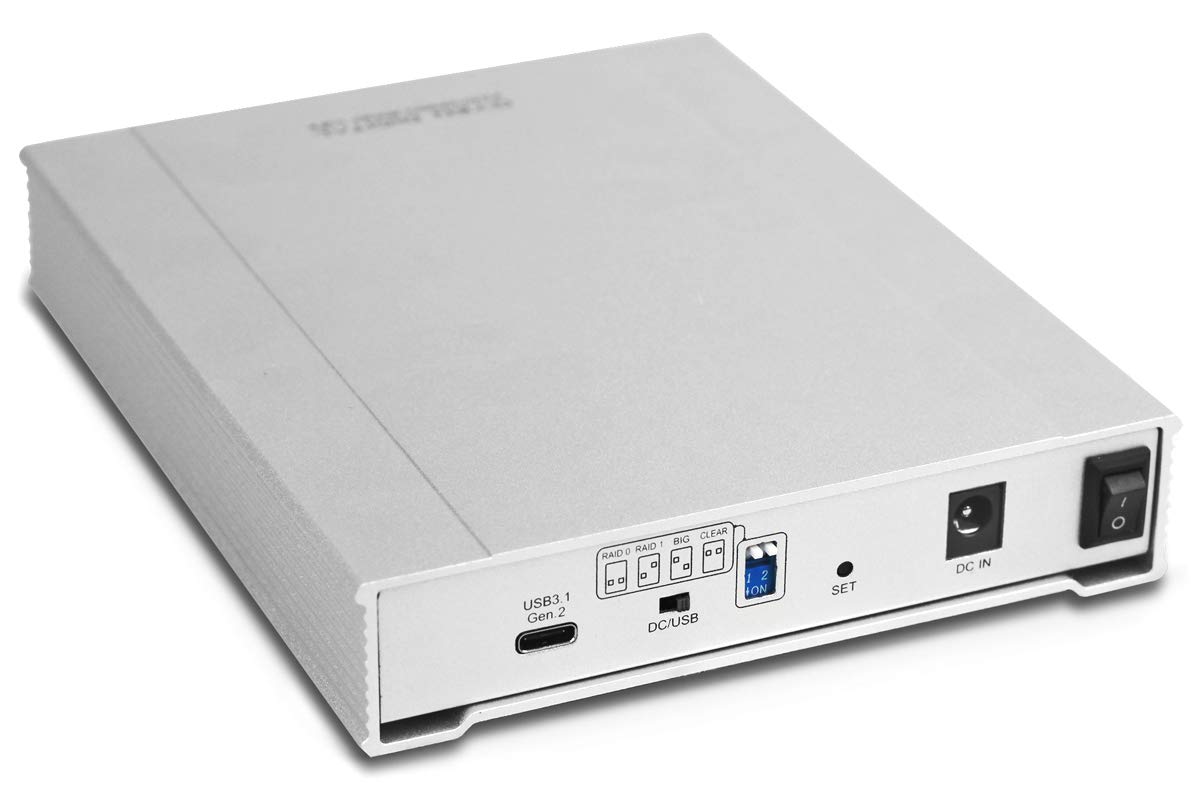
The Oyen Digital MiniPro RAID V3 is a compact, dual-bay external drive enclosure featuring USB-C connectivity with Thunderbolt 3 support. It offers versatile RAID configurations (JBOD, RAID 0, RAID 1, BIG) without software, supports two 2.5-inch SATA drives up to 15mm, and can be powered via bus or included adapter—perfect for professionals seeking fast, flexible, and portable storage solutions.



| Hard Drive | 1000 GB Enclosure only |
| Brand | Oyen Digital |
| Series | MiniPro RAID V3 |
| Item model number | CB3R3-SL |
| Operating System | Thunderbolt 2: Mac OS X 10.8.5 or later, USB 3.0: Windows 7, Windows 8, or Mac OS X 10.6 or later |
| Item Weight | 1.8 pounds |
| Product Dimensions | 6.5 x 5.1 x 1.1 inches |
| Item Dimensions LxWxH | 6.5 x 5.1 x 1.1 inches |
| Color | Silver |
| Hard Drive Interface | USB 1.1 |
| Hard Drive Rotational Speed | 5400 RPM |
| Manufacturer | Oyen Digital |
| ASIN | B01GVVC59A |
| Is Discontinued By Manufacturer | No |
| Date First Available | June 10, 2016 |
M**A
Everything I was looking for but a little pricey.
I recently had an external hard drive failure that I used to store all of my videos, downloaded music, and all of the digital pictures I have taken in the last 15 years, which are now all gone. I needed to start over but I didn't want to make the same mistake of not having a back-up so I purchased the "MiniPro RAID V3 USB 3.1 Type-C (USB-C) Dual Bay Enclosure (CB3R3-SL)" figuring I will use RAID1 mirroring so if 1 drive fails I will still have a back-up on the other. I used 2 Seagate 4TB Backup Plus Portable Drives because they were relatively cheap, and carefully removed them from the enclosures they came in. I needed a dual bay RAID1 enclosure that would except 2.5-inch SATA HDD drives with a 15mm height and the choices are slim. Upon receiving the enclosure and installing the drives I was impressed. The enclosure is as compact as it could be with the drives fitting tightly inside and close together with no room to spare. It is also all metal (except for the electronics) making it durable and also acting as a heat sink which is a plus because there are not any internal fans, although it seems to be well ventilated with plenty of air holes. There are 4 screws per drive securing them in place and an additional 4 screws holding the enclosure cover closed with 4 rubber feet to stick on the bottom to reduce vibration and protect your desk or table surface. The enclosure uses USB 3.1 Type C reversible connection but comes with 2 cables so you could also use it with the same or any old school USB computer as well and it is powered by either the USB connection itself or it comes with a DC wall plug. After setting it all up I set the controller to RAID1 mirroring and formatted the one volume that was visible as ExFAT with a GUID partition because both the directions and my internet research suggested that was best for Windows/Apple MacOS compatibility. Next I transferred 30GB of data (music, pictures, and videos) and confirmed it was working properly by ejecting, unplugging, and reconnecting the enclosure and making sure the data was still intact. I repeated this process a couple of times and finally removed 1 of the drives while it was still connected. Of the 2 blue lights that were lit indicating that all was well, 1 immediately turned red showing there was a problem or drive failure, but all of the data I saved was still there and accessible. I connected the drive that was removed to my PC and erased the partition and reformatted it. Next after properly ejecting the enclosure, I re-installed the formatted drive and connected the enclosure to the PC. My saved data came up and was accessible and both lights on the enclosure were slowly flashing blue which the directions read that the enclosure was rebuilding the RAID and did not need to be connected to the PC while this was happening. The directions read it should take 3 times the biggest HDD which in this case 3x4TB=12 and indeed it did take 12 hours even though I only had 30GB of data stored. I guess it doesn't matter how much data is stored, it will take the same amount of time to rebuild the RAID. The data stored was accessible the full time the drive was removed and during the rebuild process. After the rebuild process was complete, everything was back to the way it originally was, but I needed to confirm to myself that both drives still had the same data on them. After ejecting the enclosure I turned the RAID off and set it to Just A Bunch Of Drives and reconnected it to my PC. Thankfully as expected it showed 2 identical drives with all of the data I stored. I am very pleased. I cannot speak on the durability or how long it will last since I have only owned it for less than a month but so far it is everything I was looking for. My only gripes are 1. The high price but I would gladly pay a little more for good quality and features. 2. No fans (but they are probably not even needed). 3. No software interface to change settings like putting the drives to sleep after inactivity etc..
R**L
Best RAID-0 dual drive enclosure for larger capacity 2.5in HDDs
If you're looking for a dual RAID-0 case which will fit larger capacity size (>2TB) 2.5in HDDs which will have a 15mm depth, then this is your best option. I put dual Seagate 5TB 2.5in Barracuda HDDs in it, where all the other RAID-0 enclosure options I've tried (Vantec NexStar GX, Acasis, Cable Matters) wouldn't fit inside the case and allow the cover to be put back on. The other options you will need to use thinner profile SSDs or HDDs which are 2TB or lower in capacity.I conducted speed tests using dual Samsung 4TB QVO SATAIII SSDs and dual Seagate 5TB 2.5in HDDs set in RAID-0 mode. With the SSDs the transfer speed limiting factor ended up being my PC's USB port which is a USB-C 3.1 GEN 1 port. I am looking forward to getting a new PC which has a USB GEN 2 or higher speed connection port to gain the full transfer speed benefits this case with the SSDs will provide which should end up being closer to 850-900 MB/sec since this enclosure has a USB 3.2 Gen2 interface connection. With the Seagate HDDs, the transfer speed limiting factor ended up being the HDDs, but getting 270MB/sec from 5400rpm 2.5in HDDs, I have no complaints. Those speeds rival some SSDs at a fraction of the price for the 10TB storage capacity I have.This case comes with everything you need including a quality USB cable and Power supply adapter accessories, as well as the tools to assemble everything.I originally purchased this case for my Samsung QVO SSDs but ended up putting those in another lower cost (Cable Matters) RAID-0 enclosure since that other enclosure wouldn't fit the larger size Seagate HDDs.Pros:- Quality enclosure and components- Supports HDD Cache ON/OFF- Fits 15mm depth 2.5in HDDs- Power Supply and Quality USB cables included- USB-C 3.2 Gen2 interface (ie up to 1250MB/sec max transfer speeds)- All switches on outside of case for easy accessCons:- Foot print is rather large (5.25in x 6.75in), would prefer if the design stacked the HDDs so it would take up less space on a desk.
S**S
1st one, not too impressed.
I put two Seagate 5TB drives into the enclosure. Both drives functioned perfectly fine in a StarTech 1-bay enclosure, so I know the drives are working ok.First issue I noticed was when I set the enclosure to do JBOD, I could only access ONE drive at a time even though they appear as two drives. I started two copy commands, one on each drive. The copy that was started first would be accessing the drive no problem. The second copy though would just stall and sit there, waiting. Once I killed the first copy, the second copy started. So I tried starting the first copy again. Nothing for the first copy, all the access was given to the second command. Either there is a defect OR the system is designed when in JBOD mode to only access a single drive at a time.No big deal, I didn't buy it for JBOD, I wanted RAID 0 mode. Go through the process of setting it up as RAID 0, drives are recognized, put a filesystem on them, start copying data over. Transfer speeds look good, everything seems ok. But after about 10-15 minutes of copying data the transfer speed drops to about 1/10 of what it was previously and stays at that very very slow rate.I'm returning the item to Amazon as defective and having them send me another unit. When I get that one and test it I will update this review to let you know if the second works better then the first. But so far, disappointing.
Trustpilot
3 days ago
5 days ago