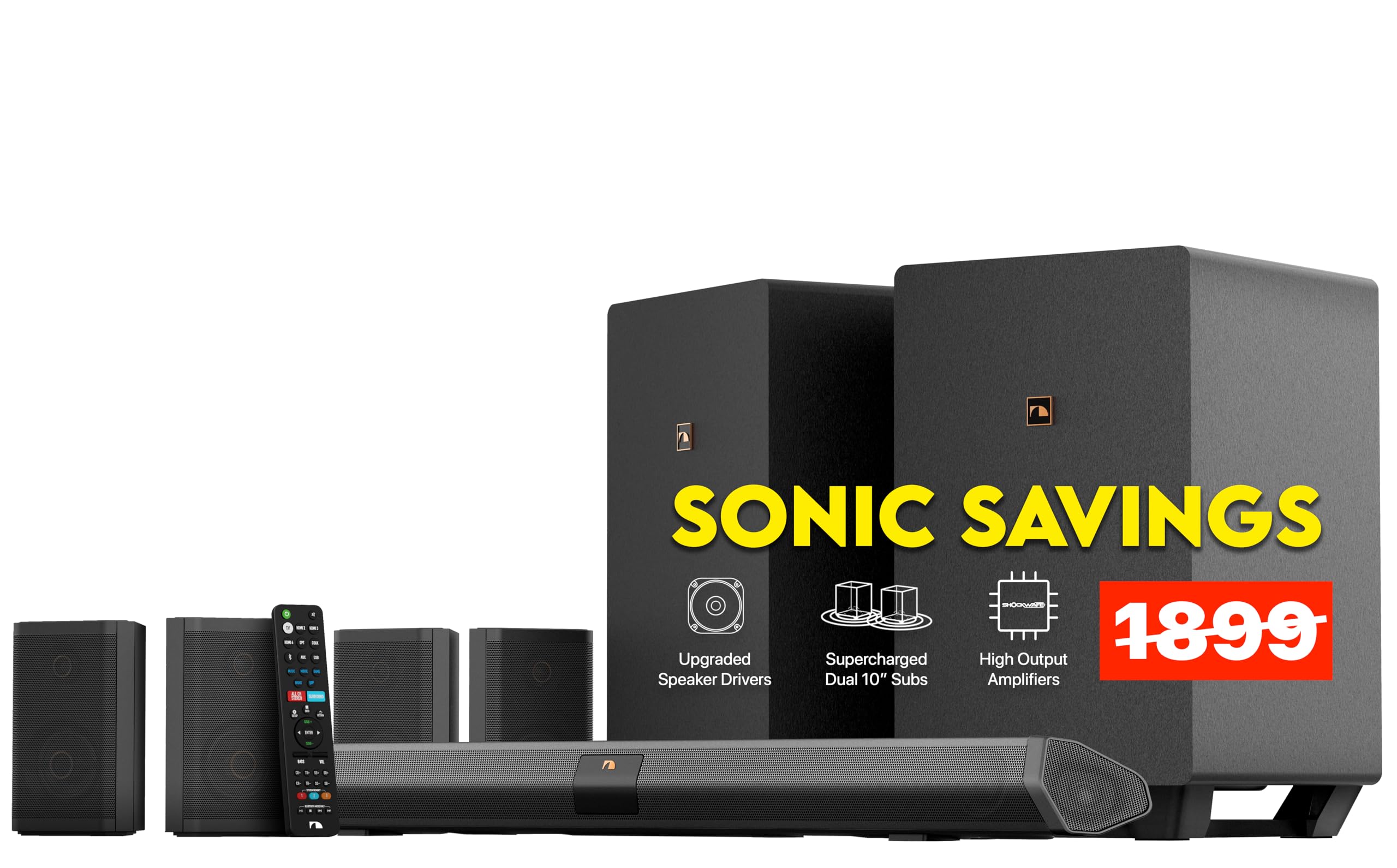
🎥 Elevate your home theater game — don’t just watch, live the sound!
The Nakamichi Shockwafe Ultra 9.2.4 is a cutting-edge Dolby Atmos/DTS:X soundbar system featuring dual 10" wireless subwoofers and four modular surround speakers. Powered by proprietary SSE Max technology, it delivers immersive 360° surround sound with crystal-clear highs and deep, distortion-free bass. Designed for easy setup and future-proofed with HDMI eARC, 4K HDR passthrough, and Bluetooth 5.0 with aptX HD, this system transforms any room into a cinematic audio experience favored by audiophiles and home theater enthusiasts alike.


| ASIN | B08Z37YTVG |
| Audio Driver Size | 10 Inches |
| Audio Driver Type | Dynamic Driver |
| Batteries | 2 AAA batteries required. (included) |
| Best Sellers Rank | #15,316 in Electronics ( See Top 100 in Electronics ) #102 in Home Audio Sound Bars |
| Color | Black |
| Compatible Devices | Home Theater |
| Control Method | Remote |
| Customer Package Type | FFP file |
| Customer Reviews | 4.4 4.4 out of 5 stars (2,179) |
| Date First Available | December 4, 2019 |
| Included Components | Soundbar, Subwoofers, Surround Speakers |
| Indoor/Outdoor Usage | Indoor |
| Is Waterproof | FALSE |
| Item Weight | 80 pounds |
| Item model number | Shockwafe Ultra 9.2.4 SSE Max |
| Manufacturer | Nakamichi |
| Material | Plastic, Paper/Polypropylene, Silk, Plastic/Metal |
| Model Name | Shockwafe Ultra 9.2.4 SSE Max |
| Mounting Type | Tabletop Mount |
| Number Of Circuits | 2 |
| Number of Batteries | 2 AAA batteries required. (included) |
| Number of Items | 1 |
| Power Source | Corded Electric |
| Product Dimensions | 3"D x 45.5"W x 3.6"H |
| Recommended Uses For Product | For Gaming Consoles, For Indoor Use, For Surround Sound Systems |
| Set Name | Shockwafe |
| Shape | irregular shape |
| Speaker Size | 10 Inches |
| Speaker Type | Subwoofer |
| Special Feature | Dolby Atmos, DTS:X, Surround sound |
| Specific Uses For Product | Home theater systems, movies, and gaming |
| Style | Ultra 9.2 DTS-X/Atmos/eARC/SSE Max |
| Subwoofer Connectivity Technology | Wireless |
| Subwoofer Diameter | 10 Inches |
| Surround Sound Channel Configuration | 9.2.4 |
| Tweeter Diameter | 1 Inches |
| Warranty Type | Limited |
| Water Resistance Level | Not Water Resistant |
| Wireless Communication Technology | Bluetooth |
| Woofer Diameter | 10 Inches |
C**N
No need to go to theaters.
09/18/25 This is for nakamichi shockwafe wireless 11.2.6. Not sure why reviews for past nakamichi products are on this posting for the sohockwafe wireless but meh. Any who. I had my eye on this system for the better part of 6 months since announced around February of 2025. Since my old system was annoying me to the point of just throwing it out along with the trash. In comes the Shockwafe almost like a sign from the speaker odds. I left the thought marinade in my head until August, when i pulled the trigger on this. So far.... no regrets.... As i said august 1st i ordered it and by the 7th of august, it was sitting at my door. Amazed at the three fairly bulky packages i had to lug in. "lug" is an understatement. Two of the three packages were quite the adventure getting them in the house and down to the room where they are gonna live. The packages themselves were nicely fortified, although the soundbar one had a noticable gash in it but luckily it was not in a critical position. Setting it up was fairly eazy, hooked up the sound bar to my tvs arc port and it "just worked" not sure of if its mandatory, i waited to turn everything on for the first time until i had everything pulled out and all speakers placed. **note i will warn you before you play your first source turn down the volume. Upon turning on soundbar for the very first time. Volume is set at max "30" this system is "llloooouuuudddd" I really hope that with future upgrades they reduce the default volume level to at least half way. I would really hate to attempt a firmware update at 1am only to scare the soul out of everyone at home. Now for the meat and potatoes. Firing up the system for the first time. The sound was.....im sorry but meh. Dont get me wrong the subs are boomy, but there was no "bubble effect" like the hype videos said. Sounded a little flat. But then here comes the "firmware upgrade" the firmware upgrade came in one day in a little usb flashdrive before the whole system showed. I decided to listen to the system "out of the box" for the whole first day. Next day i decided to do the firmware update. Following nakamichi's instructions, resetting setting right after (watch the max volume) quite literally took 15mins to complete. I watched youtube vids on my phone during this time. After the update, i did notice a significant difference. A "bubble" like difference. I do notice before the update the system would not play nicely with the remote app, after the update, you can do practically anything with it. Hell you can put away the remote it comes with and just use the app. Take a few minutes to do the advanced system calibration through the app it make a further difference. I know alot of people like to dump on nakamichi for being behind the curve on things like mic assisted calibration, or room correction. They probably think with more bells and whistles the more that can go bad. Im all for that thinking. Im also beginning to like what this system does with 2 channel stereo music videos it enhances the music effects and harmonys by putting them on the rear speakers on the fly. The nakamichi theater app....can use some TLC. Two major problems neither are deal breaking but could use some fixing. First is the apps tendency to not be able to sometimes connect to update servers to find updates. although im not sure whether this lies with the soundbar or the app. Every so often the app would fail to connect to update servers due to a wifi disconnection. So i would have to reset wifi connection through soundbar and reconnect by app. Next would be using the custom calibration option. After inputting measurements for speakers, clicking save a loading circle appears and never progresses from there. It seems to update sound bar with calibration measurements cause sound pauses momentarily and sounds different. (UPDATE: OCT 17: I HAVE NOTICED THAT THE ISSUE MIGHT LIE WITH MY PHONE. I NOTICED WHEN APP FAILS TO CONNECT WITH SOUNDBAR , I TRIED TO RESTART PHONE AFTER; PHONES REGAINES CONNECTION) I know the shockwafe wireless is barely in its infancy, those are the only two issues i found with it. (Yeah first world problems) So for the verdict. if you got the money to blow. And the wife/GF doesn't want to murder you upon seeing you bring this monster through the door. Do it. (JUST WATCH OUT AFTER RESETTING IT WILL SCARE THE SOUL OUT OF YOU)
J**S
Updated: 9.2.4 Sounds great. Broken HDMI input caused much extremely difficult debugging.
Update 24 DEC 2019: -- All is basically forgiven, the sound is that good -- It's sorta of complex to get perfect sound, but this thing can make great sound; see long discussion of what I did to get that sound at the end... At this time I can say this thing sounds awesome. Like it brings me joy to listen to this soundbar. However was a pain to get to this point. Nakamichi service, Alberto, was extremely professional and efficient. In retrospect it was all clear. One of the two HDMI inputs the soundbar that supports Dolby Atmos (must use either #2 or #3) was broken. In particular it was intermittent. This was infuriating and really hard to debug. It also has an aggravating quirk (when soundbar is reset, the two memories get set at super loud, you will be shocked how loud it is when you accidentally hit "M1" or "M2") -- but All is basically forgiven, sound is that good -- Nakamichi Makes great sound, but you'll be need to be an enthusiast to realistically be able to get it all set up. Or just spend a $100 and have a "geek squad" person install it. === Getting rid of the no sound problems I was also real disappointed like some reviewers, however after a lot of debugging it turned out the constant rebooting came from several things related to it takes the sound bar about 10 second to sync up with the input signal. Any glitches (e.g. change channels, Netflix buffers) cause some failure and then no sound. So have reported changing the volume while waiting for the sound to come back will reliably cause the problem I did several things to make "no sound" largely a thing of the past. Key was getting the Netflix streaming device (Apple TV 4K) on a wired ethernet connection. That keeps the time buffering way way less, and sound bar is now rock solid streaming. Yes that was a pain because I had to get room wired. Try it and see with a long ethernet cable... Secondly I moved the old TiVO DVR from the sound bar input to the 2019 LG C9 tv, which appears to give the sound bar a solid signal, even when changing channels on TiVo and so on. In the end I have the Apple TV and a Blu-ray directly connected to sound bar, and the DVR connected directly to the TV. That is in the manual BTW Third I found that when the now rare glitches does happen, and no sound happens, rather than reboot I j switch the soundbar input to something else, e.g. optical or other input for a second, and then immediately back to the desired input. Works every time. Yes that is a pain, but after fixing the first two things, its so rare I do not care. === Getting amazing sound? Here's what I did. As far as poor quality sound/music I was also disappointed at first. Here are some of the things that fixed that. I love the sound now. The most important is that the sound quality is hugely impacted by the placement of the speakers.Boviously. Way more sensitive to small changes than I expected. I'm talking about a few inches. Height makes a surprisingly big difference. I placed these their sides, but which side, etc. It all matters a lot. I was casual about this, but just for fun/desperate I followed the placement suggestions on the large setup guide EXACTLY. First make sure all 4 surrounds are exactly ear height. I initially had the Backs on a shelf at wrong height and place. === Height really matters! == I finally used a tape measure, sounds silly, was a big deal. Next I use all 4 speakers, 2 back 2 front. No dipole. I have them on their side in what Nakamichi calls "Elevation". This means all four are on their side and the speakers are pointing up towards the ceiling at a 45 degree angle. Key to great surround sound. Trust me. Location matters. A lot. In particular I moved the surrounds to exactly 2m (6.5 feet) away from center of FRONT of couch, pointing exactly down the front edge of couch. Exactly as it says on the huge folded setup guide, but they don't make it emphatic that --you really need to do this--. The backs and the surrounds all point to the center of the front edge of the middle of sofa. The surrounds need to lined up along the front edge of couch and backs at 135 angle from front edge. The backs are also 2m/6.5 feet from the front edge of couch. Use a tape measure. It matters. --> Suddenly great spatial effects. --> Great music. Sounds silly; try it and see! Keep everything at ear height 6 feet from center of couch. I think you will be amazed. Next part of this puzzle, use the demo disk "Helicopter" sound track to adjust the volume of the surround and back and center speakers until the helicopter sound is at constant volume and therefore sounds like helicopter is always a constant distance away. It should sound like a helicopter circling you at a constant speed and distance. I needed to fiddle with the location of the back speakers to get constant speed from helicopter sound. I needed +8 on the back and +7 on surround and +4 on center to get constant volume. Obviously you'll need to fiddle for yourselves, but "Helicopter" really shows what this thing can do when adjusted just right. Almost done and this is easy. Make sure all the DSP stuff is OFF. No stereo, no night, not native, not game, not music, SSE is off; get rid of it all. No easy way to do that. Just cycle thru "info" on remote and see what is turned on. Then get rid of it. You want ONLY "movie" and "dolby surround". Now the fun! Fiddle with room size and SSE. SSE has 4 choices (0-3), and size has 3; try all 12 combs (easy). I find small room SSE 2 or 3 works WONDERFUL for TV and music. You might prefer SSE 0 for music. SSE makes it seem, for example like the saxophone player is standing up, and it changes how tall he is. It also changes the sensation of how far apart sideways the musicians are. Makes the stage seem bigger. When I got it just right? I can stare with my eyes at the sound bar and it still sounds exactly like Coltrane is 6 feet tall and about 6 feet from the piano. My sound bar is 24" off the floor. I find most of "stereo imaging" stuff like this doesn't work if my eyes are open. This sound bar does this wonderfully using my Apple TV 4K to play music. Lastly I fiddled with the subs. I was amazed how critical it is to get them at the right place and pointing in the correct direction. Other wise I got nothing but room resonance or "boom". This makes bass guitar sound like a thud; you know loud but cheap stereo in a car. I moved, and turned and fiddled with the subs while listening to John Coltrane music; key is prominent acoustic bass on a quality recording. Try his song "I Want to Talk About You". That sort of music usually causes a sub to resonate with the room making bass sound like drum; it "booms". I tried moving the subs out of the corner, into the corner, away from the walls, point the port on the back towards corner, towards side wall, or the back wall. etc etc. Hint: turn the volume way down and the bass up to say 8 and move the sub around. At very low volume you know the sub is not distorting from lack of power and so on. You may or may not like booming bass, some do, (but you'll know it when you get what you like). Slowly but surely I got clean, deep bass with little booming. In my particular case the ports point away from the couch, the subs are near the couch but a foot away, and the couch is about 2' from wall. That was to get the back surrounds in right place. I expected very low "spouse approval" for subs in room, but we have small end tables. And sounds so amazing, this is not a factor. Sound really is almost perfect. Last key step, the sub crossover frequency on setup menus needed, in my case, to be turned down from 180 to 110. Hint: while fiddling with this crossover setting, nothing happens till you exit the setup menu, and there is a few second delay when you change it; etc. $%&# , but try it and see if the boom goes away. Whew. Watch something with clean sound on Amazon that I thought had bad sound; I found "Seal Team" dialog amazingly clear. A first! Explosions do NOT boom! Music? Bass sound like a bass, not a drum. Listen to some techno and you'll see most techno is all drum, no bass! And so on. Clear Clear Sound. And when the people down stairs are away; crank this bad boy up. Lots of clean power + clean sound = wow. I'm telling you this thing started like a nightmare and now makes sound so clean, it brings me joy. Obviously you going to have to fiddle with your subs location and orientation and the couch's position for the back surrounds, and so on; but keep all the surrounds and back at the exact same ear height, and at the correct distance from a very unlikely place, (aka center front edge of couch), and I think you will have awesome sound too.
S**S
Great sound system
Easy setup, app works well and is simple. Great sound. Best wireless system I've ever had. Volume is default set at 30 which is very loud. Turn down as soon as you power up for the 1st time or your room will shake. Seems plenty loud at 15. My max is 20 and that is LOUD.
Trustpilot
3 weeks ago
2 weeks ago