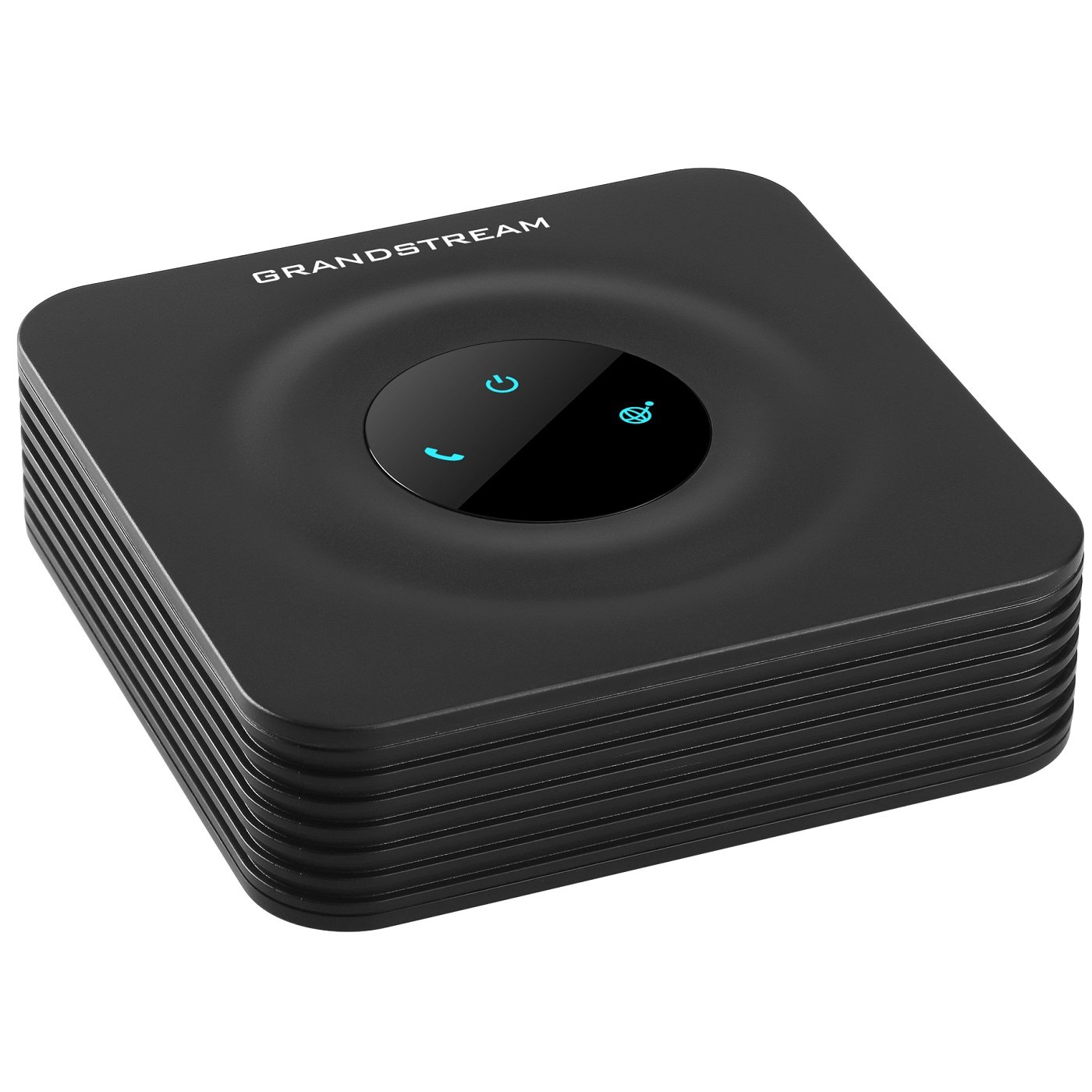
📞 Elevate your analog phone game—stay connected, secure, and ahead of the curve!
The Grandstream HandyTone 801 (HT801) is a compact, single-port analog telephone adapter designed for seamless VoIP integration. Supporting one SIP profile and featuring advanced TLS/SRTP encryption, it ensures secure, high-quality calls. With automated provisioning options and 3-way conferencing, it’s ideal for both residential and commercial IP telephony setups.
| ASIN | B06XW1BQHC |
| Batteries | 1 CR123A batteries required. |
| Best Sellers Rank | #88,521 in Office Products ( See Top 100 in Office Products ) #27 in VoIP Telephone Adapters |
| Customer Reviews | 4.2 4.2 out of 5 stars (1,069) |
| Date First Available | March 26, 2017 |
| Is Discontinued By Manufacturer | No |
| Item Weight | 7 ounces |
| Item model number | HT801 |
| Language | Dutch |
| Manufacturer | Grandstream |
| National Stock Number | 0 |
D**A
It works great with Asterisk PBX and analog phones
I have a small PC-based phone system for my house. It's cheaper than any kind of IP phone from any company, but I didn't want a Cisco desk phone wired in, so I bought this and connected it to my PBX and then plugged in my Panasonic 5 station cordless phone set. It was easy to set up, the instructions were clear and covered every case - and unlike many pieces of modern electronic, has never had to be reset in order to work.
B**N
Works good with voip.ms
I bought to replace the MagicJack that I was not happy with. This is the V2 unit not the V1. Someone said the password didn't work as admin. This is true for the V2 the password is printed on the label on the back of the unit. Set up was not the same as the sample shown on the voip.ms web site, but it will set up and works great once set up. Make sure you update the firmware to latest from Grandstream web site. I couldn't be happier with HT801 V2 and voip.ms combo. Saving over $20/month over Spectrum. Once set up the quality of calls and the features are really good.
P**S
Grandstream HandyTone 801 V2 login password on the bottom of unit
Update: HT01 V2 does not send e911 location where as V1 did out of the box. As a result calls are answered by a National 911 Call Center rather than your local 911 center. Our pool inspector failed the emergency phone as a result. V2 firmware added new configuration options E911 and HELD. The most recent documentation explains their use by repeating the name of the field, which is less than helpful. Grandstream does allow me to submit a support ticket as an end user and I received a prompt response. Update: HT01 V2 may have a label on the bottom showing the factory default password. If admin is rejected look there. Deduct one star for the confusion of user guide versions from Grandstream. The most recent user manual documents this. Search for "documentation.grandstream.com/knowledge-base/ht81x-v2-user-guide/" Check whether you can log in before return period expires. Using a new Grandstream HandyTone 801 V2, Admin login fails with the factory default password: admin. Reset button and power cycle do not resolve the problem. Item is useless without being able to login to configure it. On a different Grandstream HandyTone 801 V1 the default password worked. Perhaps this issue is only on V2 models. Returned for replacement.
M**.
Best ATA!
This is the best single line ATA you can get. It supports pulse dialing and it has a REN of 5 just like the POTS lines did. It works nice with VoIP.ms, which is the best provider in my opinion. This thing is a little difficult to set up, but if you follow a tutorial for the settings to change for your provider it wont be so hard. I have had no issues with this yet. Im glad i chose to upgrade from my cell2jqack to this. My experience with calls have been pretty good. The quality is only bad when the internet is bad. If you have any sort of T-Mobile internet, you will not get this to work unless you turn on TLS on this device and your providers settings. If you use VoIP.ms, they tell you how to change to TLS on their end and on the ATAs end. Conclusion: I’m glad i bought this ata.
S**L
Good luck with the setup
Good luck installing this device. it is NOT plug/play. I suspect I got a refurb/open box item because the packaging for the cables was already torn open and the instruction manual was missing. I found the manual online, but the instructions did NOT match the screens on the web app/portal so I could not figure out how to configure this. I assume a networking specialist would find this simple, but for anyone else, good luck.
T**9
Replaced my Obihai 200 voip adapters
With Obihai discontinuing support for its ObiTalk 200 adapters, and with Google Voice connections no longer working with any adapters, I signed up with CallCentric and purchased two Grandstream HT801 units. Easy to setup using CallCentric’s support page. Each unit is in a separate seasonal home with one as an extension on the main CC account. My GV number is added to the outbound caller-ID, and all inbound GV calls ring on the CallCentric number. Works great at both locations. The physical setup is the same as the Obihai adapters. Ethernet cable plugs into your router, and phone plugs into the RJ11 jack. Plug in the power adapter and you’re ready to go. Setup is via a webpage via the HT801’s IP address. You need the settings from your phone service provider. As long as those settings are correct (they were in my case) everything works. With the HT801 and CallCentric, I now have cheap reliable VOIP phone service at both residences.
M**6
Great replacement for Obi 100
I had an Obi 100 for 10 years. All of a sudden, it stopped sending touchtone (DTMF) and I started having frequent issues where callers couldn't hear me. This device has pretty much the same feature set, and my touchtone works again and callers can hear me again. I set up weekly firmware updates and changed the admin password. All I needed to get going was my provider's URL and my account username and password (sip credentials, not my website credentials) to get going. There are a thousand other nerd knobs I could tweak, but so long as it's working, I'm not going to mess with it.
B**.
A decent quality VOIP ATA
This is a good device, but keep in mind VOIP service does require that you port-forward certain ports (usually 5004, and 10000-10003 minimum). It works very well with my VOIP provider once I NATted those ports. It's well worth the money and the audio quality is very good.
M**J
Works perfectly converted digital line to analog for FAX connectivity. But it works for analog phone lines too.
T**S
The Grandstream HandyTone HT801 is a solid and dependable little device. Setup was quick and straightforward, and it worked flawlessly with my VoIP service right out of the box. The build quality feels good, and it’s small enough to fit neatly beside my router without taking up space. Audio quality is excellent — clear and consistent with no dropouts or echo. Configuration options are flexible for those who like to fine-tune settings, but it’s also simple enough for a basic plug-and-play setup. Overall, a great product that does exactly what it should. Perfect for bringing an analogue phone into a modern VoIP setup.
A**A
اذا تلفونك قديم او لاسلكي وتريد استخدامه كتلفون شبكة(ip phone, voip)، هذا هو الحل
J**Y
Tired of paying 70 dollars a month for mostly people I don’t want to talk to to try to scam me, sell me some service I don’t need, etc, I looked at options. Keeping the number I’ve had for 30 years, and having a single number that mom and a few others could call and talk to whoever is home is nice. Giving this number to most businesses means that telemarketing calls don’t come to my cell phone. This was the same device used by a 3rd party provider called freephoneline.ca. I decided to try to purchase the device and pay a one time fee to connect with them vs pay a VERY small monthly fee. Everything is working great. Calls are reliable. Device works fine, and by unhooking the telco access at my inside junction, and connecting this to one jack, all of my existing jacks work. The device is great, but I would not recommend this (or any other similar device) unless you have a good support with your provider (I didn’t - but they had an online user forum and this was the device they use) or you are technically strong (30 years in IT). Many people would be better off getting the device with support, through their provider. Setup is easy, but there are 2 or 3 dozen settings many of which need to match your provider, or else you could have no calls, dropped calls, audio but no voice, or other strange things. I was able to get the correct settings online and had it set up and working in about 15 minutes. It has been working great for a couple of months now and I’m glad I did this.
C**N
Hace su trabajo perfectamente una vez configurado. Es un poco entretenido para configurarlo correctamente. Yo lo logré después de ver un vídeo de naseros.com. Desde aquí, Muchas gracias a Naseros por sus vídeos para configurar distintos Routers y auxiliares de telefonía.
Trustpilot
1 month ago
3 days ago