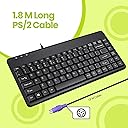
I've tried with WIndows 10 (Win10 Pro), i really truely have, but i just can't take the BS any longer. I'm sick and tired of getting all kinds of crap happening during gaming. Playing BF4 at "gimped 720p" (secret sauce settings!) with a low to medium mix of settings is nowhere near stressing a 2700X or a Vega 56 GPU, so i realised it was windows 10 doing stuff in the backround the whole time. On a good killstreak? Windows 10 starts doing stuff and you get killed from the effects of that bleeding into your game = MASSIVE RAGE but no quit yet. Great score and K/D ratio and the game is about to finish with just 100'odd tickets left? Windows 10 decides you really needed those update right now, like RIGHT NOW, and of course you gotta have your system resetted too. Ooops, where you playing a game there pal? Oh my, you gonna rage nao? Yes, YES!! I'm gonna rage nao.... MASSIVE EYEPOPPING TEETH GRINDING ARNOLD RAGE!!! as your game closes and system restarts. I have had enough of it! I'll take care of my own security with Kaspersky and MalwareBytes and making sure my Firewall is maintained properly AS USUAL anyway, just as i always have. No DX12? Fine, Vulkan is l337 anyway! Installing WIndows 7 again: I had my old Windows 7 pro retail laying around and began the install process on a fresh Crucial 500GB SSD (highly recommend Crucial SSDs BTW!), but, microsoft decided to try and lock me out of installing windows 7 on my system (2700X, CH7 Hero x470) and the ONLY way i was able to install windows 7 Pro was by getting a PS2 Keyboard, and i was just lucky that the motherboard had an input for PS2 Keyboard and Mouse. (I think ASUS knew we'd want to go back to Windows 7 LOL) If anyone else is in the same boat as me, best to go download all your motherboard CHIPSET drivers, from either AMD or Intel (unsure it'll work on Intel though) back them up to a CD or DVD. Don't forget to download the installers for things you'll need, like browser and of course latest (or safest/working) driver for your graphics card, since Internet Explorer is total garbage and almost unusable except to download another browser with it. Plus when you first enter the desktop, you won't have any LAN drivers installed anyway, so you'll need those ready to go on a CD or DVD. At first you'll probably have your USB K&M plugged in and they'll light up (if they're RGB or Caps/Num lock is on) when your system gets to the BIOS display where you can press Del to enter BIOS, and you'll think it's ok, but as soon as Windows loads in, they'll both turn off. This is where this PS2 Keyboard comes in handy! I only bought tha PS2 Keyboard for installing WIndows 7 because at the set up screen you can just use Tab to switch selection and Enter to select them, and for boxes that need to be checked, you can simply use the SPACE BAR for those, and then you come to the part you fill in your device name etc, and the keyboard is what you need. However, when you finally get into the Windows desktop, you'll find the keyboard now slows you down, and this is where swpping the PS2 keyboard over for a PS2 Mouse would be handy. I didn't bother with a PS2 Mouse since i know what I'm doing, but i admit, even i should have just bought both a PS2 Keyboard AND mouse at the same time to save me hassle and time i could have spent on other things. That you know how to do things the hard way, doesn't mean you should, and i recommend a PS2 Mouse to go with this keyboard! Now I've probably done all of this the hard way, and it might simply be a case of activating your windows 7 FIRST, then it will allow you to install the CHIPSET drivers, but i didn't do it that way as I'm too used to not connecting to the internet until i have everything vital installed first. I knew that microsoft would try to block windows 7 installations on newer hardware, so that was another reason why i didn't bother getting the LAN drivers off the ASUS disc to connect to the internet anyway. It's a shame that Microsoft does not sell their Windows 10 LTSC like they do with other versions of WIndows 10, to non-business/non-volume licensed customers, because the LTSC (Long Term Servicing Channel) doesn't come pre-installed with all the bloatware and telemetry/spyware, and it is the best gaming experience for Windows 10 without question. I read that you can buy a Win10 LTSC license key from microsoft, but you haver to buy a minimum of 5 products, and the cheapest i have seen being quoted for that route is around £248. I hope something here has helped someone, and if it's not clear or you have questions about this stuff, just ask and I'll try my best to help you out.