
DOWNLOAD THE APP


Customer Services
Copyright © 2025 Desertcart Holdings Limited
DOWNLOAD THE APP
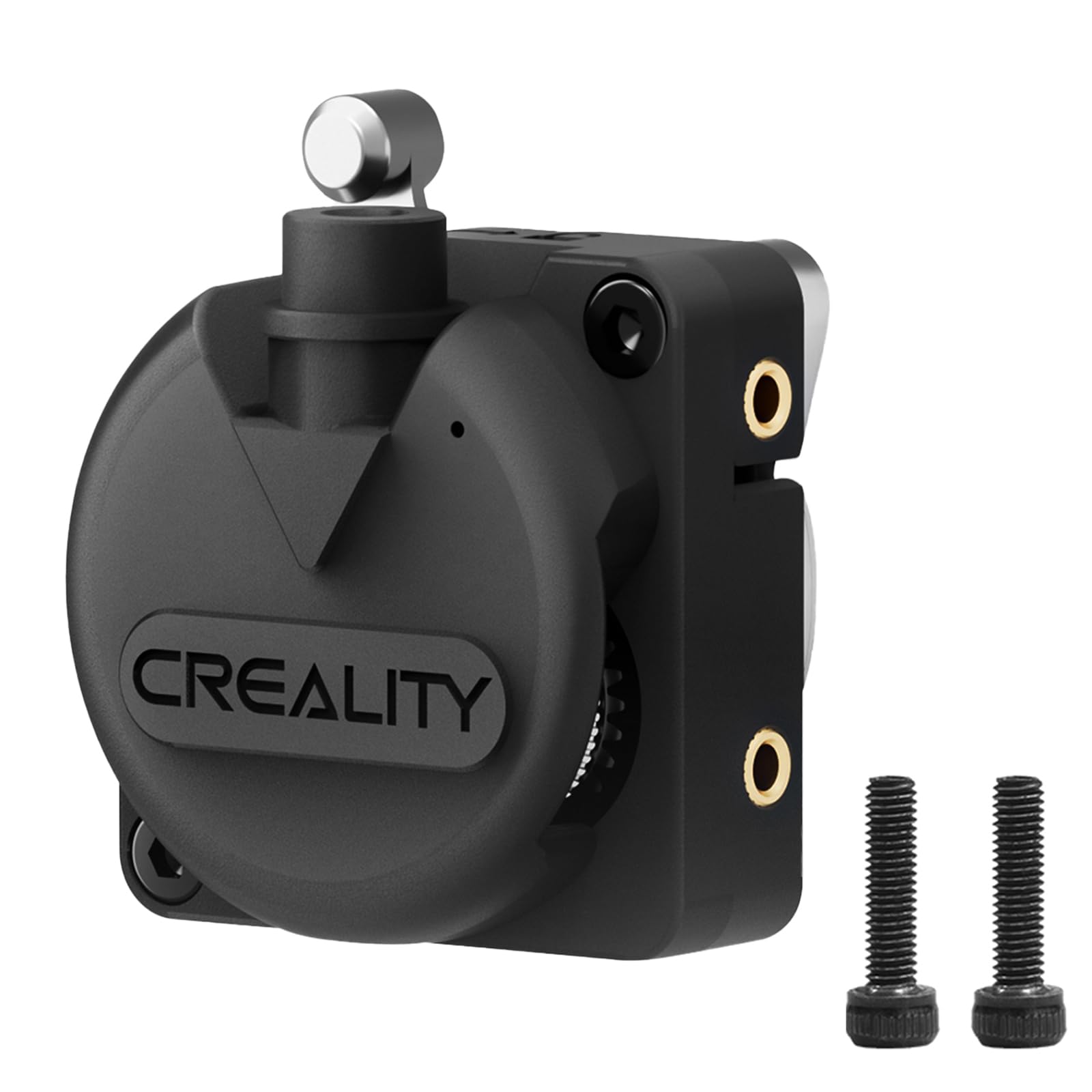
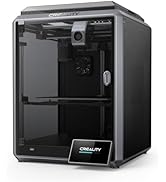
⚡ Upgrade your 3D printing game with speed and precision that your projects deserve!
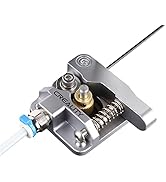
The Creality K1/K1 Max/K1C Extruder Kit is a high-performance, dual-gear direct drive extrusion upgrade designed for Creality’s K1 series and Ender 3 V3 models. Featuring a sturdy metal gear mechanism and delivering 50N extrusion force, it ensures smooth, precise filament feeding across a wide range of materials including PLA, TPU, PETG, and ABS. Its easy installation and durable construction make it the go-to upgrade for professionals seeking reliable, high-speed 3D printing with minimal downtime.







| ASIN | B0CJV1L2XG |
| Are batteries included? | No |
| Best Sellers Rank | #145,420 in Industrial & Scientific ( See Top 100 in Industrial & Scientific ) #676 in 3D Printer Parts & Accessories |
| Brand | Creality |
| Colour | Extruder |
| Country of Origin | USA |
| Customer Reviews | 4.3 4.3 out of 5 stars (96) |
| Date First Available | 31 October 2023 |
| Item Weight | 70 g |
| Item part number | 3D-K1-Extrusion |
| Manufacturer | Creality |
| Number of Memory Sticks | 1 |
| Package Dimensions | 13.4 x 7.5 x 2.3 cm; 70 g |
J**A
Ya esta instalado y funcionando al 100
T**N
I recently upgraded to the Creality K1C Extruder Kit (Version 3.0) for my Creality K1, and it’s been a noticeable improvement over the stock setup, especially for high-speed printing. This direct-drive, dual-gear extruder, paired with a 40N stepper motor, delivers smooth and precise filament feeding, handling PLA, PETG, TPU, and even abrasive carbon fiber filaments with ease. The all-metal design, including a quick-swap tri-metal nozzle and hardened steel gears, feels robust and tackles high-temperature (up to 300°C) and abrasive materials without clogging or wear—perfect for my carbon fiber prints. Installation was straightforward, taking about 15 minutes with three screws and a clear YouTube tutorial from CHEP Filament Friday, though the glued JST connectors were a bit annoying to disconnect without a heat gun. I’ve printed at 300mm/s with no skipping or under-extrusion, and the compact Hummingbird design reduces motion inertia, making it ideal for the K1 series’ CoreXY speed. The extruder’s spring-loaded mechanism ensures consistent pressure, and I’ve had zero jams in a month of heavy use. That said, earlier K1 and K1 Max extruders had issues like filament grinding or under-extrusion, especially with the first-generation aluminum lock knob (shiny/chrome finish). Creality addressed these with the Version 3.0 upgrade, which I have, but if you’re on an older K1 model, check your extruder version before printing complex jobs. The back-mounted spool holder and sharp PTFE tube bend can still complicate filament loading, so I printed a side-mounted spool holder to ease the process. Some users report occasional blockages with high-viscosity filaments at 400mm/s+, but slowing to 300mm/s or using Hyper PLA resolves this. Overall, the K1C extruder’s reliability, compatibility with the K1, K1 Max, and K1C, and support for diverse filaments make it a worthy upgrade for fast, high-quality prints, though minor tweaks like better filament path design would perfect it.
P**K
Be Careful; there is a poorly explained Caution for this product version; and is somewhat misleading. This Extruder is intended to be used NEWER versions of the K1 MAX, with the Acorn HotEnd. Using the Old unit's cover suggestion eliminates some of the important benefits of upgrading to the new Extrude. It did not properly match my 2 year old K1 Max's needs. The original K1 MAX design's Blue PTFE tube heat-break does not fit into this newer Extruders. I had to 'drill out' access way into the product for my Blue Tube to fit in it; since I did not wish to upgrade my HotEnd, as well. This is not an idea solution path to upgraded features.
M**M
ちゃんと交換をして、動いています。
D**O
I’ve had two Creality K1 printers, and after using the K1 Upgraded Extruder on both, I can confidently say it’s a solid improvement over the stock setup. If you’re running into inconsistent extrusion, filament grinding, or just want better performance, this upgrade is worth considering. Installation is pretty straightforward—it’s essentially a drop-in replacement for the original extruder, and Creality includes everything you need. Once installed, the difference is noticeable. Filament grip is stronger, reducing under-extrusion issues, and retractions feel snappier, which helps cut down on stringing. It also handles flexibles and abrasive filaments better than the stock unit, making the K1 more versatile. One of the best things about this upgrade is its increased durability. The stock extruder on the K1 works fine for standard filaments, but it tends to wear out quicker, especially with higher-speed printing. This upgraded version holds up better over time, giving you more consistent prints without needing constant adjustments. If you’re pushing your K1 to its limits or just want a more reliable, hassle-free extruder, this is a must-have upgrade. I’ve got them on both of my K1s, and they’ve made a noticeable difference in print quality and reliability. Definitely worth the upgrade!
Trustpilot
1 month ago
5 days ago