We remain fully operational. Our teams are working around the clock to ensure your deliveries continue safely.

DOWNLOAD THE APP


Customer Services
Copyright © 2025 Desertcart Holdings Limited
DOWNLOAD THE APP
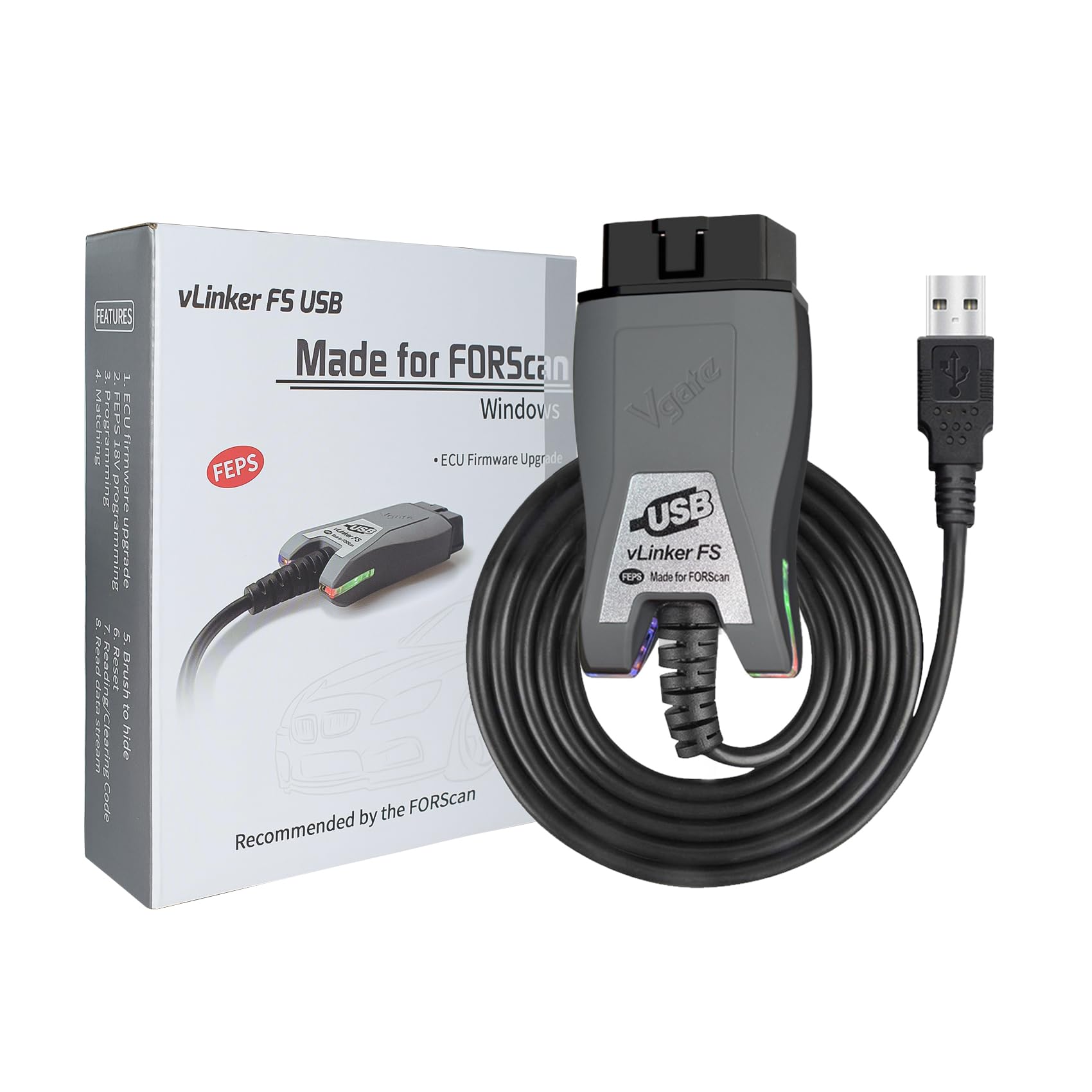
🚗 Diagnose Like a Pro, Drive with Confidence!
The VGATE vLinker FS USB is a professional-grade OBD2 adapter designed specifically for Ford, Lincoln, Mazda, and Mercury vehicles. It delivers ultra-fast 3Mbps data transfer, automatic switching between multiple CAN bus networks, and advanced FORScan functionality to access hidden modules. With built-in battery protection and compatibility with nearly all post-2000 OBD2 vehicles, it’s the ultimate tool for managers and enthusiasts who demand reliable, real-time diagnostics and programming.


| ASIN | B0CZ92SLDY |
| Best Sellers Rank | #6,831 in Automotive ( See Top 100 in Automotive ) #50 in Code Readers & Scan Tools |
| Brand | vLinker |
| Customer Reviews | 4.6 4.6 out of 5 stars (307) |
| Date First Available | March 28, 2024 |
| Item Weight | 3.88 ounces |
| Item model number | vLinker FS USB |
| Language | English |
| Manufacturer | vLinker Direct |
| Manufacturer Part Number | FS USB |
| Model | vLinker FS USB |
| Operating System | Windows |
| Power Source | Corded Electric |
| Product Dimensions | 3.61"L x 1.76"W x 0.85"H |
A**Y
Support Forscan
Very nice adapter works with Forscan
B**A
Works well! But instructions were missing this one config setting...
Worked perfectly. I did have trouble setting it up correctly at first. You have to adjust the latency timer in order to have it communicate correctly with the vehicle. Here are the missing instructions: • Open Device Manager. • Right-click USB Serial Port (COM3) > Properties. • Go to Port Settings tab > Advanced. • Change Latency Timer (msec) from 16 to 2. • Click OK and restart FORScan.
R**R
Works great on my 2005 F-150 Lariat 5.4L 4x4
Worked great with Forscan program on 2005 F-150 Lariat 5.4L 4x4. Windows 11 recognized the device and installed the required driver updates. Forscan was able to read my system, and I was able to program two new keys (only had one original) and check all the system components for DTCs.
W**N
Worked with my Ford Edge
Great little device. I need it to get the reset keypad code for my Ford Edge. Worked like a charm. It's easy to use, though a little confusing more me at first, but after a few minutes I got the grasp of it. Just download the FORScan software and you're good to go. No problem connecting via USB to my laptop.
K**A
Works with windows
I like it. It works decently with ForScan Windows and is fast. But the Android version does not work well. I tried on other OBD apps but it doesn't work.
T**Y
Works as advertised
Perfect. No connectivity issues. This works great so you can diagnose the bad transmission that you already know you have 😂
J**C
Works as advertised
Works with Forscan as advertised. No issue on my 22 Bronco
A**R
Complicated to set up for ARM laptop
This works with my Dell laptop with a Snapdragon processor, but it was difficult to get going. There are instructions that help with ARM systems, but I still struggled. When you get to the step of copy and paste the folder with the driver to update it to the adapter, I had to actually browse and find the folder. Copy and paste the location didn't work. None of this is the product's fault. It works as it should
C**.
Works really well, perfect !
D**A
Worked Flawlessly! I have absolutely no idea what I'm doing. I bought this after watching some youtube videos to add a backup camera to our kid's 2013 ford escape SEL. The ONLY thing I'd recommend of the seller, is to change the order of their "Getting Started" guide. Page 1 shows you what to do, and I'm one of those guys that won't read page 2. Page 2 is actually step 1. You need to download and install the USB drivers (Windows 11) BEFORE you can connect to Forscan. Anyway, I downloaded the 60 day trial license, and followed the instructions (page 2 then page1), and it could not have been easier. Getting around Forscan is definitely not as easy as connecting this cable and communicating with your vehicle. It is not very intuitive to navigate, but I did fumble through it, and I have my backup camera enabled. BTW for my Ford Escape 2013 SEL 7D0-01-01 last bit was set to A32B F103 C059. I had to change it to change it to A32B F103 C05B. There is an APIM AsBuilt Section and an APIM section, if you read the APIM Asbuilt section it has the hex codes, if you go to the other section it has the functions you want to enable. Find Read Backup camera and change to Enabled North America (in my case), and write it. You can check it by putting it in reverse.
T**Y
works with the Jeep program Alphaobd was able to program the 2015 Jeep Cherokee key fobs with it no problems at all as long as the proper fobs are ordered
C**D
Works well with Forscan no issue
R**N
Much faster than the bluetooth units I have, using Torque the gauge operations are very smooth, connects quickly I just haven't been able to get it to work with my Android phone and USB OTG.. perhaps it's the OTG adapter, perhaps it's the phone?
Trustpilot
1 month ago
1 week ago