Desert Online General Trading LLC
Dubai, United Arab Emirates
Desert Online General Trading LLC
Dubai, United Arab Emirates


🚀 Elevate your home network to pro-level speed and security — because buffering is so last decade!
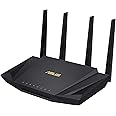
The ASUS RT-AX55 is a dual-band WiFi 6 router delivering up to 1800Mbps combined speed with advanced MU-MIMO and OFDMA technology. It features subscription-free AiProtection Classic security powered by Trend Micro, built-in VPN via Instant Guard, and supports AiMesh for seamless network expansion. Designed for gaming, streaming, and smart home integration, it offers robust parental controls and commercial-grade protection without ongoing fees.






| Brand | ASUS |
| Product Dimensions | 18.44 x 27.55 x 28 cm; 374 g |
| Item model number | RT-AX55 |
| Manufacturer | ASUS |
| Series | RT-AX55U |
| Colour | black |
| Connectivity Type | Wi-Fi |
| Wireless Type | 802.11ax |
| Operating System | mac ox x 10.6, mac ox x 10.7, mac ox x 10.8, windows 10, windows 8 |
| Are Batteries Included | No |
| Item Weight | 374 g |
| Guaranteed software updates until | unknown |
E**D
Quest 2 Virtual Desktop review
INTROIf you're here for a dedicated router for Quest 2 VR streaming (e.g.: Virtual Desktop) then you've come to the right place!CONTEXTYouTuber "Virtual Panda" made a video titled "The Best Router for Oculus Quest 2 Wireless PCVR with Virtual Desktop", where this was the mid-end router recommended for using streaming services to wirelessly use your Quest 2 so I picked it up to check it out... and I'm SO glad I did!Whenever I'd use Virtual desktop, my Network latency would be the biggest bottleneck ever! My previous setup was the following:ISP router --> TP-Link AC1200 --> Powerline Ethernet --> PC, EthernetandISP router --> Quest 2, 5GHzEven though the connection to 5GHz was strong, the router clearly was struggling with all the traffic. With a network latency of around 30ms, I'd have to turn every single setting to its absolute minimum, or have a latency of 200ms. It was awful.PURCHASE/RESULTSThen I bought this router and I was a bit concerned that since the ethernet was powerline passthrough, which DOES decrease the speed a little, that this router would not work. I've never been more happy to be wrong!This router clearly does what it needs to! I can currently run medium settings (simply because my PC isn't SUPER beefy with a GTX 1080 instead of any of the RTX series) with a REALLY high bitrate and no perceivable lag (note, there IS still lag of about 30ms but as long as you're not doing Beatsaber it's practically undetectable).The following is now my setupISP router --> TP-Link AC1200 --> Powerline Ethernet --> RT-AX55 --> PC, EthernetandISP router --> TP-Link AC1200 --> Powerline Ethernet --> RT-AX55 --> Quest 2, 5GHzNote: I've also disabled the RT-AX55's 2.4GHz channel, and set the RT-AX55 in Access Point mode instead of Router mode. I saw some recommendations online to do this. I'm not sure if it's necessary but it's clearly working.This has been the greatest investment for my Quest 2 that I have ever made. I'm no Facebook fan and have no loyalties to any brands or channels mentioned at ALL, but I spent so long doing this research that I understand the frustration and worry around spending money on something that might not work.SUMMARYI'm sure this router isn't for everyone. Maybe there are better routers out there with better functionality for a larger number of connections and devices. But here is the summary for this device, 2 questions and 2 answers:Q: Is this router for everyone?A: I honestly do not know, I'm sure it depends.Q: Is this router a good choice for Virtual Desktop/Would I recommend this to other Quest 2 users for wireless play/Is this router worth the £90 I spent on it?A: (Provided you have some way to connect it with ethernet to your primary router, like a physical Cat5e cable, or with Passthrough solutions) 100% Absolutely!Grab this router, plug it in, set it up on the app on your phone, connect your quest to this router, and have fun!P.S.: Maybe it's because I'm using a Quest 2 instead of the CV1 I was using before, but streaming gameplay on discord saw NO performance decrease! Maybe that's the headset, this router, or both, but my friends could watch me game over the internet incredibly well! (Note: I had some trouble with this; make sure the StreamVR overlay's setting to "always be on top" is disabled, and that the game is fullscreened when you run it. Then choose the "Stream" option in the BOTTOM-LEFT of discord when your VR game pops up, NOT the "Stream application" option in the middle of any discord calls your in. It should all work then :D )
A**R
Awesome router!
I had an old ASUS RT-N56U which was getting long in the tooth and my Virgin Media router is beyond rubbish, so it was time for an upgrade. After doing some research and considering a Netgear Nighthawk X6 or an ASUS ROG GT-AC2900, I stumbled across the RT-AX55. I've always struggled with good WiFi signal in my house as I have an extension with a lot of large steels and I've resorted to powerline adapters getting at best 80Mbps in my lounge of my Virgin 210Mbps line.After reading up on AI Mesh I have to say I was a bit dubious, however I've bought a pair of the RT-AX55 and the result is awesome! After plugging in the first one and testing I was getting almost full speed everywhere only dropping to the 150Mbps at the furthest points in my house. I plugged in the second one with very easy setup to get the mesh working and I'm getting almost full speed everywhere, only dropping to just below 200Mbps at worst.For the price of these routers they are excellent and I wish I had splashed out earlier to upgrade, I've resigned my trusty old RT-N56U along side my 14400Kbps modem in the loft!
M**.
Doesn't seem to work well with my VPN
The router overall is good and works well in all aspects, except when I'm on VPN.I have VPN on a wireless pc and if activity is high it disrupts the router and other pc's on the network lose connection for a few seconds.I have 100MB internet connection and an app that needs 100% connectivity, running on a couple of wire connected pc's. If my wireless pc have more than 10MB downloading through the VPN I get connection error messages from my other computers and my wireless pc stops downloading for a few seconds. Looking around it maybe because the router has 256MB RAM and can't handle the load? This would be barely noticeable if it wasn't for my apps and connectivity resumes within seconds.Update: I'm starting to think it maybe a connection problem with virgin and not the router.
T**R
Great router
To paint the context, I live alone in a flat, so that's the use case (single user, small space for Wi-Fi signal). I was having issues with my standard Vodafone router in terms of the Wi-Fi strength and even the speed over ethernet dropping out from time to time and thought I'd give this a go.The router looks great and runs great too! The user interface is really nice and even for a non networking technie like me it was easy to set up and configure my network.This model of router isn't the highest end listed, but you don't need the highest end model unless you're running an insane number of devices or looking to have signal over a super large house. I'd recommend this model if you can get it in stock, even if you have lots of devices. Instantly improved my Wi-Fi signal strength and the consistency of my network over ethernet.
P**E
Great router for Starlink
I bought this to replace my official Starlink router and it does a fantastic job. Set up was easy and I get really good speeds all over my house. There is a cool smartphone app with lots of features and settings and it even supports my VPN service from the router itself which can be turned on and off from within the app. Super happy
P**E
Way better than standard ISP routers!
So much better than the standard routers you get from your ISP. This is super easy to setup, is feature packed and sends a good WiFi signal around the house. Definitely recommend.I use this connected to a Virgin Media Hub as the WiFi coverage from the Hub was awful! This was easy to setup with the Virgin Hub and solved all my problems instantly.
Trustpilot
5 days ago
2 weeks ago